언리얼 렌더링 시스템 분석(07) - 포스트 프로세스 파이프라인 (Post-Processing)
🌐 원문 링크: 剖析虚幻渲染体系(07)- 后期处理 (cnblogs.com/timlly)
📅 원문 발행일: 2021-07-23 | ✍️ 저자: Timlly (00 / )💡 시리즈 분류:
Unreal Engine Rendering| 국내 업계 표준 용어 감수 및 수식/도해 복원 적용 완료
 언리얼 엔진 4/5 포스트 프로세스(Post-Processing) 파이프라인 심층 해체
이 기사부터 시작하여 시대에 발맞추고 UE의 공식 단계를 따라잡기 위해:
분석된 UE 소스 코드 는 더 이상 4.25의 소스 코드가 아닌 4.26.2로 업그레이드되었습니다 !
분석된 UE 소스 코드 는 더 이상 4.25의 소스 코드가 아닌 4.26.2로 업그레이드되었습니다 ! !
분석된 UE 소스 코드 는 더 이상 4.25의 소스 코드가 아닌 4.26.2로 업그레이드되었습니다 ! ! !
중요한 것은 세 번, 소스코드를 동시에 봐야 하는 학생들은 업데이트에 주목한다는 점이다.
7.1.1 이 장의 내용
실제로 Unreal Rendering System (04) -Delayed Rendering Pipeline 의 분석 에서는 4.3.9 장 PostProcessing 에서 포스트 프로세싱(Post-Processing)의 내용을 대략적으로 소개했지만 이 글에서는 포스트 프로세싱(Post-Processing) 프로세스와 주요 기술 포인트에 대해 자세히 설명합니다. 자세한 세부 사항.
보다 구체적으로, 이 기사에서는 주로 다음과 같은 UE 내용을 자세히 설명합니다.
- 주요 포스트 프로세스(Post-Process) 공정
- 포스트 프로세스(Post-Process) 시퀀스
- 후가공의 주요 기술 포인트
그러나 Unreal Rendering System (04)-Deferred Rendering Pipeline 을 먼저 읽고 분석 한 다음 이 기사를 읽고 UE 렌더링 시스템을 차근차근 배우는 것이 좋습니다. 또한 저자의 글 2.1 Color Theory를 먼저 읽어보는 것도 추천합니다 .색 공간, 색 이론, 선형 공간(Linear Space) 및 감마 보정(Gamma Correction)에 대한 명확한 이해가 있어야 이 문서로 더 잘 이동할 수 있습니다.
이 기사와 관련된 소스 코드 디렉토리는 주로 다음 위치에 있습니다.
- Engine\Source\Runtime\Renderer\Private\PostProcess\
- 엔진\셰이더\개인\
7.1.2 포스트 프로세스(Post-Process)의 중요성
일부 학생들은 포스트 프로세스(Post-Process)가 렌더링된 이미지를 처리하는 것이 아닌가 하는 의문을 가질 수 있습니다. 그래픽 렌더링에 가깝습니까? 학습 후 과정을 무시할 수 있습니까?
위의 질문에 답하고 포스트 프로세스(Post-Process)의 중요성과 UE 또는 그래픽 렌더링에서의 관련성 및 상태를 반영하기 위해 이 섹션을 특별히 엽니다.
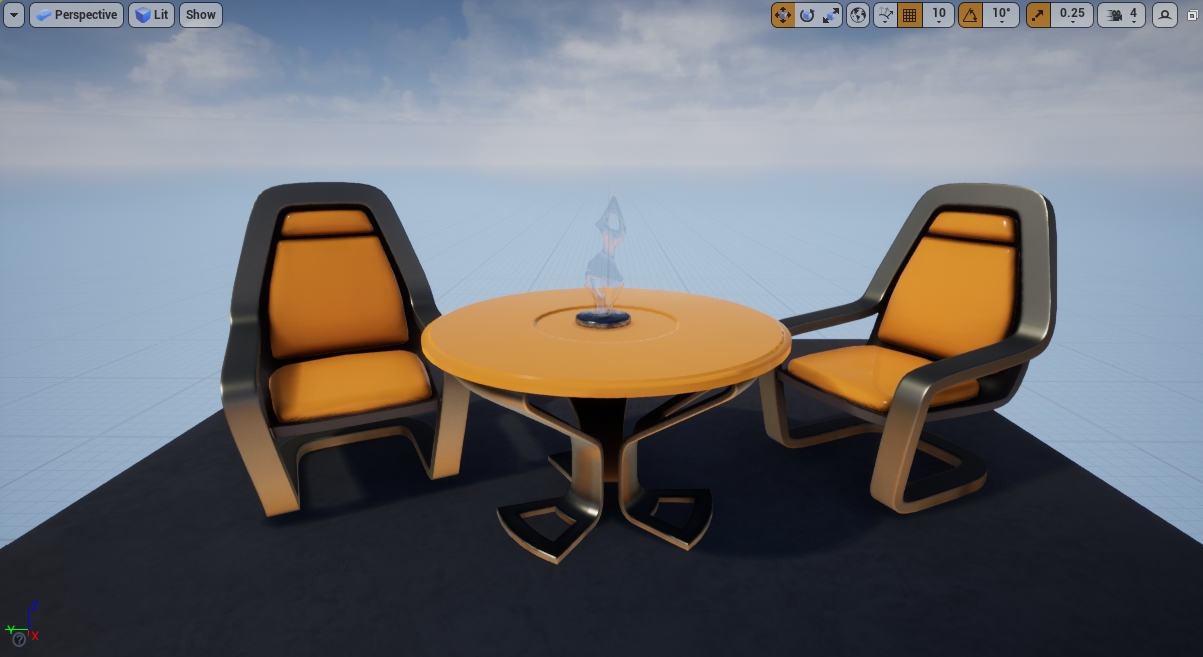
UE의 기본 Scene을 예로 들면 화면은 다음과 같습니다.
이제 다음 명령줄을 사용하여 모든 포스트 프로세스(Post-Process)를 끕니다.
ShowFlag.PostProcessing 0결과적으로 화면은 다음과 같이 변경되었습니다.
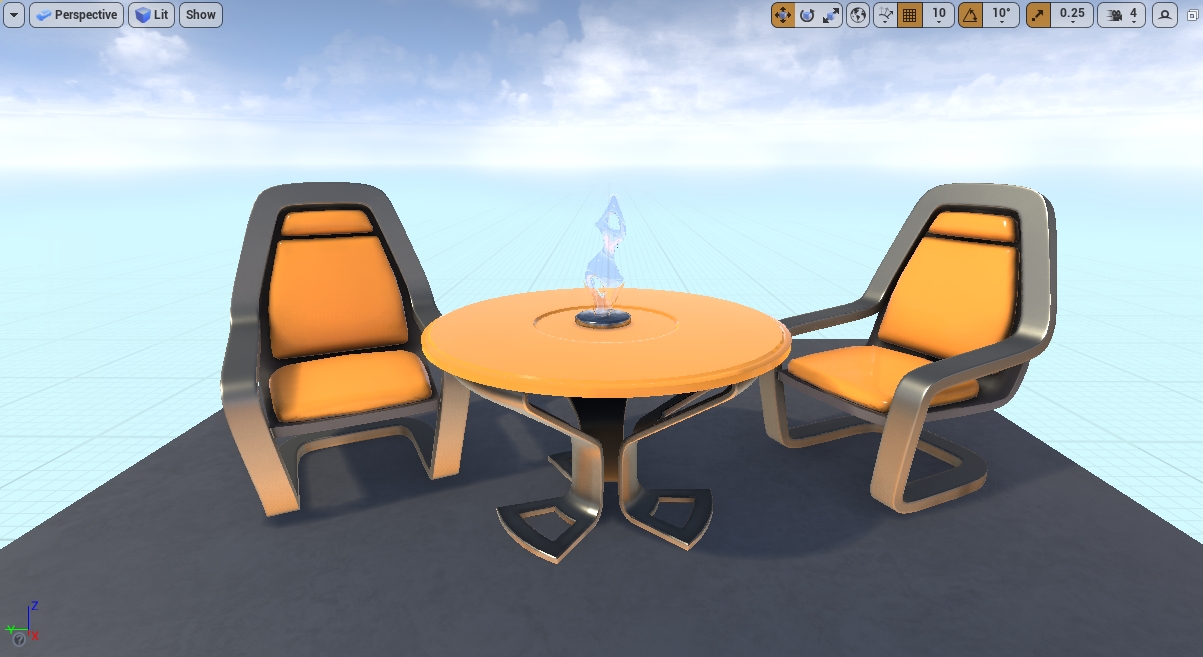
RenderDoc을 사용하여 프레임을 캡처하고 위의 그림이 실제로 포스트 프로세스(Post-Process) 단계에서 감마 보정(Gamma Correction)을 적용한 것을 발견했습니다. 좋은 사람, 그것도 꺼서 포스트 프로세스(Post-Process)가 전혀 없는 사진을 얻습니다.
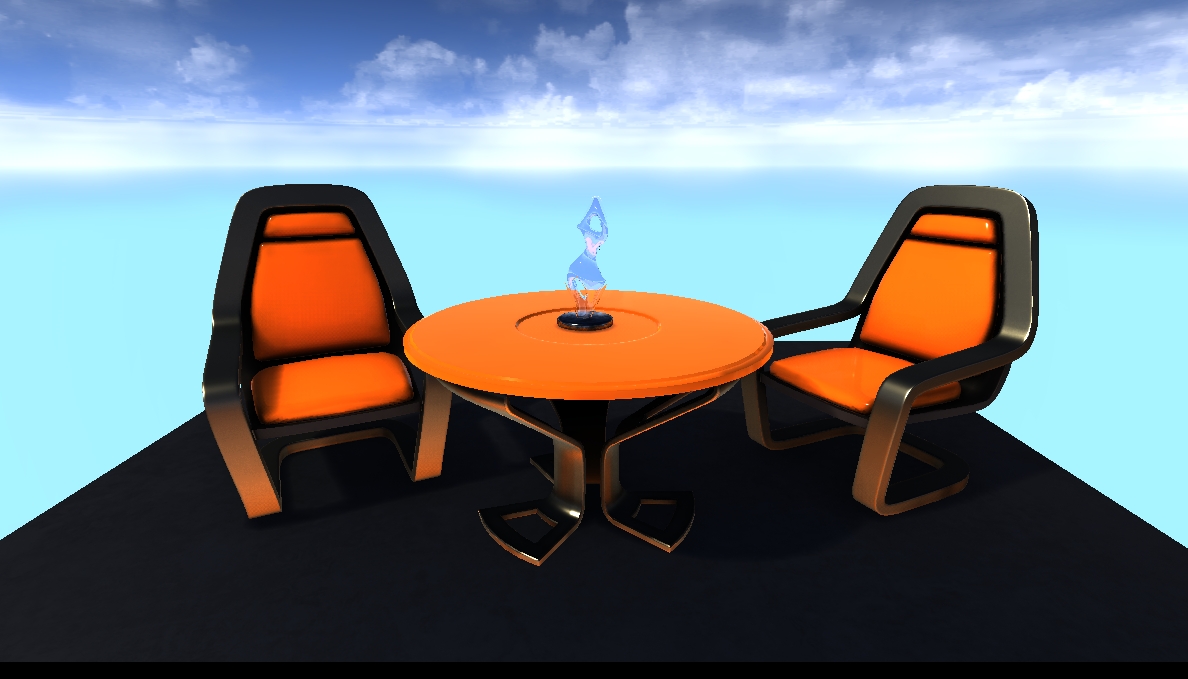
첫번째 사진과 비교해보면 차이점이 보이시나요? 색상 밝기, 대비, 색상 및 들쭉날쭉함이 다른가요?
이것은 또한 포스트 프로세스(Post-Process)에 설정이나 변경을 하지 않더라도 UE가 기본적으로 여전히 많은 포스트 프로세스(Post-Process)를 수행하여 렌더링된 그림이 최종적으로 화면 앞에 정상적으로 나타나도록 하는 것을 확인합니다.
이것으로부터 우리는 렌더링과 UE를 위해 포스트 프로세스(Post-Process)가 얼마나 중요한지 알 수 있습니다. 포스트 프로세스(Post-Process)를 통해 날개를 추가하고 마무리 터치를 추가하여 사진을 보다 신뢰할 수 있고 생생하고 흥미롭게 만들 수 있습니다.
사실 포스트 프로세스(Post-Process)의 적용은 그 이상이며, 깊이, 노멀 등 스크린 공간의 정보를 결합한 후에는 더 넓고 풍부한 마법의 세계를 갖게 될 것입니다.
이 장에서는 몇 가지 기본 지식 포인트와 포스트 프로세스(Post-Process)의 개념과 UE의 작동 및 사용에 대해 설명합니다.
7.2.1 포스트 프로세스(Post-Process) 소개
아티스트와 디자이너는 Unreal Engine에서 제공하는 포스트 프로세스(Post-Process) 효과를 사용하여 장면의 전체적인 모양과 느낌을 조정합니다.
기본적으로 UE는 안티앨리어싱(Anti-Aliasing), 자동 노출, 블룸(Bloom), 톤매핑(Tonemapping) 및 감마 보정(Gamma Correction)과 같은 포스트 프로세스(Post-Process)를 켭니다.
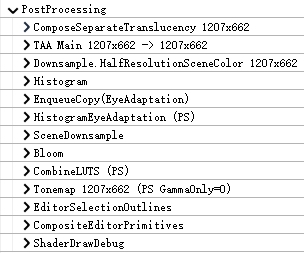
물론 장면 보기의 Show/Post Processing 메뉴 아래에 있는 옵션을 통해 사후 처리를 동적으로 켜고 끌 수 있어 장면에서 지정된 사후 처리의 효과와 변경 사항을 관찰할 수 있습니다.
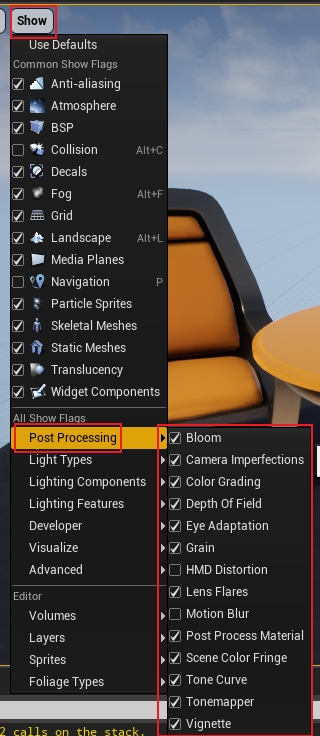
포스트 프로세스(Post-Process)는 앞서 언급한 콘솔 명령을 통해 켜거나 끌 수도 있습니다.
7.2.2 포스트 프로세스(Post-Process) 볼륨
아티스트에게 보다 일반적이고 편리한 방법은 포스트 프로세싱(Post-Processing) 볼륨을 씬으로 드래그하여 포스트 프로세싱(Post-Processing) 효과와 매개변수를 정밀하게 제어하는 것입니다.
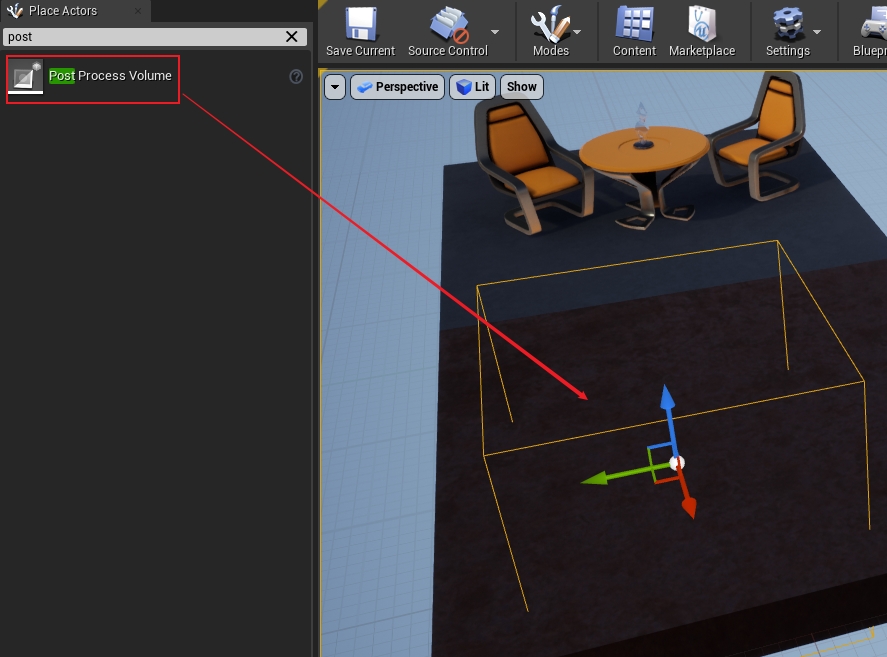
포스트 프로세스(Post-Process) 볼륨에는 많은 유형과 매개변수가 포함되며, 다음은 포스트 프로세스(Post-Process) 볼륨의 속성 분류입니다.
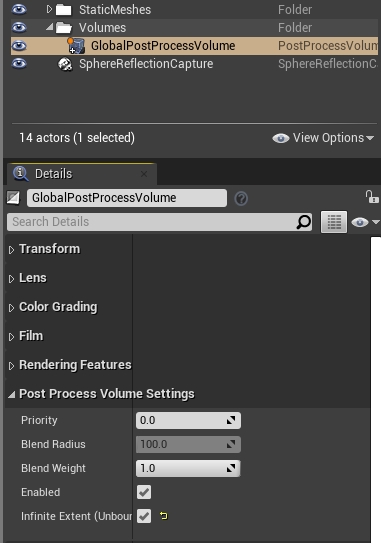
상기 렌즈는 , 관련된 블룸(Bloom), 노출, 플레어, DOF 등의 효과를 포함하는 렌즈 효과를 후 처리 에서 등급의 색상을 화이트 밸런스, 글로벌, 그림자, 정보 및 기타 하이 프로파일 효과를 포함하고, 색 보정, 필름 필름 톤매핑(Tonemapping)이며 기울기, 로우 키, 검정, 어깨, 흰색 등과 같은 곡선 매개변수를 조정할 수 있습니다. 렌더링 기능 에는 포스트 프로세스(Post-Process) 재료, 환경 큐브 맵, AO, 라이트 트래킹 관련 기능, GI, 모션 블러(Motion Blur), LPV, 반사, SSR, 투명도, 경로 추적 및 스크린 퍼센티지(Screen Percentage), 마지막으로 Post Processing Volume Setting , 우선 순위, 혼합 가중치 및 설정이 무한 범위에 영향을 미치는지 여부를 지정할 수 있습니다( 위에).
동일한 씬에 여러 포스트 프로세싱(Post-Processing) 볼륨이 동시에 존재할 수 있지만 성능과 유지 관리를 위해 씬에는 하나의 글로벌 포스트 프로세싱(Post-Processing)(무한 범위)만 있어야 하고 나머지는 로컬 범위로 설정해야 합니다.
7.2.3 포스트 프로세스(Post-Process) 재료
포스트 프로세스(Post-Process) 볼륨은 내장된 포스트 프로세스(Post-Process) 효과를 많이 제공하지만 렌더링 효과는 끊임없이 변화하며 확실히 응용 프로그램의 실제 요구를 충족할 수 없습니다. UE의 포스트 프로세싱(Post-Processing) 머티리얼(Post Processing Material)은 커스터마이징 요구 사항을 충족하며 머티리얼 에디터를 사용하여 커스텀 포스트 프로세싱(Post-Processing) 효과를 얻을 수 있습니다.
포스트 프로세스(Post-Process) 머티리얼 추가는 복잡하지 않습니다. 새 머티리얼을 생성하고 머티리얼 도메인을 포스트 프로세스(Post-Process)로 설정합니다. 이때 머티리얼 핀의 Emissive Color만 켜집니다.
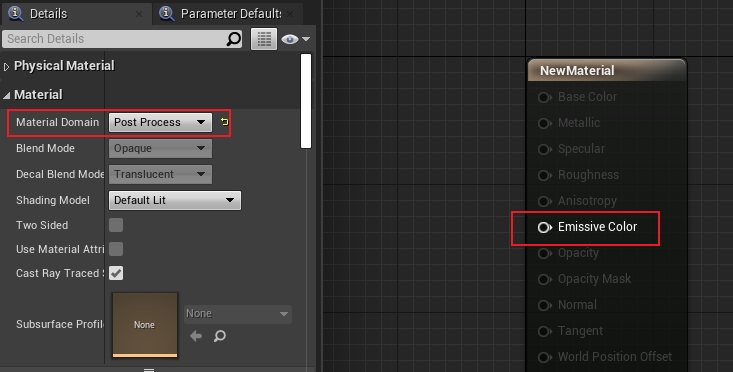
그리고 포스트 프로세스 머티리얼(PostProcessMaterial) 속성 표시줄은 편집 가능한 상태입니다.
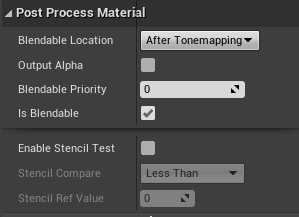
이러한 매개변수의 의미는 다음과 같이 설명됩니다.
블렌딩 가능한 위치 : 머티리얼 블렌딩 위치, 선택적 After Tonemapping(톤매핑(Tonemapping) 후), Before Tonemapping(톤매핑(Tonemapping) 전), Before Translucency(투명도 전), Replacing Tonemapping(대체 톤매핑(Tonemapping)), SSR 입력(스크린 스페이스 리플렉션(SSR: Screen Space Reflections) 입력), 기본값 After Tonemapping(톤매핑(Tonemapping) 후)입니다.
Output Alpha
: Alpha 를 출력할지 여부, 그렇다면 Emissive Color의 Alpha 채널을 올바르게 처리하여 출력해야 합니다. 기본적으로 켜져 있지 않습니다.
혼합 우선 순위 : 혼합 우선 순위 값이 높을수록 나중에 렌더링됩니다(즉, 우선 순위가 낮을수록 먼저 렌더링됨). 기본값은 0입니다.
Is Blendable
: 블렌딩 가능 여부 블렌딩이 가능한 경우 동일한 상위 재질을 공유하는 모든 재질(또는 재질 인스턴스) 매개변수가 C++ 레이어에서 사전 보간됩니다. 기본값은 예입니다.
스텐실 테스트 활성화
: 스텐실 테스트 활성화 여부, 활성화 시 비교 방법 및 기준값을 설정할 수 있습니다. 기본적으로 켜져 있지 않습니다.
포스트 프로세싱(Post-Processing) 머티리얼을 편집한 후 장면에 적용하기 위해 포스트 프로세싱(Post-Processing) 볼륨의 Rendering Feature 속성 표시줄에 있는 Post Process Material 목록에서 설정할 수 있습니다.
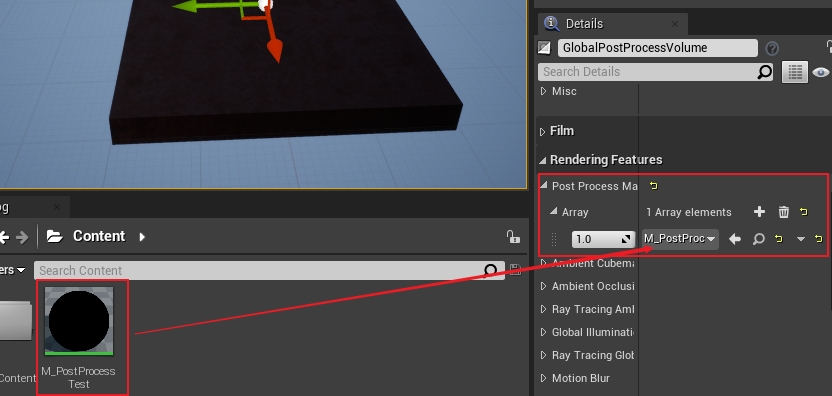
또한 각 재료의 혼합 가중치와 순서를 조정할 수 있습니다(도트 매트릭스를 가중치 왼쪽으로 드래그).
포스트 프로세스(Post-Process) 머티리얼에서 SceneTexture 머티리얼 노드의 SceneColor에 액세스할 수 없습니다. 그렇지 않으면 오류가 보고됩니다.
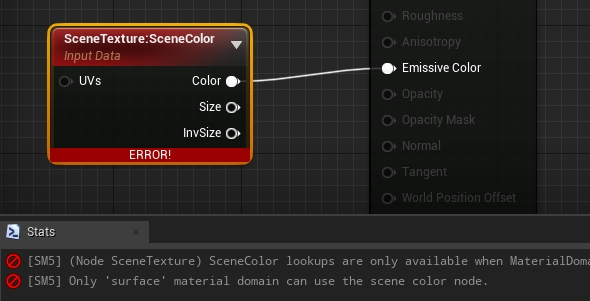
SceneColor는 포스트 프로세스(Post-Process) 재료에서 액세스할 수 없으며, 이는 SceneColor가 표면 재료 도메인에서만 사용될 수 있음을 나타냅니다.
이 문제를 해결하려면 SceneTexture 노드를 선택하고 속성 표시줄의 Scene Texture Id에서 PostProcessInput0을 선택합니다.
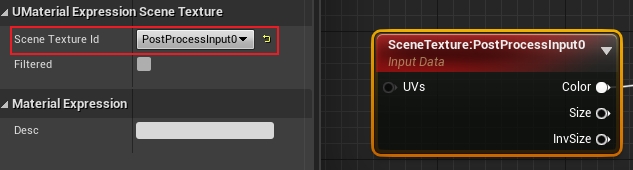
PostProcessInput0 외에도 포스트 프로세싱(Post-Processing) 머티리얼에서 읽을 수 있는 다른 많은 화면 공간 데이터(GBuffer)가 있습니다.
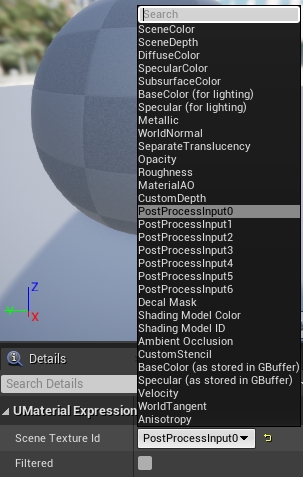
그러나 대부분의 포스트 프로세스(Post-Process) 채널에서 PostProcessInput1~PostProcessInput6은 빈 텍스처입니다.
이 장에서는 분석을 위해 UE의 포스트 프로세스(Post-Process) 코드를 입력합니다.
7.3.1 AddPostProcessingPasses
후 처리의 주요 진입 점은 AddPostProcessingPasses상기 FDeferred의 말 :
void FDeferredShadingSceneRenderer::Render(FRHICommandListImmediate& RHICmdList)
{
    (......)
    RenderTranslucency(RHICmdList, ...);
    (......)// 포스트 프로세스 파이프라인 스테이지。
    if (ViewFamily.bResolveScene)
{
        GRenderTargetPool.AddPhaseEvent(TEXT("PostProcessing"));
        (......)// 포스트 프로세스 파이프라인 입력 파라미터.
        FPostProcessingInputs PostProcessingInputs;
        PostProcessingInputs.ViewFamilyTexture = ViewFamilyTexture;
        PostProcessingInputs.SeparateTranslucencyTextures = &SeparateTranslucencyTextures;
        PostProcessingInputs.SceneTextures = SceneTextures;
        (......)
{// 순회(Traverse/Iterate)view, 개 view추가(Add)포스트 프로세스 패스(Pass).
            for (int32 ViewIndex = 0; ViewIndex < Views.Num(); ViewIndex++)
{
                FViewInfo& View = Views[ViewIndex];// 추가(Add)포스트 프로세스 패스.
                AddPostProcessingPasses(GraphBuilder, View, PostProcessingInputs);
            }
        }// 씬의 씬 컬러(SceneColor)텍스처(Texture)nullptr로 초기화.
        AddPass(GraphBuilder, [this, &SceneContext](FRHICommandListImmediate&)
{
            SceneContext.SetSceneColor(nullptr);
        });
    }
    (......)
}AddPostProcessingPasses많은 양의 코드를 포함하는 UE의 내장 포스트 프로세스(Post-Process) 시퀀스를 다루지만 주요 프로세스가 먼저 분석됩니다.
// Engine\Source\Runtime\Renderer\Private\PostProcess\PostProcessing.cpp
void AddPostProcessingPasses(FRDGBuilder& GraphBuilder, const FViewInfo& View, const FPostProcessingInputs& Inputs)
{
    Inputs.Validate();// 페치/가져오기(Fetch)텍스처(Texture) 및 뷰(View)데이터 .
    const FIntRect PrimaryViewRect = View.ViewRect;
    const FSceneTextureParameters SceneTextureParameters = GetSceneTextureParameters(GraphBuilder, Inputs.SceneTextures);
    const FScreenPassRenderTarget ViewFamilyOutput = FScreenPassRenderTarget::CreateViewFamilyOutput(Inputs.ViewFamilyTexture, View);
    const FScreenPassTexture SceneDepth(SceneTextureParameters.SceneDepthTexture, PrimaryViewRect);
    const FScreenPassTexture SeparateTranslucency(Inputs.SeparateTranslucencyTextures->GetColorForRead(GraphBuilder), PrimaryViewRect);
    const FScreenPassTexture CustomDepth((*Inputs.SceneTextures)->CustomDepthTexture, PrimaryViewRect);
    const FScreenPassTexture Velocity(SceneTextureParameters.GBufferVelocityTexture, PrimaryViewRect);
    const FScreenPassTexture BlackDummy(GSystemTextures.GetBlackDummy(GraphBuilder));// 씬 컬러(SceneColor).
    FScreenPassTexture SceneColor((*Inputs.SceneTextures)->SceneColorTexture, PrimaryViewRect);
    FScreenPassTexture SceneColorBeforeTonemap;
    FScreenPassTexture SceneColorAfterTonemap;const FScreenPassTexture OriginalSceneColor = SceneColor;// 초기화(Initialize)텍스처(Texture).
    const FEyeAdaptationParameters EyeAdaptationParameters = GetEyeAdaptationParameters(View, ERHIFeatureLevel::SM5);
    FRDGTextureRef LastEyeAdaptationTexture = GetEyeAdaptationTexture(GraphBuilder, View);
    FRDGTextureRef EyeAdaptationTexture = LastEyeAdaptationTexture;
    FRDGTextureRef HistogramTexture = BlackDummy.Texture;// 처리(Process)포스트 프로세스활성화(Enable)플래그 .
    const FEngineShowFlags& EngineShowFlags = View.Family->EngineShowFlags;
    const bool bVisualizeHDR = EngineShowFlags.VisualizeHDR;
    const bool bViewFamilyOutputInHDR = GRHISupportsHDROutput && IsHDREnabled();
    const bool bVisualizeGBufferOverview = IsVisualizeGBufferOverviewEnabled(View);
    const bool bVisualizeGBufferDumpToFile = IsVisualizeGBufferDumpToFileEnabled(View);
    const bool bVisualizeGBufferDumpToPIpe = IsVisualizeGBufferDumpToPipeEnabled(View);
    const bool bOutputInHDR = IsPostProcessingOutputInHDR();const FPaniniProjectionConfig PaniniConfig(View);// 포스트 프로세스 전용 렌더 패스(Pass).
    enum class EPass : uint32
    {
        MotionBlur,    // 모션 블러(Motion Blur)
        Tonemap,     // 톤매핑(Tonemapping)
        FXAA,        // FXAA안티앨리어싱(Anti-Aliasing)
        PostProcessMaterialAfterTonemapping, // 톤매핑(Tonemapping) 이후의 포스트 프로세스
        VisualizeDepthOfField,
        VisualizeStationaryLightOverlap,
        VisualizeLightCulling,
        SelectionOutline,
        EditorPrimitive,
        VisualizeShadingModels,
        VisualizeGBufferHints,
        VisualizeSubsurface,
        VisualizeGBufferOverview,
        VisualizeHDR,
        PixelInspector,
        HMDDistortion,
        HighResolutionScreenshotMask,
        PrimaryUpscale,     // 메인 업스케일링(Main Upscale)
        SecondaryUpscale,     // 보조 업스케일링(Secondary Upscale)
        MAX
    };
    (......)// 포스트 프로세스 전용 패스 디버그 식별자 이름.
    const TCHAR* PassNames[] =
    {
        TEXT("MotionBlur"),
        TEXT("Tonemap"),
        TEXT("FXAA"),
        TEXT("PostProcessMaterial (AfterTonemapping)"),
        TEXT("VisualizeDepthOfField"),
        TEXT("VisualizeStationaryLightOverlap"),
        TEXT("VisualizeLightCulling"),
        TEXT("SelectionOutline"),
        TEXT("EditorPrimitive"),
        TEXT("VisualizeShadingModels"),
        TEXT("VisualizeGBufferHints"),
        TEXT("VisualizeSubsurface"),
        TEXT("VisualizeGBufferOverview"),
        TEXT("VisualizeHDR"),
        TEXT("PixelInspector"),
        TEXT("HMDDistortion"),
        TEXT("HighResolutionScreenshotMask"),
        TEXT("PrimaryUpscale"),
        TEXT("SecondaryUpscale")
    };static_assert(static_cast<uint32>(EPass::MAX) == UE_ARRAY_COUNT(PassNames), "EPass does not match PassNames.");// 선언 포스트 프로세스 시퀀스(PassSequence)PassSequence인스턴스 .
    TOverridePassSequence<EPass> PassSequence(ViewFamilyOutput);
    PassSequence.SetNames(PassNames, UE_ARRAY_COUNT(PassNames));// 활성화(Enable) 또는 비활성화(Disable)Pass.
    PassSequence.SetEnabled(EPass::VisualizeStationaryLightOverlap, EngineShowFlags.StationaryLightOverlap);
    PassSequence.SetEnabled(EPass::VisualizeLightCulling, EngineShowFlags.VisualizeLightCulling);
    PassSequence.SetEnabled(EPass::SelectionOutline, false);
    PassSequence.SetEnabled(EPass::EditorPrimitive, false);
    PassSequence.SetEnabled(EPass::VisualizeShadingModels, EngineShowFlags.VisualizeShadingModels);
    PassSequence.SetEnabled(EPass::VisualizeGBufferHints, EngineShowFlags.GBufferHints);
    PassSequence.SetEnabled(EPass::VisualizeSubsurface, EngineShowFlags.VisualizeSSS);
    PassSequence.SetEnabled(EPass::VisualizeGBufferOverview, bVisualizeGBufferOverview || bVisualizeGBufferDumpToFile || bVisualizeGBufferDumpToPIpe);
    PassSequence.SetEnabled(EPass::VisualizeHDR, EngineShowFlags.VisualizeHDR);
    PassSequence.SetEnabled(EPass::PixelInspector, false);
    PassSequence.SetEnabled(EPass::HMDDistortion, EngineShowFlags.StereoRendering && EngineShowFlags.HMDDistortion);
    PassSequence.SetEnabled(EPass::HighResolutionScreenshotMask, IsHighResolutionScreenshotMaskEnabled(View));
    PassSequence.SetEnabled(EPass::PrimaryUpscale, PaniniConfig.IsEnabled() || (View.PrimaryScreenPercentageMethod == EPrimaryScreenPercentageMethod::SpatialUpscale && PrimaryViewRect.Size() != View.GetSecondaryViewRectSize()));
    PassSequence.SetEnabled(EPass::SecondaryUpscale, View.RequiresSecondaryUpscale());
    (......)if (IsPostProcessingEnabled(View)) // 뷰(View)활성화(Enable)포스트 프로세스
    {const EStereoscopicPass StereoPass = View.StereoPass;// 처리(Process)데이터 및 플래그 .
        const bool bPrimaryView = IStereoRendering::IsAPrimaryView(View);
        const bool bHasViewState = View.ViewState != nullptr;
        const bool bDepthOfFieldEnabled = DiaphragmDOF::IsEnabled(View);
        const bool bVisualizeDepthOfField = bDepthOfFieldEnabled && EngineShowFlags.VisualizeDOF;
        const bool bVisualizeMotionBlur = IsVisualizeMotionBlurEnabled(View);
        const EAutoExposureMethod AutoExposureMethod = GetAutoExposureMethod(View);
        const EAntiAliasingMethod AntiAliasingMethod = !bVisualizeDepthOfField ? View.AntiAliasingMethod : AAM_None;
        const EDownsampleQuality DownsampleQuality = GetDownsampleQuality();
        const EPixelFormat DownsampleOverrideFormat = PF_FloatRGB;
        const bool bMotionBlurEnabled = !bVisualizeMotionBlur && IsMotionBlurEnabled(View);
        const bool bTonemapEnabled = !bVisualizeMotionBlur;
        const bool bTonemapOutputInHDR = View.Family->SceneCaptureSource == SCS_FinalColorHDR || View.Family->SceneCaptureSource == SCS_FinalToneCurveHDR || bOutputInHDR || bViewFamilyOutputInHDR;
        const bool bEyeAdaptationEnabled = bHasViewState && bPrimaryView;
        const bool bHistogramEnabled = bVisualizeHDR || (bEyeAdaptationEnabled && AutoExposureMethod == EAutoExposureMethod::AEM_Histogram && View.FinalPostProcessSettings.AutoExposureMinBrightness < View.FinalPostProcessSettings.AutoExposureMaxBrightness);
        const bool bBloomEnabled = View.FinalPostProcessSettings.BloomIntensity > 0.0f;// 톤매핑(Tonemapping) 이후의 포스트 프로세스 머티리얼.
        const FPostProcessMaterialChain PostProcessMaterialAfterTonemappingChain = GetPostProcessMaterialChain(View, BL_AfterTonemapping);
        PassSequence.SetEnabled(EPass::MotionBlur, bVisualizeMotionBlur || bMotionBlurEnabled);
        PassSequence.SetEnabled(EPass::Tonemap, bTonemapEnabled);
        PassSequence.SetEnabled(EPass::FXAA, AntiAliasingMethod == AAM_FXAA);
        PassSequence.SetEnabled(EPass::PostProcessMaterialAfterTonemapping, PostProcessMaterialAfterTonemappingChain.Num() != 0);
        PassSequence.SetEnabled(EPass::VisualizeDepthOfField, bVisualizeDepthOfField);// 포스트 프로세스.
        for (int32 ViewExt = 0; ViewExt < View.Family->ViewExtensions.Num(); ++ViewExt)
{
    for (int32 SceneViewPassId = 0; SceneViewPassId != static_cast<int>(ISceneViewExtension::EPostProcessingPass::MAX); SceneViewPassId++)
{
                ISceneViewExtension::EPostProcessingPass SceneViewPass = static_cast<ISceneViewExtension::EPostProcessingPass>(SceneViewPassId);
                EPass PostProcessingPass = TranslatePass(SceneViewPass);
                View.Family->ViewExtensions[ViewExt]->SubscribeToPostProcessingPass(
                    SceneViewPass,
                    PassSequence.GetAfterPassCallbacks(PostProcessingPass),
                    PassSequence.IsEnabled(PostProcessingPass));
            }
        }// 포스트 프로세스 시퀀스 활성화/비활성화 처리 완료.
        PassSequence.Finalize();// 포스트 프로세스 머티리얼 체인 - 트랜스루센트 렌더링 이전 (Before Translucency)
{const FPostProcessMaterialChain MaterialChain = GetPostProcessMaterialChain(View, BL_BeforeTranslucency);if (MaterialChain.Num())
{
                SceneColor = AddPostProcessMaterialChain(GraphBuilder, View, GetPostProcessMaterialInputs(SceneColor), MaterialChain);
            }
        }// 조리개(Aperture)DOF
        {
            FRDGTextureRef LocalSceneColorTexture = SceneColor.Texture;if (bDepthOfFieldEnabled)
{
                LocalSceneColorTexture = DiaphragmDOF::AddPasses(GraphBuilder, SceneTextureParameters, View, SceneColor.Texture, *Inputs.SeparateTranslucencyTextures);
            }
if (LocalSceneColorTexture == SceneColor.Texture)
{
                LocalSceneColorTexture = AddSeparateTranslucencyCompositionPass(GraphBuilder, View, SceneColor.Texture, *Inputs.SeparateTranslucencyTextures);
            }
            SceneColor.Texture = LocalSceneColorTexture;
        }// 포스트 프로세스 머티리얼 체인 - 톤매핑 이전 (Before Tonemapping)
{const FPostProcessMaterialChain MaterialChain = GetPostProcessMaterialChain(View, BL_BeforeTonemapping);if (MaterialChain.Num())
{
                SceneColor = AddPostProcessMaterialChain(GraphBuilder, View, GetPostProcessMaterialInputs(SceneColor), MaterialChain);
            }
        }
        FScreenPassTexture HalfResolutionSceneColor;// 뷰(View).
        FIntRect SecondaryViewRect = PrimaryViewRect;// 템포럴 안티앨리어싱(TAA: Temporal Anti-Aliasing)TAA.
        if (AntiAliasingMethod == AAM_TemporalAA)
{// 는 여부 씬 컬러(SceneColor)다운샘플링(Downsampling).
            const bool bAllowSceneDownsample =
                IsTemporalAASceneDownsampleAllowed(View) &&// We can only merge if the normal downsample pass would happen immediately after.
                !bMotionBlurEnabled && !bVisualizeMotionBlur &&// TemporalAA is only able to match the low quality mode (box filter).
                GetDownsampleQuality() == EDownsampleQuality::Low;
            int32 UpscaleMode = ITemporalUpscaler::GetTemporalUpscalerMode();const ITemporalUpscaler* DefaultTemporalUpscaler = ITemporalUpscaler::GetDefaultTemporalUpscaler();
            const ITemporalUpscaler* UpscalerToUse = ( UpscaleMode == 0 || !View.Family->GetTemporalUpscalerInterface())? DefaultTemporalUpscaler : View.Family->GetTemporalUpscalerInterface();const TCHAR* UpscalerName = UpscalerToUse->GetDebugName();
            (......)
            ITemporalUpscaler::FPassInputs UpscalerPassInputs;
            UpscalerPassInputs.bAllowDownsampleSceneColor = bAllowSceneDownsample;
            UpscalerPassInputs.DownsampleOverrideFormat = DownsampleOverrideFormat;
            UpscalerPassInputs.SceneColorTexture = SceneColor.Texture;
            UpscalerPassInputs.SceneDepthTexture = SceneDepth.Texture;
            UpscalerPassInputs.SceneVelocityTexture = Velocity.Texture;
            UpscalerPassInputs.EyeAdaptationTexture = GetEyeAdaptationTexture(GraphBuilder, View);// 추가(Add)TAA Pass.
            UpscalerToUse->AddPasses(
                GraphBuilder,
                View,
                UpscalerPassInputs,
                &SceneColor.Texture,
                &SecondaryViewRect,
                &HalfResolutionSceneColor.Texture,
                &HalfResolutionSceneColor.ViewRect);
        }// 스크린 스페이스 리플렉션(SSR)(SSR: Screen Space Reflections).
        else if (ShouldRenderScreenSpaceReflections(View))
{
    if (!View.bStatePrevViewInfoIsReadOnly)
{
    check(View.ViewState);
                FTemporalAAHistory& OutputHistory = View.ViewState->PrevFrameViewInfo.TemporalAAHistory;
                GraphBuilder.QueueTextureExtraction(SceneColor.Texture, &OutputHistory.RT[0]);FTAAPassParameters TAAInputs(View);
                TAAInputs.SceneColorInput = SceneColor.Texture;
                TAAInputs.SetupViewRect(View);
                OutputHistory.ViewportRect = TAAInputs.OutputViewRect;
                OutputHistory.ReferenceBufferSize = TAAInputs.GetOutputExtent() * TAAInputs.ResolutionDivisor;
            }
        }// 씬 컬러(SceneColor)뷰(View)회 뷰(View)의 .
        SceneColor.ViewRect = SecondaryViewRect;// 포스트 프로세스 머티리얼 체인 - SSR 입력 (SSR Input)
        if (View.ViewState && !View.bStatePrevViewInfoIsReadOnly)
{const FPostProcessMaterialChain MaterialChain = GetPostProcessMaterialChain(View, BL_SSRInput);if (MaterialChain.Num())
{// 저장(Save)SSR의 포스트 프로세스출력다음 프레임(Next Frame)을(를) 활용하여 .
                FScreenPassTexture PassOutput = AddPostProcessMaterialChain(GraphBuilder, View, GetPostProcessMaterialInputs(SceneColor), MaterialChain);
                GraphBuilder.QueueTextureExtraction(PassOutput.Texture, &View.ViewState->PrevFrameViewInfo.CustomSSRInput);
            }
        }// 모션 블러(Motion Blur).
        if (PassSequence.IsEnabled(EPass::MotionBlur))
{
            FMotionBlurInputs PassInputs;
            PassSequence.AcceptOverrideIfLastPass(EPass::MotionBlur, PassInputs.OverrideOutput);
            PassInputs.SceneColor = SceneColor;
            PassInputs.SceneDepth = SceneDepth;
            PassInputs.SceneVelocity = Velocity;
            PassInputs.Quality = GetMotionBlurQuality();
            PassInputs.Filter = GetMotionBlurFilter();if (bVisualizeMotionBlur)
{
                SceneColor = AddVisualizeMotionBlurPass(GraphBuilder, View, PassInputs);
            } else
{
                SceneColor = AddMotionBlurPass(GraphBuilder, View, PassInputs);
            }
        }
        SceneColor = AddAfterPass(EPass::MotionBlur, SceneColor);// 만약 TAA없음다운샘플링(Downsampling)씬 컬러(SceneColor), 내부에서 채택 을(를) 활용하여 하프 해상도(Half Resolution)해상도 실행(Execute)수행 .
        if (!HalfResolutionSceneColor.Texture)
{
            FDownsamplePassInputs PassInputs;
            PassInputs.Name = TEXT("HalfResolutionSceneColor");
            PassInputs.SceneColor = SceneColor;
            PassInputs.Quality = DownsampleQuality;
            PassInputs.FormatOverride = DownsampleOverrideFormat;
            HalfResolutionSceneColor = AddDownsamplePass(GraphBuilder, View, PassInputs);
        }// 저장(Save)하프 해상도(Half Resolution)해상도 의 씬 컬러(SceneColor)까지 내에서 .
        extern int32 GSSRHalfResSceneColor;
        if (ShouldRenderScreenSpaceReflections(View) && !View.bStatePrevViewInfoIsReadOnly && GSSRHalfResSceneColor)
{
    check(View.ViewState);
            GraphBuilder.QueueTextureExtraction(HalfResolutionSceneColor.Texture, &View.ViewState->PrevFrameViewInfo.HalfResTemporalAAHistory);
        }
        FSceneDownsampleChain SceneDownsampleChain;// 히스토그램(Histogram).
        if (bHistogramEnabled)
{
            HistogramTexture = AddHistogramPass(GraphBuilder, View, EyeAdaptationParameters, HalfResolutionSceneColor, LastEyeAdaptationTexture);
        }// 아이 어댑테이션(Eye Adaptation / 자동 노출)(자동 노출(Auto Exposure)).
        if (bEyeAdaptationEnabled)
{const bool bBasicEyeAdaptationEnabled = bEyeAdaptationEnabled && (AutoExposureMethod == EAutoExposureMethod::AEM_Basic);if (bBasicEyeAdaptationEnabled)
{const bool bLogLumaInAlpha = true;
                SceneDownsampleChain.Init(GraphBuilder, View, EyeAdaptationParameters, HalfResolutionSceneColor, DownsampleQuality, bLogLumaInAlpha);// Use the alpha channel in the last downsample (smallest) to compute eye adaptations values.
                EyeAdaptationTexture = AddBasicEyeAdaptationPass(GraphBuilder, View, EyeAdaptationParameters, SceneDownsampleChain.GetLastTexture(), LastEyeAdaptationTexture);
            }// Add histogram eye adaptation pass even if no histogram exists to support the manual clamping mode.
            else
{
                EyeAdaptationTexture = AddHistogramEyeAdaptationPass(GraphBuilder, View, EyeAdaptationParameters, HistogramTexture);
            }
        }
        FScreenPassTexture Bloom;// 블룸(Bloom).
        if (bBloomEnabled)
{
            FSceneDownsampleChain BloomDownsampleChain;
            FBloomInputs PassInputs;
            PassInputs.SceneColor = SceneColor;const bool bBloomThresholdEnabled = View.FinalPostProcessSettings.BloomThreshold > -1.0f;// Reuse the main scene downsample chain if a threshold isn't required for bloom.
            if (SceneDownsampleChain.IsInitialized() && !bBloomThresholdEnabled)
{
                PassInputs.SceneDownsampleChain = &SceneDownsampleChain;
            } else
{
                FScreenPassTexture DownsampleInput = HalfResolutionSceneColor;if (bBloomThresholdEnabled)
{const float BloomThreshold = View.FinalPostProcessSettings.BloomThreshold;
                    FBloomSetupInputs SetupPassInputs;
                    SetupPassInputs.SceneColor = DownsampleInput;
                    SetupPassInputs.EyeAdaptationTexture = EyeAdaptationTexture;
                    SetupPassInputs.Threshold = BloomThreshold;
                    DownsampleInput = AddBloomSetupPass(GraphBuilder, View, SetupPassInputs);
                }const bool bLogLumaInAlpha = false;
                BloomDownsampleChain.Init(GraphBuilder, View, EyeAdaptationParameters, DownsampleInput, DownsampleQuality, bLogLumaInAlpha);
                PassInputs.SceneDownsampleChain = &BloomDownsampleChain;
            }
            FBloomOutputs PassOutputs = AddBloomPass(GraphBuilder, View, PassInputs);
            SceneColor = PassOutputs.SceneColor;
            Bloom = PassOutputs.Bloom;
            FScreenPassTexture LensFlares = AddLensFlaresPass(GraphBuilder, View, Bloom, *PassInputs.SceneDownsampleChain);if (LensFlares.IsValid())
{
                Bloom = LensFlares;
            }
        }
if (!Bloom.IsValid())
{
            Bloom = BlackDummy;
        }
        SceneColorBeforeTonemap = SceneColor;// 톤매핑(Tonemapping).
        if (PassSequence.IsEnabled(EPass::Tonemap))
{const FPostProcessMaterialChain MaterialChain = GetPostProcessMaterialChain(View, BL_ReplacingTonemapper);if (MaterialChain.Num())
{const UMaterialInterface* HighestPriorityMaterial = MaterialChain[0];
                FPostProcessMaterialInputs PassInputs;
                PassSequence.AcceptOverrideIfLastPass(EPass::Tonemap, PassInputs.OverrideOutput);
                PassInputs.SetInput(EPostProcessMaterialInput::SceneColor, SceneColor);
                PassInputs.SetInput(EPostProcessMaterialInput::SeparateTranslucency, SeparateTranslucency);
                PassInputs.SetInput(EPostProcessMaterialInput::CombinedBloom, Bloom);
                PassInputs.SceneTextures = GetSceneTextureShaderParameters(Inputs.SceneTextures);
                PassInputs.CustomDepthTexture = CustomDepth.Texture;
                SceneColor = AddPostProcessMaterialPass(GraphBuilder, View, PassInputs, HighestPriorityMaterial);
            } else
{
                FRDGTextureRef ColorGradingTexture = nullptr;if (bPrimaryView)
{
                    ColorGradingTexture = AddCombineLUTPass(GraphBuilder, View);
                }// We can re-use the color grading texture from the primary view.
                else if (View.GetTonemappingLUT())
{
                    ColorGradingTexture = TryRegisterExternalTexture(GraphBuilder, View.GetTonemappingLUT());
                } else
{const FViewInfo* PrimaryView = static_cast<const FViewInfo*>(View.Family->Views[0]);
                    ColorGradingTexture = TryRegisterExternalTexture(GraphBuilder, PrimaryView->GetTonemappingLUT());
                }
                FTonemapInputs PassInputs;
                PassSequence.AcceptOverrideIfLastPass(EPass::Tonemap, PassInputs.OverrideOutput);
                PassInputs.SceneColor = SceneColor;
                PassInputs.Bloom = Bloom;
                PassInputs.EyeAdaptationTexture = EyeAdaptationTexture;
                PassInputs.ColorGradingTexture = ColorGradingTexture;
                PassInputs.bWriteAlphaChannel = AntiAliasingMethod == AAM_FXAA || IsPostProcessingWithAlphaChannelSupported();
                PassInputs.bOutputInHDR = bTonemapOutputInHDR;
                SceneColor = AddTonemapPass(GraphBuilder, View, PassInputs);
            }
        }
        SceneColor = AddAfterPass(EPass::Tonemap, SceneColor);
        SceneColorAfterTonemap = SceneColor;// FXAA안티앨리어싱(Anti-Aliasing).
        if (PassSequence.IsEnabled(EPass::FXAA))
{
            FFXAAInputs PassInputs;
            PassSequence.AcceptOverrideIfLastPass(EPass::FXAA, PassInputs.OverrideOutput);
            PassInputs.SceneColor = SceneColor;
            PassInputs.Quality = GetFXAAQuality();
            SceneColor = AddFXAAPass(GraphBuilder, View, PassInputs);
        }
        SceneColor = AddAfterPass(EPass::FXAA, SceneColor);// 포스트 프로세스 머티리얼 체인 - 톤매핑 이후 (After Tonemapping)
        if (PassSequence.IsEnabled(EPass::PostProcessMaterialAfterTonemapping))
{
            FPostProcessMaterialInputs PassInputs = GetPostProcessMaterialInputs(SceneColor);
            PassSequence.AcceptOverrideIfLastPass(EPass::PostProcessMaterialAfterTonemapping, PassInputs.OverrideOutput);
            PassInputs.SetInput(EPostProcessMaterialInput::PreTonemapHDRColor, SceneColorBeforeTonemap);
            PassInputs.SetInput(EPostProcessMaterialInput::PostTonemapHDRColor, SceneColorAfterTonemap);
            PassInputs.SceneTextures = GetSceneTextureShaderParameters(Inputs.SceneTextures);
            SceneColor = AddPostProcessMaterialChain(GraphBuilder, View, PassInputs, PostProcessMaterialAfterTonemappingChain);
        }
        (......)
        SceneColor = AddAfterPass(EPass::VisualizeDepthOfField, SceneColor);
    } else // 뷰(View)활성화(Enable)포스트 프로세스, 이면 가장 포스트 프로세스 시퀀스(PassSequence): 오직 블렌딩(Blending)반투명(Translucent)텍스처(Texture) 및 Gamma보정(Correct).
    {
        PassSequence.SetEnabled(EPass::MotionBlur, false);
        PassSequence.SetEnabled(EPass::Tonemap, true);
        PassSequence.SetEnabled(EPass::FXAA, false);
        PassSequence.SetEnabled(EPass::PostProcessMaterialAfterTonemapping, false);
        PassSequence.SetEnabled(EPass::VisualizeDepthOfField, false);
        PassSequence.Finalize();
        SceneColor.Texture = AddSeparateTranslucencyCompositionPass(GraphBuilder, View, SceneColor.Texture, *Inputs.SeparateTranslucencyTextures);
        SceneColorBeforeTonemap = SceneColor;if (PassSequence.IsEnabled(EPass::Tonemap))
{
            FTonemapInputs PassInputs;
            PassSequence.AcceptOverrideIfLastPass(EPass::Tonemap, PassInputs.OverrideOutput);
            PassInputs.SceneColor = SceneColor;
            PassInputs.EyeAdaptationTexture = EyeAdaptationTexture;
            PassInputs.bOutputInHDR = bViewFamilyOutputInHDR;
            PassInputs.bGammaOnly = true;
            SceneColor = AddTonemapPass(GraphBuilder, View, PassInputs);
        }
        SceneColor = AddAfterPass(EPass::Tonemap, SceneColor);
        SceneColorAfterTonemap = SceneColor;
    }// 시각화(Visualization)포스트 프로세스 패스(Pass).
    if (PassSequence.IsEnabled(EPass::VisualizeStationaryLightOverlap))
{
        (......)
        SceneColor = AddVisualizeComplexityPass(GraphBuilder, View, PassInputs);
    }
    (......) // 무시/스킵(Ignore) 또는 시각화(Visualization)코드 .// 메인 업스케일링(Main Upscale)Pass
    if (PassSequence.IsEnabled(EPass::PrimaryUpscale))
{
        FUpscaleInputs PassInputs;
        PassSequence.AcceptOverrideIfLastPass(EPass::PrimaryUpscale, PassInputs.OverrideOutput);
        PassInputs.SceneColor = SceneColor;
        PassInputs.Method = GetUpscaleMethod();
        PassInputs.Stage = PassSequence.IsEnabled(EPass::SecondaryUpscale) ? EUpscaleStage::PrimaryToSecondary : EUpscaleStage::PrimaryToOutput;// 파니니 프로젝션(Panini Projection)(Panini projection)에 의해 메인 업스케일링(Main Upscale)채널/패스(Pass)처리(Process)。
        PassInputs.PaniniConfig = PaniniConfig;
        SceneColor = AddUpscalePass(GraphBuilder, View, PassInputs);
    }// 보조 업스케일링(Secondary Upscale)Pass
    if (PassSequence.IsEnabled(EPass::SecondaryUpscale))
{
        FUpscaleInputs PassInputs;
        PassSequence.AcceptOverrideIfLastPass(EPass::SecondaryUpscale, PassInputs.OverrideOutput);
        PassInputs.SceneColor = SceneColor;
        PassInputs.Method = View.Family->SecondaryScreenPercentageMethod == ESecondaryScreenPercentageMethod::LowerPixelDensitySimulation ? EUpscaleMethod::SmoothStep : EUpscaleMethod::Nearest;
        PassInputs.Stage = EUpscaleStage::SecondaryToOutput;
        SceneColor = AddUpscalePass(GraphBuilder, View, PassInputs);
    }
}
포스트 프로세스(Post-Process) 머티리얼은 먼저 TOverridePassSequence의 인스턴스를 선언한 다음 필요에 따라 켜거나 끄고 포스트 프로세스(Post-Process)에 대해 보기가 활성화되었는지 여부에 따라 두 가지 분기를 입력합니다. 활성화된 경우 각 포스트 프로세스(Post-Process) 효과는 다음과 같습니다. 활성화되지 않은 경우 최소 사후 처리 시퀀스만 유지되고 투명한 텍스처 혼합 및 감마 보정(Gamma Correction)만 포함됩니다.
뷰가 열렸는지 여부를 판단하기 위해 포스트 프로세스(Post-Process)는 다음 인터페이스로 구현됩니다.
bool IsPostProcessingEnabled(const FViewInfo& View)
{
    if (View.GetFeatureLevel() >= ERHIFeatureLevel::SM5) // SM5의 디바이스
    {
    return
            // 뷰(View)활성화(Enable)포스트 프로세스
             View.Family->EngineShowFlags.PostProcessing &&// 및 및 는 시각화(Visualization)디버그 모드(Debug Mode).
            !View.Family->EngineShowFlags.VisualizeDistanceFieldAO &&
            !View.Family->EngineShowFlags.VisualizeShadingModels &&
            !View.Family->EngineShowFlags.VisualizeMeshDistanceFields &&
            !View.Family->EngineShowFlags.VisualizeGlobalDistanceField &&
            !View.Family->EngineShowFlags.ShaderComplexity;
    }// < SM5의 디바이스
    else
{// 뷰(View)활성화(Enable)포스트 프로세스 및 활성화(Enable)셰이딩 복잡도 디버그 모드(Debug Mode) 및 는 모바일 플랫폼(Mobile)HDR파이프라인 .
        return View.Family->EngineShowFlags.PostProcessing && !View.Family->EngineShowFlags.ShaderComplexity && IsMobileHDR();
    }
}
이러한 특정 포스트 프로세스(Post-Process) 패스는 입력 텍스처, 입력 매개변수 및 출력 텍스처의 통일된 형식을 갖습니다. 입력 텍스처에는 SceneColor가 포함되어야 하고, 출력 텍스처는 일반적으로 SceneColor이며, 이전 포스트 프로세스(Post-Process) 패스의 SceneColor 출력은 다음 포스트 프로세싱(Post-Processing) 패스의 SceneColor 입력. , 다른 포스트 프로세싱(Post-Processing) 효과의 중첩을 달성하기 위해.
또한 일부 포스트 프로세스(Post-Process)(화면 공간) 효과는 PassSequence에 반영되지 않고 포스트 프로세스(Post-Process) 렌더링 파이프라인의 특정 위치에 삽입된다는 점에 유의해야 합니다.
7.3.2 TOverridePassSequence
포스트 프로세스(Post-Process) 효과가 중첩되기 때문에 이들의 믹싱(가공) 순서가 관련되어 있음을 의미하며, 처리 순서가 적절하지 않으면 예상치 못한 결과를 얻게 됩니다.
TOverridePassSequence는 열거형을 부여하고, 특별한 규칙에 따라 모든 Pass를 질서 있게 관리 및 실행하는 것입니다. 다음과 같이 정의됩니다.
// Engine\Source\Runtime\Renderer\Private\OverridePassSequence.h
template <typename EPass>
class TOverridePassSequence final
{
public:
    TOverridePassSequence(const FScreenPassRenderTarget& InOverrideOutput)
        : OverrideOutput(InOverrideOutput)
{}
    ~TOverridePassSequence();// 설정(Set)
    void SetName(EPass Pass, const TCHAR* Name);
    void SetNames(const TCHAR* const* Names, uint32 NameCount);// 활성화(Enable)Pass.
    void SetEnabled(EPass Pass, bool bEnabled);
    bool IsEnabled(EPass Pass) const;// 는 여부 가장 개 Pass.
    bool IsLastPass(EPass Pass) const;// 수락(Accept)Pass, 만약 없음에 따라 , 이면 .
    void AcceptPass(EPass Pass)
{
#if RDG_ENABLE_DEBUG
        const int32 PassIndex = (int32)Pass;
        check(bFinalized);
        checkf(NextPass == Pass, TEXT("Pass was accepted out of order: %s. Expected %s."), Passes[PassIndex].Name, Passes[(int32)NextPass].Name);
        checkf(Passes[PassIndex].bEnabled, TEXT("Only accepted passes can be enabled: %s."), Passes[PassIndex].Name);
        Passes[PassIndex].bAccepted = true;// Walk the remaining passes until we hit one that's enabled. This will be the next pass to add.
        for (int32 NextPassIndex = int32(NextPass) + 1; NextPassIndex < PassCountMax; ++NextPassIndex)
{
    if (Passes[NextPassIndex].bEnabled)
{
                NextPass = EPass(NextPassIndex);break;
            }
        }
#endif
}// 만약 Pass는 가장 개 , 이면 수락(Accept)의 RT.
    bool AcceptOverrideIfLastPass(EPass Pass, FScreenPassRenderTarget& OutTargetToOverride, const TOptional<int32>& AfterPassCallbackIndex = TOptional<int32>())
{
        bool bLastAfterPass = AfterPass[(int32)Pass].Num() == 0;if (AfterPassCallbackIndex)
{
            bLastAfterPass = AfterPassCallbackIndex.GetValue() == AfterPass[(int32)Pass].Num() - 1;
        } else
{// Display debug information for a Pass unless it is an after pass.
            AcceptPass(Pass);
        }// We need to override output only if this is the last pass and the last after pass.
        if (IsLastPass(Pass) && bLastAfterPass)
{
            OutTargetToOverride = OverrideOutput;return true;
        }
return false;
    }// Pass활성화(Enable).
    void Finalize()
{
#if RDG_ENABLE_DEBUG
        check(!bFinalized);
        bFinalized = true;for (int32 PassIndex = 0; PassIndex < PassCountMax; ++PassIndex)
{
    checkf(Passes[PassIndex].bAssigned, TEXT("Pass was not assigned to enabled or disabled: %s."), Passes[PassIndex].Name);
        }
#endif
bool bFirstPass = true;for (int32 PassIndex = 0; PassIndex < PassCountMax; ++PassIndex)
{
    if (Passes[PassIndex].bEnabled)
{
    if (bFirstPass)
{#if RDG_ENABLE_DEBUG
                    NextPass = (EPass)PassIndex;
#endif
bFirstPass = false;
                }
                LastPass = (EPass)PassIndex;
            }
        }
    }FAfterPassCallbackDelegateArray& GetAfterPassCallbacks(EPass Pass);

private:
    static const int32 PassCountMax = (int32)EPass::MAX;

struct FPassInfo
    {
#if RDG_ENABLE_DEBUG
        const TCHAR* Name = nullptr;
        bool bAssigned = false;
        bool bAccepted = false;
#endif
bool bEnabled = false;
    };
    FScreenPassRenderTarget OverrideOutput;
    TStaticArray<FPassInfo, PassCountMax> Passes;
    TStaticArray<FAfterPassCallbackDelegateArray, PassCountMax> AfterPass;
    EPass LastPass = EPass::MAX;
#if RDG_ENABLE_DEBUG
    EPass NextPass = EPass(0);
    bool bFinalized = false;
#endif
};
TOverridePassSequence를 통해 순차적인 포스트 프로세스(Post-Process) 효과 세트를 쉽게 구현, 관리 및 실행할 수 있습니다. 그러나 다음 사항에도 주의해야 합니다.
PassSequence는 채널 열기 및 닫기를 처리한 후 수동으로 한 번 호출되어야
Finalize하며 그렇지 않으면 개발자 모드에서 오류가 보고됩니다.TOverridePassSequence는 지정된 채널의 열림과 닫힘을 표시해야 하며 열리거나 닫힌 채널이 실제 패스와 일치하지 않으면 오류가 보고됩니다. 다음은 특정 상황에 따라 PassSequence가 (개발 모드에서) 오류를 보고할지 여부에 대한 자세한 설명입니다.
채널 A가 열리고 GraphBuilder에 추가된 패스가 없으며 호출이 수행되지 않고
AcceptOverrideIfLastPass오류가 보고됩니다.
채널 A가 열리고 GraphBuilder에 Pass가 추가되고 호출되지 않으면
AcceptOverrideIfLastPass오류가 보고됩니다.
채널 A가 열리고 GraphBuilder에 추가된 패스가
AcceptOverrideIfLastPass없으며 호출 이 있고 오류가 보고되지 않습니다. PassSequence는 이 상황의 이상을 감지할 수 없습니다! !
채널 A가 닫히고 GraphBuilder에 Pass가 추가되고 호출
AcceptOverrideIfLastPass이 있으면 오류가 보고됩니다.
채널 A가 닫히고, Pass가 GraphBuilder에 추가되고, 호출
AcceptOverrideIfLastPass이 없으며, 오류가 보고되지 않습니다. PassSequence는 이 상황의 이상을 감지할 수 없습니다! !
채널 A와 B가 모두 열려 있지만 B가 GraphBuilder에 Pass를 추가하고 A보다 먼저 호출
AcceptOverrideIfLastPass하면 오류가 보고됩니다.
특정 예의 경우 다음 코드:
// 비활성화(Disable)채널/패스(Pass)시퀀스 의 FXAA.
    PassSequence.SetEnabled(EPass::FXAA, false);
    (......)// FXAA입력파라미터
    FFXAAInputs PassInputs;// 호출(Call)Pass수락(Accept).
    PassSequence.AcceptOverrideIfLastPass(EPass::FXAA, PassInputs.OverrideOutput);
    PassInputs.SceneColor = SceneColor;
    PassInputs.Quality = GetFXAAQuality();// 추가(Add)FXAA채널/패스(Pass).
    SceneColor = AddFXAAPass(GraphBuilder, View, PassInputs);
PassSequence의 FXAA 채널은 위의 코드에서 닫혀 있지만 채널을 추가하고 호출하려고 AcceptOverrideIfLastPass하므로 개발자 모드에서 다음 오류가 보고됩니다.

즉, 열린 Pass 순서대로 Pass가 수락되지 않고 `AcceptOverrideIfLastPass`내부적 으로 트리거됩니다.
7.3.3 블렌더블(Blendables) 위치(Blendable Location)
BlendableLocation은 포스트 프로세스(Post-Process) 머티리얼의 블렌딩 위치이며 다음과 같이 정의됩니다.
enum EBlendableLocation
{
    // 톤매핑(Tonemapping) 이후.
    BL_AfterTonemapping,// 톤매핑(Tonemapping) 이전.
    BL_BeforeTonemapping,// 반투명(Translucent) 이전.
    BL_BeforeTranslucency,// 대체 톤매핑(Tonemapping).
    BL_ReplacingTonemapper,// SSR입력.
    BL_SSRInput,
    BL_MAX,
};EBlendableLocation재질 편집기의 속성 패널에서 지정할 수 있습니다.
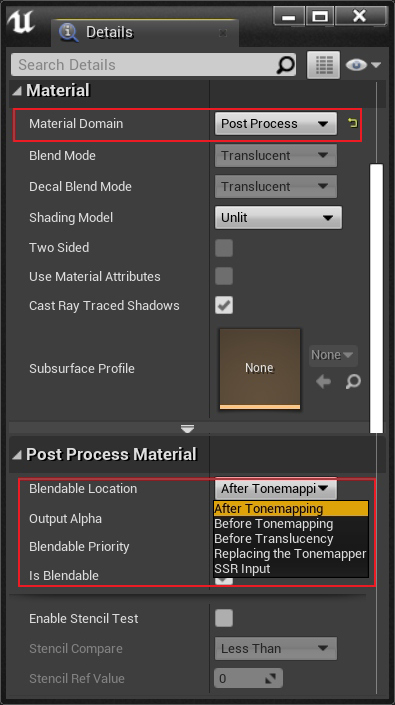
기본 믹싱 단계는 톤매핑(Tonemapping) 후(톤매핑(Tonemapping) 후)이지만 다른 효과를 얻기 위해 믹싱 위치를 변경할 수 있습니다. 예를 들어 포스트 프로세스(Post-Process) 효과는 톤매핑(Tonemapping) 전에 장면 색상을 사용해야 하고 믹싱 위치를 Before Tonemapping으로 변경해야 합니다. UE의 기본 톤매핑(Tonemapping) 효과를 대체하기 위해 톤매핑(Tonemapping) 알고리즘을 사용자 정의해야 하는 경우 Tonemapper 교체로 변경합니다. 포스트 프로세스(Post-Process) 효과가 투명 개체에 영향을 주지 않으려면 Before Translucency로 변경할 수 있습니다. 사용자 정의 SSR 알고리즘을 구현하려면 SSR 입력으로 변경할 수 있습니다.
포스트 프로세스(Post-Process) 파이프라인에서 BlendableLocation의 역할 및 처리 프로세스를 명확히 하기 위해 관련 유형, 코드 및 단계를 추출합니다.
// Engine\Source\Runtime\Renderer\Private\PostProcess\PostProcessMaterial.h
using FPostProcessMaterialChain = TArray<const UMaterialInterface*, TInlineAllocator<10>>;
FPostProcessMaterialChain GetPostProcessMaterialChain(const FViewInfo& View, EBlendableLocation Location);// Engine\Source\Runtime\Renderer\Private\PostProcess\PostProcessMaterial.cpp
FPostProcessMaterialChain GetPostProcessMaterialChain(const FViewInfo& View, EBlendableLocation Location)
{
    if (!IsPostProcessMaterialsEnabledForView(View))
{
    return {};
    }const FSceneViewFamily& ViewFamily = *View.Family;
    TArray<FPostProcessMaterialNode, TInlineAllocator<10>> Nodes;
    FBlendableEntry* Iterator = nullptr;
    (......)// 포스트 프로세스 설정을 순회하여 지정된 Location의 포스트 프로세스 머티리얼 노드 수집.
    while (FPostProcessMaterialNode* Data = IteratePostProcessMaterialNodes(View.FinalPostProcessSettings, Location, Iterator))
{
    check(Data->GetMaterialInterface());
        Nodes.Add(*Data);
    }
if (!Nodes.Num())
{
    return {};
    }// 에 따라 단계 정렬 .
    ::Sort(Nodes.GetData(), Nodes.Num(), FPostProcessMaterialNode::FCompare());
    FPostProcessMaterialChain OutputChain;
    OutputChain.Reserve(Nodes.Num());// 추가(Add)머티리얼(Material)까지 출력리스트 .
    for (const FPostProcessMaterialNode& Node : Nodes)
{
        OutputChain.Add(Node.GetMaterialInterface());
    }
return OutputChain;
}// Engine\Source\Runtime\Renderer\Private\PostProcess\PostProcessing.cpp
void AddPostProcessingPasses(FRDGBuilder& GraphBuilder, const FViewInfo& View, const FPostProcessingInputs& Inputs)
{
    (......)const FPostProcessMaterialChain PostProcessMaterialAfterTonemappingChain = GetPostProcessMaterialChain(View, BL_AfterTonemapping);
    (......)// 포스트 프로세스 머티리얼 체인 - 트랜스루센트 렌더링 이전 (Before Translucency)
    const FPostProcessMaterialChain MaterialChain = GetPostProcessMaterialChain(View, BL_BeforeTranslucency);
    SceneColor = AddPostProcessMaterialChain(GraphBuilder, View, GetPostProcessMaterialInputs(SceneColor), MaterialChain);
    (......)// 반투명(Translucent)텍스처(Texture)까지 씬 컬러(SceneColor)텍스처(Texture) 내에서 .
    LocalSceneColorTexture = AddSeparateTranslucencyCompositionPass(GraphBuilder, View, SceneColor.Texture, *Inputs.SeparateTranslucencyTextures);
    (......)// 포스트 프로세스 머티리얼 체인 - 톤매핑 이전 (Before Tonemapping)
    const FPostProcessMaterialChain MaterialChain = GetPostProcessMaterialChain(View, BL_BeforeTonemapping);
    SceneColor = AddPostProcessMaterialChain(GraphBuilder, View, GetPostProcessMaterialInputs(SceneColor), MaterialChain);
    (......)// 포스트 프로세스 머티리얼 체인 - SSR 입력 (SSR Input)
    const FPostProcessMaterialChain MaterialChain = GetPostProcessMaterialChain(View, BL_SSRInput);
    GraphBuilder.QueueTextureExtraction(PassOutput.Texture, &View.ViewState->PrevFrameViewInfo.CustomSSRInput);
    (......)// 톤매핑(Tonemapping)
    if (PassSequence.IsEnabled(EPass::Tonemap))
{const FPostProcessMaterialChain MaterialChain = GetPostProcessMaterialChain(View, BL_ReplacingTonemapper);// 만약 필요 대체 UE기본값(Default)톤매핑(Tonemapping)의 머티리얼(Material), 이면 실행(Execute)수행 .
        if (MaterialChain.Num())
{
            SceneColor = AddPostProcessMaterialPass(GraphBuilder, View, PassInputs, HighestPriorityMaterial);
        }// 커스텀 톤매핑 머티리얼 부재 시 UE 기본 ACES 톤매핑 실행.
        else
{
            SceneColor = AddTonemapPass(GraphBuilder, View, PassInputs);
        }
    }// 포스트 프로세스 머티리얼 체인 - 톤매핑 이후 (After Tonemapping)
    SceneColor = AddPostProcessMaterialChain(GraphBuilder, View, PassInputs, PostProcessMaterialAfterTonemappingChain);
    (......)
}
위의 코드를 보면 BlendableLocation에 이름이 있음을 알 수 있는데, Location의 문자 그대로의 의미만 봐도 이미 작동 위치를 알 수 있습니다. 그 중 가장 중요한 것은 톤매핑(Tonemapping)(tone mapping)으로, 엔진의 확장성을 더하기 전, 도중, 후에 포스트 프로세스(Post-Process) 재료를 커스터마이징할 수 있습니다.
7.3.4 PostProcessMaterial
PostProcessMaterial은 BlendableLocation을 처리하고 렌더링하기 위한 포스트 프로세스(Post-Process) 머티리얼 클래스로, 정의 및 관련 유형은 다음과 같습니다.
// Engine/Source/Runtime/Renderer/Private/PostProcess/PostProcessMaterial.h // 포스트 프로세스 머티리얼 입력 슬롯.
enum class EPostProcessMaterialInput : uint32
{
    SceneColor = 0, // 씬 컬러(SceneColor), 는 활성화 (을(를) 활용하여 )상태 . 개 포스트 프로세스의 출력.
    SeparateTranslucency = 1, // 반투명(Translucent)텍스처(Texture), 는 활성화 상태 .
    CombinedBloom = 2, // 의 블룸(Bloom).// 을(를) 활용하여 시각화(Visualization).
    PreTonemapHDRColor = 2,
    PostTonemapHDRColor = 3,// 속도.
    Velocity = 4
};// 포스트 프로세스 머티리얼 유니폼 버퍼(Uniform Buffer).
BEGIN_SHADER_PARAMETER_STRUCT(FPostProcessMaterialParameters, )
    SHADER_PARAMETER_STRUCT_REF(FViewUniformShaderParameters, View)
    SHADER_PARAMETER_STRUCT_INCLUDE(FSceneTextureShaderParameters, SceneTextures)
    SHADER_PARAMETER_STRUCT(FScreenPassTextureViewportParameters, PostProcessOutput)
    SHADER_PARAMETER_STRUCT_ARRAY(FScreenPassTextureInput, PostProcessInput, [kPostProcessMaterialInputCountMax])
    SHADER_PARAMETER_SAMPLER(SamplerState, PostProcessInput_BilinearSampler)
    SHADER_PARAMETER_RDG_TEXTURE(Texture2D, MobileCustomStencilTexture)
    SHADER_PARAMETER_SAMPLER(SamplerState, MobileCustomStencilTextureSampler)
    SHADER_PARAMETER_RDG_TEXTURE(Texture2D, EyeAdaptationTexture)
    SHADER_PARAMETER_SRV(Buffer<float4>, EyeAdaptationBuffer)
    SHADER_PARAMETER(int32, MobileStencilValueRef)
    SHADER_PARAMETER(uint32, bFlipYAxis)
    SHADER_PARAMETER(uint32, bMetalMSAAHDRDecode)
    RENDER_TARGET_BINDING_SLOTS()
END_SHADER_PARAMETER_STRUCT()// 포스트 프로세스 머티리얼 입력.
struct FPostProcessMaterialInputs
{
    inline void SetInput(EPostProcessMaterialInput Input, FScreenPassTexture Texture)
{
        Textures[(uint32)Input] = Texture;
    }inline FScreenPassTexture GetInput(EPostProcessMaterialInput Input) const
    {
    return Textures[(uint32)Input];
    }// 검증(Validate)텍스처(Texture)유효성(Validity).
    inline void Validate() const
    {
        ValidateInputExists(EPostProcessMaterialInput::SceneColor);
        ValidateInputExists(EPostProcessMaterialInput::SeparateTranslucency);// Either override output format is valid or the override output texture is; not both.
        if (OutputFormat != PF_Unknown)
{
    check(OverrideOutput.Texture == nullptr);
        }
if (OverrideOutput.Texture)
{
    check(OutputFormat == PF_Unknown);
        }
        check(SceneTextures.SceneTextures || SceneTextures.MobileSceneTextures);
    }inline void ValidateInputExists(EPostProcessMaterialInput Input) const
    {
        const FScreenPassTexture Texture = GetInput(EPostProcessMaterialInput::SceneColor);
        check(Texture.IsValid());
    }// 선택적 렌더 타깃 출력 (미지정 시 신규 텍스처 생성).
    FScreenPassRenderTarget OverrideOutput;// 텍스처(Texture)리스트 .
    TStaticArray<FScreenPassTexture, kPostProcessMaterialInputCountMax> Textures;// 출력RT.
    EPixelFormat OutputFormat = PF_Unknown;// 정의 뎁스 텍스처(Depth Texture).
    FRDGTextureRef CustomDepthTexture = nullptr;// 씬의 GBuffer.
    FSceneTextureShaderParameters SceneTextures;// 는 여부 반전 Y.
    bool bFlipYAxis = false;
    // 는 여부 입력의 씬 컬러(SceneColor)로써 출력.
    bool bAllowSceneColorInputAsOutput = true;
    // Metal MSAA특수 플래그 .
    bool bMetalMSAAHDRDecode = false;
};// 추가(Add)포스트 프로세스 머티리얼Pass.
FScreenPassTexture AddPostProcessMaterialPass(FRDGBuilder& GraphBuilder, const FViewInfo& View, const FPostProcessMaterialInputs& Inputs, const UMaterialInterface* MaterialInterface);// 추가(Add)포스트 프로세스 머티리얼.
FScreenPassTexture AddPostProcessMaterialChain(FRDGBuilder& GraphBuilder, const FViewInfo& View, const FPostProcessMaterialInputs& Inputs, const FPostProcessMaterialChain& MaterialChain);
포스트 프로세스(Post-Process) 파이프라인에서 호출해야 하는 항목을 계속 분석해 보겠습니다 AddPostProcessMaterialChain.
// Engine\Source\Runtime\Renderer\Private\PostProcess\PostProcessMaterial.cpp
FScreenPassTexture AddPostProcessMaterialChain(
    FRDGBuilder& GraphBuilder,
    const FViewInfo& View,
    const FPostProcessMaterialInputs& InputsTemplate,
    const FPostProcessMaterialChain& Materials)
{
    // 초기화(Initialize)출력로 씬 컬러(SceneColor)의 입력.
    FScreenPassTexture Outputs = InputsTemplate.GetInput(EPostProcessMaterialInput::SceneColor);
    (......)// 순회(Traverse/Iterate)머티리얼(Material), 개 머티리얼(Material)추가(Add)개 채널/패스(Pass).
    for (const UMaterialInterface* MaterialInterface : Materials)
{
        FPostProcessMaterialInputs Inputs = InputsTemplate;
        Inputs.SetInput(EPostProcessMaterialInput::SceneColor, Outputs);
        (......)// 만약 는 가장 개 머티리얼(Material), 이면 적용 출력.
        if (MaterialInterface != Materials.Last())
{
            Inputs.OverrideOutput = FScreenPassRenderTarget();
            Inputs.bFlipYAxis = false;
        }// 추가(Add)개 포스트 프로세스 머티리얼채널/패스(Pass). (이후 )
        Outputs = AddPostProcessMaterialPass(GraphBuilder, View, Inputs, MaterialInterface);
    }
return Outputs;
}// 추가(Add)개 포스트 프로세스 머티리얼채널/패스(Pass).
FScreenPassTexture AddPostProcessMaterialPass(
    FRDGBuilder& GraphBuilder,
    const FViewInfo& View,
    const FPostProcessMaterialInputs& Inputs,
    const UMaterialInterface* MaterialInterface)
{
    // 검증(Validate)입력유효성(Validity).
    Inputs.Validate();// 초기화(Initialize)입력데이터 .
    const FScreenPassTexture SceneColor = Inputs.GetInput(EPostProcessMaterialInput::SceneColor);
    const ERHIFeatureLevel::Type FeatureLevel = View.GetFeatureLevel();const FMaterial* Material = nullptr;
    const FMaterialRenderProxy* MaterialRenderProxy = nullptr;
    const FMaterialShaderMap* MaterialShaderMap = nullptr;
    GetMaterialInfo(MaterialInterface, FeatureLevel, Inputs.OutputFormat, Material, MaterialRenderProxy, MaterialShaderMap);
    FRHIDepthStencilState* DefaultDepthStencilState = FScreenPassPipelineState::FDefaultDepthStencilState::GetRHI();
    FRHIDepthStencilState* DepthStencilState = DefaultDepthStencilState;
    FRDGTextureRef DepthStencilTexture = nullptr;// Allocate custom depth stencil texture(s) and depth stencil state.
    const ECustomDepthPolicy CustomStencilPolicy = GetMaterialCustomDepthPolicy(Material, FeatureLevel);if (CustomStencilPolicy == ECustomDepthPolicy::Enabled)
{
    check(Inputs.CustomDepthTexture);
        DepthStencilTexture = Inputs.CustomDepthTexture;
        DepthStencilState = GetMaterialStencilState(Material);
    }// 블렌딩(Blending)상태 .
    FRHIBlendState* DefaultBlendState = FScreenPassPipelineState::FDefaultBlendState::GetRHI();
    FRHIBlendState* BlendState = DefaultBlendState;if (IsMaterialBlendEnabled(Material))
{
        BlendState = GetMaterialBlendState(Material);
    }// 처리(Process)플래그 .
    const bool bCompositeWithInput = DepthStencilState != DefaultDepthStencilState || BlendState != DefaultBlendState;
    const bool bPrimeOutputColor = bCompositeWithInput || !View.IsFirstInFamily();
    const bool bBackbufferWithDepthStencil = (DepthStencilTexture != nullptr && !GRHISupportsBackBufferWithCustomDepthStencil && Inputs.OverrideOutput.IsValid());
    const bool bCompositeWithInputAndFlipY = bCompositeWithInput && Inputs.bFlipYAxis;
    const bool bCompositeWithInputAndDecode = Inputs.bMetalMSAAHDRDecode && bCompositeWithInput;
    const bool bForceIntermediateTarget = bBackbufferWithDepthStencil || bCompositeWithInputAndFlipY || bCompositeWithInputAndDecode;// 렌더링(Render)출력.
    FScreenPassRenderTarget Output = Inputs.OverrideOutput;// 씬 컬러(SceneColor)로써 출력.
    if (!Output.IsValid() && !MaterialShaderMap->UsesSceneTexture(PPI_PostProcessInput0) && bPrimeOutputColor && !bForceIntermediateTarget && Inputs.bAllowSceneColorInputAsOutput)
{
        Output = FScreenPassRenderTarget(SceneColor, ERenderTargetLoadAction::ELoad);
    } else
{// 의 텍스처(Texture)로써 출력.
        if (!Output.IsValid() || bForceIntermediateTarget)
{
            FRDGTextureDesc OutputDesc = SceneColor.Texture->Desc;
            OutputDesc.Reset();if (Inputs.OutputFormat != PF_Unknown)
{
                OutputDesc.Format = Inputs.OutputFormat;
            }
            OutputDesc.ClearValue = FClearValueBinding(FLinearColor::Black);
            OutputDesc.Flags |= GFastVRamConfig.PostProcessMaterial;
            Output = FScreenPassRenderTarget(GraphBuilder.CreateTexture(OutputDesc, TEXT("PostProcessMaterial")), SceneColor.ViewRect, View.GetOverwriteLoadAction());
        }
if (bPrimeOutputColor || bForceIntermediateTarget)
{// Copy existing contents to new output and use load-action to preserve untouched pixels.
            if (Inputs.bMetalMSAAHDRDecode)
{
                AddMobileMSAADecodeAndDrawTexturePass(GraphBuilder, View, SceneColor, Output);
            } else
{
                AddDrawTexturePass(GraphBuilder, View, SceneColor, Output);
            }
            Output.LoadAction = ERenderTargetLoadAction::ELoad;
        }
    }const FScreenPassTextureViewport SceneColorViewport(SceneColor);
    const FScreenPassTextureViewport OutputViewport(Output);
    RDG_EVENT_SCOPE(GraphBuilder, "PostProcessMaterial %dx%d Material=%s", SceneColorViewport.Rect.Width(), SceneColorViewport.Rect.Height(), *Material->GetFriendlyName());const uint32 MaterialStencilRef = Material->GetStencilRefValue();const bool bMobilePlatform = IsMobilePlatform(View.GetShaderPlatform());// 처리(Process)포스트 프로세스 머티리얼파라미터 .
    FPostProcessMaterialParameters* PostProcessMaterialParameters = GraphBuilder.AllocParameters<FPostProcessMaterialParameters>();
    PostProcessMaterialParameters->SceneTextures = Inputs.SceneTextures;
    PostProcessMaterialParameters->View = View.ViewUniformBuffer;if (bMobilePlatform)
{
        PostProcessMaterialParameters->EyeAdaptationBuffer = GetEyeAdaptationBuffer(View);
    } else
{
        PostProcessMaterialParameters->EyeAdaptationTexture = GetEyeAdaptationTexture(GraphBuilder, View);
    }
    PostProcessMaterialParameters->PostProcessOutput = GetScreenPassTextureViewportParameters(OutputViewport);
    PostProcessMaterialParameters->MobileCustomStencilTexture = DepthStencilTexture;
    PostProcessMaterialParameters->MobileCustomStencilTextureSampler = TStaticSamplerState<SF_Point, AM_Clamp, AM_Clamp, AM_Clamp>::GetRHI();
    PostProcessMaterialParameters->MobileStencilValueRef = MaterialStencilRef;
    PostProcessMaterialParameters->RenderTargets[0] = Output.GetRenderTargetBinding();
    PostProcessMaterialParameters->bMetalMSAAHDRDecode = Inputs.bMetalMSAAHDRDecode ? 1 : 0;// 처리(Process)뎁스/스텐실 버퍼(Depth/Stencil Buffer).
    if (DepthStencilTexture && !bMobilePlatform)
{
        PostProcessMaterialParameters->RenderTargets.DepthStencil = FDepthStencilBinding(
            DepthStencilTexture,
            ERenderTargetLoadAction::ELoad,
            ERenderTargetLoadAction::ELoad,
            FExclusiveDepthStencil::DepthRead_StencilRead);
    } else if (!DepthStencilTexture && bMobilePlatform && Material->IsStencilTestEnabled())
{
        PostProcessMaterialParameters->MobileCustomStencilTexture = GSystemTextures.GetBlackDummy(GraphBuilder);switch (Material->GetStencilCompare())
{case EMaterialStencilCompare::MSC_Less:
            PostProcessMaterialParameters->MobileStencilValueRef = -1;
            break;
        case EMaterialStencilCompare::MSC_LessEqual:
        case EMaterialStencilCompare::MSC_GreaterEqual:
        case EMaterialStencilCompare::MSC_Equal:
            PostProcessMaterialParameters->MobileStencilValueRef = 0;
            break;
        case EMaterialStencilCompare::MSC_Greater:
        case EMaterialStencilCompare::MSC_NotEqual:
            PostProcessMaterialParameters->MobileStencilValueRef = 1;
            break;
        case EMaterialStencilCompare::MSC_Always:
            PostProcessMaterialParameters->MobileStencilValueRef = 256;
            break;
        default:
            break;
        }
    }// 텍스처(Texture) 및 샘플러(Sampler).
    PostProcessMaterialParameters->PostProcessInput_BilinearSampler = TStaticSamplerState<SF_Bilinear, AM_Clamp, AM_Clamp, AM_Clamp>::GetRHI();;const FScreenPassTexture BlackDummy(GSystemTextures.GetBlackDummy(GraphBuilder));
    GraphBuilder.RemoveUnusedTextureWarning(BlackDummy.Texture);
    FRHISamplerState* PointClampSampler = TStaticSamplerState<SF_Point, AM_Clamp, AM_Clamp, AM_Clamp>::GetRHI();// 처리(Process)머티리얼(Material)포스트 프로세스파라미터 의 입력 슬롯(PostProcessInput0~PostProcessInput4).
    for (uint32 InputIndex = 0; InputIndex < kPostProcessMaterialInputCountMax; ++InputIndex)
{
        FScreenPassTexture Input = Inputs.GetInput((EPostProcessMaterialInput)InputIndex);// 만약 슬롯(Slot)의 입력텍스처(Texture)존재하지 않음 또는 포스트 프로세스 머티리얼없음을(를) 활용하여 까지 해당 슬롯(Slot),이면 입력텍스처(Texture)nullptr로 초기화。
        if (!Input.Texture || !MaterialShaderMap->UsesSceneTexture(PPI_PostProcessInput0 + InputIndex))
{
            Input = BlackDummy;
        }
        PostProcessMaterialParameters->PostProcessInput[InputIndex] = GetScreenPassTextureInput(Input, PointClampSampler);
    }const bool bIsMobile = FeatureLevel <= ERHIFeatureLevel::ES3_1;
    PostProcessMaterialParameters->bFlipYAxis = Inputs.bFlipYAxis && !bForceIntermediateTarget;// 처리(Process)포스트 프로세스 머티리얼의 VS 및 PS.
    FPostProcessMaterialShader::FPermutationDomain PermutationVector;
    PermutationVector.Set<FPostProcessMaterialShader::FMobileDimension>(bIsMobile);
    TShaderRef<FPostProcessMaterialVS> VertexShader = MaterialShaderMap->GetShader<FPostProcessMaterialVS>(PermutationVector);
    TShaderRef<FPostProcessMaterialPS> PixelShader = MaterialShaderMap->GetShader<FPostProcessMaterialPS>(PermutationVector);
    ClearUnusedGraphResources(VertexShader, PixelShader, PostProcessMaterialParameters);
    EScreenPassDrawFlags ScreenPassFlags = EScreenPassDrawFlags::AllowHMDHiddenAreaMask;if (PostProcessMaterialParameters->bFlipYAxis)
{
        ScreenPassFlags |= EScreenPassDrawFlags::FlipYAxis;
    }// 추가(Add)풀스크린(Full Screen)드로우/렌더(Draw).
    AddDrawScreenPass(
        GraphBuilder,
        RDG_EVENT_NAME("PostProcessMaterial"),
        View,
        OutputViewport,
        SceneColorViewport,
        FScreenPassPipelineState(VertexShader, PixelShader, BlendState, DepthStencilState),
        PostProcessMaterialParameters,
        ScreenPassFlags,
        [&View, VertexShader, PixelShader, MaterialRenderProxy, PostProcessMaterialParameters, MaterialStencilRef](FRHICommandListImmediate& RHICmdList)
{
        FPostProcessMaterialVS::SetParameters(RHICmdList, VertexShader, View, MaterialRenderProxy, *PostProcessMaterialParameters);
        FPostProcessMaterialPS::SetParameters(RHICmdList, PixelShader, View, MaterialRenderProxy, *PostProcessMaterialParameters);
        RHICmdList.SetStencilRef(MaterialStencilRef);
    });// 처리(Process)반전 및 출력.
    if (bForceIntermediateTarget && !bCompositeWithInputAndDecode)
{
    if (!Inputs.bFlipYAxis)
{// We shouldn't get here unless we had an override target.
            check(Inputs.OverrideOutput.IsValid());
            AddDrawTexturePass(GraphBuilder, View, Output.Texture, Inputs.OverrideOutput.Texture);
            Output = Inputs.OverrideOutput;
        } else
{
            FScreenPassRenderTarget TempTarget = Output;if (Inputs.OverrideOutput.IsValid())
{
                Output = Inputs.OverrideOutput;
            } else
{
                Output = FScreenPassRenderTarget(SceneColor, ERenderTargetLoadAction::ENoAction);
            }
            AddCopyAndFlipTexturePass(GraphBuilder, View, TempTarget.Texture, Output.Texture);
        }
    }
return MoveTemp(Output);
}
포스트 프로세스(Post-Process) 머티리얼에서 처리된 PostProcessInput0~PostProcessInput4는 머티리얼 에디터(아래) SceneTexture 노드의 PostProcessInput에 해당한다는 점에 유의해야 합니다.
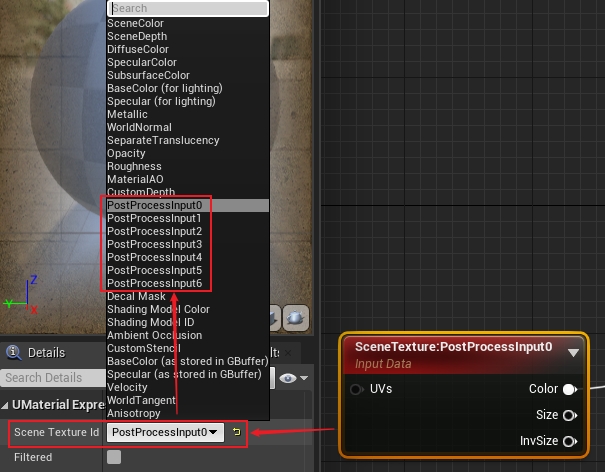
SceneColor가 차지하는 PostProcessInput0을 제외하고 다른 슬롯에는 머티리얼 에디터에서 액세스할 수 있는 커스텀 텍스처가 장착될 수 있습니다. 예시:
for (uint32 InputIndex = 0; InputIndex < kPostProcessMaterialInputCountMax; ++InputIndex)
{
    FScreenPassTexture Input = Inputs.GetInput((EPostProcessMaterialInput)InputIndex);if (!Input.Texture || !MaterialShaderMap->UsesSceneTexture(PPI_PostProcessInput0 + InputIndex))
{// 만약 정의 의 입력텍스처(Texture)유효(Valid), 이면 까지 슬롯(Slot)4.
        if(MyInput.Texture && InputIndex == 4)
{
            Input = MyInput;
        } else
{
            Input = BlackDummy;
        }
    }
    PostProcessMaterialParameters->PostProcessInput[InputIndex] = GetScreenPassTextureInput(Input, PointClampSampler);
}
이런 식으로 사용자 정의 질감을 전달할 수 있습니다. 물론 이 방법은 다소 거슬릴 수 있는데, 좀 더 세련된 방법이 필요하다면 EPostProcessMaterialInput해당 코드 를 확장 하고 수정 해야 합니다.
7.4 포스트 프로세스(Post-Process) 기술
이 장에서는 화면 공간의 일부에 대한 렌더링 기술을 포함하여 UE에 내장된 일반적인 포스트 프로세스(Post-Process) 기술에 대해 설명합니다.
7.4.1 감마와 선형 공간(Linear Space)
그래픽이나 PBR에 대한 지식이 있는 학생은 최신 그래픽 엔진에 선형 공간(Linear Space) 렌더링 파이프라인과 기존 sRGB 공간 렌더링 파이프라인이 있음을 알아야 합니다.그 차이점은 다음 그림과 같습니다.
위: 감마 공간(Gamma Space) 렌더링 파이프라인. 텍스처 색상은 렌더링 전후에 선형으로 변환되지 않습니다.
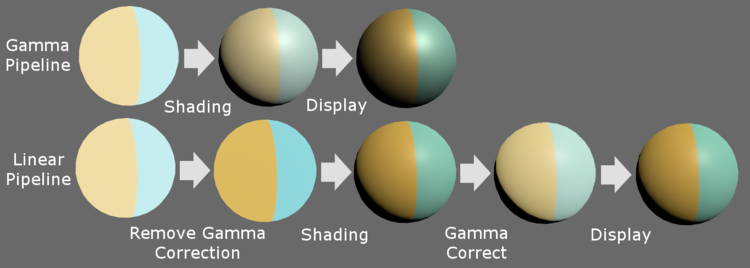
하단: 선형 공간(Linear Space) 렌더링 파이프라인. 감마 보정(Gamma Correction)은 셰이더의 초기 단계에서 제거되고 감마 보정(Gamma Correction)은 셰이더의 후기 단계에서 복원됩니다.
선형 공간(Linear Space) 렌더링 파이프라인이 초기 및 후기 단계에서 제거되고 감마 보정(Gamma Correction)에 다시 추가되어야 하는 이유는 무엇입니까?
이것은 실제로 역사에서 남겨진 문제입니다.
초기 텔레비전은 CRT 영상관을 사용했는데, 전압의 세기는 사람의 눈으로 인지하는 밝기에 비례하지 않기 때문에 지수가 0.45인 지수곡선이 됩니다. 이 문제를 해결하기 위해 2.2의 지수를 갖는 감마 보정(Gamma Correction)을 도입하고 전압이 사람의 눈 밝기에 선형 비례하도록 표시된 이미지의 데이터를 강제로 증가시킵니다. 시간이 지남에 따라 많은 후속 하드웨어 장치, 색 공간(예: sRGB), 파일 형식(예: jpeg, png 등) 및 DDC 소프트웨어(예: ps)는 기본적으로 감마 보정(Gamma Correction)을 수행했으며 오늘.
오늘날의 액정 디스플레이는 더 이상 감마 보정(Gamma Correction)이 필요하지 않지만, 감마 보정(Gamma Correction)이 있는 널리 존재하는 색 공간 및 표준과 호환되기 위해서는 감마 보정(Gamma Correction)이 유지되어야 합니다. 따라서 디스플레이 장치에서 그림이 정상적으로 표시될 수 있도록 감마 보정(Gamma Correction)은 쉐이더 후기 단계에서 복원되어야 합니다.
두 개의 서로 다른 렌더링 파이프라인은 최종 조명 결과에 큰 차이가 있습니다.
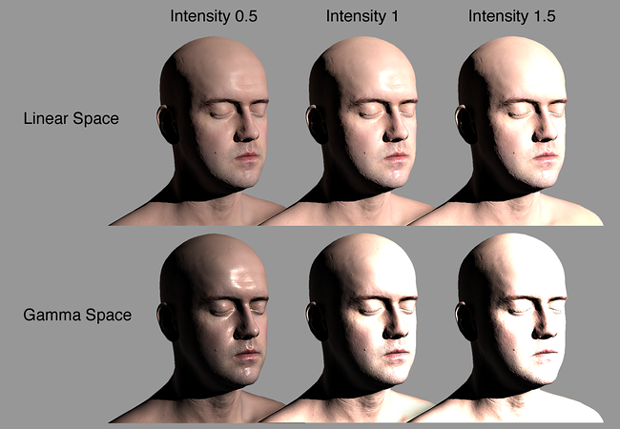
위쪽 부분은 선형 공간(Linear Space)입니다. 다른 빛 강도의 반응에서 더 물리적으로 정확한 결과를 얻을 수 있습니다. 아래쪽 부분은 빛 강도에 너무 강하게 반응하여 너무 어두운 결과를 초래하는 감마 공간(Gamma Space)의 계산입니다. 또는 과다 노출된 사진.
간단한 지수 계산을 사용하여 감마와 선형 공간(Linear Space)의 색상을 서로 변환할 수 있습니다.
씨'= 에프( c ) =씨N= p o w ( c , n )c′=f(c)=cn=pow(c,n)
에,씨c입력 색상이며,씨'c′출력 색상이며,Nn감마 보정(Gamma Correction) 지수입니다. 아래 그림에서 그들은Nn각각 0.45, 1.0, 2.2 감마 보정(Gamma Correction) 곡선을 사용합니다.
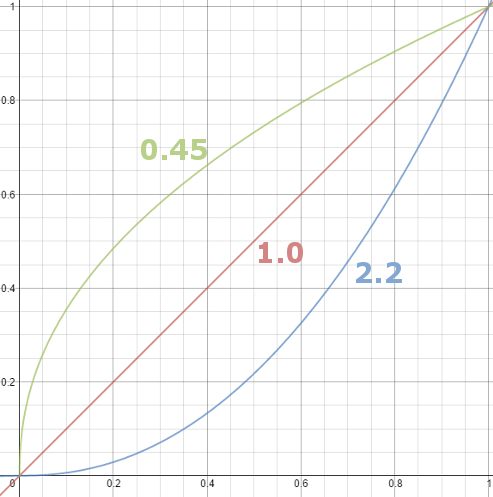
1.0은 선형 공간(Linear Space), 입력 및 출력 값은 동일합니다; 0.45 및 2.2는 감마 곡선이며, 이 공간의 색상이 밝아지거나 어두워지며, 0.45⋅2.2≈1.00.45⋅2.2≈1.0이 보장됩니다. 두 개의 감마 보정(Gamma Correction) 후 선형 공간(Linear Space)으로 복원 가능:
씨'=NSNSm은 해요 2.2(NSNSm은 해요 0.45( c ) ) = (씨0.45)2.2=씨0.45 ⋅ 2.2=씨0.99≈ ㄷc′=fgamma2.2(fgamma0.45(c))=(c0.45)2.2=c0.45⋅2.2=c0.99≈c
기본적으로 UE의 렌더링 파이프라인은 이미 선형 공간(Linear Space)에 있습니다. 즉, 모든 텍스처와 색상은 셰이더 계산 프로세스 동안 선형 공간(Linear Space)에 유지되어야 하고 감마 보정(Gamma Correction)이 필요하고 화면에 표시되기 전에 sRGB로 변환되어야 합니다( 디스플레이가 HDR 또는 선형 공간(Linear Space)을 지원하는 경우 필요하지 않습니다.
일반적으로 UE는 원래 텍스처 리소스를 가져올 때 이미 텍스처를 선형 공간(Linear Space)으로 변환했습니다.
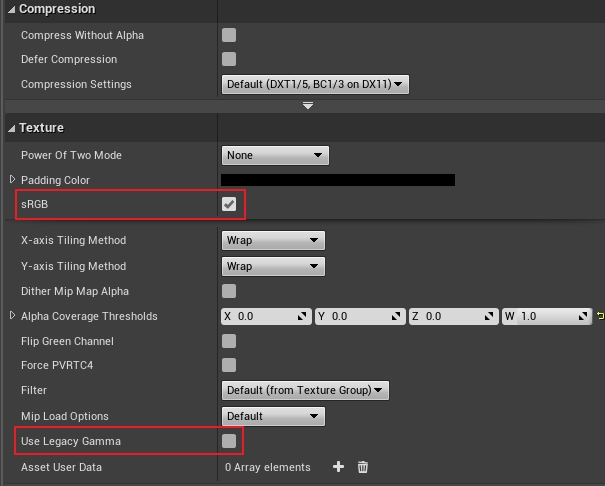
sRGB 이미지를 가져온 후 UE는 기본적으로 이를 선형 공간(Linear Space)으로 변환합니다.
가져온 사진이 이미 선형 공간(Linear Space)에 있는 경우 sRGB 확인란의 선택을 취소해야 합니다. 재료 편집기에서 감마 보정(Gamma Correction)을 동적으로 변환하려면 다음과 유사한 재료 노드를 사용할 수 있습니다.
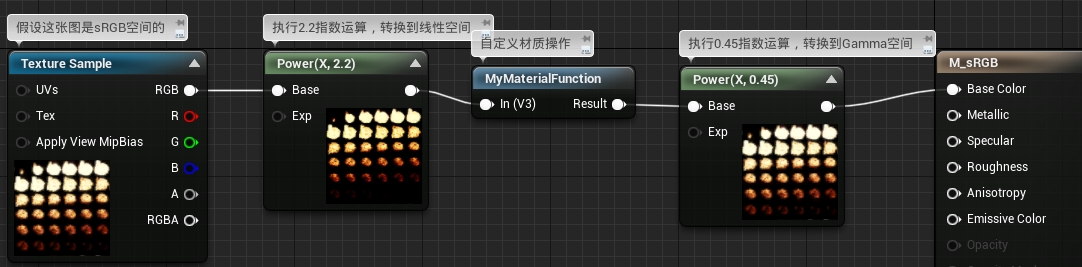
물론 대부분의 경우 머티리얼 에디터에서는 감마와 선형 공간(Linear Space)의 변환에 신경 쓸 필요가 없습니다. UE가 이미 뒤에서 처리했기 때문입니다. 일반적으로 감마 복원은 톤매핑(Tonemapping)과 함께 처리됩니다.
7.4.2 HDR 및 톤매핑(Tonemapping)
HDR(High Dynamic Range) 은 명암비가 높고 색재현율이 더 높은 HDR을 의미하며 소프트웨어 기반 포스트 프로세스(Post-Process) HDR과 하드웨어 기반 디스플레이 장치 HDR로 나눌 수 있습니다.
HDR의 반대는 LDR (Low Dynamic Range)입니다.
UE와 같은 최신 엔진은 이미 선형 공간(Linear Space) 렌더링 파이프라인을 지원하기 때문에 밝기 계산 과정에서 일반 흰색(색상 값 1.0)보다 수백 배 또는 수천 배 더 크게 생성될 수 있습니다. 값 범위 및 많은 장치에서 이상을 표시합니다.
Tone Mapping 은 지나치게 높은 색 값을 디스플레이 장치와 호환되는 색 범위로 조정하는 것입니다.
UE는 ACES Tonemapper 라는 물리적 기반 톤매핑(Tonemapping) 기술을 지원합니다 . ACES Tonemapper는 다음 곡선을 사용하여 선형 공간(Linear Space)의 색상을 매핑합니다.
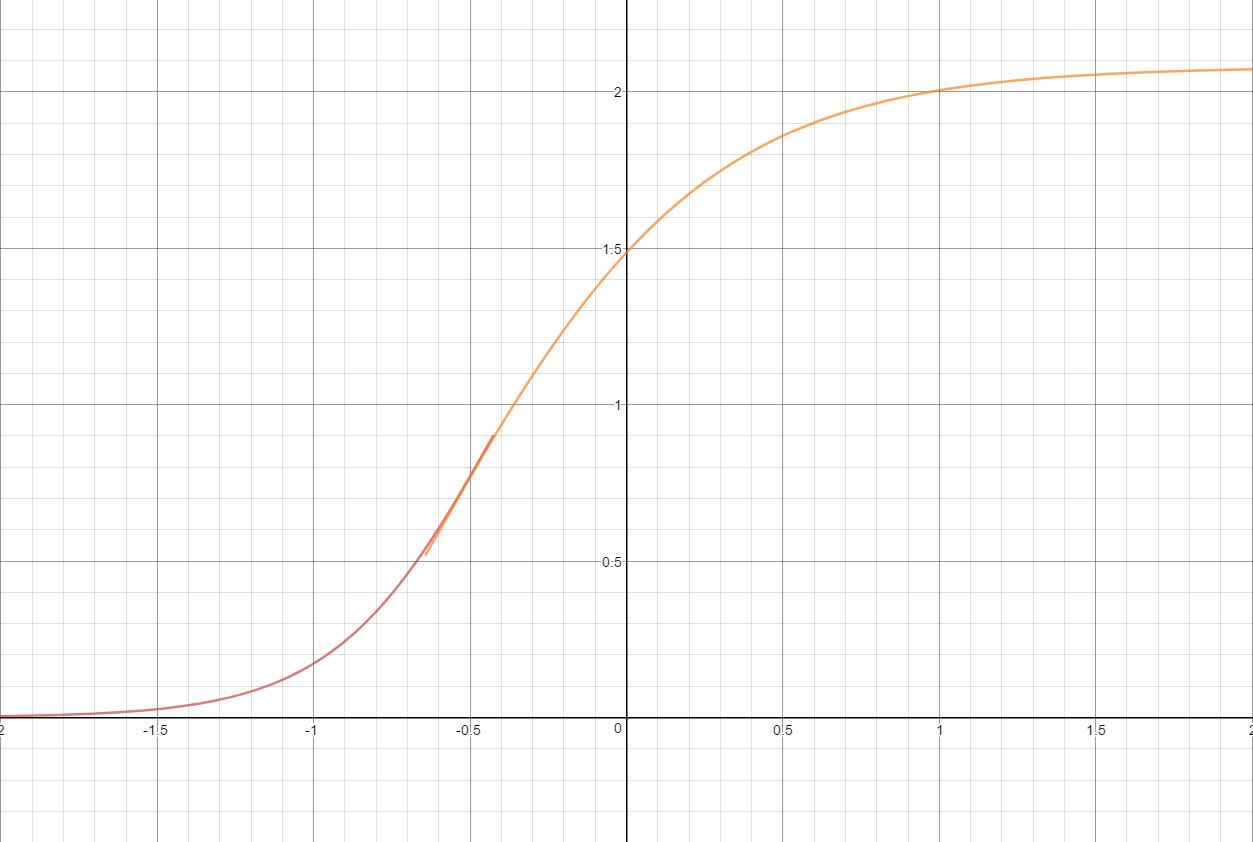
구현 코드는 다음과 같습니다.
float3 ACESToneMapping(float3 color, float adapted_lum)
{
    const float A = 2.51f;
    const float B = 0.03f;
    const float C = 2.43f;
    const float D = 0.59f;
    const float E = 0.14f;
    color *= adapted_lum;return (color * (A * color + B)) / (color * (C * color + D) + E);
}
이전 톤 매퍼와 비교하여 ACES Tonemapper의 렌더링 결과는 실제 현실에 더 가깝습니다.
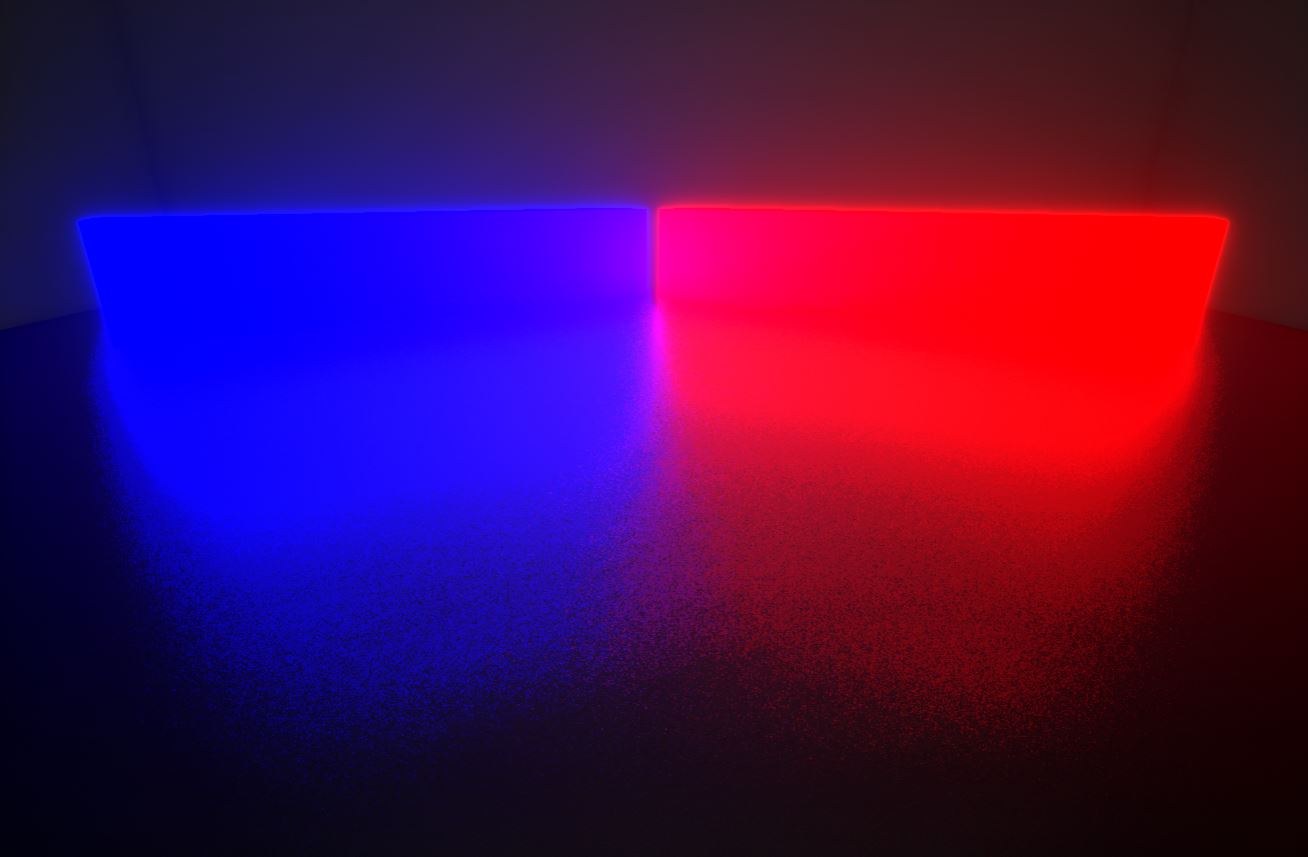
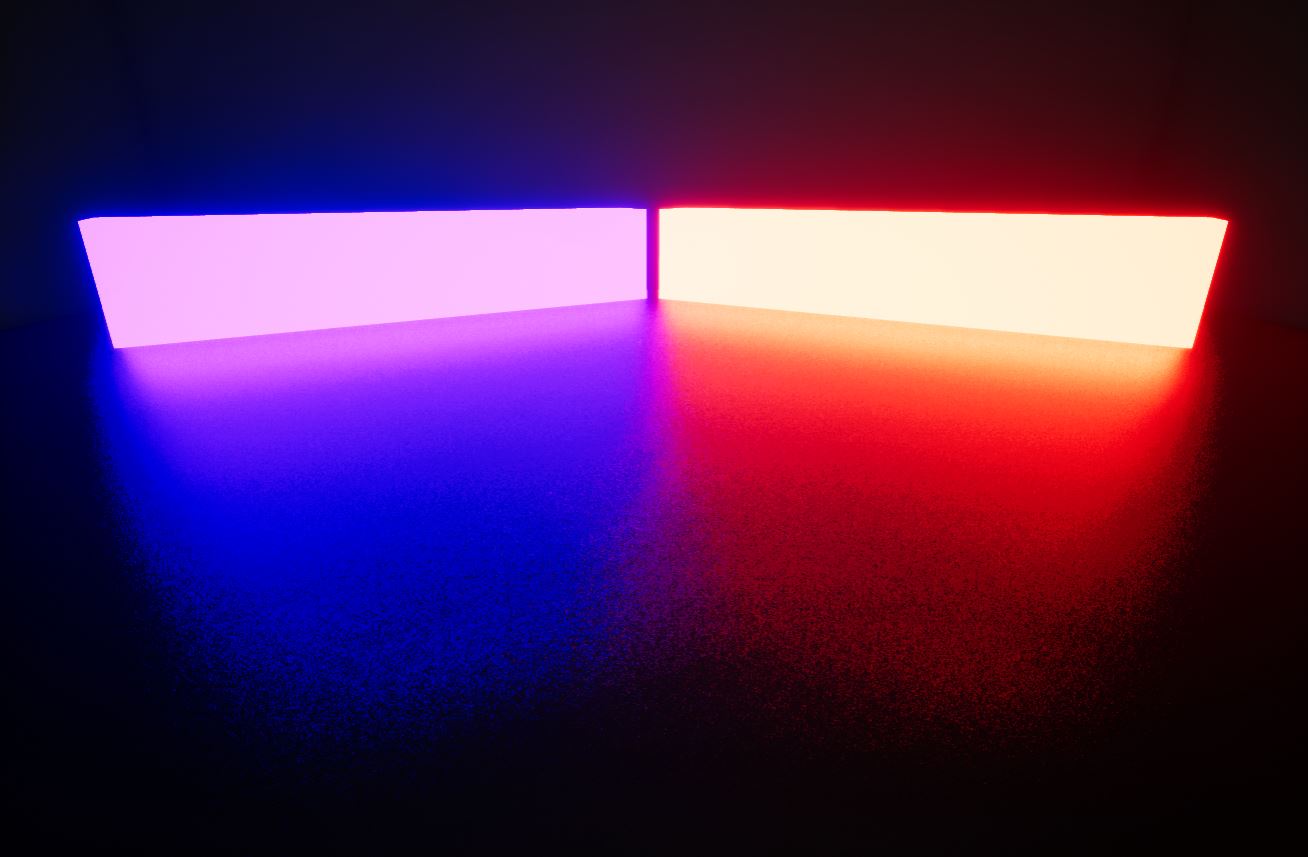
위의 그림은 UE의 old tone mapping이고, 아래 그림은 ACES의 tone mapping을 사용한 것이다. 이미시브 속도가 충분히 클 때 새로운 톤매핑(Tonemapping)의 색상이 흰색으로 변하기 시작하는 것을 알 수 있습니다. 이는 물리적 현실과 더 일치합니다.
UE의 실제 구현 코드는 위에서 설명한 것보다 훨씬 복잡하며 해당 C++ 구현 코드는 다음과 같습니다.
// Engine\Source\Runtime\Renderer\Private\PostProcess\PostProcessTonemap.cpp
FScreenPassTexture AddTonemapPass(FRDGBuilder& GraphBuilder, const FViewInfo& View, const FTonemapInputs& Inputs)
{
    const FSceneViewFamily& ViewFamily = *(View.Family);
    const FPostProcessSettings& PostProcessSettings = View.FinalPostProcessSettings;const bool bIsEyeAdaptationResource = (View.GetFeatureLevel() >= ERHIFeatureLevel::SM5) ? Inputs.EyeAdaptationTexture != nullptr : Inputs.EyeAdaptationBuffer != nullptr;
    const bool bEyeAdaptation = ViewFamily.EngineShowFlags.EyeAdaptation && bIsEyeAdaptationResource;const FScreenPassTextureViewport SceneColorViewport(Inputs.SceneColor);
    FScreenPassRenderTarget Output = Inputs.OverrideOutput;// 생성(Create)출력텍스처(Texture).
    if (!Output.IsValid())
{
        FRDGTextureDesc OutputDesc = Inputs.SceneColor.Texture->Desc;
        OutputDesc.Reset();
        OutputDesc.Flags |= View.bUseComputePasses ? TexCreate_UAV : TexCreate_RenderTargetable;
        OutputDesc.Flags |= GFastVRamConfig.Tonemap;// RGB is the color in LDR, A is the luminance for PostprocessAA
        OutputDesc.Format = Inputs.bOutputInHDR ? GRHIHDRDisplayOutputFormat : PF_B8G8R8A8;
        OutputDesc.ClearValue = FClearValueBinding(FLinearColor(0, 0, 0, 0));const FTonemapperOutputDeviceParameters OutputDeviceParameters = GetTonemapperOutputDeviceParameters(*View.Family);
        const ETonemapperOutputDevice OutputDevice = static_cast<ETonemapperOutputDevice>(OutputDeviceParameters.OutputDevice);if (OutputDevice == ETonemapperOutputDevice::LinearEXR)
{
            OutputDesc.Format = PF_A32B32G32R32F;
        }
if (OutputDevice == ETonemapperOutputDevice::LinearNoToneCurve || OutputDevice == ETonemapperOutputDevice::LinearWithToneCurve)
{
            OutputDesc.Format = PF_FloatRGBA;
        }
        Output = FScreenPassRenderTarget(
            GraphBuilder.CreateTexture(OutputDesc, TEXT("Tonemap")),
            Inputs.SceneColor.ViewRect,
            ERenderTargetLoadAction::EClear);
    }const FScreenPassTextureViewport OutputViewport(Output);
    FRHITexture* BloomDirtMaskTexture = GBlackTexture->TextureRHI;if (PostProcessSettings.BloomDirtMask && PostProcessSettings.BloomDirtMask->Resource)
{
        BloomDirtMaskTexture = PostProcessSettings.BloomDirtMask->Resource->TextureRHI;
    }// 샘플러(Sampler).
    FRHISamplerState* BilinearClampSampler = TStaticSamplerState<SF_Bilinear, AM_Clamp, AM_Clamp, AM_Clamp>::GetRHI();
    FRHISamplerState* PointClampSampler = TStaticSamplerState<SF_Point, AM_Clamp, AM_Clamp, AM_Clamp>::GetRHI();const float DefaultEyeExposure = bEyeAdaptation ? 0.0f : GetEyeAdaptationFixedExposure(View);const float SharpenDiv6 = FMath::Clamp(CVarTonemapperSharpen.GetValueOnRenderThread(), 0.0f, 10.0f) / 6.0f;// 처리(Process)색수차(Chromatic Aberration)파라미터 .
    FVector4 ChromaticAberrationParams;
    {// 처리(Process)씬 컬러(SceneColor)엣지(Edge)
        // 로부터 백분율까지
        float Offset = 0.0f;
        float StartOffset = 0.0f;
        float Multiplier = 1.0f;if (PostProcessSettings.ChromaticAberrationStartOffset < 1.0f - KINDA_SMALL_NUMBER)
{
            Offset = PostProcessSettings.SceneFringeIntensity * 0.01f;
            StartOffset = PostProcessSettings.ChromaticAberrationStartOffset;
            Multiplier = 1.0f / (1.0f - StartOffset);
        }// 의 파장,는 .
        const float PrimaryR = 611.3f;
        const float PrimaryG = 549.1f;
        const float PrimaryB = 464.3f;// 렌즈(Lens)의 색수차(Chromatic Aberration)파장대략 는 선형(Linear)의 .
        float ScaleR = 0.007f * (PrimaryR - PrimaryB);
        float ScaleG = 0.007f * (PrimaryG - PrimaryB);
        ChromaticAberrationParams = FVector4(Offset * ScaleR * Multiplier, Offset * ScaleG * Multiplier, StartOffset, 0.f);
    }// 처리(Process)톤매핑(Tonemapping)파라미터 .
    FTonemapParameters CommonParameters;
    CommonParameters.View = View.ViewUniformBuffer;
    CommonParameters.FilmGrain = GetFilmGrainParameters(View);
    CommonParameters.OutputDevice = GetTonemapperOutputDeviceParameters(ViewFamily);
    CommonParameters.Color = GetScreenPassTextureViewportParameters(SceneColorViewport);if (Inputs.Bloom.Texture)
{const FScreenPassTextureViewport BloomViewport(Inputs.Bloom);
        CommonParameters.Bloom = GetScreenPassTextureViewportParameters(BloomViewport);
        CommonParameters.ColorToBloom = GetScreenPassTextureViewportTransform(CommonParameters.Color, CommonParameters.Bloom);
    }
    CommonParameters.Output = GetScreenPassTextureViewportParameters(OutputViewport);
    CommonParameters.ColorTexture = Inputs.SceneColor.Texture;
    CommonParameters.BloomTexture = Inputs.Bloom.Texture;
    CommonParameters.EyeAdaptationTexture = Inputs.EyeAdaptationTexture;
    CommonParameters.ColorGradingLUT = Inputs.ColorGradingTexture;
    CommonParameters.BloomDirtMaskTexture = BloomDirtMaskTexture;
    CommonParameters.ColorSampler = BilinearClampSampler;
    CommonParameters.BloomSampler = BilinearClampSampler;
    CommonParameters.ColorGradingLUTSampler = BilinearClampSampler;
    CommonParameters.BloomDirtMaskSampler = BilinearClampSampler;
    CommonParameters.ColorScale0 = PostProcessSettings.SceneColorTint;
    CommonParameters.ColorScale1 = FLinearColor::White * PostProcessSettings.BloomIntensity;
    CommonParameters.BloomDirtMaskTint = PostProcessSettings.BloomDirtMaskTint * PostProcessSettings.BloomDirtMaskIntensity;
    CommonParameters.ChromaticAberrationParams = ChromaticAberrationParams;
    CommonParameters.TonemapperParams = FVector4(PostProcessSettings.VignetteIntensity, SharpenDiv6, 0.0f, 0.0f);
    CommonParameters.SwitchVerticalAxis = Inputs.bFlipYAxis;
    CommonParameters.DefaultEyeExposure = DefaultEyeExposure;
    CommonParameters.EditorNITLevel = EditorNITLevel;
    CommonParameters.bOutputInHDR = ViewFamily.bIsHDR;
    CommonParameters.LensPrincipalPointOffsetScale = View.LensPrincipalPointOffsetScale;
    CommonParameters.LensPrincipalPointOffsetScaleInverse.X = -View.LensPrincipalPointOffsetScale.X / View.LensPrincipalPointOffsetScale.Z;
    CommonParameters.LensPrincipalPointOffsetScaleInverse.Y = -View.LensPrincipalPointOffsetScale.Y / View.LensPrincipalPointOffsetScale.W;
    CommonParameters.LensPrincipalPointOffsetScaleInverse.Z = 1.0f / View.LensPrincipalPointOffsetScale.Z;
    CommonParameters.LensPrincipalPointOffsetScaleInverse.W = 1.0f / View.LensPrincipalPointOffsetScale.W;
    CommonParameters.EyeAdaptationBuffer = Inputs.EyeAdaptationBuffer;// 처리(Process)데스크톱 플랫폼(Desktop)톤매핑(Tonemapping)의 .
    TonemapperPermutation::FDesktopDomain DesktopPermutationVector;
    {
        TonemapperPermutation::FCommonDomain CommonDomain = TonemapperPermutation::BuildCommonPermutationDomain(View, Inputs.bGammaOnly, Inputs.bFlipYAxis, Inputs.bMetalMSAAHDRDecode);
        DesktopPermutationVector.Set<TonemapperPermutation::FCommonDomain>(CommonDomain);if (!CommonDomain.Get<TonemapperPermutation::FTonemapperGammaOnlyDim>())
{// 양자화 필름 그레인(Film Grain).
            {static TConsoleVariableData<int32>* CVar = IConsoleManager::Get().FindTConsoleVariableDataInt(TEXT("r.Tonemapper.GrainQuantization"));
                const int32 Value = CVar->GetValueOnRenderThread();
                DesktopPermutationVector.Set<TonemapperPermutation::FTonemapperGrainQuantizationDim>(Value > 0);
            }
            DesktopPermutationVector.Set<TonemapperPermutation::FTonemapperColorFringeDim>(PostProcessSettings.SceneFringeIntensity > 0.01f);
        }
        DesktopPermutationVector.Set<TonemapperPermutation::FTonemapperOutputDeviceDim>(ETonemapperOutputDevice(CommonParameters.OutputDevice.OutputDevice));
        DesktopPermutationVector = TonemapperPermutation::RemapPermutation(DesktopPermutationVector, View.GetFeatureLevel());
    }const bool bComputePass = (Output.Texture->Desc.Flags & TexCreate_UAV) == TexCreate_UAV ? View.bUseComputePasses : false;if (bComputePass) // 활성화(Enable)CS.
    {
        FTonemapCS::FParameters* PassParameters = GraphBuilder.AllocParameters<FTonemapCS::FParameters>();
        PassParameters->Tonemap = CommonParameters;
        PassParameters->RWOutputTexture = GraphBuilder.CreateUAV(Output.Texture);
        FTonemapCS::FPermutationDomain PermutationVector;
        PermutationVector.Set<TonemapperPermutation::FDesktopDomain>(DesktopPermutationVector);
        PermutationVector.Set<TonemapperPermutation::FTonemapperEyeAdaptationDim>(bEyeAdaptation);TShaderMapRef<FTonemapCS> ComputeShader(View.ShaderMap, PermutationVector);
        FComputeShaderUtils::AddPass(
            GraphBuilder,
            RDG_EVENT_NAME("Tonemap %dx%d (CS GammaOnly=%d)", OutputViewport.Rect.Width(), OutputViewport.Rect.Height(), Inputs.bGammaOnly),
            ComputeShader,
            PassParameters,
            FComputeShaderUtils::GetGroupCount(OutputViewport.Rect.Size(), FIntPoint(GTonemapComputeTileSizeX, GTonemapComputeTileSizeY)));
    } else // 활성화(Enable)PS
    {
        FTonemapPS::FParameters* PassParameters = GraphBuilder.AllocParameters<FTonemapPS::FParameters>();
        PassParameters->Tonemap = CommonParameters;
        PassParameters->RenderTargets[0] = Output.GetRenderTargetBinding();
        FTonemapVS::FPermutationDomain VertexPermutationVector;
        VertexPermutationVector.Set<TonemapperPermutation::FTonemapperSwitchAxis>(Inputs.bFlipYAxis);
        VertexPermutationVector.Set<TonemapperPermutation::FTonemapperEyeAdaptationDim>(bEyeAdaptation);TShaderMapRef<FTonemapVS> VertexShader(View.ShaderMap, VertexPermutationVector);
        TShaderMapRef<FTonemapPS> PixelShader(View.ShaderMap, DesktopPermutationVector);const bool bIsStereo = IStereoRendering::IsStereoEyeView(View);
        FRHIBlendState* BlendState = Inputs.bWriteAlphaChannel || bIsStereo ? FScreenPassPipelineState::FDefaultBlendState::GetRHI() : TStaticBlendStateWriteMask<CW_RGB>::GetRHI();
        FRHIDepthStencilState* DepthStencilState = FScreenPassPipelineState::FDefaultDepthStencilState::GetRHI();
        EScreenPassDrawFlags DrawFlags = EScreenPassDrawFlags::AllowHMDHiddenAreaMask;// 드로우/렌더(Draw)풀스크린(Full Screen)텍스처(Texture).
        AddDrawScreenPass(
            GraphBuilder,
            RDG_EVENT_NAME("Tonemap %dx%d (PS GammaOnly=%d)", OutputViewport.Rect.Width(), OutputViewport.Rect.Height(), Inputs.bGammaOnly),
            View,
            OutputViewport,
            SceneColorViewport,
            FScreenPassPipelineState(VertexShader, PixelShader, BlendState, DepthStencilState),
            PassParameters,
            DrawFlags,
            [VertexShader, PixelShader, PassParameters](FRHICommandList& RHICmdList)
{
            SetShaderParameters(RHICmdList, VertexShader, VertexShader.GetVertexShader(), PassParameters->Tonemap);
            SetShaderParameters(RHICmdList, PixelShader, PixelShader.GetPixelShader(), *PassParameters);
        });
    }
return MoveTemp(Output);
}
작성자의 PC에서 PS 분기의 톤매핑(Tonemapping)이 실행 중이므로 PS 및 여기에 사용되는 관련 코드가 아래에서 분석됩니다.
// Engine/Shaders/Private/PostProcessTonemap.usf // 픽셀 셰이더(PS) 진입점.
void MainPS(
    in noperspective float2 UV : TEXCOORD0,
    in noperspective float3 InExposureScaleVignette : TEXCOORD1,
    in noperspective float4 GrainUV : TEXCOORD2,
    in noperspective float2 ScreenPos : TEXCOORD3,
    in noperspective float2 FullViewUV : TEXCOORD4,
    float4 SvPosition : SV_POSITION,        // after all interpolators
    out float4 OutColor : SV_Target0
    )
{
    OutColor = TonemapCommonPS(UV, InExposureScaleVignette, GrainUV, ScreenPos, FullViewUV, SvPosition);
}
PS 주 입구가 호출 TonemapCommonPS됩니다. TonemapCommonPS일반 주 프로세스 분석에 영향을 미치는 많은 매크로 정의가 있기 때문에 RenderDoc을 사용하여 프레임을 가로채는 코드의 단순화된 버전은 다음과 같습니다.
// ※ 주의: 는 RenderDoc프레임까지 의 코드 , 코드 .
float4 TonemapCommonPS(
    float2 UV,
    float3 ExposureScaleVignette,
    float4 GrainUV,
    float2 ScreenPos,
    float2 FullViewUV,
    float4 SvPosition
    )
{
    float4 OutColor = 0;const float OneOverPreExposure = View_OneOverPreExposure;
    float  Grain = GrainFromUV(GrainUV.zw);
    float2 SceneUV = UV.xy;// 페치/가져오기(Fetch)씬 컬러(SceneColor)
    float4  SceneColor = SampleSceneColor(SceneUV);
    SceneColor.rgb *= OneOverPreExposure;float ExposureScale = ExposureScaleVignette.x;
    float SharpenMultiplierDiv6 = TonemapperParams.y;
    float3  LinearColor = SceneColor.rgb * ColorScale0.rgb;// Bloom
    float2 BloomUV = ColorToBloom_Scale * UV + ColorToBloom_Bias;
    BloomUV = clamp(BloomUV, Bloom_UVViewportBilinearMin, Bloom_UVViewportBilinearMax);
    float4 CombinedBloom = Texture2DSample(BloomTexture, BloomSampler, BloomUV);
    CombinedBloom.rgb *= OneOverPreExposure;// 비네트(Vignette)파라미터 .
    float2 DirtLensUV = ConvertScreenViewportSpaceToLensViewportSpace(ScreenPos) * float2(1.0f, -1.0f);
    float3 BloomDirtMaskColor = Texture2DSample(BloomDirtMaskTexture, BloomDirtMaskSampler, DirtLensUV * .5f + .5f).rgb * BloomDirtMaskTint.rgb;
    LinearColor += CombinedBloom.rgb * (ColorScale1.rgb + BloomDirtMaskColor);
    LinearColor *= ExposureScale;// 비네트(Vignette).
    LinearColor.rgb *= ComputeVignetteMask( ExposureScaleVignette.yz, TonemapperParams.x );// LUT
    float3  OutDeviceColor = ColorLookupTable(LinearColor);// 필름 그레인(Film Grain).
    float  LuminanceForPostProcessAA = dot(OutDeviceColor,  float3 (0.299f, 0.587f, 0.114f));
    float  GrainQuantization = 1.0/256.0;
    float  GrainAdd = (Grain * GrainQuantization) + (-0.5 * GrainQuantization);
    OutDeviceColor.rgb += GrainAdd;
    OutColor = float4(OutDeviceColor, saturate(LuminanceForPostProcessAA));// HDR출력.
    [branch]if(bOutputInHDR)
{
        OutColor.rgb = ST2084ToLinear(OutColor.rgb);
        OutColor.rgb = OutColor.rgb / EditorNITLevel;
        OutColor.rgb = LinearToPostTonemapSpace(OutColor.rgb);
    }
return OutColor;
}
톤매핑(Tonemapping) 단계는 파티클, 비네팅, 블룸(Bloom), 노출, LUT, HDR 등의 처리를 처리하고 결합합니다. 그런데 여기가 조금 이상한데 왜 톤매핑(Tonemapping) 관련 코드를 찾을 수 없습니까?
RenderDoc과 결합하여 프레임을 자르면 단서를 찾을 수 있습니다.원래의 답은 숨겨져 ColorLookupTable있습니다.여기에서 LUT 검색은 단순한 ColorGrading 효과가 아니라 톤매핑(Tonemapping)이 수행됩니다. 아래에 입력 ColorLookupTable:
Texture3D ColorGradingLUT;
SamplerState ColorGradingLUTSampler;static const float LUTSize = 32;float3 LinToLog( float3 LinearColor )
{
    const float LinearRange = 14;
    const float LinearGrey = 0.18;
    const float ExposureGrey = 444;// 순수 로그(Log) 커브 기반 그레이 포인트 및 다이내믹 레인지 보정.
    float3 LogColor = log2(LinearColor) / LinearRange - log2(LinearGrey) / LinearRange + ExposureGrey / 1023.0;
    LogColor = saturate( LogColor );return LogColor;
}float3  ColorLookupTable(  float3  LinearColor )
{
    float3 LUTEncodedColor;// 선형(Linear)Log공간.
    LUTEncodedColor = LinToLog( LinearColor + LogToLin( 0 ) );// floatint.
    float3 UVW = LUTEncodedColor * ((LUTSize - 1) / LUTSize) + (0.5f / LUTSize);
    // 샘플링3D의 ColorGradingLUT텍스처(Texture).
    float3  OutDeviceColor = Texture3DSample( ColorGradingLUT, ColorGradingLUTSampler, UVW ).rgb;return OutDeviceColor * 1.05;
}
ColorGradingLUT의 생성 과정을 간략히 분석하면 다음과 같다. 스크린샷 데이터에서 ColorGradingLUT가 Tonemap 이전에 CombineLUT에 의해 생성되었음을 알 수 있습니다.
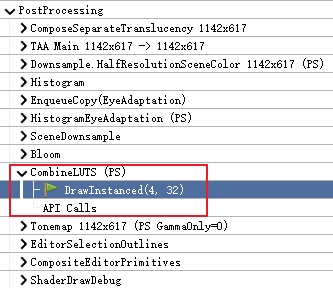
32x32x32 3D 텍스처이며, 다음 그림은 슬라이스 0(8배 확대)의 색상 값입니다.
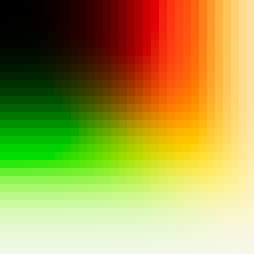
ColorGradingLUT는 매 프레임마다 동적으로 생성되고 장면 색상에 따라 동적으로 조정되며 한 번 생성된 후에는 캐시되지 않습니다. 다음은 사용된 PS 코드(RenderDoc 프레임의 단순화된 버전)를 직접 입력합니다.
// Engine/Shaders/Private/PostProcessCombineLUTs.usf // 색상 보정(Color Correction) 적용.
float3 ColorCorrect( float3 WorkingColor,
    float4 ColorSaturation,
    float4 ColorContrast,
    float4 ColorGamma,
    float4 ColorGain,
    float4 ColorOffset )
{
    float Luma = dot( WorkingColor, AP1_RGB2Y );
    WorkingColor = max( 0, lerp( Luma.xxx, WorkingColor, ColorSaturation.xyz*ColorSaturation.w ) );
    WorkingColor = pow( WorkingColor * (1.0 / 0.18), ColorContrast.xyz*ColorContrast.w ) * 0.18;
    WorkingColor = pow( WorkingColor, 1.0 / (ColorGamma.xyz*ColorGamma.w) );
    WorkingColor = WorkingColor * (ColorGain.xyz * ColorGain.w) + (ColorOffset.xyz + ColorOffset.w);return WorkingColor;
}// 컬러 의 그림자(Shadow)/미드톤(Midtones)/하이라이트(Highlights)실행(Execute)보정(Correct).
float3 ColorCorrectAll( float3 WorkingColor )
{
    float Luma = dot( WorkingColor, AP1_RGB2Y );
    float3 CCColorShadows = ColorCorrect(...);float CCWeightShadows = 1- smoothstep(0, ColorCorrectionShadowsMax, Luma);
    float3 CCColorHighlights = ColorCorrect(...);float CCWeightHighlights = smoothstep(ColorCorrectionHighlightsMin, 1, Luma);
    float3 CCColorMidtones = ColorCorrect...);float CCWeightMidtones = 1 - CCWeightShadows - CCWeightHighlights;
    float3 WorkingColorSMH = CCColorShadows*CCWeightShadows + CCColorMidtones*CCWeightMidtones + CCColorHighlights*CCWeightHighlights;return WorkingColorSMH;
}float BlueCorrection;
float ExpandGamut;
float ToneCurveAmount;float4 CombineLUTsCommon(float2 InUV, uint InLayerIndex)
{
    // 계산/산출(Calculate)색상 .
    float4 Neutral;
    {
        float2 UV = InUV - float2(0.5f / LUTSize, 0.5f / LUTSize);
        Neutral = float4(UV * LUTSize / (LUTSize - 1), InLayerIndex / (LUTSize - 1), 0);
    }
    float4 OutColor = 0;// 초기화(Initialize)컬러 변환(Transform/Convert)계수.
    const float3x3 sRGB_2_AP1 = mul( XYZ_2_AP1_MAT, mul( D65_2_D60_CAT, sRGB_2_XYZ_MAT ) );
    const float3x3 AP1_2_sRGB = mul( XYZ_2_sRGB_MAT, mul( D60_2_D65_CAT, AP1_2_XYZ_MAT ) );
    const float3x3 AP0_2_AP1 = mul( XYZ_2_AP1_MAT, AP0_2_XYZ_MAT );
    const float3x3 AP1_2_AP0 = mul( XYZ_2_AP0_MAT, AP1_2_XYZ_MAT );
    const float3x3 AP1_2_Output = OuputGamutMappingMatrix( OutputGamut );
    float3 LUTEncodedColor = Neutral.rgb;
    float3 LinearColor;if (GetOutputDevice() >= 3)
        LinearColor = ST2084ToLinear(LUTEncodedColor) * LinearToNitsScaleInverse;else
        LinearColor = LogToLin( LUTEncodedColor ) - LogToLin( 0 );// 컬러 밸런스(Color Balance).
    float3 BalancedColor = WhiteBalance( LinearColor );// 계산/산출(Calculate)컬러 조정(Adjust)계수.
    float3 ColorAP1 = mul( sRGB_2_AP1, BalancedColor );if (!bUseMobileTonemapper)
{float LumaAP1 = dot( ColorAP1, AP1_RGB2Y );
        float3 ChromaAP1 = ColorAP1 / LumaAP1;float ChromaDistSqr = dot( ChromaAP1 - 1, ChromaAP1 - 1 );
        float ExpandAmount = ( 1 - exp2( -4 * ChromaDistSqr ) ) * ( 1 - exp2( -4 * ExpandGamut * LumaAP1*LumaAP1 ) );const float3x3 Wide_2_XYZ_MAT =
        {0.5441691, 0.2395926, 0.1666943,
            0.2394656, 0.7021530, 0.0583814,
            -0.0023439, 0.0361834, 1.0552183,
        };const float3x3 Wide_2_AP1 = mul( XYZ_2_AP1_MAT, Wide_2_XYZ_MAT );
        const float3x3 ExpandMat = mul( Wide_2_AP1, AP1_2_sRGB );
        float3 ColorExpand = mul( ExpandMat, ColorAP1 );
        ColorAP1 = lerp( ColorAP1, ColorExpand, ExpandAmount );
    }// 보정(Correct)컬러 의 내에서 섀도우(Shadows).
    ColorAP1 = ColorCorrectAll( ColorAP1 );
    float3 GradedColor = mul( AP1_2_sRGB, ColorAP1 );// 보정(Correct).
    const float3x3 BlueCorrect =
    {0.9404372683, -0.0183068787, 0.0778696104,
        0.0083786969, 0.8286599939, 0.1629613092,
        0.0005471261, -0.0008833746, 1.0003362486
    };const float3x3 BlueCorrectInv =
    {1.06318, 0.0233956, -0.0865726,
        -0.0106337, 1.20632, -0.19569,
        -0.000590887, 0.00105248, 0.999538
    };const float3x3 BlueCorrectAP1 = mul( AP0_2_AP1, mul( BlueCorrect, AP1_2_AP0 ) );
    const float3x3 BlueCorrectInvAP1 = mul( AP0_2_AP1, mul( BlueCorrectInv, AP1_2_AP0 ) );
    ColorAP1 = lerp( ColorAP1, mul( BlueCorrectAP1, ColorAP1 ), BlueCorrection );// Film톤매핑(Tonemapping).
    float3 ToneMappedColorAP1 = FilmToneMap( ColorAP1 );
    ColorAP1 = lerp(ColorAP1, ToneMappedColorAP1, ToneCurveAmount);
    ColorAP1 = lerp( ColorAP1, mul( BlueCorrectInvAP1, ColorAP1 ), BlueCorrection );
    float3 FilmColor = max(0, mul( AP1_2_sRGB, ColorAP1 ));
    FilmColor = ColorCorrection( FilmColor );
    float3 FilmColorNoGamma = lerp( FilmColor * ColorScale, OverlayColor.rgb, OverlayColor.a );
    GradedColor = lerp(GradedColor * ColorScale, OverlayColor.rgb, OverlayColor.a);
    FilmColor = pow( max(0, FilmColorNoGamma), InverseGamma.y );
    float3  OutDeviceColor = 0;// 에 따라 출력디바이스의 타입/유형 호출(Call)의 색상 처리(Process), 기본값: 0.
    if( GetOutputDevice() == 0 )
{// 고주파(High-frequency)()컬러 는 FilmColor.
        float3 OutputGamutColor = FilmColor;// 선형(Linear)공간까지 sRGB.
        OutDeviceColor = LinearToSrgb( OutputGamutColor );
    } else if( GetOutputDevice() == 1 )
{
        float3 OutputGamutColor = mul( AP1_2_Output, mul( sRGB_2_AP1, FilmColor ) );
        OutDeviceColor = LinearTo709Branchless( OutputGamutColor );
    } else if( GetOutputDevice() == 3 || GetOutputDevice() == 5 )
{
        float3 ODTColor = ACESOutputTransforms1000( GradedColor );
        ODTColor = mul( AP1_2_Output, ODTColor );
        OutDeviceColor = LinearToST2084( ODTColor );
    } else if( GetOutputDevice() == 4 || GetOutputDevice() == 6 )
{
        float3 ODTColor = ACESOutputTransforms2000( GradedColor );
        ODTColor = mul( AP1_2_Output, ODTColor );
        OutDeviceColor = LinearToST2084( ODTColor );
    } else if( GetOutputDevice() == 7 )
{
        float3 OutputGamutColor = mul( AP1_2_Output, mul( sRGB_2_AP1, GradedColor ) );
        OutDeviceColor = LinearToST2084( OutputGamutColor );
    } else if( GetOutputDevice() == 8 )
{
        OutDeviceColor = GradedColor;
    } else if (GetOutputDevice() == 9)
{
        float3 OutputGamutColor = mul(AP1_2_Output, mul(sRGB_2_AP1, FilmColorNoGamma));
        OutDeviceColor = OutputGamutColor;
    } else
{
        float3 OutputGamutColor = mul( AP1_2_Output, mul( sRGB_2_AP1, FilmColor ) );
        OutDeviceColor = pow( OutputGamutColor, InverseGamma.z );
    }
    OutColor.rgb = OutDeviceColor / 1.05;
    OutColor.a = 0;return OutColor;
}// PS.
void MainPS(FWriteToSliceGeometryOutput Input, out float4 OutColor : SV_Target0)
{
    OutColor = CombineLUTsCommon(Input.Vertex.UV, Input.LayerIndex);
}
위의 내용은 색상 계수 계산 및 공간 변환으로 촘촘하게 다루어져 정말 눈부시지만 다음에만 집중하면 됩니다 FilmToneMap.
// Engine/Shaders/Private/TonemapCommon.ush // 포스트 프로세스 볼륨에서 편집되어 C++를 통해 전달됨.
float FilmSlope;
float FilmToe;
float FilmShoulder;
float FilmBlackClip;
float FilmWhiteClip;half3 FilmToneMap( half3 LinearColor )
{
    const float3x3 sRGB_2_AP0 = mul( XYZ_2_AP0_MAT, mul( D65_2_D60_CAT, sRGB_2_XYZ_MAT ) );
    const float3x3 sRGB_2_AP1 = mul( XYZ_2_AP1_MAT, mul( D65_2_D60_CAT, sRGB_2_XYZ_MAT ) );const float3x3 AP0_2_sRGB = mul( XYZ_2_sRGB_MAT, mul( D60_2_D65_CAT, AP0_2_XYZ_MAT ) );
    const float3x3 AP1_2_sRGB = mul( XYZ_2_sRGB_MAT, mul( D60_2_D65_CAT, AP1_2_XYZ_MAT ) );const float3x3 AP0_2_AP1 = mul( XYZ_2_AP1_MAT, AP0_2_XYZ_MAT );
    const float3x3 AP1_2_AP0 = mul( XYZ_2_AP0_MAT, AP1_2_XYZ_MAT );
    float3 ColorAP1 = LinearColor;
#if 1
    // 발광(Emissive) 모듈 상수(Constant)
    const float RRT_GLOW_GAIN = 0.05;
    const float RRT_GLOW_MID = 0.08;float saturation = rgb_2_saturation( ColorAP0 );
    float ycIn = rgb_2_yc( ColorAP0 );
    float s = sigmoid_shaper( (saturation - 0.4) / 0.2);
    float addedGlow = 1 + glow_fwd( ycIn, RRT_GLOW_GAIN * s, RRT_GLOW_MID);
    ColorAP0 *= addedGlow;
#endif
#if 1
    // --- 수정 계수 --- //
    const float RRT_RED_SCALE = 0.82;
    const float RRT_RED_PIVOT = 0.03;
    const float RRT_RED_HUE = 0;
    const float RRT_RED_WIDTH = 135;
    float hue = rgb_2_hue( ColorAP0 );
    float centeredHue = center_hue( hue, RRT_RED_HUE );
    float hueWeight = Square( smoothstep( 0, 1, 1 - abs( 2 * centeredHue / RRT_RED_WIDTH ) ) );
    ColorAP0.r += hueWeight * saturation * (RRT_RED_PIVOT - ColorAP0.r) * (1. - RRT_RED_SCALE);
#endif// 을(를) 활용하여 ACEScg로써 공간.
    float3 WorkingColor = mul( AP0_2_AP1_MAT, ColorAP0 );
    WorkingColor = max( 0, WorkingColor );// 채도 감소(Desaturation).
    WorkingColor = lerp( dot( WorkingColor, AP1_RGB2Y ), WorkingColor, 0.96 );const half ToeScale            = 1 + FilmBlackClip - FilmToe;
    const half ShoulderScale    = 1 + FilmWhiteClip - FilmShoulder;const float InMatch = 0.18;
    const float OutMatch = 0.18;float ToeMatch;
    if( FilmToe > 0.8 )
{// 0.18 will be on straight segment
        ToeMatch = ( 1 - FilmToe  - OutMatch ) / FilmSlope + log10( InMatch );
    } else
{// 0.18 will be on toe segment// Solve for ToeMatch such that input of InMatch gives output of OutMatch.
        const float bt = ( OutMatch + FilmBlackClip ) / ToeScale - 1;
        ToeMatch = log10( InMatch ) - 0.5 * log( (1+bt)/(1-bt) ) * (ToeScale / FilmSlope);
    }float StraightMatch = ( 1 - FilmToe ) / FilmSlope - ToeMatch;
    float ShoulderMatch = FilmShoulder / FilmSlope - StraightMatch;
    half3 LogColor = log10( WorkingColor );
    half3 StraightColor = FilmSlope * ( LogColor + StraightMatch );
    half3 ToeColor        = (    -FilmBlackClip ) + (2 *      ToeScale) / ( 1 + exp( (-2 * FilmSlope /      ToeScale) * ( LogColor -      ToeMatch ) ) );
    half3 ShoulderColor    = ( 1 + FilmWhiteClip ) - (2 * ShoulderScale) / ( 1 + exp( ( 2 * FilmSlope / ShoulderScale) * ( LogColor - ShoulderMatch ) ) );
    ToeColor        = LogColor <      ToeMatch ?      ToeColor : StraightColor;
    ShoulderColor    = LogColor > ShoulderMatch ? ShoulderColor : StraightColor;
    half3 t = saturate( ( LogColor - ToeMatch ) / ( ShoulderMatch - ToeMatch ) );
    t = ShoulderMatch < ToeMatch ? 1 - t : t;
    t = (3-2*t)*t*t;
    half3 ToneColor = lerp( ToeColor, ShoulderColor, t );// 포스트 프로세스 채도 감소 적용
    ToneColor = lerp( dot( float3(ToneColor), AP1_RGB2Y ), ToneColor, 0.93 );return max( 0, ToneColor );
}
UE의 Film Tonemapping은 기존의 색 공간 변환 및 곡선 매핑 외에도 Slope, Toe, Shoulder, Black Clip, White Clip Cropping) 및 기타 수준의 조정을 추가하여 아티스트가 정확하게 그림 효과를 제어합니다.
포스트 프로세스(Post-Process) 볼륨에서 편집할 수 있습니다.
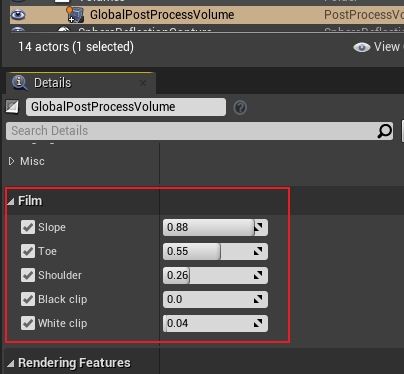
위의 그림은 UE의 기본값이지만 실제로 코드에서 UE는 다른 게임 및 구성에 대한 참조 계수도 제공합니다.
// Default settings
Slope = 0.88;
Toe = 0.55;
Shoulder = 0.26;
BlackClip= 0;
WhiteClip = 0.04;// Uncharted settings
Slope = 0.63;
Toe = 0.55;
Shoulder = 0.47;
BlackClip= 0;
WhiteClip = 0.01;// HP settings
Slope = 0.65;
Toe = 0.63;
Shoulder = 0.45;
BlackClip = 0;
WhiteClip = 0;// Legacy settings
Slope = 0.98;
Toe = 0.3;
Shoulder = 0.22;
BlackClip = 0;
WhiteClip = 0.025;// ACES settings
Slope = 0.91;
Toe = 0.53;
Shoulder = 0.23;
BlackClip = 0;
WhiteClip = 0.035;
보다 구체적인 매개변수 의미 및 효과 변경 사항은 공식 문서 Color Grading 및 Filmic Tonemapper를 참조하십시오 .
앞서 언급한 코드는 색 공간 변환 및 톤 커브 매핑과 같은 많은 지식 포인트를 의미한다는 점을 언급할 가치가 있습니다.이러한 지식에 노출되지 않았다면 클라우드에 있게 될 것입니다. 다행히도 그들은 읽을 가치가 있는 이 백서 Tone Mapping 에서 이론적 기초와 참조 구현 을 찾을 수 있습니다 . 전체 텍스트가 이해되면 갑자기 명확해질 것이고 이전의 많은 수수께끼가 풀릴 것입니다!
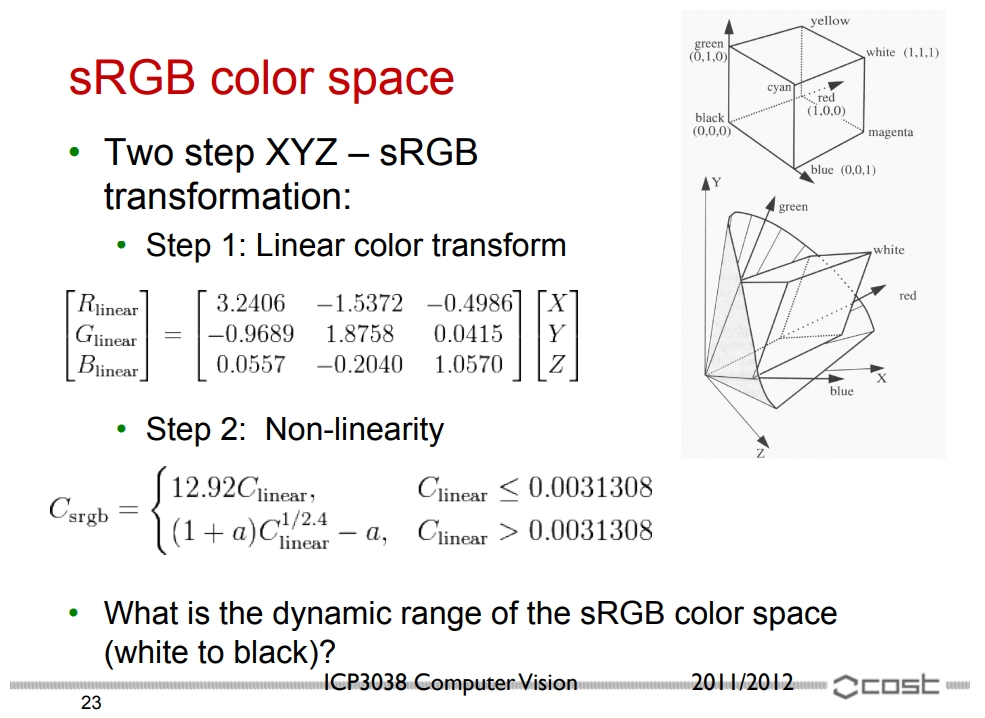
Reference Tone Mapping 은 XYZ 색 공간을 sRGB로 변환하는 과정과 공식을 보여줍니다.
7.4.3 스크린 퍼센티지(Screen Percentage)
UE에는 디스플레이 화면 해상도보다 낮은 해상도로 렌더링한 다음 지정된 화면 해상도로 업샘플링(Upsampling)하는 데 사용되는 Screen Percentage 기술 이 있습니다. 여기에는 기본 화면 백분율 과 보조 화면 백분율의 두 가지 화면 백분율이 있습니다.
Primary Screen Percentage는 사용자가 설정하고 수정할 수 있는 해상도 비율로, 사용자 인터페이스(UI)가 그려지기 전에 프레임을 더 낮은 해상도로 렌더링한 다음 업그레이드한다는 아이디어를 기반으로 합니다. Secondary Screen Percentage는 Primary Screen Percentage 이후에 마지막으로 다시 수행되는 해상도 업샘플링(Upsampling) 채널로 런타임 시 동적으로 수정할 수 없으며 DPI가 높지만 성능이 낮은 장치에서 낮은 해상도를 사용하여 업로드하기 위해 사용됩니다. 높은 DPI 해상도로.
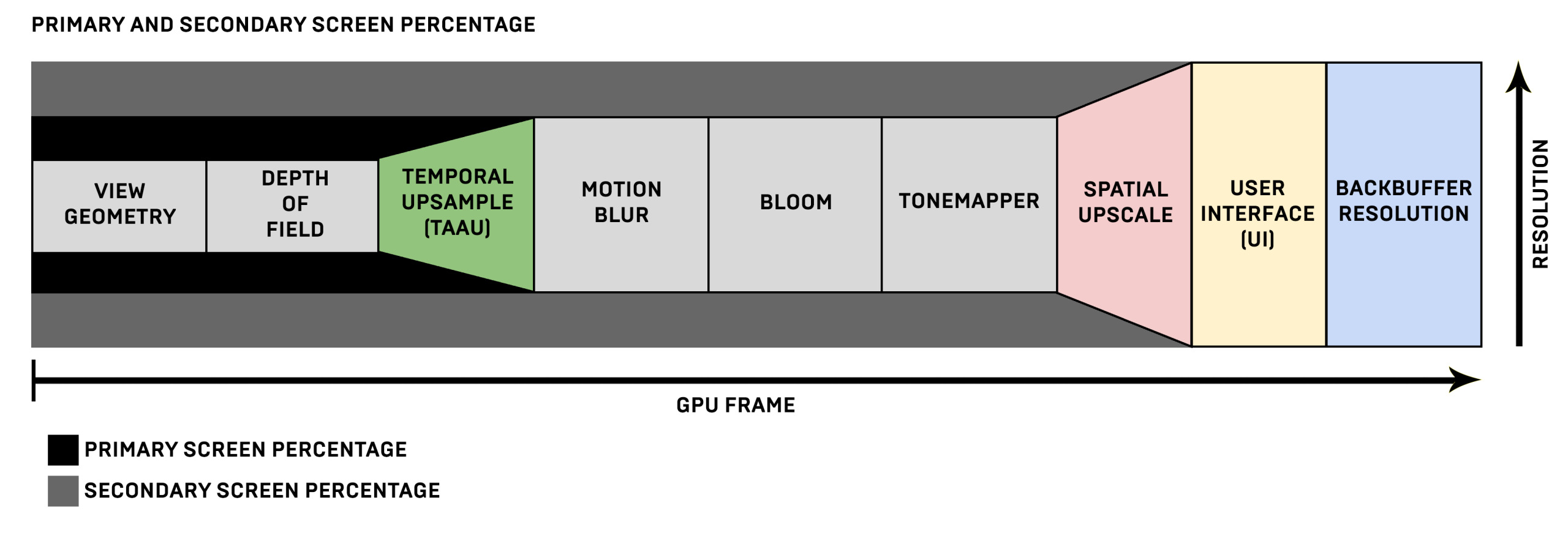
렌더링 단계에서 저해상도는 메인화면의 비율만큼 확대한 후 텍스처 해상도를 확대하고, 다양한 포스트 프로세스(Post-Process) 효과를 거쳐 보조화면의 비율에서 적응된 화면의 해상도로 확대하고, 그런 다음 UI가 처리됩니다.
기본 스크린 퍼센티지(Screen Percentage)은 장면 보기에서 조정할 수 있습니다.
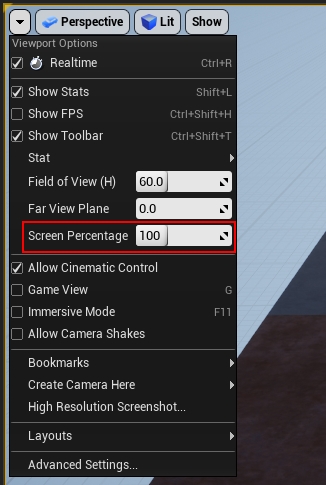
포스트 프로세스(Post-Process) 볼륨에서 기본 스크린 퍼센티지(Screen Percentage)을 설정할 수도 있습니다.
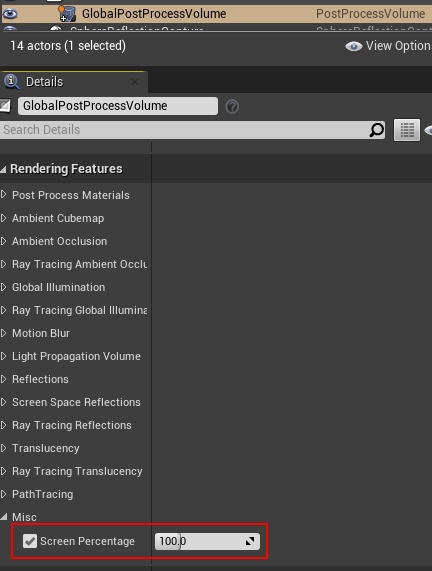
물론 콘솔 명령을 통해 변경할 수도 있습니다.
r.ScreenPercentage 100구현은 포스트 프로세스(Post-Process) 렌더링 파이프라인의 마지막 단계에 있습니다.
void AddPostProcessingPasses(FRDGBuilder& GraphBuilder, const FViewInfo& View, const FPostProcessingInputs& Inputs)
{
    (......)// 메인 업스케일링(Main Upscale)
    if (PassSequence.IsEnabled(EPass::PrimaryUpscale))
{
        FUpscaleInputs PassInputs;
        PassSequence.AcceptOverrideIfLastPass(EPass::PrimaryUpscale, PassInputs.OverrideOutput);
        PassInputs.SceneColor = SceneColor;
        PassInputs.Method = GetUpscaleMethod();
        PassInputs.Stage = PassSequence.IsEnabled(EPass::SecondaryUpscale) ? EUpscaleStage::PrimaryToSecondary : EUpscaleStage::PrimaryToOutput;// Panini projection is handled by the primary upscale pass.
        PassInputs.PaniniConfig = PaniniConfig;
        SceneColor = AddUpscalePass(GraphBuilder, View, PassInputs);
    }// 보조 업스케일링(Secondary Upscale)
    if (PassSequence.IsEnabled(EPass::SecondaryUpscale))
{
        FUpscaleInputs PassInputs;
        PassSequence.AcceptOverrideIfLastPass(EPass::SecondaryUpscale, PassInputs.OverrideOutput);
        PassInputs.SceneColor = SceneColor;
        PassInputs.Method = View.Family->SecondaryScreenPercentageMethod == ESecondaryScreenPercentageMethod::LowerPixelDensitySimulation ? EUpscaleMethod::SmoothStep : EUpscaleMethod::Nearest;
        PassInputs.Stage = EUpscaleStage::SecondaryToOutput;
        SceneColor = AddUpscalePass(GraphBuilder, View, PassInputs);
    }
}
메인 줌과 서브 줌은 모두 다음과 같이 호출됩니다 AddUpscalePass.
// Engine\Source\Runtime\Renderer\Private\PostProcess\PostProcessUpscale.cpp
FScreenPassTexture AddUpscalePass(FRDGBuilder& GraphBuilder, const FViewInfo& View, const FUpscaleInputs& Inputs)
{
    FScreenPassRenderTarget Output = Inputs.OverrideOutput;// 생성(Create)의 출력텍스처(Texture).
    if (!Output.IsValid())
{
        FRDGTextureDesc OutputDesc = Inputs.SceneColor.Texture->Desc;
        OutputDesc.Reset();if (Inputs.Stage == EUpscaleStage::PrimaryToSecondary)
{const FIntPoint SecondaryViewRectSize = View.GetSecondaryViewRectSize();
            QuantizeSceneBufferSize(SecondaryViewRectSize, OutputDesc.Extent);
            Output.ViewRect.Min = FIntPoint::ZeroValue;
            Output.ViewRect.Max = SecondaryViewRectSize;
        } else
{
            OutputDesc.Extent = View.UnscaledViewRect.Max;
            Output.ViewRect = View.UnscaledViewRect;
        }
        OutputDesc.Flags |= GFastVRamConfig.Upscale;
        Output.Texture = GraphBuilder.CreateTexture(OutputDesc, TEXT("Upscale"));
        Output.LoadAction = ERenderTargetLoadAction::EClear;
    }const FScreenPassTextureViewport InputViewport(Inputs.SceneColor);
    const FScreenPassTextureViewport OutputViewport(Output);// Panini투영/프로젝션 .
    FPaniniProjectionConfig PaniniConfig = Inputs.PaniniConfig;
    PaniniConfig.Sanitize();const bool bUsePaniniProjection = PaniniConfig.IsEnabled();// 업샘플링파라미터 .
    FUpscaleParameters* PassParameters = GraphBuilder.AllocParameters<FUpscaleParameters>();
    PassParameters->RenderTargets[0] = Output.GetRenderTargetBinding();
    PassParameters->Input = GetScreenPassTextureViewportParameters(InputViewport);
    PassParameters->Output = GetScreenPassTextureViewportParameters(OutputViewport);
    PassParameters->SceneColorTexture = Inputs.SceneColor.Texture;
    PassParameters->SceneColorSampler = TStaticSamplerState<SF_Bilinear, AM_Border, AM_Border, AM_Border>::GetRHI();
    PassParameters->PointSceneColorTexture = Inputs.SceneColor.Texture;
    PassParameters->PointSceneColorTextureArray = Inputs.SceneColor.Texture;
    PassParameters->PointSceneColorSampler = TStaticSamplerState<SF_Point, AM_Border, AM_Border, AM_Border>::GetRHI();
    PassParameters->Panini = GetPaniniProjectionParameters(PaniniConfig, View);
    PassParameters->UpscaleSoftness = FMath::Clamp(CVarUpscaleSoftness.GetValueOnRenderThread(), 0.0f, 1.0f);
    PassParameters->View = View.ViewUniformBuffer;// 처리(Process)FUpscalePS.
    FUpscalePS::FPermutationDomain PixelPermutationVector;
    PixelPermutationVector.Set<FUpscalePS::FMethodDimension>(Inputs.Method);TShaderMapRef<FUpscalePS> PixelShader(View.ShaderMap, PixelPermutationVector);const TCHAR* const StageNames[] = { TEXT("PrimaryToSecondary"), TEXT("PrimaryToOutput"), TEXT("SecondaryToOutput") };
    static_assert(UE_ARRAY_COUNT(StageNames) == static_cast<uint32>(EUpscaleStage::MAX), "StageNames does not match EUpscaleStage");
    const TCHAR* StageName = StageNames[static_cast<uint32>(Inputs.Stage)];
    GraphBuilder.AddPass(
        RDG_EVENT_NAME("Upscale (%s) %dx%d", StageName, Output.ViewRect.Width(), Output.ViewRect.Height()),
        PassParameters,
        ERDGPassFlags::Raster,
        [&View, bUsePaniniProjection, PixelShader, PassParameters, InputViewport, OutputViewport](FRHICommandList& RHICmdList)
{
        RHICmdList.SetViewport(OutputViewport.Rect.Min.X, OutputViewport.Rect.Min.Y, 0.0f, OutputViewport.Rect.Max.X, OutputViewport.Rect.Max.Y, 1.0f);
        TShaderRef<FShader> VertexShader;// Panini투영/프로젝션 을(를) 활용하여 특수 의 VS. 즉, 즉, VS 내부에서 처리(Process)Panini투영/프로젝션 .
        if (bUsePaniniProjection)
{
            TShaderMapRef<FUpscaleVS> TypedVertexShader(View.ShaderMap);
            SetScreenPassPipelineState(RHICmdList, FScreenPassPipelineState(TypedVertexShader, PixelShader));
            SetShaderParameters(RHICmdList, TypedVertexShader, TypedVertexShader.GetVertexShader(), *PassParameters);
            VertexShader = TypedVertexShader;
        } else
{
            TShaderMapRef<FScreenPassVS> TypedVertexShader(View.ShaderMap);
            SetScreenPassPipelineState(RHICmdList, FScreenPassPipelineState(TypedVertexShader, PixelShader));
            VertexShader = TypedVertexShader;
        }
        check(VertexShader.IsValid());
        SetShaderParameters(RHICmdList, PixelShader, PixelShader.GetPixelShader(), *PassParameters);// 풀스크린(Full Screen)드로우/렌더(Draw).
        DrawRectangle(
            RHICmdList,// Output Rect (RHI viewport relative).
            0, 0, OutputViewport.Rect.Width(), OutputViewport.Rect.Height(),
            // Input Rect
            InputViewport.Rect.Min.X, InputViewport.Rect.Min.Y, InputViewport.Rect.Width(), InputViewport.Rect.Height(),
            OutputViewport.Rect.Size(),
            InputViewport.Extent,
            VertexShader,// Panini투영/프로젝션 을(를) 활용하여 테셀레이션(Tessellation).
            bUsePaniniProjection ? EDRF_UseTesselatedIndexBuffer : EDRF_UseTriangleOptimization);
    });return MoveTemp(Output);
}
위는 Panini 투영 여부에 따라 다른 VS가 사용되지만 PS는 동일하고 모두 FUpscaleVS이며 FUpscaleVS의 셰이더 코드에 대한 다음 분석을 보여줍니다.
// Engine\Shaders\Private\PostProcessUpscale.usf
void MainPS(noperspective float4 UVAndScreenPos : TEXCOORD0, float4 SvPosition : SV_POSITION, out float4 OutColor : SV_Target0)
{
    OutColor = 0;// 가장 포인트 업샘플링(Upsampling).(블러(Blur), 그러나 )
#if METHOD == UPSCALE_METHOD_NEAREST
    #if ES3_1_PROFILE
        #if MOBILE_MULTI_VIEW
            OutColor = Texture2DArraySample(PointSceneColorTextureArray, PointSceneColorSampler, float3(UVAndScreenPos.xy,0));
#else
OutColor = Texture2DSample(PointSceneColorTexture, PointSceneColorSampler, UVAndScreenPos.xy);
#endif
#else#if MOBILE_MULTI_VIEW
            OutColor = PointSceneColorTextureArray.SampleLevel(PointSceneColorSampler, vec3(UVAndScreenPos.xy,0), 0, int2(0, 0));
#else
OutColor = PointSceneColorTexture.SampleLevel(PointSceneColorSampler, UVAndScreenPos.xy, 0, int2(0, 0));
#endif
#endif// 바이리니어 업샘플링.(, 그러나 에일리어싱 )
#elif
METHOD == UPSCALE_METHOD_BILINEAR
    OutColor.rgb = SampleSceneColorRGB(UVAndScreenPos.xy);// 블러(Blur)업샘플링(Upsampling), 을(를) 활용하여 및 활용 의 .
#elif
METHOD == UPSCALE_METHOD_DIRECTIONAL
    float2 UV = UVAndScreenPos.xy;float X = 0.5;
    float3 ColorNW = SampleSceneColorRGB(UV + float2(-X, -X) * Input_ExtentInverse);
    float3 ColorNE = SampleSceneColorRGB(UV + float2( X, -X) * Input_ExtentInverse);
    float3 ColorSW = SampleSceneColorRGB(UV + float2(-X,  X) * Input_ExtentInverse);
    float3 ColorSE = SampleSceneColorRGB(UV + float2( X,  X) * Input_ExtentInverse);
    OutColor.rgb = (ColorNW * 0.25) + (ColorNE * 0.25) + (ColorSW * 0.25) + (ColorSE * 0.25);float LumaNW = Luma(ColorNW);
    float LumaNE = Luma(ColorNE);
    float LumaSW = Luma(ColorSW);
    float LumaSE = Luma(ColorSE);
    float2 IsoBrightnessDir;float DirSWMinusNE = LumaSW - LumaNE;
    float DirSEMinusNW = LumaSE - LumaNW;
    IsoBrightnessDir.x = DirSWMinusNE + DirSEMinusNW;
    IsoBrightnessDir.y = DirSWMinusNE - DirSEMinusNW;// avoid NaN on zero vectors by adding 2^-24 (float ulp when length==1, and also minimum representable half)
    IsoBrightnessDir = IsoBrightnessDir * (0.125 * rsqrt(dot(IsoBrightnessDir, IsoBrightnessDir) + 6e-8));
    float3 ColorN = SampleSceneColorRGB(UV - IsoBrightnessDir * Input_ExtentInverse);
    float3 ColorP = SampleSceneColorRGB(UV + IsoBrightnessDir * Input_ExtentInverse);float UnsharpMask = 0.25;
    OutColor.rgb = (ColorN + ColorP) * ((UnsharpMask + 1.0) * 0.5) - (OutColor.rgb * UnsharpMask);// Catmull-Rom 바이큐빅 업샘플링 (픽셀당 5개 샘플 사용).
#elif
METHOD == UPSCALE_METHOD_CATMULL_ROM
    FCatmullRomSamples Samples = GetBicubic2DCatmullRomSamples(UVAndScreenPos.xy, Input_Extent, Input_ExtentInverse);for (uint i = 0; i < Samples.Count; i++)
{
        OutColor.rgb += SampleSceneColorRGB(Samples.UV[i]) * Samples.Weight[i];
    }
    OutColor *= Samples.FinalMultiplier;// LANCZOS업샘플링(Upsampling).
#elif
METHOD == UPSCALE_METHOD_LANCZOS
    {// Lanczos 3
        float2 UV = UVAndScreenPos.xy * Input_Extent;
        float2 tc = floor(UV - 0.5) + 0.5;
        float2 f = UV - tc + 2;// compute at f, f-1, f-2, f-3, f-4, and f-5 using trig angle addition
        float2 fpi = f*PI, fpi3 = f * (PI / 3.0);
        float2 sinfpi = sin(fpi), sinfpi3 = sin(fpi3), cosfpi3 = cos(fpi3);
        const float r3 = sqrt(3.0);
        float2 w0 = ( sinfpi *       sinfpi3              ) / ( f       * f       );
        float2 w1 = (-sinfpi * (     sinfpi3 - r3*cosfpi3)) / ((f - 1.0)*(f - 1.0));
        float2 w2 = ( sinfpi * (    -sinfpi3 - r3*cosfpi3)) / ((f - 2.0)*(f - 2.0));
        float2 w3 = (-sinfpi * (-2.0*sinfpi3             )) / ((f - 3.0)*(f - 3.0));
        float2 w4 = ( sinfpi * (    -sinfpi3 + r3*cosfpi3)) / ((f - 4.0)*(f - 4.0));
        float2 w5 = (-sinfpi * (     sinfpi3 + r3*cosfpi3)) / ((f - 5.0)*(f - 5.0));// use bilinear texture weights to merge center two samples in each dimension
        float2 Weight[5];
        Weight[0] = w0;
        Weight[1] = w1;
        Weight[2] = w2 + w3;
        Weight[3] = w4;
        Weight[4] = w5;
        float2 Sample[5];
        Sample[0] = Input_ExtentInverse * (tc - 2);
        Sample[1] = Input_ExtentInverse * (tc - 1);
        Sample[2] = Input_ExtentInverse * (tc + w3 / Weight[2]);
        Sample[3] = Input_ExtentInverse * (tc + 2);
        Sample[4] = Input_ExtentInverse * (tc + 3);
        OutColor = 0;// 5x5 footprint with corners dropped to give 13 texture taps
        OutColor += float4(SampleSceneColorRGB(float2(Sample[0].x, Sample[2].y)), 1) * Weight[0].x * Weight[2].y;
        OutColor += float4(SampleSceneColorRGB(float2(Sample[1].x, Sample[1].y)), 1) * Weight[1].x * Weight[1].y;
        OutColor += float4(SampleSceneColorRGB(float2(Sample[1].x, Sample[2].y)), 1) * Weight[1].x * Weight[2].y;
        OutColor += float4(SampleSceneColorRGB(float2(Sample[1].x, Sample[3].y)), 1) * Weight[1].x * Weight[3].y;
        OutColor += float4(SampleSceneColorRGB(float2(Sample[2].x, Sample[0].y)), 1) * Weight[2].x * Weight[0].y;
        OutColor += float4(SampleSceneColorRGB(float2(Sample[2].x, Sample[1].y)), 1) * Weight[2].x * Weight[1].y;
        OutColor += float4(SampleSceneColorRGB(float2(Sample[2].x, Sample[2].y)), 1) * Weight[2].x * Weight[2].y;
        OutColor += float4(SampleSceneColorRGB(float2(Sample[2].x, Sample[3].y)), 1) * Weight[2].x * Weight[3].y;
        OutColor += float4(SampleSceneColorRGB(float2(Sample[2].x, Sample[4].y)), 1) * Weight[2].x * Weight[4].y;
        OutColor += float4(SampleSceneColorRGB(float2(Sample[3].x, Sample[1].y)), 1) * Weight[3].x * Weight[1].y;
        OutColor += float4(SampleSceneColorRGB(float2(Sample[3].x, Sample[2].y)), 1) * Weight[3].x * Weight[2].y;
        OutColor += float4(SampleSceneColorRGB(float2(Sample[3].x, Sample[3].y)), 1) * Weight[3].x * Weight[3].y;
        OutColor += float4(SampleSceneColorRGB(float2(Sample[4].x, Sample[2].y)), 1) * Weight[4].x * Weight[2].y;
        OutColor /= OutColor.w;
    }// 가우시안 업샘플링.
#elif
METHOD == UPSCALE_METHOD_GAUSSIAN
    {// Gaussian filtered unsharp mask
        float2 UV = UVAndScreenPos.xy * Input_Extent;
        float2 tc = floor(UV) + 0.5;// estimate pixel value and derivatives
        OutColor = 0;
        float3 Laplacian = 0;
        UNROLL for (int i = -3; i <= 2; ++i)
{
            UNROLL for (int j = -3; j <= 2; ++j)
{
                float2 TexelOffset = float2(i, j) + 0.5;// skip corners: eliminated entirely by UNROLL
                if (dot(TexelOffset, TexelOffset) > 9) continue;
                float2 Texel = tc + TexelOffset;
                float2 Offset = UV - Texel;float OffsetSq = 2 * dot(Offset, Offset);    // texel loop is optimized for variance = 0.5
                float Weight = exp(-0.5 * OffsetSq);
                float4 Sample = Weight * float4(SampleSceneColorRGB(Texel * Input_ExtentInverse), 1);
                OutColor += Sample;
                Laplacian += Sample.rgb * (OffsetSq - 2);
            }
        }
        OutColor /= OutColor.a;
        Laplacian /= OutColor.a;float UnsharpScale = UpscaleSoftness * (1 - Input_Extent.x * Input_Extent.y * Output_ViewportSizeInverse.x * Output_ViewportSizeInverse.y);
        OutColor.rgb -= UnsharpScale * Laplacian;
    }// 스무딩 샘플링.
#elif
METHOD == UPSCALE_METHOD_SMOOTHSTEP
    OutColor.rgb = SampleSceneColorRGB(GetSmoothstepUV(UVAndScreenPos.xy, Input_Extent, Input_ExtentInverse));
#endif
}
위의 몇 가지 텍스처 필터링 및 샘플링 기술이 포함되어 있습니다. 가장 가까운 점, 쌍선형, 쌍입방형, Lanczos 등입니다. 일부 샘플링 곡선의 개략도는 다음과 같습니다.
일부 곡선의 효과 비교 차트는 다음과 같습니다.
다음은 가장 복잡한 Lanczos 샘플링 알고리즘입니다. Lanczos 컨볼루션 커널의 일반적인 상태 공식은 다음과 같습니다.
패 ( x ) =⎧⎩⎨⎪⎪⎪⎪1죄( 파이x ) 죄( 파이X / )파이2NS20만약 X = 0 , 만약 - ≤ X < 및 X ≠ 0 , 그렇지 않으면 .L(x)={1if x=0,asin(πx)sin(πx/a)π2x2if −a≤x<a and x≠0,0otherwise.
~에NSa컨볼루션 커널의 크기를 나타내는 양의 정수(보통 2 또는 3)입니다. 언제에이 = 2a=2~와 함께= 3=3컨볼루션 커널 곡선은 다음과 같습니다.

컨볼루션 커널 공식을 사용하여 Lanczos의 보간(샘플링) 공식을 얻을 수 있습니다.
NS( x ) =∑나는 = ⌊ x ⌋ − a + 1⌊ X ⌋ +NSNS패 ( x − i )S(x)=∑i=⌊x⌋−a+1⌊x⌋+asiL(x−i)
~에NSx샘플링 위치는,NSa필터 크기는,⌊ x ⌋⌊x⌋A는 floor기능.
그러나 위의 PS 셰이더 코드는 공식에 따라 완전히 구현되지 않고 삼각함수 계산 및 루프문에 최적화되어 있습니다.
또한 위의 C++ 코드에는 광각 FOV의 원근 왜곡을 수정하는 데 사용되는 Panini Projection이 포함됩니다 .
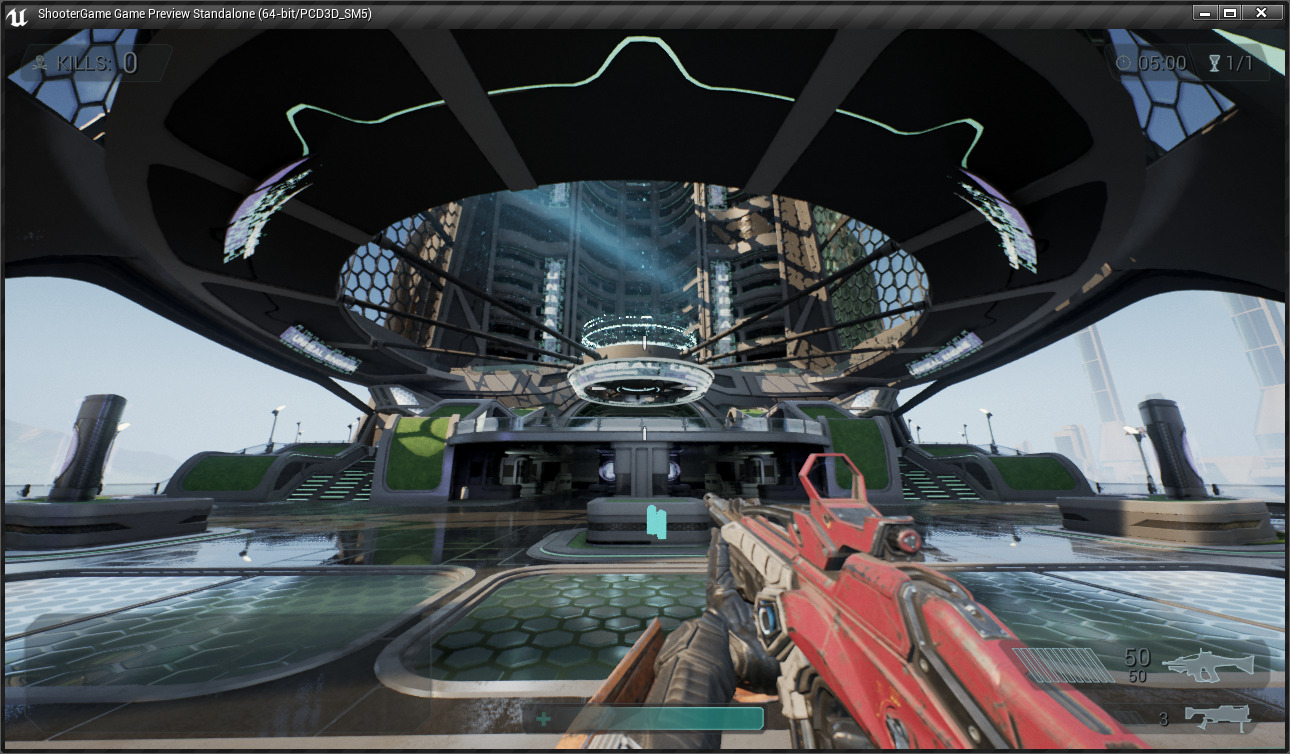
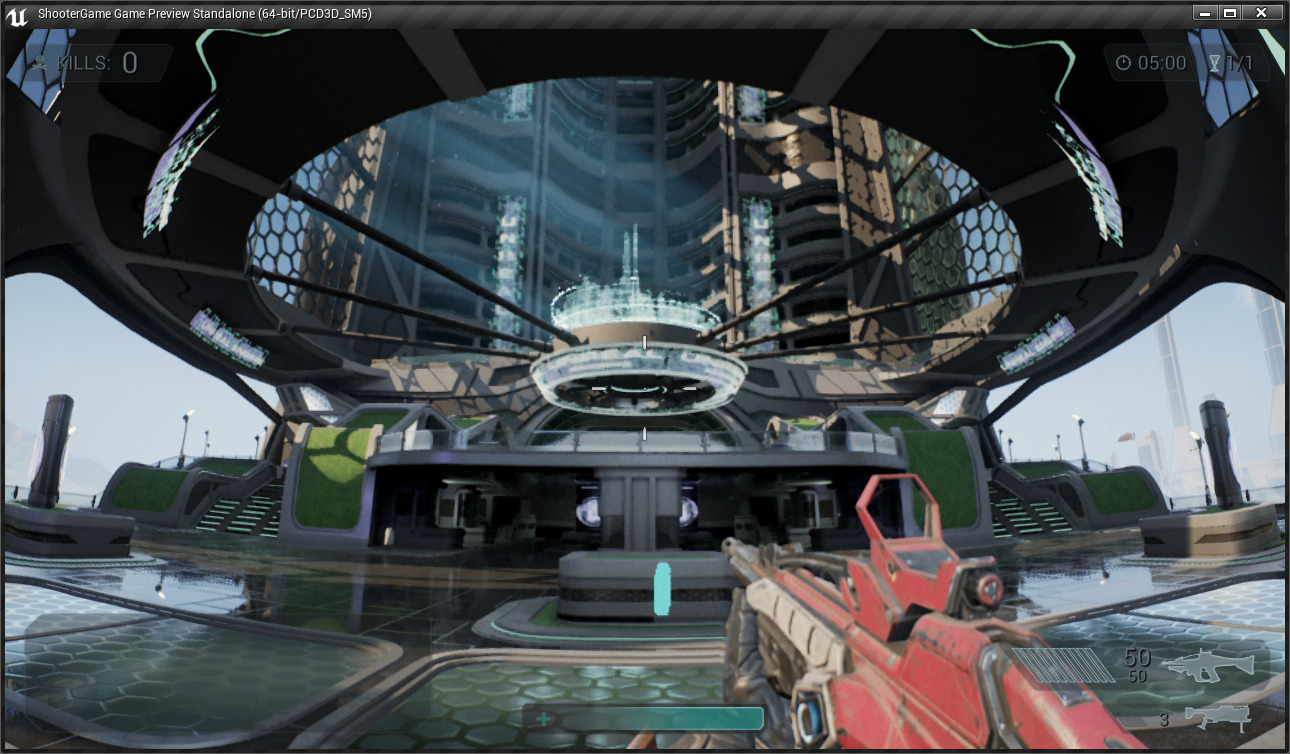
위: 파니니 프로젝션을 사용하지 않고 영상에 명백한 왜곡이 있는 경우, 아래: 파니니 프로젝션을 사용하고 영상이 정상으로 돌아옵니다.
📊 안티앨리어싱(Anti-Aliasing) 기법별 비교 분석
| 기법 | 지원 파이프라인 | 안티앨리어싱 품질 | 연산 및 메모리 비용 | 주요 알고리즘 및 기술적 한계 |
|---|---|---|---|---|
| FXAA | 포워드, 디퍼드 | 중간 (빠른 엣지 블러) | 최저 (추가 버퍼 없음) | 1패스 화면 엣지 대비 감지 기반 블러링. 서브픽셀 지터링 보정 불가 |
| MSAA | 포워드 렌더링 전용 | 우수 (지오메트리 엣지 정밀) | 높음 (서브샘플 버퍼) | 픽셀당 다중 샘플링. 디퍼드 GBuffer 분리 구조와 비호환, 셰이딩 에일리어싱 미해결 |
| TAA | 디퍼드 / 포워드 렌더링 | 최상 (서브픽셀/스펙큘러 완벽) | 중간~높음 (모션/히스토리 버퍼) | 프레임 간 지터링 및 히스토리 버퍼 가중치 블렌딩. 동적 잔상(Ghosting) 보정 알고리즘 필수 |
7.4.4 FXAA
UE의 내장 안티앨리어싱(Anti-Aliasing) 알고리즘에는 MSAA, FXAA, TAA가 포함됩니다. MSAA는 주로 하드웨어 안티앨리어싱(Anti-Aliasing) 알고리즘 기반의 순방향 렌더링에 사용되며 TAA는 주로 디퍼드 렌더링 안티앨리어싱(Anti-Aliasing) 알고리즘에 사용되며 FXAA는 포스트 프로세스(Post-Process) 기반 안티앨리어싱(Anti-Aliasing) 알고리즘. 그들의 비교는 다음과 같습니다.
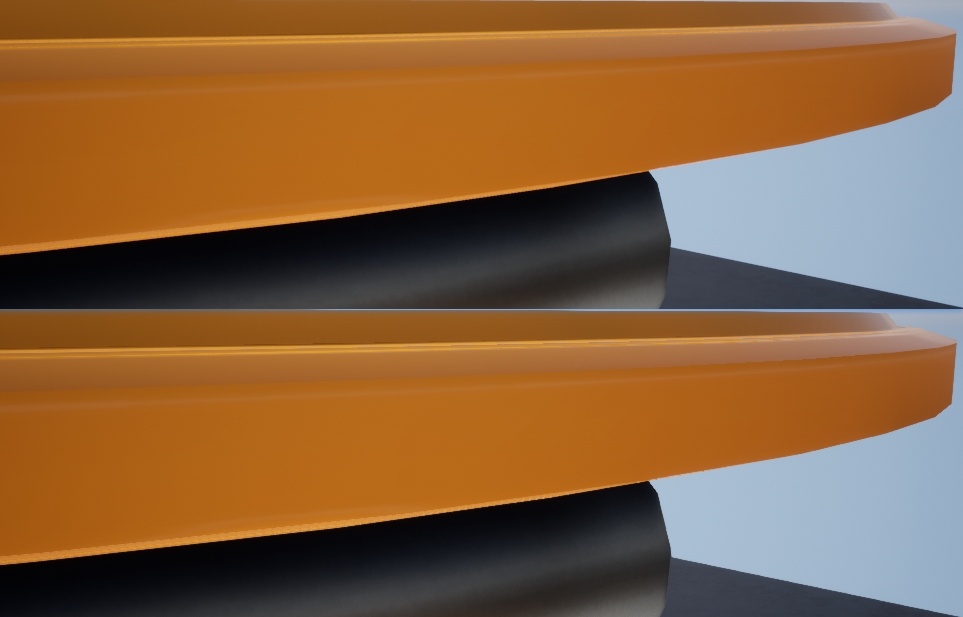
UE4.26 디퍼드 렌더링 파이프라인에서 TAA와 FXAA를 비교합니다. 위쪽이 TAA, 아래쪽이 FXAA입니다.
FXAA는 의미 F AST 아프로을 X 축 으로 Imate nti- 의 liasing, 후 처리가 처음 일 NVIDIA의 디모데 Lottes의 빠른 대략 MSAA 안티 앨리어싱 방법으로, 그는 2009 년에 각각 문학을 출판 2011 FXAA 및 필터링 레알에 대한 접근 - 시간 안티 앨리어싱 .
FXAA의 핵심 알고리즘은 다음 그림과 텍스트에 나와 있습니다(일련 번호는 그림 일대일에 해당).
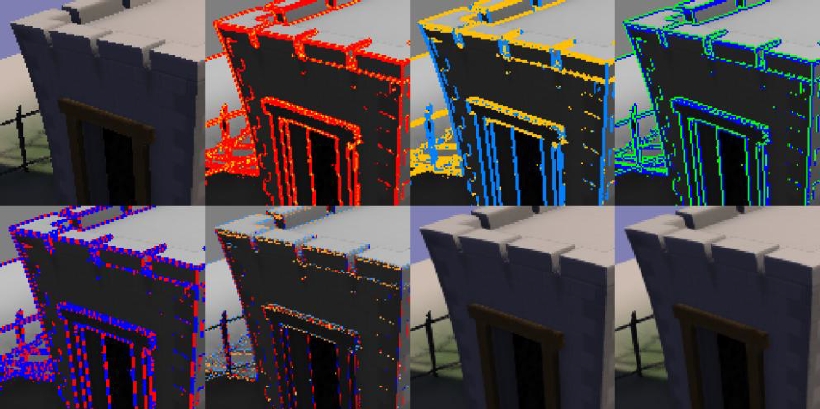
sRGB 색 공간에 안티앨리어싱(Anti-Aliasing) 없이 텍스처를 입력하면 Shader 로직에서 내부적으로 밝기의 추정 스칼라 값으로 변환됩니다.
가장자리가 아닌 부분을 처리하지 않도록 로컬 대비를 확인합니다. 감지된 에지 데이터는 R 채널에 배치되고 노란색으로 혼합되어 감지된 하위 픽셀 들쭉날쭉함의 양을 나타내는 데 사용됩니다.
이 단계는 구현에 최적화되어 있으며, 초기 종료(Early Exit)는 대비가 낮은(가장자리가 아닌) 픽셀에서 수행됩니다.
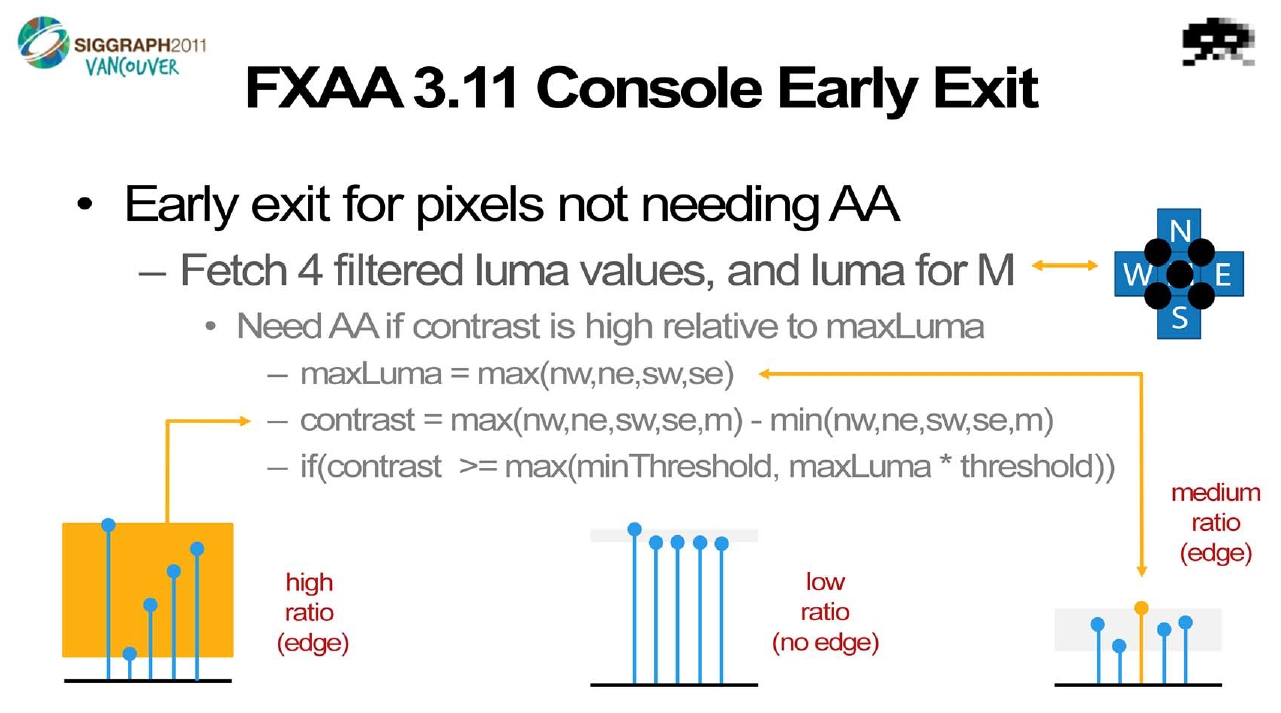
로컬 콘트라스트에 의해 감지된 픽셀은 수평(금색) 또는 수직(파란색)으로 분류됩니다.
가장자리 방향이 주어지면 파란색/녹색으로 표시되는 쌍(Pair)으로 가장자리와 90도에서 가장 높은 대비를 가진 픽셀을 선택합니다.
에지의 양수 및 음수(빨간색/파란색) 방향에서 에지의 끝을 검색합니다. 가장자리를 따라 고대비 픽셀 쌍(Pair)의 평균 밝기에 상당한 변화가 있는지 확인합니다.
가장자리의 끝이 주어지면 가장자리의 픽셀 위치를 가장자리에 수직인 하위 픽셀 오프셋으로 90도 변환하여 앨리어싱을 줄입니다. 그 중 빨간색/파란색은 수평 오프셋을 줄이거나 늘리는 것이고 금색/하늘색은 수직 오프셋을 줄이거나 늘리는 것입니다.
하위 픽셀 오프셋이 주어지면 입력 텍스처를 다시 샘플링합니다.
마지막으로 검출된 부화소 들쭉날쭉한 양에 따라 저역통과 필터를 추가한다.
FXAA에 대한 몇 가지 참고 사항을 추가해야 합니다.
- FXAA는 추가 텍스처 데이터가 필요하지 않기 때문에 하나의 입력 및 출력 텍스처만 있으므로 낮은 대역폭과 VRAM(비디오 메모리) 소비로 하나의 Pass로 처리할 수 있습니다.
- 입력 텍스처는 sRGB이어야 하며, XYZ 또는 선형 공간(Linear Space) 색상인 경우 기대한 효과를 얻지 못합니다.
- FXAA는 여러 단계의 계산을 수행해야 하므로 계산 비용이 공간에 대한 시간에 해당하는 MSAA보다 이론적으로 더 높습니다.
- FXAA는 화면 공간을 기반으로 한 포스트 프로세스(Post-Process) 알고리즘으로 노멀, 뎁스 등의 GBuffer 데이터를 사용할 필요가 없습니다.
- FXAA는 색상의 밝기에 따라 가장자리만 찾기 때문에 효과가 제한되고 깊은 가장자리와 곡선 가장자리는 감지할 수 없습니다.
- UE4.26 구현은 두 번째 문서의 알고리즘을 기반으로 하며 다양한 플랫폼 및 품질 수준에 최적화되고 조정된 많은 사전 설정(Preset)이 있습니다.
다음은 PC 플랫폼에서 UE의 FXAA 알고리즘을 분석한 것으로, 다른 플랫폼의 핵심 알고리즘은 유사하므로 이 글에서는 다루지 않는다. 아래 코드와 관련된 많은 접미사는 아래 그림과 같은 의미를 갖습니다.

위 그림에서 약어의 의미는 다음과 같습니다.
M
: 중앙 픽셀, 중앙 픽셀.
N
: 북쪽, M 위의 픽셀.
S
: 남쪽, M 아래의 픽셀.
W
: 서쪽, M의 왼쪽에 있는 픽셀.
E
: 동쪽, M 오른쪽 픽셀.
NW
: Northwest, M의 왼쪽 상단 모서리에 있는 픽셀.
NE
: 북동쪽, M의 오른쪽 상단 모서리에 있는 픽셀.
SW
: 남서쪽, M의 왼쪽 하단 모서리에 있는 픽셀.
SE
: 남동쪽, M의 오른쪽 하단 모서리에 있는 픽셀.
// Engine/Shaders/Private/FXAAShader.usf // NVIDIA 공식 FXAA 구현 헤더 포함.
#include "Fxaa3_11.ush"// FXAA의 PS.
void FxaaPS(noperspective float2 TexCenter : TEXCOORD0, noperspective float4 TexCorners : TEXCOORD1, out float4 OutColor : SV_Target0)
{
    FxaaTex TextureAndSampler;
    TextureAndSampler.tex = Input_Texture;
    TextureAndSampler.smpl = Input_Sampler;
    TextureAndSampler.UVMinMax = float4(Input_UVViewportBilinearMin, Input_UVViewportBilinearMax);
    OutColor = FxaaPixelShader(
        TexCenter, TexCorners,
        TextureAndSampler,
        TextureAndSampler,
        TextureAndSampler,
        Input_ExtentInverse,
        fxaaConsoleRcpFrameOpt,
        fxaaConsoleRcpFrameOpt2,
        fxaaConsole360RcpFrameOpt2,
        fxaaQualitySubpix,
        fxaaQualityEdgeThreshold,
        fxaaQualityEdgeThresholdMin,
        fxaaConsoleEdgeSharpness,
        fxaaConsoleEdgeThreshold,
        fxaaConsoleEdgeThresholdMin,
        fxaaConsole360ConstDir);
#if (POST_PROCESS_ALPHA != 2)
        OutColor.a = 1.0;
#endif
}
다음은 PC 플랫폼에 대한 직접적인 분석입니다 FxaaPixelShader.
// Engine/Shaders/Private/Fxaa3_11.ush
#if (FXAA_PC == 1) // PC 플랫폼 환경 진입점
    FxaaFloat2 pos, // 는 픽셀(Pixel) 내에서 , 내부에서 을(를) 활용하여 비원근 보간(Non-perspective Interpolation) (비활성화(Disable)원근 보간(Perspective Interpolation)).
    FxaaFloat4 fxaaConsolePosPos, // 오직 을(를) 활용하여 Console플랫폼.
    FxaaTex tex, // 입력텍스처(Texture)
    FxaaTex fxaaConsole360TexExpBiasNegOne, // 오직 을(를) 활용하여 360플랫폼.
    FxaaTex fxaaConsole360TexExpBiasNegTwo, // 오직 을(를) 활용하여 360플랫폼.
    FxaaFloat2 fxaaQualityRcpFrame, // 오직 을(를) 활용하여 FXAA의 품질 , 필수: 는 constant/uniform, {x_} = 1.0/screenWidthInPixels, {_y} = 1.0/screenHeightInPixels
    FxaaFloat4 fxaaConsoleRcpFrameOpt, // 오직 을(를) 활용하여 360플랫폼.
    FxaaFloat4 fxaaConsoleRcpFrameOpt2, // 오직 을(를) 활용하여 360플랫폼.
    FxaaFloat4 fxaaConsole360RcpFrameOpt2, // 오직 을(를) 활용하여 360플랫폼.
    FxaaFloat fxaaQualitySubpix, // 오직 을(를) 활용하여 FXAA의 품질 . 활용 .
    FxaaFloat fxaaQualityEdgeThreshold, // 엣지(Edge)임계값(Threshold). 오직 을(를) 활용하여 FXAA의 품질 .
    FxaaFloat fxaaQualityEdgeThresholdMin, // 가장 엣지(Edge)임계값(Threshold). 오직 을(를) 활용하여 FXAA의 품질 .
    FxaaFloat fxaaConsoleEdgeSharpness, // 오직 을(를) 활용하여 360플랫폼.
    FxaaFloat fxaaConsoleEdgeThreshold,
    FxaaFloat fxaaConsoleEdgeThresholdMin,
    FxaaFloat4 fxaaConsole360ConstDir
)
{
    FxaaFloat2 posM;
    posM.x = pos.x;
    posM.y = pos.y;// 로부터 입력텍스처(Texture)샘플 수, 계산/산출(Calculate)휘도(Luminance/Brightness)값.
    #if (FXAA_GATHER4_ALPHA == 1)
        #if (FXAA_DISCARD == 0)
            FxaaFloat4 rgbyM = FxaaTexTop(tex, posM);
#if (FXAA_GREEN_AS_LUMA == 0)
                #define lumaM rgbyM.w
            #else
#define lumaM rgbyM.y
            #endif
#endif#if (FXAA_GREEN_AS_LUMA == 0)
            FxaaFloat4 luma4A = FxaaTexAlpha4(tex, posM);
            FxaaFloat4 luma4B = FxaaTexOffAlpha4(tex, posM, FxaaInt2(-1, -1));
#else
FxaaFloat4 luma4A = FxaaTexGreen4(tex, posM);
            FxaaFloat4 luma4B = FxaaTexOffGreen4(tex, posM, FxaaInt2(-1, -1));
#endif
#if (FXAA_DISCARD == 1)
            #define lumaM luma4A.w
        #endif
#define lumaE luma4A.z
        #define lumaS luma4A.x
        #define lumaSE luma4A.y
        #define lumaNW luma4B.w
        #define lumaN luma4B.z
        #define lumaW luma4B.x
    #else
FxaaFloat4 rgbyM = FxaaTexTop(tex, posM);
#if (FXAA_GREEN_AS_LUMA == 0)
            #define lumaM rgbyM.w
        #else
#define lumaM rgbyM.y
        #endif
FxaaFloat lumaS = FxaaLuma(FxaaTexOff(tex, posM, FxaaInt2( 0, 1), fxaaQualityRcpFrame.xy));
        FxaaFloat lumaE = FxaaLuma(FxaaTexOff(tex, posM, FxaaInt2( 1, 0), fxaaQualityRcpFrame.xy));
        FxaaFloat lumaN = FxaaLuma(FxaaTexOff(tex, posM, FxaaInt2( 0,-1), fxaaQualityRcpFrame.xy));
        FxaaFloat lumaW = FxaaLuma(FxaaTexOff(tex, posM, FxaaInt2(-1, 0), fxaaQualityRcpFrame.xy));
#endif/*--------------------------------------------------------------------------*/
    // 계산/산출(Calculate)모든 방향의 휘도(Luminance/Brightness)Min/Max값, 검사/감지(Detect)는 여부 조기 종료(Early Exit).
    FxaaFloat maxSM = max(lumaS, lumaM);
    FxaaFloat minSM = min(lumaS, lumaM);
    FxaaFloat maxESM = max(lumaE, maxSM);
    FxaaFloat minESM = min(lumaE, minSM);
    FxaaFloat maxWN = max(lumaN, lumaW);
    FxaaFloat minWN = min(lumaN, lumaW);
    FxaaFloat rangeMax = max(maxWN, maxESM);
    FxaaFloat rangeMin = min(minWN, minESM);
    FxaaFloat rangeMaxScaled = rangeMax * fxaaQualityEdgeThreshold;
    FxaaFloat range = rangeMax - rangeMin;
    FxaaFloat rangeMaxClamped = max(fxaaQualityEdgeThresholdMin, rangeMaxScaled);
    FxaaBool earlyExit = range < rangeMaxClamped;/*--------------------------------------------------------------------------*/
    if(earlyExit)
        #if (FXAA_DISCARD == 1)
            FxaaDiscard;
#else
return rgbyM;
#endif/*--------------------------------------------------------------------------*/
    // 계산/산출(Calculate)대각선 방향의 휘도(Luminance/Brightness)값.
    #if (FXAA_GATHER4_ALPHA == 0)
        FxaaFloat lumaNW = FxaaLuma(FxaaTexOff(tex, posM, FxaaInt2(-1,-1), fxaaQualityRcpFrame.xy));
        FxaaFloat lumaSE = FxaaLuma(FxaaTexOff(tex, posM, FxaaInt2( 1, 1), fxaaQualityRcpFrame.xy));
        FxaaFloat lumaNE = FxaaLuma(FxaaTexOff(tex, posM, FxaaInt2( 1,-1), fxaaQualityRcpFrame.xy));
        FxaaFloat lumaSW = FxaaLuma(FxaaTexOff(tex, posM, FxaaInt2(-1, 1), fxaaQualityRcpFrame.xy));
#else
FxaaFloat lumaNE = FxaaLuma(FxaaTexOff(tex, posM, FxaaInt2(1, -1), fxaaQualityRcpFrame.xy));
        FxaaFloat lumaSW = FxaaLuma(FxaaTexOff(tex, posM, FxaaInt2(-1, 1), fxaaQualityRcpFrame.xy));
#endif/*--------------------------------------------------------------------------*/
    // 방향별 수평/수직 엣지 대비 및 서브픽셀 오프셋 계산.
/*--------------------------------------------------------------------------*/
    FxaaFloat lumaNS = lumaN + lumaS;
    FxaaFloat lumaWE = lumaW + lumaE;
    FxaaFloat subpixRcpRange = 1.0/range;
    FxaaFloat subpixNSWE = lumaNS + lumaWE;
    FxaaFloat edgeHorz1 = (-2.0 * lumaM) + lumaNS;
    FxaaFloat edgeVert1 = (-2.0 * lumaM) + lumaWE;
/*--------------------------------------------------------------------------*/
    FxaaFloat lumaNESE = lumaNE + lumaSE;
    FxaaFloat lumaNWNE = lumaNW + lumaNE;
    FxaaFloat edgeHorz2 = (-2.0 * lumaE) + lumaNESE;
    FxaaFloat edgeVert2 = (-2.0 * lumaN) + lumaNWNE;
/*--------------------------------------------------------------------------*/
    FxaaFloat lumaNWSW = lumaNW + lumaSW;
    FxaaFloat lumaSWSE = lumaSW + lumaSE;
    FxaaFloat edgeHorz4 = (abs(edgeHorz1) * 2.0) + abs(edgeHorz2);
    FxaaFloat edgeVert4 = (abs(edgeVert1) * 2.0) + abs(edgeVert2);
    FxaaFloat edgeHorz3 = (-2.0 * lumaW) + lumaNWSW;
    FxaaFloat edgeVert3 = (-2.0 * lumaS) + lumaSWSE;
    FxaaFloat edgeHorz = abs(edgeHorz3) + edgeHorz4;
    FxaaFloat edgeVert = abs(edgeVert3) + edgeVert4;
/*--------------------------------------------------------------------------*/
    FxaaFloat subpixNWSWNESE = lumaNWSW + lumaNESE;
    FxaaFloat lengthSign = fxaaQualityRcpFrame.x;// 만약 수평(Horizontal)방향 의 엣지(Edge)길이>수직(Vertical)엣지(Edge)길이, 판정: 는 수평(Horizontal)방향 의 엣지(Edge).
    FxaaBool horzSpan = edgeHorz >= edgeVert;
    FxaaFloat subpixA = subpixNSWE * 2.0 + subpixNWSWNESE;
/*--------------------------------------------------------------------------*/
    // 만약 는 수평(Horizontal)엣지(Edge), 이면 N 및 S치환 W 및 E.(이로써 이후 방지 중복 의 코드 )
    if(!horzSpan) lumaN = lumaW;
    if(!horzSpan) lumaS = lumaE;
    if(horzSpan) lengthSign = fxaaQualityRcpFrame.y;
    FxaaFloat subpixB = (subpixA * (1.0/12.0)) - lumaM;
/*--------------------------------------------------------------------------*/
    // 에 따라 그래디언트(Gradient)계산/산출(Calculate)페어링(Pairing).
    FxaaFloat gradientN = lumaN - lumaM;
    FxaaFloat gradientS = lumaS - lumaM;
    FxaaFloat lumaNN = lumaN + lumaM;
    FxaaFloat lumaSS = lumaS + lumaM;
    FxaaBool pairN = abs(gradientN) >= abs(gradientS);
    FxaaFloat gradient = max(abs(gradientN), abs(gradientS));
    if(pairN) lengthSign = -lengthSign;
    FxaaFloat subpixC = FxaaSat(abs(subpixB) * subpixRcpRange);
/*--------------------------------------------------------------------------*/
    // 계산/산출(Calculate).
    FxaaFloat2 posB;
    posB.x = posM.x;
    posB.y = posM.y;
    FxaaFloat2 offNP;
    offNP.x = (!horzSpan) ? 0.0 : fxaaQualityRcpFrame.x;
    offNP.y = ( horzSpan) ? 0.0 : fxaaQualityRcpFrame.y;
    if(!horzSpan) posB.x += lengthSign * 0.5;
    if( horzSpan) posB.y += lengthSign * 0.5;
/*--------------------------------------------------------------------------*/
    // 계산/산출(Calculate)의 위치 .
    // 의 픽셀(Pixel)위치 .
    FxaaFloat2 posN;
    posN.x = posB.x - offNP.x * FXAA_QUALITY__P0;
    posN.y = posB.y - offNP.y * FXAA_QUALITY__P0;// 의 픽셀(Pixel)위치 .
    FxaaFloat2 posP;
    posP.x = posB.x + offNP.x * FXAA_QUALITY__P0;
    posP.y = posB.y + offNP.y * FXAA_QUALITY__P0;
    FxaaFloat subpixD = ((-2.0)*subpixC) + 3.0;
    FxaaFloat lumaEndN = FxaaLuma(FxaaTexTop(tex, posN));
    FxaaFloat subpixE = subpixC * subpixC;
    FxaaFloat lumaEndP = FxaaLuma(FxaaTexTop(tex, posP));/*--------------------------------------------------------------------------*/
    if(!pairN) lumaNN = lumaSS;
    // 그래디언트(Gradient)스케일링 .
    FxaaFloat gradientScaled = gradient * 1.0/4.0;
    FxaaFloat lumaMM = lumaM - lumaNN * 0.5;
    FxaaFloat subpixF = subpixD * subpixE;
    FxaaBool lumaMLTZero = lumaMM < 0.0;
/*--------------------------------------------------------------------------*/
    // 1회 엣지(Edge)엔드포인트 탐색/조회(Find/Lookup).
    lumaEndN -= lumaNN * 0.5;
    lumaEndP -= lumaNN * 0.5;
    FxaaBool doneN = abs(lumaEndN) >= gradientScaled;
    FxaaBool doneP = abs(lumaEndP) >= gradientScaled;
    if(!doneN) posN.x -= offNP.x * FXAA_QUALITY__P1;
    if(!doneN) posN.y -= offNP.y * FXAA_QUALITY__P1;
    FxaaBool doneNP = (!doneN) || (!doneP);if(!doneP) posP.x += offNP.x * FXAA_QUALITY__P1;
    if(!doneP) posP.y += offNP.y * FXAA_QUALITY__P1;
/*--------------------------------------------------------------------------*/
    // 2회 엣지(Edge)엔드포인트 탐색/조회(Find/Lookup).
    if(doneNP)
{
    if(!doneN) lumaEndN = FxaaLuma(FxaaTexTop(tex, posN.xy));
        if(!doneP) lumaEndP = FxaaLuma(FxaaTexTop(tex, posP.xy));
        if(!doneN) lumaEndN = lumaEndN - lumaNN * 0.5;
        if(!doneP) lumaEndP = lumaEndP - lumaNN * 0.5;
        doneN = abs(lumaEndN) >= gradientScaled;
        doneP = abs(lumaEndP) >= gradientScaled;
        if(!doneN) posN.x -= offNP.x * FXAA_QUALITY__P2;
        if(!doneN) posN.y -= offNP.y * FXAA_QUALITY__P2;
        doneNP = (!doneN) || (!doneP);if(!doneP) posP.x += offNP.x * FXAA_QUALITY__P2;
        if(!doneP) posP.y += offNP.y * FXAA_QUALITY__P2;
/*--------------------------------------------------------------------------*/
        // 3회 엣지(Edge)엔드포인트 탐색/조회(Find/Lookup).
        #if (FXAA_QUALITY__PS > 3)
        if(doneNP)
{
    if(!doneN) lumaEndN = FxaaLuma(FxaaTexTop(tex, posN.xy));
            if(!doneP) lumaEndP = FxaaLuma(FxaaTexTop(tex, posP.xy));
            if(!doneN) lumaEndN = lumaEndN - lumaNN * 0.5;
            if(!doneP) lumaEndP = lumaEndP - lumaNN * 0.5;
            doneN = abs(lumaEndN) >= gradientScaled;
            doneP = abs(lumaEndP) >= gradientScaled;
            if(!doneN) posN.x -= offNP.x * FXAA_QUALITY__P3;
            if(!doneN) posN.y -= offNP.y * FXAA_QUALITY__P3;
            doneNP = (!doneN) || (!doneP);if(!doneP) posP.x += offNP.x * FXAA_QUALITY__P3;
            if(!doneP) posP.y += offNP.y * FXAA_QUALITY__P3;
/*--------------------------------------------------------------------------*/
            #if (FXAA_QUALITY__PS > 4)
                (......) // 가장 다중 까지 12개 로써 의 샘플링픽셀(Pixel).
            #endif/*--------------------------------------------------------------------------*/
        }
#endif/*--------------------------------------------------------------------------*/
    }/*--------------------------------------------------------------------------*/
    FxaaFloat dstN = posM.x - posN.x;
    FxaaFloat dstP = posP.x - posM.x;if(!horzSpan) dstN = posM.y - posN.y;
    if(!horzSpan) dstP = posP.y - posM.y;
/*--------------------------------------------------------------------------*/
    FxaaBool goodSpanN = (lumaEndN < 0.0) != lumaMLTZero;
    FxaaFloat spanLength = (dstP + dstN);
    FxaaBool goodSpanP = (lumaEndP < 0.0) != lumaMLTZero;
    FxaaFloat spanLengthRcp = 1.0/spanLength;
/*--------------------------------------------------------------------------*/
    FxaaBool directionN = dstN < dstP;
    FxaaFloat dstMin = min(dstN, dstP);
    FxaaBool goodSpan = directionN ? goodSpanN : goodSpanP;
    FxaaFloat subpixG = subpixF * subpixF;
    FxaaFloat pixelOffset = (dstMin * (-spanLengthRcp)) + 0.5;
    FxaaFloat subpixH = subpixG * fxaaQualitySubpix;/*--------------------------------------------------------------------------*/
    // 계산/산출(Calculate)가장 의 샘플링위치 및 로부터 입력텍스처(Texture) 내에서 샘플링.
    FxaaFloat pixelOffsetGood = goodSpan ? pixelOffset : 0.0;
    FxaaFloat pixelOffsetSubpix = max(pixelOffsetGood, subpixH);if(!horzSpan) posM.x += pixelOffsetSubpix * lengthSign;
    if( horzSpan) posM.y += pixelOffsetSubpix * lengthSign;
    // ※ 주의: FxaaTexTop을(를) 활용하여 텍스처(Texture)의 바이리니어(Bilinear) 샘플링, 따라서 비로소 프레젠트 출력 블렌딩(Blending)트랜지션/전이의 효과.
    #if ((FXAA_DISCARD == 1) || (POST_PROCESS_ALPHA == 2))
        return FxaaTexTop(tex, posM);
#else
return FxaaFloat4(FxaaTexTop(tex, posM).xyz, lumaM);
#endif
}
#endif
위의 코드는 최종 계산이 현재 픽셀 오프셋 이후의 샘플링 위치이며 바이리니어(Bilinear) 샘플링을 사용하므로 혼합 전환의 안티앨리어싱(Anti-Aliasing) 효과를 얻을 수 있음을 나타냅니다.
디퍼드 렌더링에서 FXAA의 성능은 이상적이지 않으며 포괄적인 안티앨리어싱(Anti-Aliasing) 효과는 TAA 또는 SMAA만큼 좋지 않습니다. 그러나 SMAA는 추가 통합 또는 구현이 필요하며, UE의 SMAA 구현은 GitHub: https://github.com/inequation/UnrealEngine/tree/SMAA-4.12 에서 찾을 수 있습니다 .
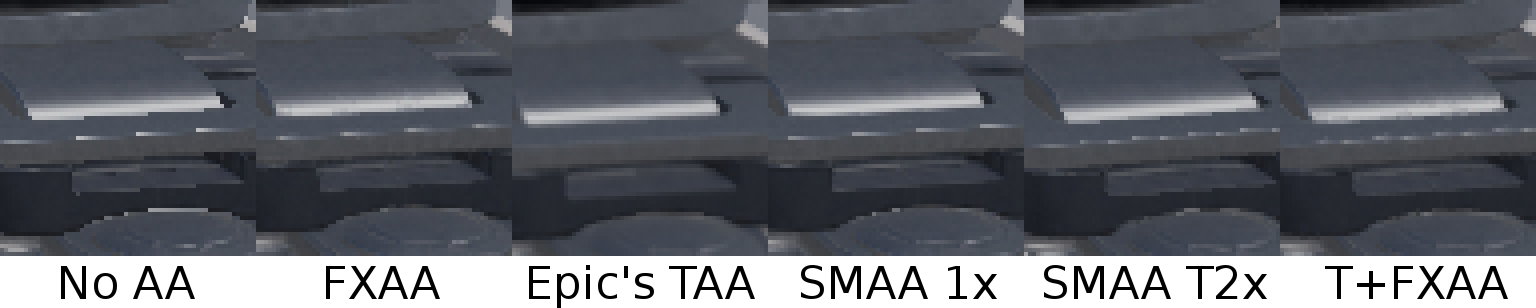
FXAA, TAA 및 SMAA의 효과 비교 차트.
7.4.5 TAA
TAA의 정식 명칭은 Temporal Anti-Aliasing 이며, 일반적으로 Temporal Anti-Aliasing (또는 Temporal Anti-Aliasing )으로 번역됩니다. Epic Game의 Brian Karis (이 시리즈 기사에서 여러 번 언급된 친숙한 이름)가 구현 및 제안한 UE 마스터 안티앨리어싱(Anti-Aliasing) 기술이며 그는 SIGGRAPH2014에서 High Quality Temporal Supersampling 을 연설했습니다 . 2016년에 NVIDIA 연구원인 Marco Salvi 는 개선된 기사 An Excursion in Temporal Superampling 을 게시했습니다 .
TAA의 핵심 아이디어는 동일한 프레임에 있는 MSAA의 공간 샘플링을 시간 축의 다중 프레임 샘플링에 할당한 다음 특정 가중치에 따라 혼합하는 것입니다.
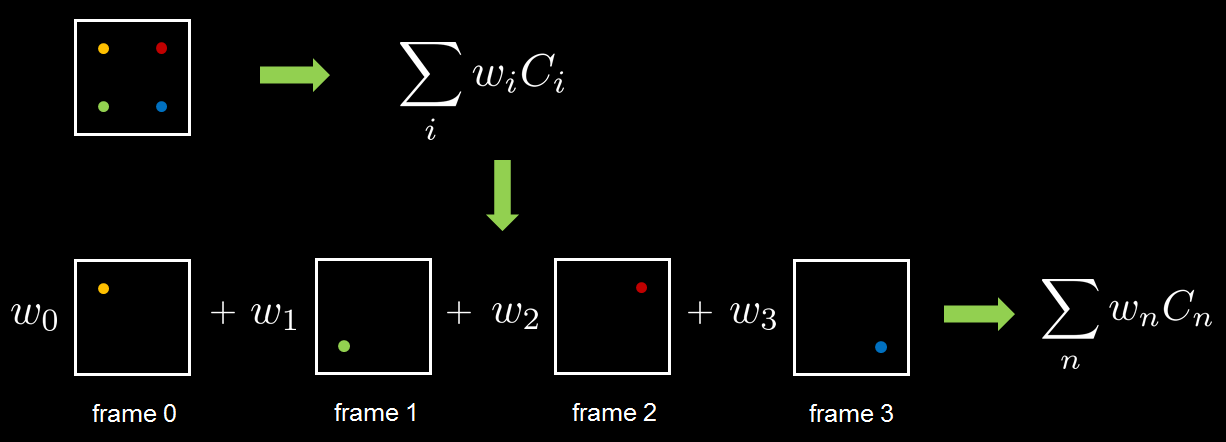
샘플링 오프셋(지터라고 함)은 여러 프레임에서 생성되어야 하므로 투영 행렬을 수정하여 얻을 수 있습니다.
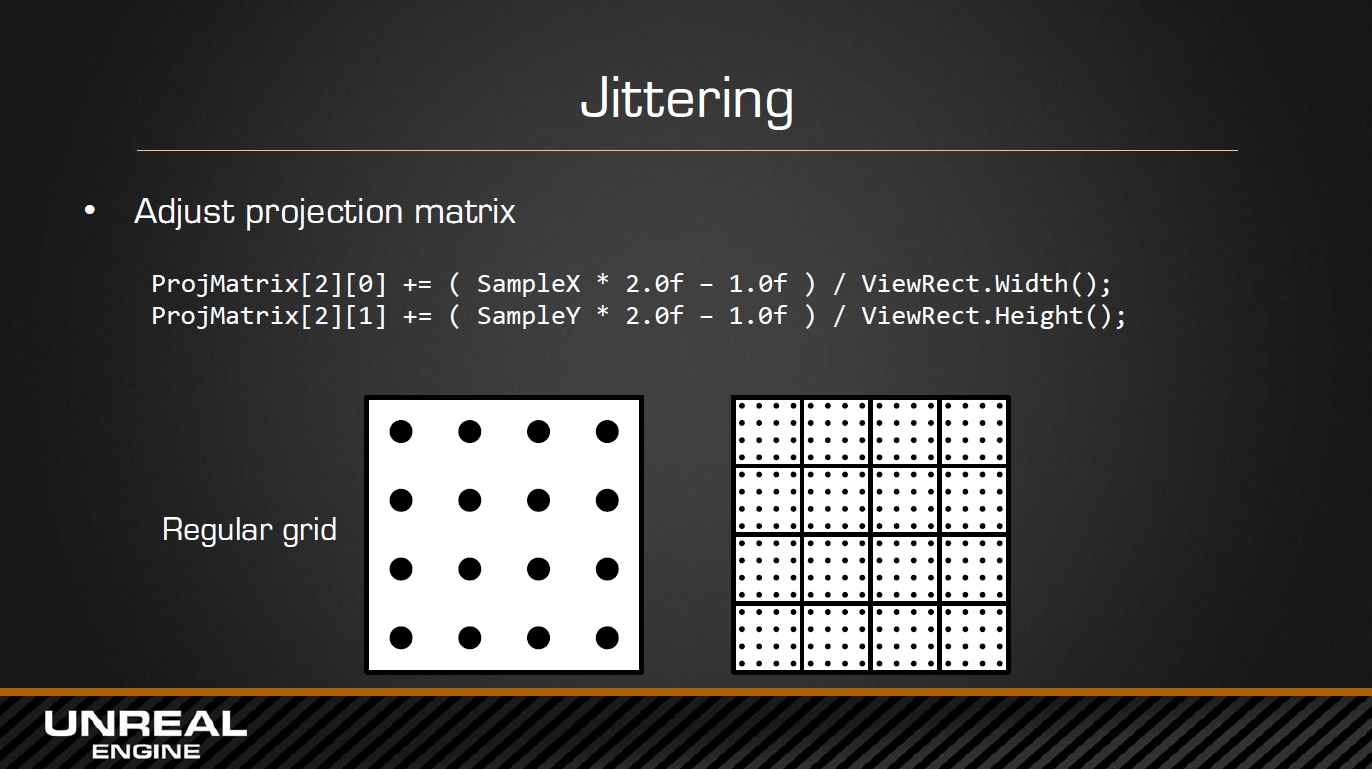
물론 Jitter는 Pattern 또는 Halton과 같은 특수한 저변형 시퀀스 알고리즘에 의해 생성될 수도 있습니다.
이동 평균(이동 평균)의 경우 간단한 다중 프레임 기록 데이터와 현재 프레임 데이터를 혼합하여 사용할 수 있지만 이러한 종류의 불충분한 샘플링은 기록 프레임 수에 의해 제한되며 너무 크면 대역폭이 갑자기 증가합니다. 지수 이동 평균을 사용하여 거의 무한한 샘플과 고정 스토리지를 시뮬레이션할 수 있습니다.
현재 프레임의 블렌드 웨이트가αα(UE 기본값은 0.04) 충분히 작고 단순 방법과 거의 같을 수 있습니다(이력 데이터의 한 프레임만 유지될 수 있도록):
그러나 위의 방법은 정적 장면에만 적합하며 동적 장면의 경우 일부 방법(예: 벨로시티 버퍼(Velocity Buffer / 모션 벡터), 깊이, 재료 인덱스, 색상 차이, 일반 변경 등)을 사용하여 잘못된 샘플링 샘플(예: 화면에 갑자기 나타나거나 사라짐) 픽셀).
UE는 벨로시티 버퍼(Velocity Buffer / 모션 벡터) 재투영(Reprojection)과 이웃 차단(Neighborhood Clamping) 기술의 조합을 사용합니다. 벨로시티 버퍼(Velocity Buffer / 모션 벡터)는 모션 블러(Motion Blur)와 일치하며 벨로시티 버퍼(Velocity Buffer / 모션 벡터)에 따라 지터를 다시 투영하거나 삭제해야 합니다.
이것은 벨로시티 버퍼(Velocity Buffer / 모션 벡터)의 매우 높은 정확도를 필요로 합니다.모든 픽셀의 모션 벡터를 기록해야 하며 R16G16 정밀도의 벨로시티 버퍼(Velocity Buffer / 모션 벡터)가 필요합니다.절차적 애니메이션, 스크롤링 텍스처 및 반투명 개체의 경우 결함이 발생할 수 있습니다.
고스트 고스팅을 방지하기 위해 UE는 현재 픽셀과 주변 픽셀의 색상에 대한 색상 공간 경계 상자를 먼저 설정한 다음 이전 색상 샘플을 사용하기 전에 이전 색상 클램프가 다음 영역에 있는 Neighborhood Clamping을 채택합니다. 이 경계 상자. 직관적인 이해는 과거 샘플의 색상이 현재 색상과 매우 다른 경우 이 Clamping을 사용하여 현재 프레임 주변의 픽셀과 같은 색상으로 최대한 끌어내는 것입니다.
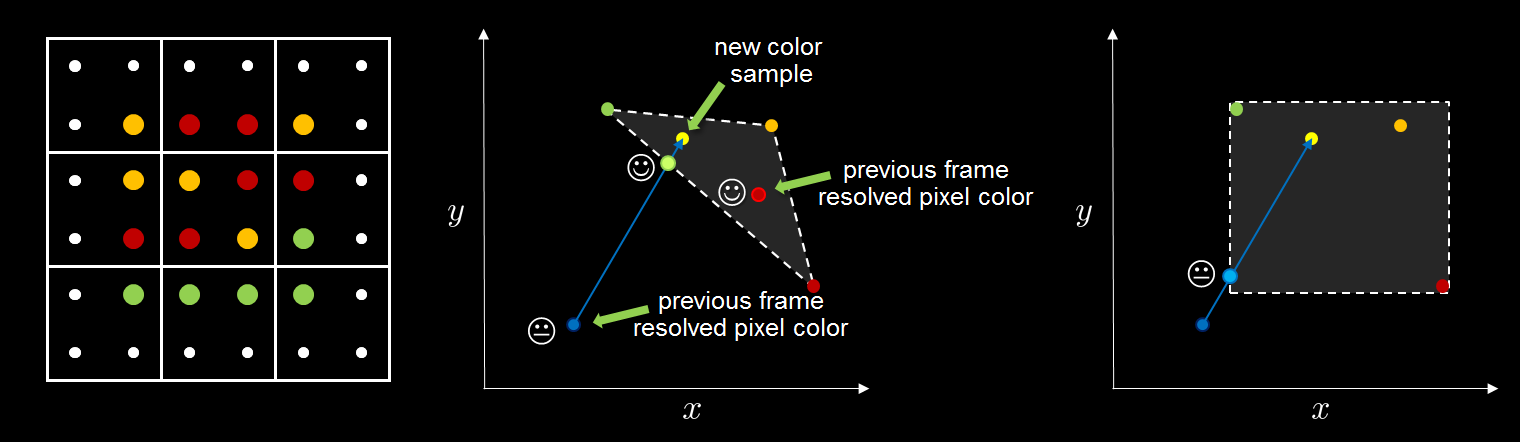
Clamping이 사용하는 색 공간은 YCoCg 이고 min과 max의 밑은 RGB 공간의 AABB로 간주될 수 있으며 Box의 방향은 밝기 방향으로 위치할 수 있습니다.
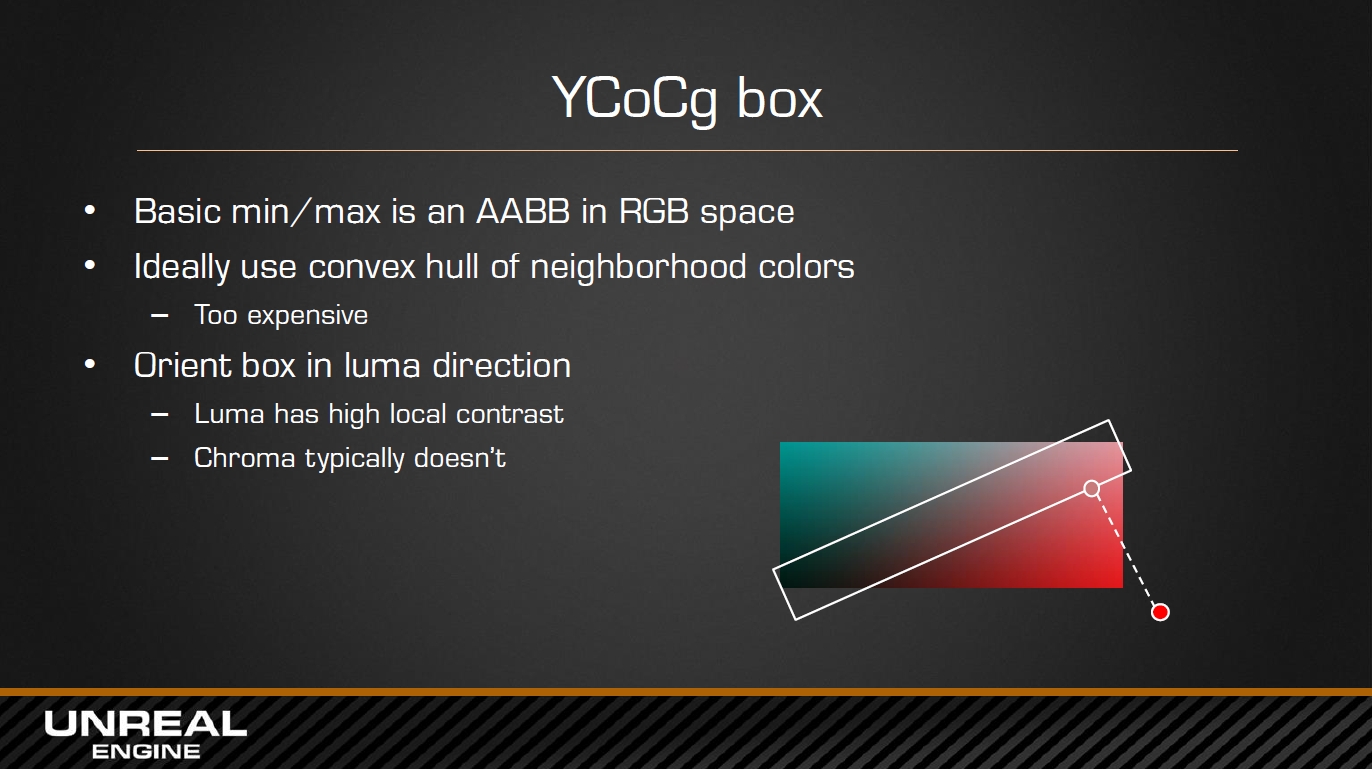
YCoCg 색 공간 정보
YCgCo라고도 하며, 여기서 Y는 밝기 값, Cg는 녹색의 양, Co는 주황색의 양입니다. sRGB 공간으로 변환할 수 있으며 공식은 다음과 같습니다.
⎡⎣⎢와이씨영형씨NS⎤⎦⎥=⎡⎣⎢⎢1412-141201214-12-14⎤⎦⎥⎥⋅⎡⎣⎢NSNSNS⎤⎦⎥[YCoCg]=[141214120−12−1412−14]⋅[RGB]
⎡⎣⎢NSNSNS⎤⎦⎥=⎡⎣⎢11110- 1- 11- 1⎤⎦⎥⋅⎡⎣⎢와이씨영형씨NS⎤⎦⎥[RGB]=[11−11011−1−1]⋅[YCoCg]
다음 그림은 일반 사진이 YCoCg 공간으로 분해되는 예입니다(위에서 아래로 일반, 밝기 Y, 녹색 Cg, 주황색 Co).
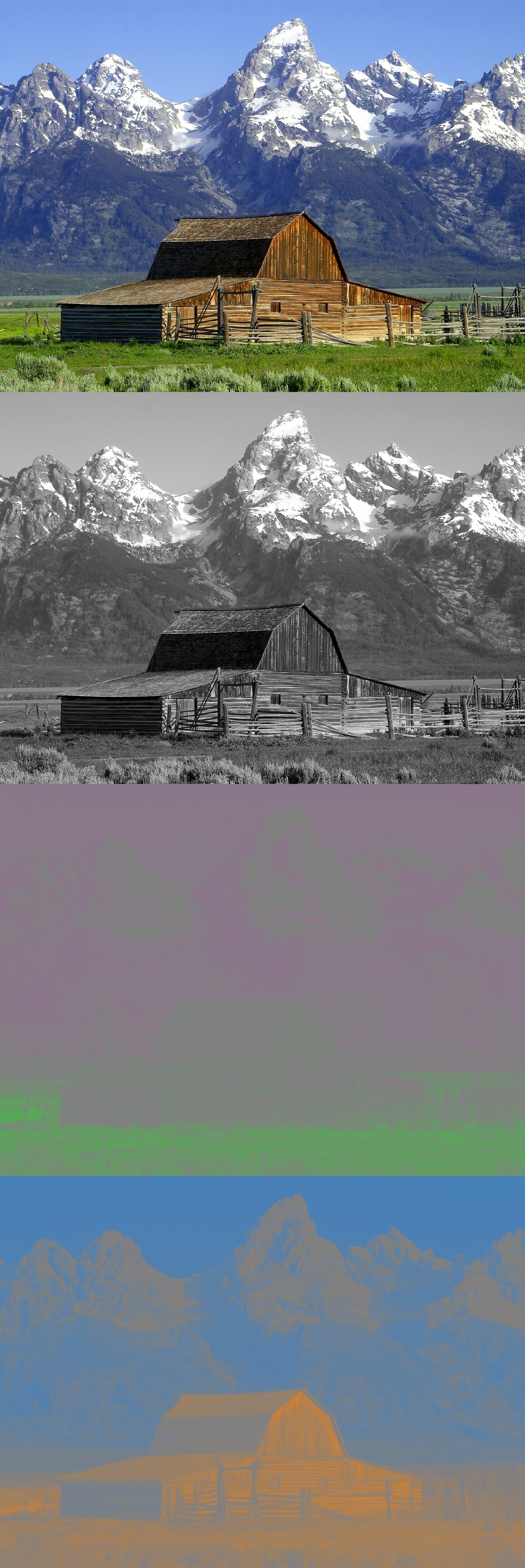
YCoCg의 AABB 상자를 사용하면 이 상자의 가장자리까지 기록 데이터를 자를 수 있습니다.
NVIDIA 버전은 Variance Clipping 이라는 개선된 방법을 제안합니다 . 먼저 개선된 AABB를 구축하기 위해 처음 두 가지 색상 모멘트(Moment)를 계산하고 두 모멘트를 사용하여 평균 및 표준 편차를 계산하고 새로운 기본 minc 및 maxc를 추가로 계산하고 Old AABB 대신 사용합니다.
새로운 AABB를 기반으로 가우스 모델을 계산한 다음 이를 사용하여 더 컴팩트한 경계 상자를 생성합니다.
이론적인 부분은 끝났고 UE의 특정 구현 코드를 분석합니다. 먼저 다음 InitViews단계 에서 TAA의 지터 생성을 분석합니다 PreVisibilityFrameSetup.
// Engine\Source\Runtime\Renderer\Private\SceneVisibility.cpp
void FSceneRenderer::PreVisibilityFrameSetup(FRHICommandListImmediate& RHICmdList)
{
    RHICmdList.BeginScene();
    (......)for(int32 ViewIndex = 0;ViewIndex < Views.Num();ViewIndex++)
{
        FViewInfo& View = Views[ViewIndex];
        FSceneViewState* ViewState = View.ViewState;
        (......)// TAA픽셀(Pixel)샘플 수.
        int32 CVarTemporalAASamplesValue = CVarTemporalAASamples.GetValueOnRenderThread();bool bTemporalUpsampling = View.PrimaryScreenPercentageMethod == EPrimaryScreenPercentageMethod::TemporalUpscale;// 계산/산출(Calculate)뷰(View)의 TAA픽셀(Pixel)(Jitter).
        if (View.AntiAliasingMethod == AAM_TemporalAA && ViewState && (CVarTemporalAASamplesValue > 0 || bTemporalUpsampling) && View.bAllowTemporalJitter)
{float EffectivePrimaryResolutionFraction = float(View.ViewRect.Width()) / float(View.GetSecondaryViewRectSize().X);// 계산/산출(Calculate)TAA샘플 수.
            int32 TemporalAASamples = CVarTemporalAASamplesValue;
            {
    if (Scene->GetFeatureLevel() < ERHIFeatureLevel::SM5)
{// 모바일 플랫폼(Mobile)오직 을(를) 활용하여 2샘플 수.
                    TemporalAASamples = 2;
                } else if (bTemporalUpsampling)
{// 스크린 퍼센티지 < 100% TAA 업샘플링: 시간축 샘플 밀도를 안정화하여 서브픽셀 정렬 수렴성 보장.
                    TemporalAASamples = float(TemporalAASamples) * FMath::Max(1.f, 1.f / (EffectivePrimaryResolutionFraction * EffectivePrimaryResolutionFraction));
                } else if (CVarTemporalAASamplesValue == 5)
{
                    TemporalAASamples = 4;
                }
                TemporalAASamples = FMath::Clamp(TemporalAASamples, 1, 255);
            }// 계산/산출(Calculate)시간시퀀스 의 샘플링 포인트의 .
            int32 TemporalSampleIndex            = ViewState->TemporalAASampleIndex + 1;
            if(TemporalSampleIndex >= TemporalAASamples || View.bCameraCut)
{
                TemporalSampleIndex = 0;
            }// 갱신(Update)view state.
            if (!View.bStatePrevViewInfoIsReadOnly && !bFreezeTemporalSequences)
{
                ViewState->TemporalAASampleIndex          = TemporalSampleIndex;
                ViewState->TemporalAASampleIndexUnclamped = ViewState->TemporalAASampleIndexUnclamped+1;
            }// 시간시퀀스 개 픽셀(Pixel)샘플링좌표 .
            float SampleX, SampleY;
            if (Scene->GetFeatureLevel() < ERHIFeatureLevel::SM5)
{float SamplesX[] = { -8.0f/16.0f, 0.0/16.0f };
                float SamplesY[] = { /* - */ 0.0f/16.0f, 8.0/16.0f };
                check(TemporalAASamples == UE_ARRAY_COUNT(SamplesX));
                SampleX = SamplesX[ TemporalSampleIndex ];
                SampleY = SamplesY[ TemporalSampleIndex ];
            } else if (View.PrimaryScreenPercentageMethod == EPrimaryScreenPercentageMethod::TemporalUpscale)
{// [-0.5, 0.5] 범위 균등 분포 시간축 지터(Jitter) 적용: 픽셀 정렬 불일치 방지 (Halton 준난수 시퀀스 활용).
                SampleX = Halton(TemporalSampleIndex + 1, 2) - 0.5f;
                SampleY = Halton(TemporalSampleIndex + 1, 3) - 0.5f;
                View.MaterialTextureMipBias = -(FMath::Max(-FMath::Log2(EffectivePrimaryResolutionFraction), 0.0f) ) + CVarMinAutomaticViewMipBiasOffset.GetValueOnRenderThread();
                View.MaterialTextureMipBias = FMath::Max(View.MaterialTextureMipBias, CVarMinAutomaticViewMipBias.GetValueOnRenderThread());
            } else if( CVarTemporalAASamplesValue == 2 )
{// 2xMSAA
                // Pattern docs: http://msdn.microsoft.com/en-us/library/windows/desktop/ff476218(v=vs.85).aspx
                //   N.
                //   .S
                float SamplesX[] = { -4.0f/16.0f, 4.0/16.0f };
                float SamplesY[] = { -4.0f/16.0f, 4.0/16.0f };
                check(TemporalAASamples == UE_ARRAY_COUNT(SamplesX));
                SampleX = SamplesX[ TemporalSampleIndex ];
                SampleY = SamplesY[ TemporalSampleIndex ];
            } else if( CVarTemporalAASamplesValue == 3 )
{// 3xMSAA
                //   A..
                //   ..B
                //   .C.
                // Rolling circle pattern (A,B,C).
                float SamplesX[] = { -2.0f/3.0f,  2.0/3.0f,  0.0/3.0f };
                float SamplesY[] = { -2.0f/3.0f,  0.0/3.0f,  2.0/3.0f };
                check(TemporalAASamples == UE_ARRAY_COUNT(SamplesX));
                SampleX = SamplesX[ TemporalSampleIndex ];
                SampleY = SamplesY[ TemporalSampleIndex ];
            } else if( CVarTemporalAASamplesValue == 4 )
{// 4xMSAA
                // Pattern docs: http://msdn.microsoft.com/en-us/library/windows/desktop/ff476218(v=vs.85).aspx
                //   .N..
                //   ...E
                //   W...
                //   ..S.
                // Rolling circle pattern (N,E,S,W).
                float SamplesX[] = { -2.0f/16.0f,  6.0/16.0f, 2.0/16.0f, -6.0/16.0f };
                float SamplesY[] = { -6.0f/16.0f, -2.0/16.0f, 6.0/16.0f,  2.0/16.0f };
                check(TemporalAASamples == UE_ARRAY_COUNT(SamplesX));
                SampleX = SamplesX[ TemporalSampleIndex ];
                SampleY = SamplesY[ TemporalSampleIndex ];
            } else if( CVarTemporalAASamplesValue == 5 )
{// Compressed 4 sample pattern on same vertical and horizontal line (less temporal flicker).
                // Compressed 1/2 works better than correct 2/3 (reduced temporal flicker).
                //   . N .
                //   W . E
                //   . S .
                // Rolling circle pattern (N,E,S,W).
                float SamplesX[] = {  0.0f/2.0f,  1.0/2.0f,  0.0/2.0f, -1.0/2.0f };
                float SamplesY[] = { -1.0f/2.0f,  0.0/2.0f,  1.0/2.0f,  0.0/2.0f };
                check(TemporalAASamples == UE_ARRAY_COUNT(SamplesX));
                SampleX = SamplesX[ TemporalSampleIndex ];
                SampleY = SamplesY[ TemporalSampleIndex ];
            } else // 초과 5샘플 수, 이면 을(를) 활용하여 Halton시퀀스 .
            {float u1 = Halton( TemporalSampleIndex + 1, 2 );
                float u2 = Halton( TemporalSampleIndex + 1, 3 );// 정규분포(가우시안)의 .
                // exp( x^2 / Sigma^2 )static auto CVar = IConsoleManager::Get().FindConsoleVariable(TEXT("r.TemporalAAFilterSize"));
                float FilterSize = CVar->GetFloat();// 스케일링 분포 로써 설정(Set)분산/표준편차(Variance).
                // Variance = Sigma^2
                float Sigma = 0.47f * FilterSize;float OutWindow = 0.5f;
                float InWindow = FMath::Exp( -0.5 * FMath::Square( OutWindow / Sigma ) );// Box-Muller변환(Transform)
                float Theta = 2.0f * PI * u2;
                float r = Sigma * FMath::Sqrt( -2.0f * FMath::Loge( (1.0f - u1) * InWindow + u1 ) );
                SampleX = r * FMath::Cos( Theta );
                SampleY = r * FMath::Sin( Theta );
            }// 저장(Save)샘플 수까지 View.
            View.TemporalJitterSequenceLength = TemporalAASamples;
            View.TemporalJitterIndex = TemporalSampleIndex;
            View.TemporalJitterPixels.X = SampleX;
            View.TemporalJitterPixels.Y = SampleY;
            View.ViewMatrices.HackAddTemporalAAProjectionJitter(FVector2D(SampleX * 2.0f / View.ViewRect.Width(), SampleY * -2.0f / View.ViewRect.Height()));
        }
    (......)
}
PC 플랫폼에서 UE의 기본 샘플링 번호는 8이므로 기본적으로 Halton 시퀀스를 사용하여 하위 픽셀을 샘플링 합니다. Halton의 생성 순서는 아래 그림과 같습니다.
무작위 샘플링과 비교하여 Halton이 얻은 샘플링 시퀀스는 더 균일하고 무제한의 샘플을 얻을 수 있습니다(UE는 기본적으로 8로 제한됨). 또한 Sobel, Niederreiter, Kronecker 및 기타 저변이 시퀀스 알고리즘이 있으며 이를 비교하면 다음과 같습니다.
UE의 기본 설정에 대해 Halton이 생성한 처음 8개 시퀀스를 사용하여 계산된 SampleX 및 SampleY는 다음과 같습니다.
0: (-0.163972363, 0.284008324)
1: (-0.208000556, -0.360267729)
2: (0.172162965, 0.144461900)
3: (-0.430473328, 0.156679258)
4: (0.0485312343, -0.275233328)
5: (0.0647613853, 0.367280841)
6: (-0.147184864, -0.0535709597)
7: (0.366960347, -0.307915747)
양수와 음수가 [-0.5, 0.5] 사이에 있으므로 하위 픽셀 오프셋이 픽셀 중심(0.5, 0.5)을 기준으로 함을 나타냅니다. 그래픽 좌표점은 다음과 같습니다.
지터를 분석한 후 TAA가 C++에서 로직을 구성하고 그리는 방법을 계속 분석합니다(UE4.26은 4세대 및 5세대 TAA를 지원합니다. 여기에서 4세대가 분석 대상임):
// Engine\Source\Runtime\Renderer\Private\PostProcess\TemporalAA.cpp
FTAAOutputs AddTemporalAAPass(
    FRDGBuilder& GraphBuilder,
    const FViewInfo& View,
    const FTAAPassParameters& Inputs,
    const FTemporalAAHistory& InputHistory,
    FTemporalAAHistory* OutputHistory)
{
    // 플래그 .
    const bool bSupportsAlpha = IsPostProcessingWithAlphaChannelSupported();
    const int32 IntputTextureCount = (IsDOFTAAConfig(Inputs.Pass) && bSupportsAlpha) ? 2 : 1;
    const bool bIsMainPass = IsMainTAAConfig(Inputs.Pass);
    const bool bCameraCut = !InputHistory.IsValid() || View.bCameraCut;const FIntPoint OutputExtent = Inputs.GetOutputExtent();// 입력.
    const FIntRect SrcRect = Inputs.InputViewRect;
    const FIntRect DestRect = Inputs.OutputViewRect;
    const FIntRect PracticableSrcRect = FIntRect::DivideAndRoundUp(SrcRect, Inputs.ResolutionDivisor);
    const FIntRect PracticableDestRect = FIntRect::DivideAndRoundUp(DestRect, Inputs.ResolutionDivisor);const uint32 PassIndex = static_cast<uint32>(Inputs.Pass);
    const TCHAR* PassName = kTAAPassNames[PassIndex];// 출력텍스처(Texture).
    FTAAOutputs Outputs;// 현재(Current)프레임의 히스토리 텍스처(History Texture).
    TStaticArray<FRDGTextureRef, FTemporalAAHistory::kRenderTargetCount> NewHistoryTexture;// 생성(Create)출력 및 이전 히스토리 프레임(History Frame)텍스처(Texture).
    {
        EPixelFormat HistoryPixelFormat = PF_FloatRGBA;if (bIsMainPass && Inputs.bUseFast && !bSupportsAlpha && CVarTAAR11G11B10History.GetValueOnRenderThread())
{
            HistoryPixelFormat = PF_FloatR11G11B10;
        }
        FRDGTextureDesc SceneColorDesc = FRDGTextureDesc::Create2D(
            OutputExtent,
            HistoryPixelFormat,
            FClearValueBinding::Black,
            TexCreate_ShaderResource | TexCreate_UAV);if (Inputs.bOutputRenderTargetable)
{
            SceneColorDesc.Flags |= TexCreate_RenderTargetable;
        }const TCHAR* OutputName = kTAAOutputNames[PassIndex];for (int32 i = 0; i < FTemporalAAHistory::kRenderTargetCount; i++)
{
            NewHistoryTexture[i] = GraphBuilder.CreateTexture(
                SceneColorDesc,
                OutputName,
                ERDGTextureFlags::MultiFrame);
        }
        NewHistoryTexture[0] = Outputs.SceneColor = NewHistoryTexture[0];if (IntputTextureCount == 2)
{
            Outputs.SceneMetadata = NewHistoryTexture[1];
        }
if (Inputs.bDownsample)
{const FRDGTextureDesc HalfResSceneColorDesc = FRDGTextureDesc::Create2D(
                SceneColorDesc.Extent / 2,
                Inputs.DownsampleOverrideFormat != PF_Unknown ? Inputs.DownsampleOverrideFormat : Inputs.SceneColorInput->Desc.Format,
                FClearValueBinding::Black,
                TexCreate_ShaderResource | TexCreate_UAV | GFastVRamConfig.Downsample);
            Outputs.DownsampledSceneColor = GraphBuilder.CreateTexture(HalfResSceneColorDesc, TEXT("SceneColorHalfRes"));
        }
    }
    RDG_GPU_STAT_SCOPE(GraphBuilder, TAA);
    TStaticArray<bool, FTemporalAAHistory::kRenderTargetCount> bUseHistoryTexture;// 처리(Process)FTAAStandaloneCS파라미터 .
    {
        FTAAStandaloneCS::FPermutationDomain PermutationVector;
        PermutationVector.Set<FTAAStandaloneCS::FTAAPassConfigDim>(Inputs.Pass);
        PermutationVector.Set<FTAAStandaloneCS::FTAAFastDim>(Inputs.bUseFast);
        PermutationVector.Set<FTAAStandaloneCS::FTAADownsampleDim>(Inputs.bDownsample);
        PermutationVector.Set<FTAAStandaloneCS::FTAAUpsampleFilteredDim>(true);if (IsTAAUpsamplingConfig(Inputs.Pass))
{const bool bUpsampleFiltered = CVarTemporalAAUpsampleFiltered.GetValueOnRenderThread() != 0 || Inputs.Pass != ETAAPassConfig::MainUpsampling;
            PermutationVector.Set<FTAAStandaloneCS::FTAAUpsampleFilteredDim>(bUpsampleFiltered);// 에 따라 스크린백분율설정(Set).
            if (SrcRect.Width() > DestRect.Width() ||
                SrcRect.Height() > DestRect.Height())
{
                PermutationVector.Set<FTAAStandaloneCS::FTAAScreenPercentageDim>(2);
            } else if (SrcRect.Width() * 100 < 50 * DestRect.Width() &&
                SrcRect.Height() * 100 < 50 * DestRect.Height() &&
                Inputs.Pass == ETAAPassConfig::MainSuperSampling)
{
                PermutationVector.Set<FTAAStandaloneCS::FTAAScreenPercentageDim>(3);
            } else if (SrcRect.Width() * 100 < 71 * DestRect.Width() &&
                SrcRect.Height() * 100 < 71 * DestRect.Height())
{
                PermutationVector.Set<FTAAStandaloneCS::FTAAScreenPercentageDim>(1);
            }
        }
        FTAAStandaloneCS::FParameters* PassParameters = GraphBuilder.AllocParameters<FTAAStandaloneCS::FParameters>();// 설정(Set)을(를) 활용하여 의 셰이딩 파라미터 .
        const FIntPoint InputExtent = Inputs.SceneColorInput->Desc.Extent;
        const FIntRect InputViewRect = Inputs.InputViewRect;
        const FIntRect OutputViewRect = Inputs.OutputViewRect;if (!IsTAAUpsamplingConfig(Inputs.Pass))
{
            SetupSampleWeightParameters(PassParameters, Inputs, View.TemporalJitterPixels);
        }const float ResDivisor = Inputs.ResolutionDivisor;
        const float ResDivisorInv = 1.0f / ResDivisor;
        PassParameters->ViewUniformBuffer = View.ViewUniformBuffer;
        PassParameters->CurrentFrameWeight = CVarTemporalAACurrentFrameWeight.GetValueOnRenderThread();
        PassParameters->bCameraCut = bCameraCut;
        PassParameters->SceneDepthTexture = Inputs.SceneDepthTexture;
        PassParameters->GBufferVelocityTexture = Inputs.SceneVelocityTexture;
        PassParameters->SceneDepthTextureSampler = TStaticSamplerState<SF_Point>::GetRHI();
        PassParameters->GBufferVelocityTextureSampler = TStaticSamplerState<SF_Point>::GetRHI();
        PassParameters->StencilTexture = GraphBuilder.CreateSRV(FRDGTextureSRVDesc::CreateWithPixelFormat(Inputs.SceneDepthTexture, PF_X24_G8));// 벨로시티 버퍼(Velocity Buffer).
        if (!PassParameters->GBufferVelocityTexture)
{
            PassParameters->GBufferVelocityTexture = GraphBuilder.RegisterExternalTexture(GSystemTextures.BlackDummy);;
        }// 입력버퍼 셰이딩 파라미터 .
        {
            PassParameters->InputSceneColorSize = FVector4(
                InputExtent.X,
                InputExtent.Y,1.0f / float(InputExtent.X),
                1.0f / float(InputExtent.Y));
            PassParameters->InputMinPixelCoord = PracticableSrcRect.Min;
            PassParameters->InputMaxPixelCoord = PracticableSrcRect.Max - FIntPoint(1, 1);
            PassParameters->InputSceneColor = Inputs.SceneColorInput;
            PassParameters->InputSceneColorSampler = TStaticSamplerState<SF_Point>::GetRHI();
            PassParameters->InputSceneMetadata = Inputs.SceneMetadataInput;
            PassParameters->InputSceneMetadataSampler = TStaticSamplerState<SF_Point>::GetRHI();
        }
        PassParameters->OutputViewportSize = FVector4(
            PracticableDestRect.Width(), PracticableDestRect.Height(), 1.0f / float(PracticableDestRect.Width()), 1.0f / float(PracticableDestRect.Height()));
        PassParameters->OutputViewportRect = FVector4(PracticableDestRect.Min.X, PracticableDestRect.Min.Y, PracticableDestRect.Max.X, PracticableDestRect.Max.Y);
        PassParameters->OutputQuantizationError = ComputePixelFormatQuantizationError(NewHistoryTexture[0]->Desc.Format);// 설정(Set)셰이딩 파라미터 .
        {
            FRDGTextureRef BlackDummy = GraphBuilder.RegisterExternalTexture(GSystemTextures.BlackDummy);if (bCameraCut)
{
                PassParameters->ScreenPosToHistoryBufferUV = FVector4(1.0f, 1.0f, 1.0f, 1.0f);
                PassParameters->ScreenPosAbsMax = FVector2D(0.0f, 0.0f);
                PassParameters->HistoryBufferUVMinMax = FVector4(0.0f, 0.0f, 0.0f, 0.0f);
                PassParameters->HistoryBufferSize = FVector4(1.0f, 1.0f, 1.0f, 1.0f);for (int32 i = 0; i < FTemporalAAHistory::kRenderTargetCount; i++)
{
                    PassParameters->HistoryBuffer[i] = BlackDummy;
                }// Remove dependency of the velocity buffer on camera cut, given it's going to be ignored by the shader.
                PassParameters->GBufferVelocityTexture = BlackDummy;
            } else
{
                FIntPoint ReferenceViewportOffset = InputHistory.ViewportRect.Min;
                FIntPoint ReferenceViewportExtent = InputHistory.ViewportRect.Size();
                FIntPoint ReferenceBufferSize = InputHistory.ReferenceBufferSize;float InvReferenceBufferSizeX = 1.f / float(InputHistory.ReferenceBufferSize.X);
                float InvReferenceBufferSizeY = 1.f / float(InputHistory.ReferenceBufferSize.Y);
                PassParameters->ScreenPosToHistoryBufferUV = FVector4(
                    ReferenceViewportExtent.X * 0.5f * InvReferenceBufferSizeX,
                    -ReferenceViewportExtent.Y * 0.5f * InvReferenceBufferSizeY,
                    (ReferenceViewportExtent.X * 0.5f + ReferenceViewportOffset.X) * InvReferenceBufferSizeX,
                    (ReferenceViewportExtent.Y * 0.5f + ReferenceViewportOffset.Y) * InvReferenceBufferSizeY);
                FIntPoint ViewportOffset = ReferenceViewportOffset / Inputs.ResolutionDivisor;
                FIntPoint ViewportExtent = FIntPoint::DivideAndRoundUp(ReferenceViewportExtent, Inputs.ResolutionDivisor);
                FIntPoint BufferSize = ReferenceBufferSize / Inputs.ResolutionDivisor;
                PassParameters->ScreenPosAbsMax = FVector2D(1.0f - 1.0f / float(ViewportExtent.X), 1.0f - 1.0f / float(ViewportExtent.Y));float InvBufferSizeX = 1.f / float(BufferSize.X);
                float InvBufferSizeY = 1.f / float(BufferSize.Y);
                PassParameters->HistoryBufferUVMinMax = FVector4(
                    (ViewportOffset.X + 0.5f) * InvBufferSizeX,
                    (ViewportOffset.Y + 0.5f) * InvBufferSizeY,
                    (ViewportOffset.X + ViewportExtent.X - 0.5f) * InvBufferSizeX,
                    (ViewportOffset.Y + ViewportExtent.Y - 0.5f) * InvBufferSizeY);
                PassParameters->HistoryBufferSize = FVector4(BufferSize.X, BufferSize.Y, InvBufferSizeX, InvBufferSizeY);for (int32 i = 0; i < FTemporalAAHistory::kRenderTargetCount; i++)
{
    if (InputHistory.RT[i].IsValid())
{
                        PassParameters->HistoryBuffer[i] = GraphBuilder.RegisterExternalTexture(InputHistory.RT[i]);
                    } else
{
                        PassParameters->HistoryBuffer[i] = BlackDummy;
                    }
                }
            }
for (int32 i = 0; i < FTemporalAAHistory::kRenderTargetCount; i++)
{
                PassParameters->HistoryBufferSampler[i] = TStaticSamplerState<SF_Bilinear>::GetRHI();
            }
        }
        PassParameters->MaxViewportUVAndSvPositionToViewportUV = FVector4(
            (PracticableDestRect.Width() - 0.5f * ResDivisor) / float(PracticableDestRect.Width()),
            (PracticableDestRect.Height() - 0.5f * ResDivisor) / float(PracticableDestRect.Height()),
            ResDivisor / float(DestRect.Width()),
            ResDivisor / float(DestRect.Height()));
        PassParameters->HistoryPreExposureCorrection = View.PreExposure / View.PrevViewInfo.SceneColorPreExposure;
        {float InvSizeX = 1.0f / float(InputExtent.X);
            float InvSizeY = 1.0f / float(InputExtent.Y);
            PassParameters->ViewportUVToInputBufferUV = FVector4(
                ResDivisorInv * InputViewRect.Width() * InvSizeX,
                ResDivisorInv * InputViewRect.Height() * InvSizeY,
                ResDivisorInv * InputViewRect.Min.X * InvSizeX,
                ResDivisorInv * InputViewRect.Min.Y * InvSizeY);
        }
        PassParameters->EyeAdaptationTexture = GetEyeAdaptationTexture(GraphBuilder, View);// 템포럴 업샘플링(Temporal Upsampling)의 파라미터 .
        {float InputViewSizeInvScale = Inputs.ResolutionDivisor;
            float InputViewSizeScale = 1.0f / InputViewSizeInvScale;
            PassParameters->TemporalJitterPixels = InputViewSizeScale * View.TemporalJitterPixels;
            PassParameters->ScreenPercentage = float(InputViewRect.Width()) / float(OutputViewRect.Width());
            PassParameters->UpscaleFactor = float(OutputViewRect.Width()) / float(InputViewRect.Width());
            PassParameters->InputViewMin = InputViewSizeScale * FVector2D(InputViewRect.Min.X, InputViewRect.Min.Y);
            PassParameters->InputViewSize = FVector4(
                InputViewSizeScale * InputViewRect.Width(), InputViewSizeScale * InputViewRect.Height(),
                InputViewSizeInvScale / InputViewRect.Width(), InputViewSizeInvScale / InputViewRect.Height());
        }// UAVs
        {
    for (int32 i = 0; i < FTemporalAAHistory::kRenderTargetCount; i++)
{
                PassParameters->OutComputeTex[i] = GraphBuilder.CreateUAV(NewHistoryTexture[i]);
            }
if (Outputs.DownsampledSceneColor)
{
                PassParameters->OutComputeTexDownsampled = GraphBuilder.CreateUAV(Outputs.DownsampledSceneColor);
            }
        }// Debug UAVs
        {
            FRDGTextureDesc DebugDesc = FRDGTextureDesc::Create2D(
                OutputExtent,
                PF_FloatRGBA,
                FClearValueBinding::None,/* InFlags = */ TexCreate_ShaderResource | TexCreate_UAV);
            FRDGTextureRef DebugTexture = GraphBuilder.CreateTexture(DebugDesc, TEXT("Debug.TAA"));
            PassParameters->DebugOutput = GraphBuilder.CreateUAV(DebugTexture);
        }TShaderMapRef<FTAAStandaloneCS> ComputeShader(View.ShaderMap, PermutationVector);
        ClearUnusedGraphResources(ComputeShader, PassParameters);for (int32 i = 0; i < FTemporalAAHistory::kRenderTargetCount; i++)
{
            bUseHistoryTexture[i] = PassParameters->HistoryBuffer[i] != nullptr;
        }// 추가(Add)TAA처리(Process)CS채널/패스(Pass).
        FComputeShaderUtils::AddPass(
            GraphBuilder,
            RDG_EVENT_NAME("TAA %s%s %dx%d -> %dx%d",
                PassName, Inputs.bUseFast ? TEXT(" Fast") : TEXT(""),
                PracticableSrcRect.Width(), PracticableSrcRect.Height(),
                PracticableDestRect.Width(), PracticableDestRect.Height()),
            ComputeShader,
            PassParameters,
            FComputeShaderUtils::GetGroupCount(PracticableDestRect.Size(), GTemporalAATileSizeX));
    }// 처리(Process)출력데이터 .
    if (!View.bStatePrevViewInfoIsReadOnly)
{
        OutputHistory->SafeRelease();for (int32 i = 0; i < FTemporalAAHistory::kRenderTargetCount; i++)
{
    if (bUseHistoryTexture[i])
{
                GraphBuilder.QueueTextureExtraction(NewHistoryTexture[i], &OutputHistory->RT[i]);
            }
        }
        OutputHistory->ViewportRect = DestRect;
        OutputHistory->ReferenceBufferSize = OutputExtent * Inputs.ResolutionDivisor;
    }
return Outputs;
} // AddTemporalAAPass()
FTAASStandaloneCS에서 사용하는 CS 셰이더에 대한 다음 분석:
// Engine\Shaders\Private\TemporalAA\TAAStandalone.usf
[numthreads(THREADGROUP_SIZEX, THREADGROUP_SIZEY, 1)]
void MainCS(
    uint2 DispatchThreadId : SV_DispatchThreadID,
    uint2 GroupId : SV_GroupID,
    uint2 GroupThreadId : SV_GroupThreadID,
    uint GroupThreadIndex : SV_GroupIndex)
{
    // 페치/가져오기(Fetch)뷰포트(Viewport)UV.
    float2 ViewportUV = (float2(DispatchThreadId) + 0.5f) * OutputViewportSize.zw;
#if AA_LOWER_RESOLUTION
    {
        ViewportUV = (float2(DispatchThreadId) + 0.5f) * MaxViewportUVAndSvPositionToViewportUV.zw;
        ViewportUV = min(ViewportUV, MaxViewportUVAndSvPositionToViewportUV.xy);
    }
#endif// 노출(Exposure)스케일링 .
    float FrameExposureScale = EyeAdaptationLookup();
    FTAAHistoryPayload OutputPayload = TemporalAASample(GroupId, GroupThreadId, GroupThreadIndex, ViewportUV, FrameExposureScale);
    float4 OutColor0 = 0;
    float4 OutColor1 = 0;// 처리(Process)출력데이터 .
    #if AA_HISTORY_PAYLOAD == HISTORY_PAYLOAD_RGB_COC
    {
        OutColor0.rgb = OutputPayload.Color.rgb;
        OutColor0.a = OutputPayload.CocRadius;
    }
#elif
AA_HISTORY_PAYLOAD == HISTORY_PAYLOAD_RGB_OPACITY_COC
    {
        OutColor0 = OutputPayload.Color;
        OutColor1.r = OutputPayload.CocRadius;
    }
#else
{
        OutColor0 = OutputPayload.Color;
    }
#endif
uint2 PixelPos = DispatchThreadId + OutputViewportRect.xy;if (all(PixelPos < OutputViewportRect.zw))
{
        float4 FinalOutput0 = min(MaxHalfFloat.xxxx, OutColor0);// 랜덤/난수 양자화 샘플링.
        #if AA_ENABLE_STOCASTIC_QUANTIZATION
        {
            uint2 Random = Rand3DPCG16(int3(PixelPos, View.StateFrameIndexMod8)).xy;
            float2 E = Hammersley16(0, 1, Random);
            FinalOutput0.rgb += FinalOutput0.rgb * (E.x * OutputQuantizationError);
        }
#endif// 저장(Store)가장 의 컬러 출력.
        OutComputeTex_0[PixelPos] = FinalOutput0;
#if HISTORY_RENDER_TARGETS == 2
            OutComputeTex_1[PixelPos] = OutColor1;
#endif
}// 다운샘플링(Downsampling).
    #if TAA_DOWNSAMPLE
    {
        uint P0 = GroupThreadId.x + GroupThreadId.y * THREADGROUP_SIZEX;
        uint P1 = P0 + 1;
        uint P2 = P0 + THREADGROUP_SIZEX;
        uint P3 = P2 + 1;
        GroupSharedDownsampleArray[P0] = OutColor0;
        GroupMemoryBarrierWithGroupSync();if (((GroupThreadId.x | GroupThreadId.y) & 1) == 0)
{
            OutComputeTexDownsampled[PixelPos / 2] =
                (OutColor0 + GroupSharedDownsampleArray[P1] + GroupSharedDownsampleArray[P2] + GroupSharedDownsampleArray[P3]) * 0.25;
        }
    }
#endif //TAA_DOWNSAMPLE
}
TAA의 주요 논리는 TemporalAASample다음과 같습니다.
FTAAHistoryPayload TemporalAASample(uint2 GroupId, uint2 GroupThreadId, uint GroupThreadIndex, float2 ViewportUV, float FrameExposureScale)
{
    // 설정(Set)TAA입력파라미터 .
    FTAAInputParameters InputParams;// 프리 익스포저(Pre-exposure).
    #if USE_PREEXPOSURE
        InputParams.FrameExposureScale = ToScalarMemory(FrameExposureScale * View.OneOverPreExposure);
#else
InputParams.FrameExposureScale = ToScalarMemory(FrameExposureScale);
#endif// 픽셀(Pixel)설정(Set).
    {
        InputParams.GroupId = GroupId;
        InputParams.GroupThreadId = GroupThreadId;
        InputParams.GroupThreadIndex = GroupThreadIndex;
        InputParams.ViewportUV = ViewportUV;
        InputParams.ScreenPos = ViewportUVToScreenPos(ViewportUV);
        InputParams.NearestBufferUV = ViewportUV * ViewportUVToInputBufferUV.xy + ViewportUVToInputBufferUV.zw;// 처리(Process)개 또는 다중 채널/패스(Pass)의 AA(responsive AA).
        #if AA_SINGLE_PASS_RESPONSIVE
        {const uint kResponsiveStencilMask = 1 << 3;
            int2 SceneStencilUV = (int2)trunc(InputParams.NearestBufferUV * InputSceneColorSize.xy);
            uint SceneStencilRef = StencilTexture.Load(int3(SceneStencilUV, 0)) STENCIL_COMPONENT_SWIZZLE;
            InputParams.bIsResponsiveAAPixel = (SceneStencilRef & kResponsiveStencilMask) ? 1.f : 0.f;
        }
#elif
TAA_RESPONSIVE
            InputParams.bIsResponsiveAAPixel = 1.f;
#else
InputParams.bIsResponsiveAAPixel = 0.f;
#endif// 처리(Process)업샘플링(Upsampling).
        #if AA_UPSAMPLE
        {// 픽셀(Pixel)포인트 좌표 .
            float2 PPCo = ViewportUV * InputViewSize.xy + TemporalJitterPixels;// 픽셀(Pixel) 내에서 좌표 .
            float2 PPCk = floor(PPCo) + 0.5;
            // 픽셀(Pixel)좌상단 (Top-Left)의 내에서 좌표 .
            float2 PPCt = floor(PPCo - 0.5) + 0.5;
            InputParams.NearestBufferUV = InputSceneColorSize.zw * (InputViewMin + PPCk);
            InputParams.NearestTopLeftBufferUV = InputSceneColorSize.zw * (InputViewMin + PPCt);
        }
#endif
}// 설정(Set) 내에서 결과 .
    FTAAIntermediaryResult IntermediaryResult = CreateIntermediaryResult();// 탐색/조회(Find/Lookup)픽셀(Pixel) 및 가장 인접(Neighbor)픽셀(Pixel)의 모션/이동벡터 .
    // ------------------------------------------------
    float3 PosN; // 픽셀(Pixel)의 위치 , 그러나 가능성 있음는 가장 의 인접(Neighbor)픽셀(Pixel).
    PosN.xy = InputParams.ScreenPos;
    PrecacheInputSceneDepth(InputParams);
    PosN.z = SampleCachedSceneDepthTexture(InputParams, int2(0, 0));// 가장 뎁스 의 스크린 좌표(Screen Position).
    float2 VelocityOffset = float2(0.0, 0.0);
#if AA_CROSS // 뎁스 검색 X 내에서 을(를) 활용하여 의 픽셀(Pixel)거리。
    {
        float4 Depths;// AA_CROSS기본값: 2.
        // 좌하단 (Bottom-Left)
        Depths.x = SampleCachedSceneDepthTexture(InputParams, int2(-AA_CROSS, -AA_CROSS));// 우상단 (Top-Right)
        Depths.y = SampleCachedSceneDepthTexture(InputParams, int2( AA_CROSS, -AA_CROSS));// 좌하단 (Bottom-Left)
        Depths.z = SampleCachedSceneDepthTexture(InputParams, int2(-AA_CROSS,  AA_CROSS));// 우하단 (Bottom-Right)
        Depths.w = SampleCachedSceneDepthTexture(InputParams, int2( AA_CROSS,  AA_CROSS));
        float2 DepthOffset = float2(AA_CROSS, AA_CROSS);float DepthOffsetXx = float(AA_CROSS);
#if HAS_INVERTED_Z_BUFFER
            // Nearest depth is the largest depth (depth surface 0=far, 1=near).
            if(Depths.x > Depths.y)
{
                DepthOffsetXx = -AA_CROSS;
            }
if(Depths.z > Depths.w)
{
                DepthOffset.x = -AA_CROSS;
            }float DepthsXY = max(Depths.x, Depths.y);
            float DepthsZW = max(Depths.z, Depths.w);
            if(DepthsXY > DepthsZW)
{
                DepthOffset.y = -AA_CROSS;
                DepthOffset.x = DepthOffsetXx;
            }float DepthsXYZW = max(DepthsXY, DepthsZW);
            if(DepthsXYZW > PosN.z)
{
                VelocityOffset = DepthOffset * InputSceneColorSize.zw;
                PosN.z = DepthsXYZW;
            }
#else // !HAS_INVERTED_Z_BUFFER#error Fix me!
        #endif // !HAS_INVERTED_Z_BUFFER
    }
#endif    // AA_CROSS// 픽셀(Pixel) 또는 가장 픽셀(Pixel)의 카메라 모션/이동(ScreenPos공간 내에서 ).
    bool OffScreen = false;
    float Velocity = 0;
    float HistoryBlur = 0;
    float2 HistoryScreenPosition = InputParams.ScreenPos;
#if 1
    {// 현재(Current) 및 이전 프레임(Previous Frame)클리핑/클램핑(Clipping)데이터 .
        float4 ThisClip = float4( PosN.xy, PosN.z, 1 );
        float4 PrevClip = mul( ThisClip, View.ClipToPrevClip );
        float2 PrevScreen = PrevClip.xy / PrevClip.w;
        float2 BackN = PosN.xy - PrevScreen;
        float2 BackTemp = BackN * OutputViewportSize.xy;
#if AA_DYNAMIC // 모션 블러(Motion Blur).
        {
            float4 EncodedVelocity = GBufferVelocityTexture.SampleLevel(GBufferVelocityTextureSampler, InputParams.NearestBufferUV + VelocityOffset, 0);
            bool DynamicN = EncodedVelocity.x > 0.0;
            if(DynamicN)
{
                BackN = DecodeVelocityFromTexture(EncodedVelocity).xy;
            }
            BackTemp = BackN * OutputViewportSize.xy;
        }
#endif
Velocity = sqrt(dot(BackTemp, BackTemp));
#if !AA_BICUBIC
            // Save the amount of pixel offset of just camera motion, used later as the amount of blur introduced by history.
            float HistoryBlurAmp = 2.0;
            HistoryBlur = saturate(abs(BackTemp.x) * HistoryBlurAmp + abs(BackTemp.y) * HistoryBlurAmp);
#endif// 현재(Current)픽셀(Pixel)의 이전 히스토리 프레임(History Frame)위치 .
        HistoryScreenPosition = InputParams.ScreenPos - BackN;// 검사/감지(Detect)HistoryBufferUV는 여부 뷰포트(Viewport)수행 .
        OffScreen = max(abs(HistoryScreenPosition.x), abs(HistoryScreenPosition.y)) >= 1.0;
    }
#endif// 캐싱(Cache)입력의 컬러 데이터 , 로드 까지 LDS 내에서 .
    PrecacheInputSceneColor(/* inout = */ InputParams);
#if AA_UPSAMPLE_ADAPTIVE_FILTERING == 0
        // 필터링 입력데이터 .
        FilterCurrentFrameInputSamples(
            InputParams,/* inout = */ IntermediaryResult);
#endif// 계산/산출(Calculate)이웃 영역(Neighborhood)의 바운딩 박스(AABB).
    FTAAHistoryPayload NeighborMin;
    FTAAHistoryPayload NeighborMax;
    ComputeNeighborhoodBoundingbox(
        InputParams,/* inout = */ IntermediaryResult,
        NeighborMin, NeighborMax);// 샘플링히스토리 데이터(History Data).
    FTAAHistoryPayload History = SampleHistory(HistoryScreenPosition);// 는 여부 필요 무시/스킵(Ignore)히스토리 데이터(History Data)(히스토리 데이터(History Data)뷰포트(Viewport)수행 또는 출력 ).
    bool IgnoreHistory = OffScreen || bCameraCut;// 동적 안티 고스팅(Anti-Ghosting).
    // ---------------------
    #if AA_DYNAMIC_ANTIGHOST && AA_DYNAMIC && HISTORY_PAYLOAD_COMPONENTS == 3
    bool Dynamic4; // 판정/확인 개 포인트 는 는 모션/이동의
    {#if !AA_DYNAMIC
            #error AA_DYNAMIC_ANTIGHOST requires AA_DYNAMIC
        #endif// 벨로시티 버퍼의 5방향 샘플링 (하/좌/중/우/상).
        bool Dynamic1 = GBufferVelocityTexture.SampleLevel(GBufferVelocityTextureSampler, InputParams.NearestBufferUV, 0, int2( 0, -1)).x > 0;
        bool Dynamic3 = GBufferVelocityTexture.SampleLevel(GBufferVelocityTextureSampler, InputParams.NearestBufferUV, 0, int2(-1,  0)).x > 0;
        Dynamic4 = GBufferVelocityTexture.SampleLevel(GBufferVelocityTextureSampler, InputParams.NearestBufferUV, 0).x > 0;
        bool Dynamic5 = GBufferVelocityTexture.SampleLevel(GBufferVelocityTextureSampler, InputParams.NearestBufferUV, 0, int2( 1,  0)).x > 0;
        bool Dynamic7 = GBufferVelocityTexture.SampleLevel(GBufferVelocityTextureSampler, InputParams.NearestBufferUV, 0, int2( 0,  1)).x > 0;// 판정/확인 로써 포인트 는 여부 모션/이동의
        bool Dynamic = Dynamic1 || Dynamic3 || Dynamic4 || Dynamic5 || Dynamic7;
        // 계속해서 판정/확인 는 여부 필요 무시/스킵(Ignore)히스토리 데이터(History Data)(모션/이동 및 의 alpha>0).
        IgnoreHistory = IgnoreHistory || (!Dynamic && History.Color.a > 0);
    }
#endif// Clamp휘도(Luminance/Brightness) 이전저장(Save)수행 .
    float LumaMin     = GetSceneColorLuma4(NeighborMin.Color);
    float LumaMax     = GetSceneColorLuma4(NeighborMax.Color);
    float LumaHistory = GetSceneColorLuma4(History.Color);
    FTAAHistoryPayload PreClampingHistoryColor = History;// Clamp히스토리 데이터(History Data).
    History = ClampHistory(IntermediaryResult, History, NeighborMin, NeighborMax);// 컬러 Clamp 이후필터링 입력.
    #if AA_UPSAMPLE_ADAPTIVE_FILTERING == 1
    {#if AA_VARIANCE
            #error AA_VARIANCE and AA_UPSAMPLE_ADAPTIVE_FILTERING are not compatible because of circular code dependency.
        #endif// 무시/스킵(Ignore)이전 히스토리 프레임(History Frame)데이터 .
        if (IgnoreHistory)
{
            IntermediaryResult.InvFilterScaleFactor = 0;
        }
        IntermediaryResult.InvFilterScaleFactor -= (Velocity * UpscaleFactor) * 0.1;
        IntermediaryResult.InvFilterScaleFactor = max(IntermediaryResult.InvFilterScaleFactor, ScreenPercentage);
        FilterCurrentFrameInputSamples(
            InputParams,/* inout = */ IntermediaryResult);
    }
#endif// 추가(Add)에일리어싱 로써 샤프닝(Sharpening)
    // -------------------------------
    #if AA_FILTERED && !AA_BICUBIC
    {#if AA_UPSAMPLE
            #error Temporal upsample does not support sharpen.
        #endif// Blend in non-filtered based on the amount of sub-pixel motion.
        float AddAliasing = saturate(HistoryBlur) * 0.5;
        float LumaContrastFactor = 32.0;
#if AA_YCOCG // TODO: Probably a bug arround here because using Luma4() even with YCOCG=0.// 1/4 as bright.
            LumaContrastFactor *= 4.0;
#endif
float LumaContrast = LumaMax - LumaMin;
        AddAliasing = saturate(AddAliasing + rcp(1.0 + LumaContrast * LumaContrastFactor));
        IntermediaryResult.Filtered.Color = lerp(IntermediaryResult.Filtered.Color, SampleCachedSceneColorTexture(InputParams, int2(0, 0)).Color, AddAliasing);
    }
#endif// 계산/산출(Calculate)블렌딩(Blending).
    // --------------------
    float BlendFinal;
    {float LumaFiltered = GetSceneColorLuma4(IntermediaryResult.Filtered.Color);// CurrentFrameWeight는 로부터 c++전달됨 의 ,기본값(Default)로 0.04f
        BlendFinal = IntermediaryResult.FilteredTemporalWeight * CurrentFrameWeight;// 에 따라 속도수행 보간(Interpolation),속도,이면 BlendFinal
        // 속도,이전 히스토리 프레임(History Frame)
        BlendFinal = lerp(BlendFinal, 0.2, saturate(Velocity / 40));// 의 기여도 .
        BlendFinal = max( BlendFinal, saturate( 0.01 * LumaHistory / abs( LumaFiltered - LumaHistory ) ) );
#if AA_NAN && (COMPILER_GLSL || COMPILER_METAL)
            // The current Metal & GLSL compilers don't handle saturate(NaN) -> 0, instead they return NaN/INF.
            BlendFinal = -min(-BlendFinal, 0.0);
#endif// ResponsiveAA프레임의 1/4.
        BlendFinal = InputParams.bIsResponsiveAAPixel ? (1.0/4.0) : BlendFinal;
#if AA_LERP
            BlendFinal = 1.0/float(AA_LERP);
#endif// 처리(Process)DOF.
        #if AA_HISTORY_PAYLOAD == HISTORY_PAYLOAD_RGB_COC || AA_HISTORY_PAYLOAD == HISTORY_PAYLOAD_RGB_OPACITY_COC
        {float BilateralWeight = ComputeBilateralWeight(IntermediaryResult.Filtered.CocRadius, History.CocRadius);
            BlendFinal = lerp(1, BlendFinal, BilateralWeight);
        }
#endif// 만약 는 , 현재(Current)프레임1.
        if (bCameraCut)
{
            BlendFinal = 1.0;
        }
    }// 무시/스킵(Ignore)이전 히스토리 프레임(History Frame), 리셋/초기화(Reset)데이터 .
    if (IgnoreHistory)
{// 이전 히스토리 프레임(History Frame) 필터링 의 결과 .
        History = IntermediaryResult.Filtered;
#if HISTORY_PAYLOAD_COMPONENTS == 3
            History.Color.a = 0.0;
#endif
}// 가장 및 필터링 컬러 수행 블렌딩(Blending)
    // -------------------------------------------------
    // 휘도(Luminance/Brightness)가중치(Weight)블렌딩(Blending).
    float FilterWeight = GetSceneColorHdrWeight(InputParams, IntermediaryResult.Filtered.Color.x);
    float HistoryWeight = GetSceneColorHdrWeight(InputParams, History.Color.x);
    FTAAHistoryPayload OutputPayload;
    {// 계산/산출(Calculate)가중치(Weight)의 보간(Interpolation).
        float2 Weights = WeightedLerpFactors(HistoryWeight, FilterWeight, BlendFinal);// 추가(Add)출력의 히스토리 페이로드데이터 , 수행 가중치 적용, 이전 히스토리 프레임(History Frame)의 alpha곱셈 로써 Weights.x계수감소.
        OutputPayload = AddPayload(MulPayload(History, Weights.x), MulPayload(IntermediaryResult.Filtered, Weights.y));
    }// 조정(Adjust)근접 1의 Alpha, 0.995 < 0.996 = 254/255
    if (OutputPayload.Color.a > 0.995)
{
        OutputPayload.Color.a = 1;
    }// 변환(Transform/Convert)컬러 까지 선형(Linear)공간.
    OutputPayload.Color = TransformBackToRawLinearSceneColor(OutputPayload.Color);
#if AA_NAN // 무효/유효하지 않음(Invalid)데이터 .
        OutputPayload.Color = -min(-OutputPayload.Color, 0.0);
        OutputPayload.CocRadius = isnan(OutputPayload.CocRadius) ? 0.0 : OutputPayload.CocRadius;
#endif
#if HISTORY_PAYLOAD_COMPONENTS == 3
        #if  AA_DYNAMIC_ANTIGHOST && AA_DYNAMIC
            // 만약 프레임는 모션/이동의 ,alpha로 1,기록/쓰기(Write)이전 히스토리 프레임(History Frame).
            OutputPayload.Color.a = Dynamic4 ? 1 : 0;
#else// 모션/이동 또는 동적 , Alpha로 0.
            OutputPayload.Color.a = 0;
#endif
#endifreturn OutputPayload;
}
위의 TAA의 주요 프로세스와 관련된 중요한 인터페이스 호출이 많이 있습니다. 아래에서 계속 분석해 보겠습니다.
// 필터링 현재(Current)프레임의 입력샘플 수.
void FilterCurrentFrameInputSamples(
    in FTAAInputParameters InputParams,
    inout FTAAIntermediaryResult IntermediaryResult)
{
    (......)
    FTAAHistoryPayload Filtered;
    {// 업샘플링(Upsampling).
        #if AA_UPSAMPLE
            // Pixel coordinate of the center of output pixel O in the input viewport.
            float2 PPCo = InputParams.ViewportUV * InputViewSize.xy + TemporalJitterPixels;// Pixel coordinate of the center of the nearest input pixel K.
            float2 PPCk = floor(PPCo) + 0.5;// Vector in pixel between pixel K -> O.
            float2 dKO = PPCo - PPCk;
#endif// 에 따라 샘플 수의 컨볼루션 커널(Convolution Kernel).
        #if AA_SAMPLES == 9
            const uint SampleIndexes[9] = kSquareIndexes3x3;
#elif
AA_SAMPLES == 5 || AA_SAMPLES == 6
            const uint SampleIndexes[5] = kPlusIndexes3x3;
#endif
#if AA_HISTORY_PAYLOAD == HISTORY_PAYLOAD_RGB_COC || AA_HISTORY_PAYLOAD == HISTORY_PAYLOAD_RGB_OPACITY_COC
            // Fetches center pixel's Coc for the bilateral filtering.
            float CenterCocRadius = SampleCachedSceneColorTexture(InputParams, int2(0, 0)).CocRadius;
#endif// 계산/산출(Calculate)이웃/인접(Neighbor)의 HDR, 가장 가중치(Weight) 및 컬러 .
        float NeighborsHdrWeight = 0;
        float NeighborsFinalWeight = 0;
        float4 NeighborsColor = 0;UNROLL
        for (uint i = 0; i < AA_SAMPLES; i++)
{
            // 로부터 가장 의 입력픽셀(Pixel).
            int2 SampleOffset;
#if AA_UPSAMPLE && AA_SAMPLES == 6
                if (i == 5)
{
                    SampleOffset = SignFastInt(dKO);
                } else
            #endif
            {const uint SampleIndex = SampleIndexes[i];
                SampleOffset = kOffsets3x3[SampleIndex];
            }
            float2 fSampleOffset = float2(SampleOffset);// When doing Coc bilateral, the center sample is accumulated last.
            #if AA_HISTORY_PAYLOAD == HISTORY_PAYLOAD_RGB_COC && 0
                if (all(SampleOffset == 0) && (AA_SAMPLES != 6 || i != 5))
{continue;
                }
#endif// 산출 개 입력의 공간값.
            #if AA_UPSAMPLE
                // 계산/산출(Calculate)출력픽셀(Pixel) 및 입력픽셀(Pixel)I수행 의 픽셀(Pixel).
                // ※ 주의: : abs() 불필요 , 이므로 이후 을(를) 활용하여 dot(dPP, dPP).
                float2 dPP = fSampleOffset - dKO;float SampleSpatialWeight = ComputeSampleWeigth(IntermediaryResult, dPP);
#elif
AA_SAMPLES == 9
                float SampleSpatialWeight = SampleWeights[i];
#elif
AA_SAMPLES == 5
                float SampleSpatialWeight = PlusWeights[i];
#else
#error Do not know how to compute filtering sample weight.
            #endif// 페치/가져오기(Fetch)컬러 샘플링.
            FTAASceneColorSample Sample = SampleCachedSceneColorTexture(InputParams, SampleOffset);// 탐색/조회(Find/Lookup)샘플링 포인트의 HDR가중치(Weight).
            #if AA_TONE
                float SampleHdrWeight = Sample.HdrWeight;
#else
float SampleHdrWeight = 1;
#endif// 에 따라 페이로드(Payload)산출 의 양방향(Bilateral)가중치(Weight).
            #if AA_HISTORY_PAYLOAD == HISTORY_PAYLOAD_RGB_COC
                float BilateralWeight = ComputeNeightborSampleBilateralWeight(CenterCocRadius, Sample.CocRadius);
#else
float BilateralWeight = 1;
#endif// 계산/산출(Calculate)가장 샘플링가중치(Weight).
            float SampleFinalWeight = SampleSpatialWeight * SampleHdrWeight * BilateralWeight;// 적용 가중치(Weight)까지 샘플링컬러 내에서 .
            NeighborsColor       += SampleFinalWeight * Sample.Color;
            NeighborsFinalWeight += SampleFinalWeight;
            NeighborsHdrWeight   += SampleSpatialWeight * SampleHdrWeight;
        }
        (......)
    }
    IntermediaryResult.Filtered = Filtered;
}// 계산/산출(Calculate)을(를) 활용하여 기각(Rejection)히스토리 버퍼의 이웃 영역(Neighborhood)바운딩 박스(AABB).
void ComputeNeighborhoodBoundingbox(
    in FTAAInputParameters InputParams,
    in FTAAIntermediaryResult IntermediaryResult,
    out FTAAHistoryPayload OutNeighborMin,
    out FTAAHistoryPayload OutNeighborMax)
{
    // 인접(Neighbor)픽셀(Pixel)의 데이터 .
    FTAAHistoryPayload Neighbors[kNeighborsCount];UNROLL
    for (uint i = 0; i < kNeighborsCount; i++)
{
        Neighbors[i].Color = SampleCachedSceneColorTexture(InputParams, kOffsets3x3[i]).Color;
        Neighbors[i].CocRadius = SampleCachedSceneColorTexture(InputParams, kOffsets3x3[i]).CocRadius;
    }
    FTAAHistoryPayload NeighborMin;
    FTAAHistoryPayload NeighborMax;
#if AA_HISTORY_CLAMPING_BOX == HISTORY_CLAMPING_BOX_VARIANCE
    // 개 는 NVIDIA의 Variance Clipping.
    {#if AA_SAMPLES == 9
            const uint SampleIndexes[9] = kSquareIndexes3x3;
#elif
AA_SAMPLES == 5
            const uint SampleIndexes[5] = kPlusIndexes3x3;
#else
#error Unknown number of samples.
        #endif// 계산/산출(Calculate)현재(Current)픽셀(Pixel)의 모멘트(Moment)(moment).
        float4 m1 = 0;
        float4 m2 = 0;
        for( uint i = 0; i < AA_SAMPLES; i++ )
{
            float4 SampleColor = Neighbors[ SampleIndexes[i] ];
            m1 += SampleColor;
            m2 += Pow2( SampleColor );
        }
        m1 *= (1.0 / AA_SAMPLES);
        m2 *= (1.0 / AA_SAMPLES);// 표준편차(Standard Deviation).
        float4 StdDev = sqrt( abs(m2 - m1 * m1) );
        // 이웃/인접(Neighbor)의 Min/Max값.
        NeighborMin = m1 - 1.25 * StdDev;
        NeighborMax = m1 + 1.25 * StdDev;// 입력의 필터링 데이터 수행 비교 , 산출 Min/Max값.
        NeighborMin = min( NeighborMin, IntermediaryResult.Filtered );
        NeighborMax = max( NeighborMax, IntermediaryResult.Filtered );
    }
#elif
AA_HISTORY_CLAMPING_BOX == HISTORY_CLAMPING_BOX_SAMPLE_DISTANCE
    // 오직 개 반경 내부에서 실행(Execute)컬러 클리핑/클램핑(Clipping).
    {
        float2 PPCo = InputParams.ViewportUV * InputViewSize.xy + TemporalJitterPixels;
        float2 PPCk = floor(PPCo) + 0.5;
        float2 dKO = PPCo - PPCk;// 는 4개 .
        NeighborMin = Neighbors[4];
        NeighborMax = Neighbors[4];// 업스케일링 팩터 증가 시 거리 임계값을 축소하여 고스팅 완화.
        float DistthresholdLerp = UpscaleFactor - 1;
        float DistThreshold = lerp(1.51, 1.3, DistthresholdLerp);
#if AA_SAMPLES == 9
            const uint Indexes[9] = kSquareIndexes3x3;
#else
const uint Indexes[5] = kPlusIndexes3x3;
#endif// 계산/산출(Calculate)의 Min/Max값.
        UNROLL
        for( uint i = 0; i < AA_SAMPLES; i++ )
{
            uint NeightborId = Indexes[i];if (NeightborId != 4)
{
                float2 dPP = float2(kOffsets3x3[NeightborId]) - dKO;FLATTEN
                if (dot(dPP, dPP) < (DistThreshold * DistThreshold))
{
                    NeighborMin = MinPayload(NeighborMin, Neighbors[NeightborId]);
                    NeighborMax = MaxPayload(NeighborMax, Neighbors[NeightborId]);
                }
            }
        }
    }
#elif
AA_HISTORY_CLAMPING_BOX == HISTORY_CLAMPING_BOX_MIN_MAX
    // 을(를) 활용하여 Min/Max바운딩 박스(AABB)클리핑/클램핑(Clipping), 는 기본값(Default)의 .
    {
        NeighborMin = MinPayload3( Neighbors[1], Neighbors[3], Neighbors[4] );
        NeighborMin = MinPayload3( NeighborMin,  Neighbors[5], Neighbors[7] );
        NeighborMax = MaxPayload3( Neighbors[1], Neighbors[3], Neighbors[4] );
        NeighborMax = MaxPayload3( NeighborMax,  Neighbors[5], Neighbors[7] );
#if AA_SAMPLES == 6
        {
            float2 PPCo = InputParams.ViewportUV * InputViewSize.xy + TemporalJitterPixels;
            float2 PPCk = floor(PPCo) + 0.5;
            float2 dKO = PPCo - PPCk;
            int2 FifthNeighborOffset = SignFastInt(dKO);
            FTAAHistoryPayload FifthNeighbor;
            FifthNeighbor.Color = SampleCachedSceneColorTexture(InputParams, FifthNeighborOffset).Color;
            FifthNeighbor.CocRadius = SampleCachedSceneColorTexture(InputParams, FifthNeighborOffset).CocRadius;
            NeighborMin = MinPayload(NeighborMin, FifthNeighbor);
            NeighborMax = MaxPayload(NeighborMax, FifthNeighbor);
        }
#elif
AA_SAMPLES == 9
        {
            FTAAHistoryPayload NeighborMinPlus = NeighborMin;
            FTAAHistoryPayload NeighborMaxPlus = NeighborMax;
            NeighborMin = MinPayload3( NeighborMin, Neighbors[0], Neighbors[2] );
            NeighborMin = MinPayload3( NeighborMin, Neighbors[6], Neighbors[8] );
            NeighborMax = MaxPayload3( NeighborMax, Neighbors[0], Neighbors[2] );
            NeighborMax = MaxPayload3( NeighborMax, Neighbors[6], Neighbors[8] );if( AA_ROUND )
{
                NeighborMin = AddPayload(MulPayload(NeighborMin, 0.5), MulPayload(NeighborMinPlus, 0.5));
                NeighborMax = AddPayload(MulPayload(NeighborMax, 0.5), MulPayload(NeighborMaxPlus, 0.5));
            }
        }
#endif
}
#else
#error Unknown history clamping box.
    #endif
OutNeighborMin = NeighborMin;
    OutNeighborMax = NeighborMax;
}// 샘플링히스토리 데이터(History Data).
FTAAHistoryPayload SampleHistory(in float2 HistoryScreenPosition)
{
    float4 RawHistory0 = 0;
    float4 RawHistory1 = 0;
#if AA_BICUBIC // 을(를) 활용하여 Catmull-Rom커브 샘플링히스토리 데이터(History Data), 로써 감소 모션 블러(Motion Blur).(기본 활성화)
{
        float2 HistoryBufferUV = HistoryScreenPosition * ScreenPosToHistoryBufferUV.xy + ScreenPosToHistoryBufferUV.zw;// 클리핑/클램핑(Clipping)HistoryBufferUV,방지 의 계산/산출(Calculate).
        #if AA_MANUALLY_CLAMP_HISTORY_UV
            HistoryBufferUV = clamp(HistoryBufferUV, HistoryBufferUVMinMax.xy, HistoryBufferUVMinMax.zw);
#endif
FCatmullRomSamples Samples = GetBicubic2DCatmullRomSamples(HistoryBufferUV, HistoryBufferSize.xy, HistoryBufferSize.zw);for (uint i = 0; i < Samples.Count; i++)
{
            float2 SampleUV = Samples.UV[i];// SampleUV를 MinMax 범위 내로 클램핑하여 NaN 발생 및 뷰포트 이탈 방지.
            // 연산 비용 고려: Samples.UVDir은 컴파일 타임 상수로 최적화됨.
            if (AA_MANUALLY_CLAMP_HISTORY_UV)
{
    if (Samples.UVDir[i].x < 0)
{
                    SampleUV.x = max(SampleUV.x, HistoryBufferUVMinMax.x);
                } else if (Samples.UVDir[i].x > 0)
{
                    SampleUV.x = min(SampleUV.x, HistoryBufferUVMinMax.z);
                }
if (Samples.UVDir[i].y < 0)
{
                    SampleUV.y = max(SampleUV.y, HistoryBufferUVMinMax.y);
                } else if (Samples.UVDir[i].y > 0)
{
                    SampleUV.y = min(SampleUV.y, HistoryBufferUVMinMax.w);
                }
            }
            RawHistory0 += HistoryBuffer_0.SampleLevel(HistoryBufferSampler_0, SampleUV, 0) * Samples.Weight[i];
        }
        RawHistory0 *= Samples.FinalMultiplier;
    }// 바이리니어(Bilinear) 샘플링히스토리 데이터(History Data).
    #else
{// Clamp HistoryScreenPosition to be within viewport.
        if (AA_MANUALLY_CLAMP_HISTORY_UV)
{
            HistoryScreenPosition = clamp(HistoryScreenPosition, -ScreenPosAbsMax, ScreenPosAbsMax);
        }
        float2 HistoryBufferUV = HistoryScreenPosition * ScreenPosToHistoryBufferUV.xy + ScreenPosToHistoryBufferUV.zw;
        RawHistory0 = HistoryBuffer_0.SampleLevel(HistoryBufferSampler_0, HistoryBufferUV, 0);
    }
#endif
#if HISTORY_RENDER_TARGETS == 2
    {
    if (AA_MANUALLY_CLAMP_HISTORY_UV)
{
            HistoryScreenPosition = clamp(HistoryScreenPosition, -ScreenPosAbsMax, ScreenPosAbsMax);
        }
        float2 HistoryBufferUV = HistoryScreenPosition * ScreenPosToHistoryBufferUV.xy + ScreenPosToHistoryBufferUV.zw;
        RawHistory1 = HistoryBuffer_1.SampleLevel(HistoryBufferSampler_1, HistoryBufferUV, 0);
    }
#endif// 처리(Process) 및 저장(Save)히스토리 데이터(History Data)의 결과 .
    FTAAHistoryPayload HistoryPayload;
    HistoryPayload.Color = RawHistory0;
#if AA_HISTORY_PAYLOAD == HISTORY_PAYLOAD_RGB_OPACITY_COC
        HistoryPayload.CocRadius = RawHistory1.r;
#else
HistoryPayload.CocRadius = RawHistory0.a;
#endif
#if USE_PREEXPOSURE
        HistoryPayload.Color.rgb *= HistoryPreExposureCorrection;
#endif
HistoryPayload.Color = TransformSceneColor(HistoryPayload.Color);return HistoryPayload;
}// 클리핑/클램핑(Clipping)히스토리 데이터(History Data).
FTAAHistoryPayload ClampHistory(inout FTAAIntermediaryResult IntermediaryResult, FTAAHistoryPayload History, FTAAHistoryPayload NeighborMin, FTAAHistoryPayload NeighborMax)
{
    #if !AA_CLAMP
        return History;
#elif
AA_CLIP // 을(를) 활용하여 더 타이트한의 AABB클리핑/클램핑(Clipping)히스토리 데이터(History Data).// 클리핑/클램핑(Clipping),을(를) 활용하여 컬러 AABB교차(Intersection)더 타이트한.
        float4 TargetColor = Filtered;// 클리핑/클램핑(Clipping).
        float ClipBlend = HistoryClip( HistoryColor.rgb, TargetColor.rgb, NeighborMin.rgb, NeighborMax.rgb );
        // 클리핑/클램핑(Clipping)까지 0~1.
        ClipBlend = saturate( ClipBlend );// 에 따라 블렌딩(Blending)가중치(Weight)보간(Interpolation) 및 타깃컬러 .
        HistoryColor = lerp( HistoryColor, TargetColor, ClipBlend );
#if AA_FORCE_ALPHA_CLAMP
            HistoryColor.a = clamp( HistoryColor.a, NeighborMin.a, NeighborMax.a );
#endif
return HistoryColor;
#else //!AA_CLIP, 을(를) 활용하여 Neighborhood clamping(이웃 영역(Neighborhood)클리핑/클램핑(Clipping)).
        History.Color = clamp(History.Color, NeighborMin.Color, NeighborMax.Color);
        History.CocRadius = clamp(History.CocRadius, NeighborMin.CocRadius, NeighborMax.CocRadius);return History;
#endif
}
또한 현재 프레임과 이전 프레임 히스토리(History Buffer)의 가중치 보간에 초점을 맞추겠습니다 WeightedLerpFactors.
// Engine\Shaders\Private\TemporalAA\TAACommon.ush
taa_half2 WeightedLerpFactors(taa_half WeightA, taa_half WeightB, taa_half Blend)
{
    // 보간(Interpolation)가중치(Weight)의 A 및 B.
    taa_half BlendA = (taa_half(1.0) - Blend) * WeightA;
    taa_half BlendB = Blend * WeightB;// 계산/산출(Calculate)합계의 역수.
    taa_half RcpBlend = SafeRcp(BlendA + BlendB);// 을(를) 활용하여 합계의 역수정규화(Normalize).
    BlendA *= RcpBlend;
    BlendB *= RcpBlend;// 출력결과 .
    return taa_half2(BlendA, BlendB);
}
위의 가중치 보간법은 선형 보간법과 동일하지 않으며, 핵심은 A와 B의 가중치를 고려하여 합으로 나누어 정규화의 목적을 달성하는 것입니다.
수식으로 표현하면 WeightA의 보간 결과 WeightA'에 대한 계산식은 다음과 같습니다.
여예 I g시간 t'=( 1.0 − 혼합 ) ⋅ WeightA( 1.0 − 혼합 ) ⋅ WeightA + 혼합 ⋅ WeightBWeightA′=(1.0−Blend)⋅WeightA(1.0−Blend)⋅WeightA+Blend⋅WeightB
WeightB의 보간 결과 WeightB'의 계산식은 다음과 같습니다.
여예 I gh t 비'=블렌드 ⋅ WeightB( 1.0 − 혼합 ) ⋅ WeightA + 혼합 ⋅ WeightBWeightB′=Blend⋅WeightB(1.0−Blend)⋅WeightA+Blend⋅WeightB
다음은 AA, FXX 및 TAA가 없는 비교 렌더링을 보여줍니다.
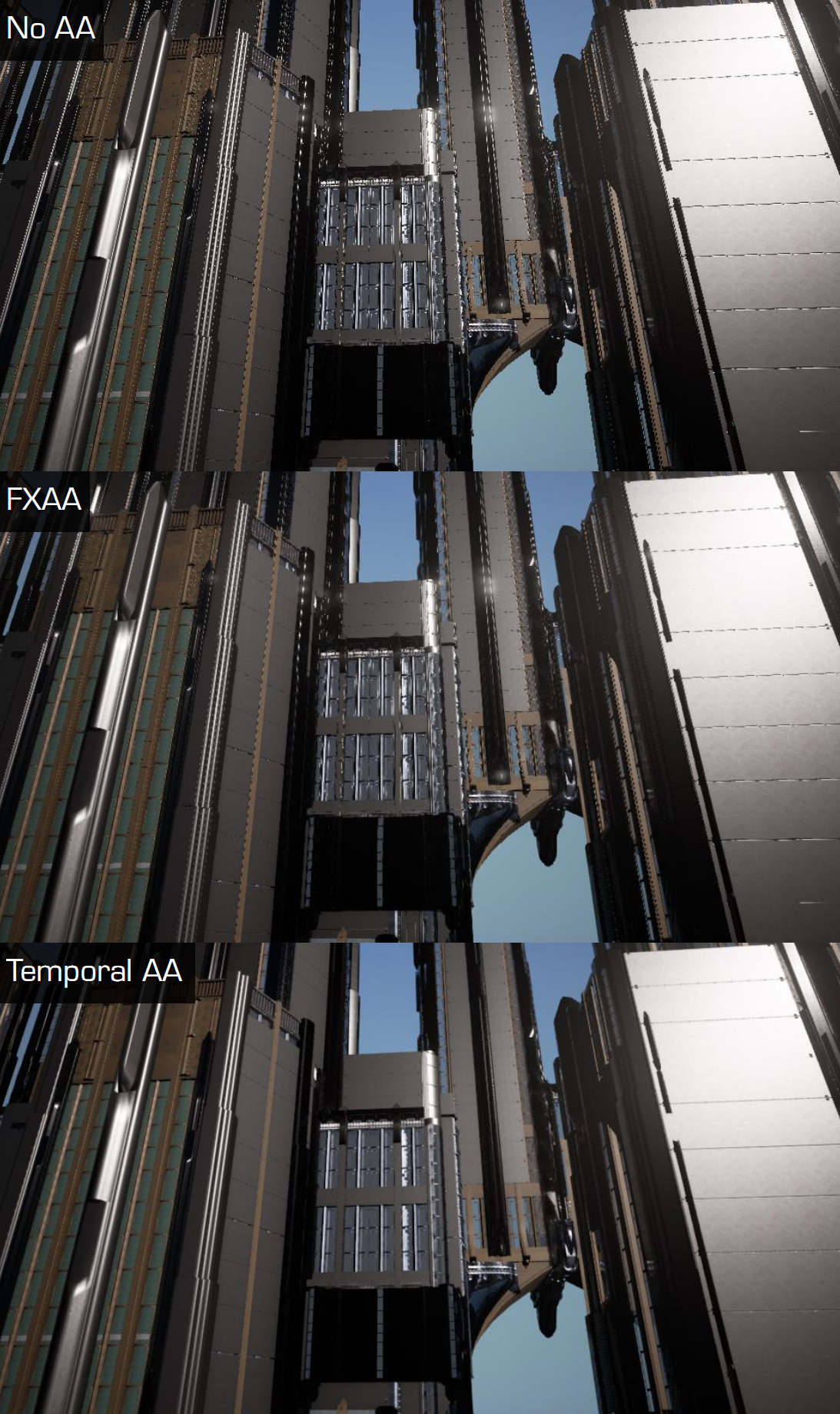
그러나 위의 정적 비교 차트에 속지 마십시오.사실 동영상에서 TAA는 여전히 작은 물체의 입자성, 사진의 흐릿함, 갑작스런 사라짐 또는 불완전한 픽셀과 같은 많은 문제가 있습니다. 지연 등이 있습니다.
그러나 현재 하드웨어 성능에서 TAA는 여전히 디퍼드 렌더링 파이프라인(Deferred Rendering Pipeline)에서 선호되는 안티앨리어싱(Anti-Aliasing) 기술입니다. 위에서 언급한 결함을 완화하기 위해 일부 Hack 방법을 사용할 수 있습니다.
📊 실시간 반사(Reflection) 기법별 종합 비교
| 반사 기법 | 동적 객체 반영도 | 반사 정밀도 및 특성 | 성능 비용 | 기술적 한계 및 적용 분야 |
|---|---|---|---|---|
| 큐브맵 반사 (Cubemap) | 낮음 (정적 배경 전용) | 전방위 환경 반사 | 매우 낮음 | 사전 베이크 캡처 기반으로 실시간 동적 오브젝트 반사 불가 |
| 평면 반사 (Planar) | 완전 동적 반사 | 완벽한 미러 반사 품질 | 매우 높음 | 평면 기준 반사 카메라로 씬 전체를 1회 추가 렌더링 |
| 스크린 스페이스 리플렉션(SSR) (SSR) | 실시간 동적 반사 | 화면 내 모든 오브젝트 반사 | 중간 | 화면 공간 Hi-Z 레이마칭. 화면 밖 지오메트리 차폐/화면 가장자리 페이드 한계 |
7.4.6 SSR
SSR 은 Screen Space Reflections의 약자로, 화면 공간 에서 매끄러운 표면의 반사 효과를 계산하는 기술입니다.
UE의 SSR 효과 목록입니다.
SSR은 Cubemap 및 Plane Reflection과 다르며 효과와 효율성은 모두 이들의 차이점을 고려한 것입니다.
SSR의 핵심 아이디어는 화면 공간에서 데이터를 재사용하는 것입니다.
SSR의 핵심 알고리즘과 단계는 각 픽셀에 대해 다음 단계를 수행하는 것입니다.
- 반사 광선을 계산합니다.
- 반사된 광선의 방향을 따라 추적합니다(뎁스 버퍼(Depth Buffer) 사용 가능).
- 교차점의 색상을 반사 색상으로 사용합니다.
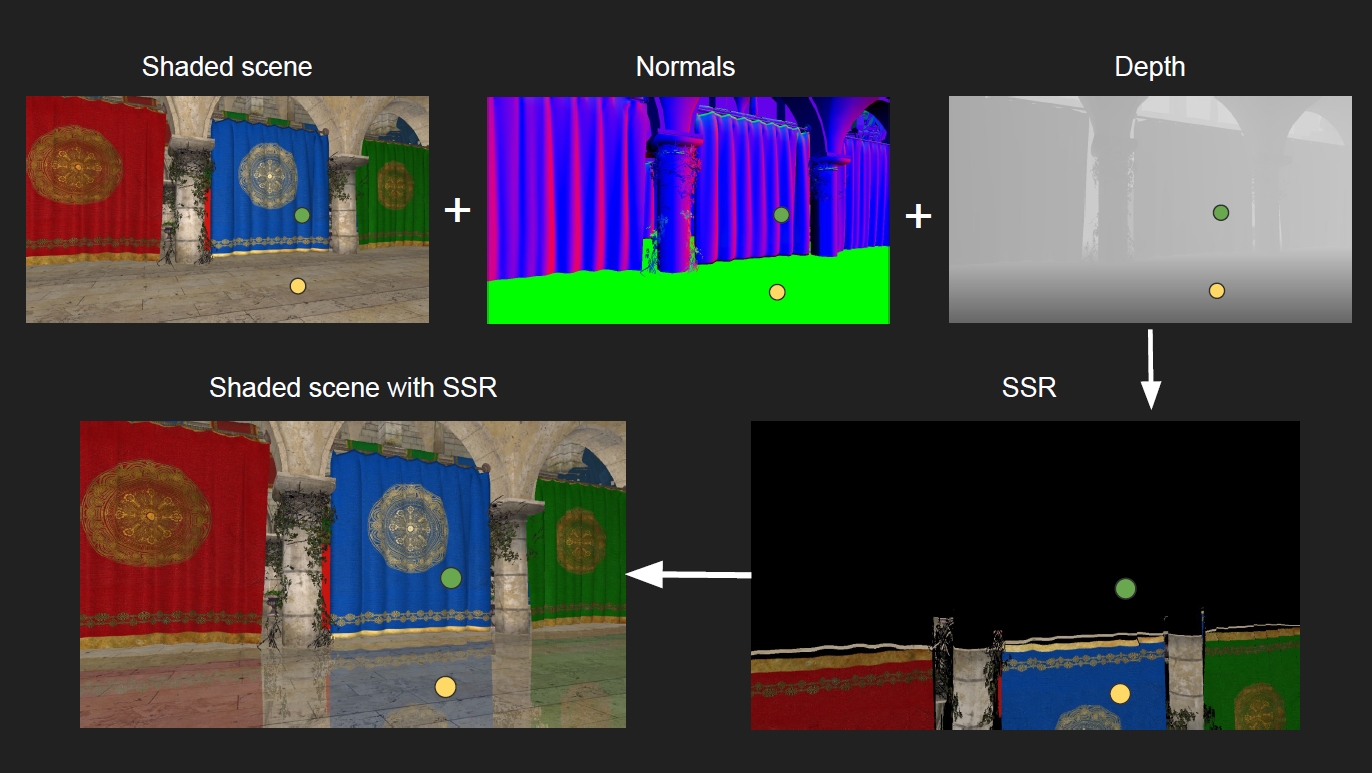
.jpg)
장면 색상, 노멀, 깊이 및 마스크를 포함한 SSR 단계 및 종속 화면 공간 데이터.
반사된 광선의 방향을 따라 교차점을 추적할 때 사용 가능한 방법은 다음과 같습니다.
- 고정 단계가 있는 Raymarch: 구현이 가장 간단하지만 효율성이 떨어지고 추적 횟수가 많습니다.
- 거리 필드: 추적 수를 효과적으로 줄일 수 있는 미리 생성해야 합니다.
- 메시/BVH: 복잡한 데이터 구조와 캐시 일관성이 없는 메모리 액세스를 구현하려면 분기가 필요합니다.
- 복셀: 미리 생성해야 하며 메모리 소비가 크며 고급 장치에만 해당됩니다.
- Hi-Z 버퍼(Depth Mip-Map): GPU 친화적이며 공간을 완벽하게 커버할 수 없습니다. (다음 그림)
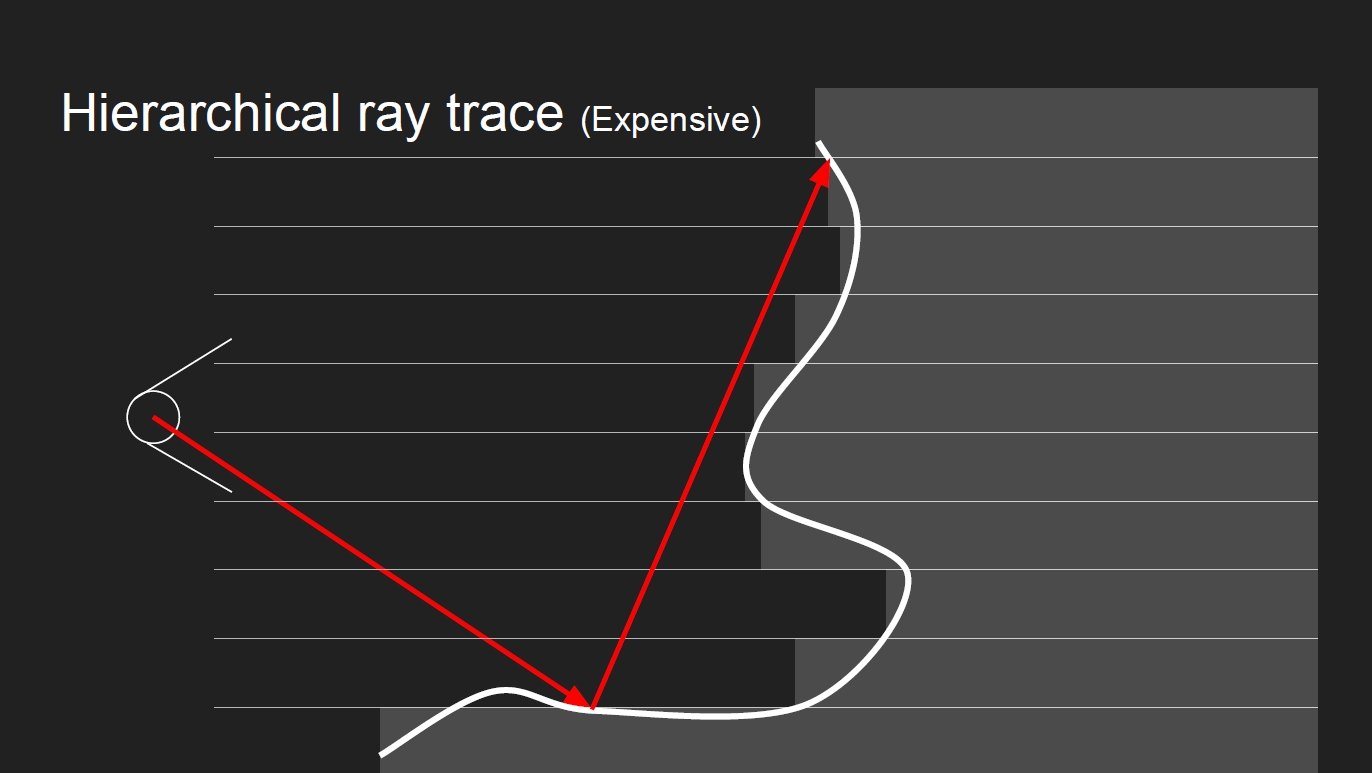
Hi-Z 버퍼 추적을 사용하기 전에 최소값과 최대값을 사용하여 깊이 MipMap을 생성해야 합니다.
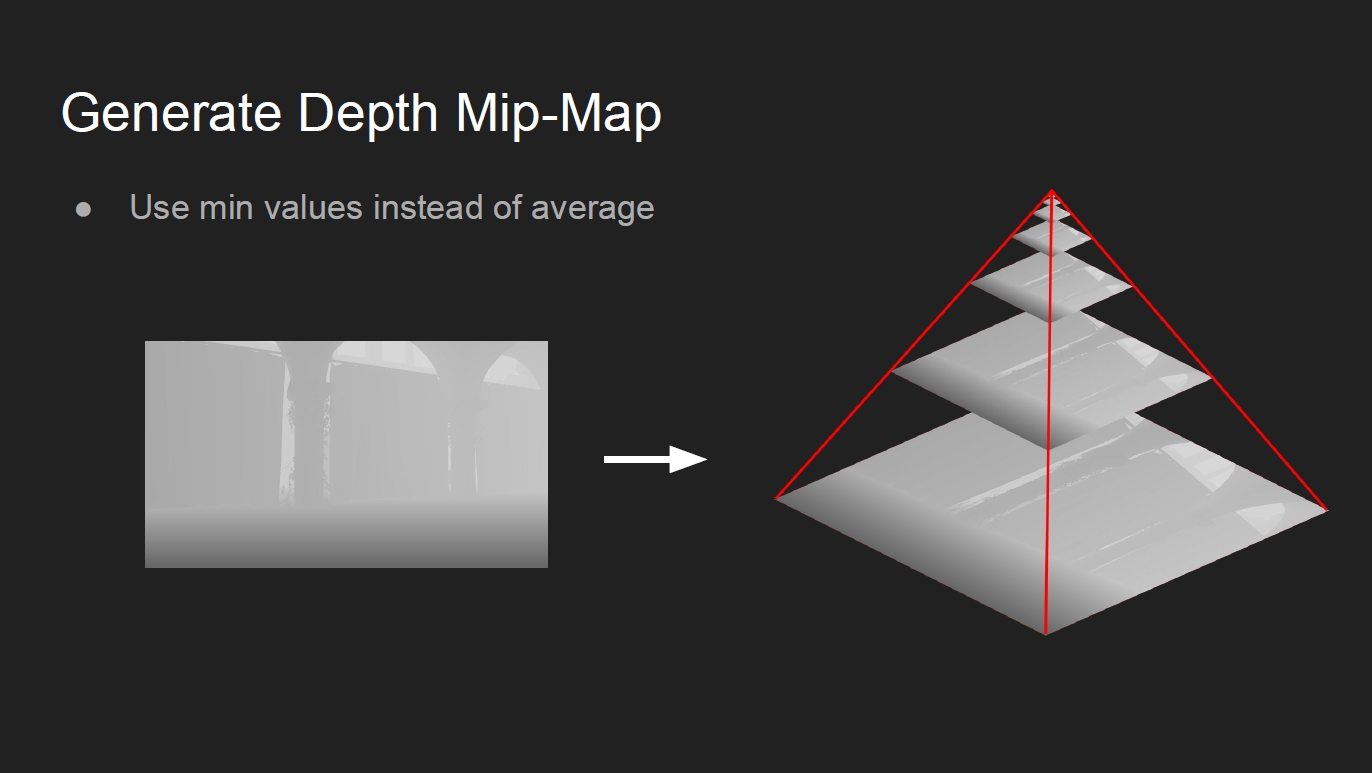
거친(퍼지) 표면의 반사 방향에 대해 중요도 샘플링(Halton 시퀀스 및 BRDF)을 사용할 수 있습니다.
구현 과정에서 가중치 조건을 충족하는 이웃 광선을 사용하여 교차점을 재사용할 수 있습니다.
이웃 광선을 사용할 수 있는지 여부를 확인하는 방법은 무엇입니까? 다음 그림은 가중치 알고리즘 중 하나입니다.
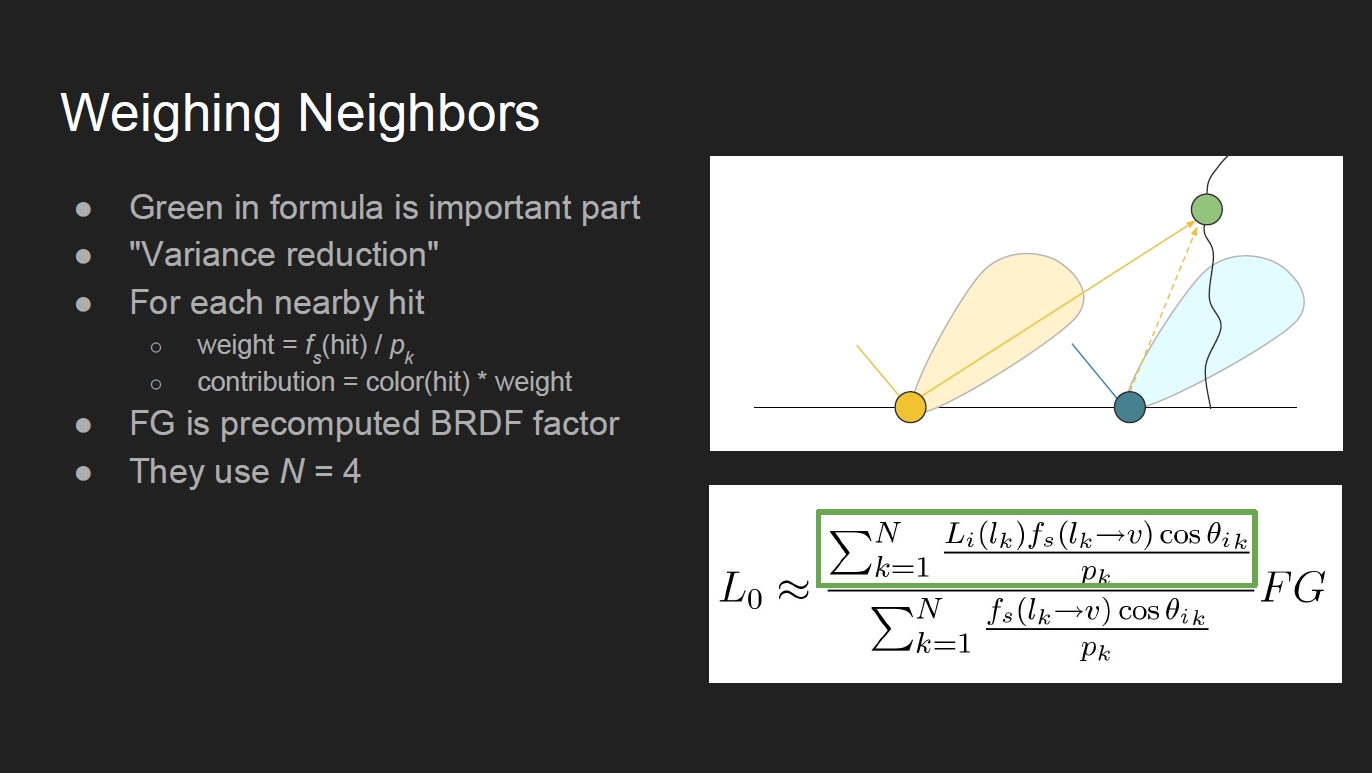
또한 SSR을 계산하는 데 절반의 분해능이 있으며 TAA와 유사한 Jitter 방법을 사용하여 다중 샘플링 효과를 얻습니다.
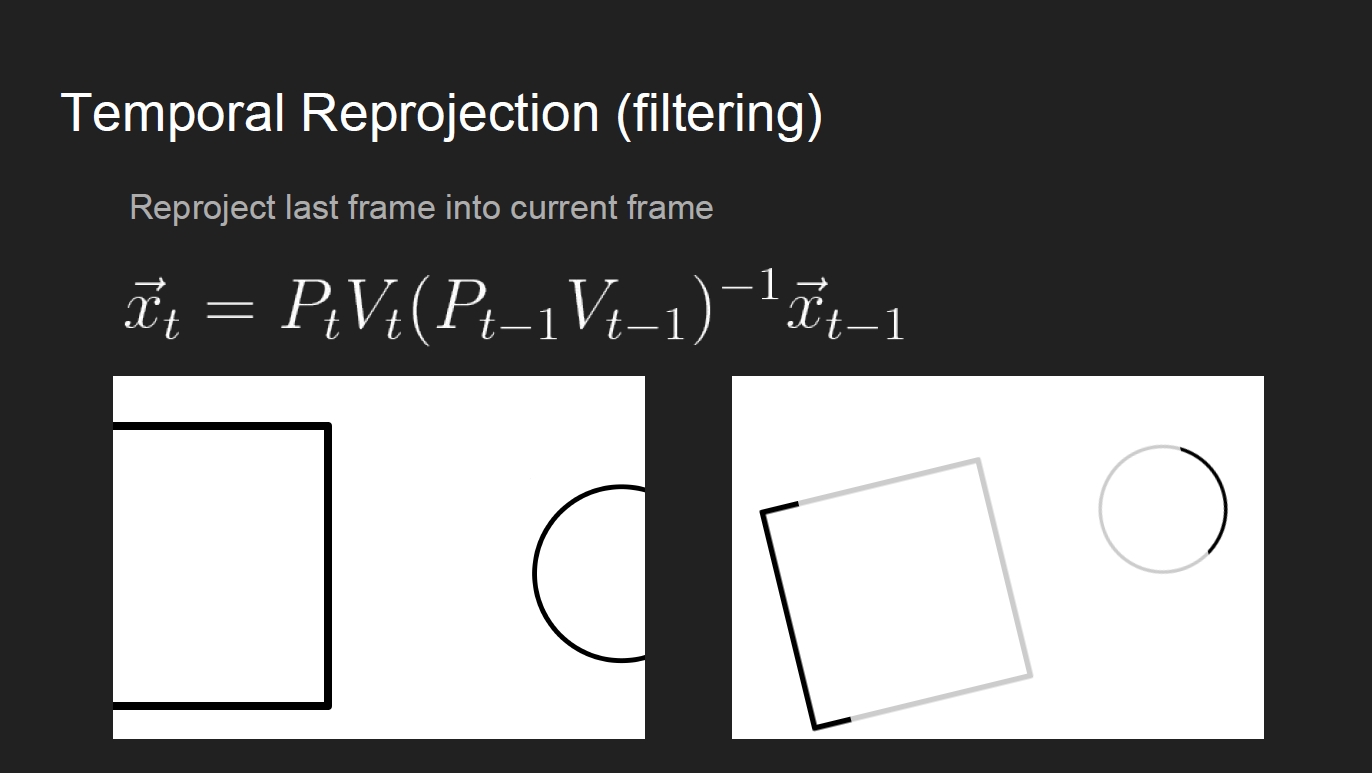
추적 방법에서 희소 레이 트레이싱(Ray Tracing)은 레이 트레이싱(Ray Tracing)을 최적화하는 데 사용할 수 있습니다. 레이 트레이싱(Ray Tracing)을 색상 분석에서 분리하고 절반 해상도에서만 실행하고 색상 해상도를 최대 해상도로 향상시키면서 여전히 4개의 이웃을 사용합니다. 분석:
중요도 샘플링된 광선을 생성할 때 필터링해야 하며 광선은 더 넓은 범위의 교차점을 얻기 위해 원뿔로 시뮬레이션됩니다.
이것은 서로 다른 거칠기를 가진 표면 반사의 교차 범위를 시뮬레이션하는 Mipmap을 얻기 위해 장면 색상의 다운 샘플링이 필요합니다.
SSR은 화면 공간 데이터(프러스텀 전면을 덮는 종이 레이어와 동일)를 기반으로 하므로 숨겨진 기하학 문제가 발생합니다.
SSR 결함, 검지 반사에주의하십시오. 분명히 잘립니다.
또한 Edge Cutoff 문제가 있습니다.
위의 문제는 에지 전환으로 완화할 수 있습니다.
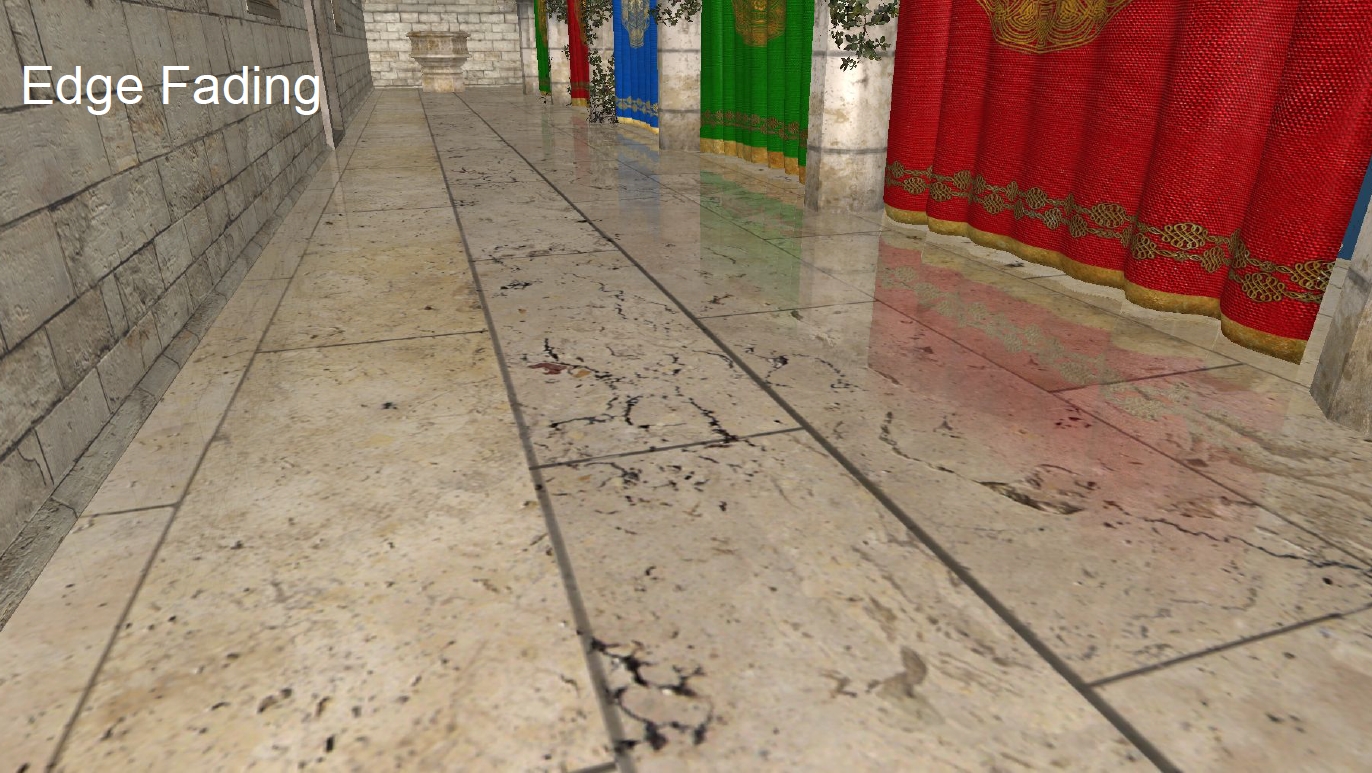
SSR은 GBuffer 데이터의 Mipmap, 장면 색상 및 깊이에 의존하기 때문에 디퍼드 렌더링(Deferred Shading) 파이프라인에서만 사용할 수 있으며 렌더링 파이프라인에서의 흐름은 다음과 같습니다.
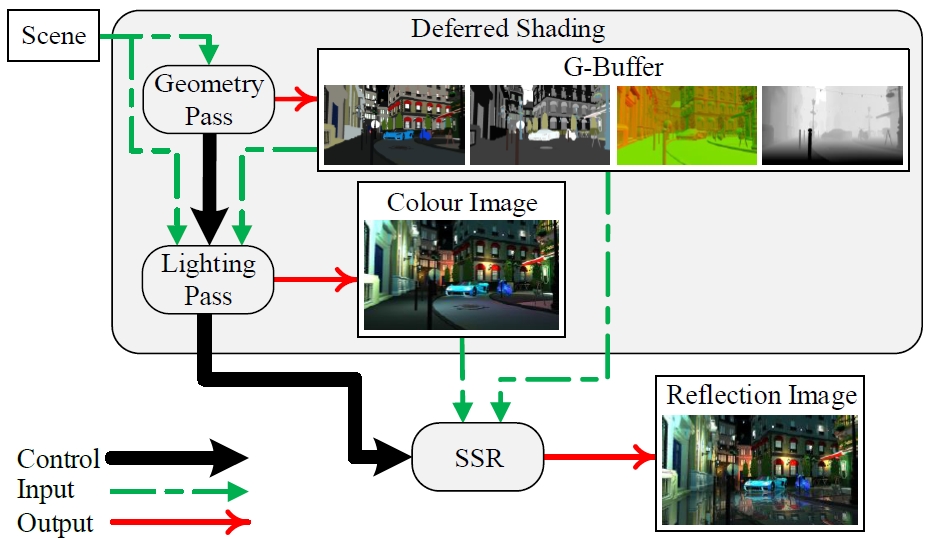
SSR 내부의 렌더링 프로세스는 다음과 같습니다.
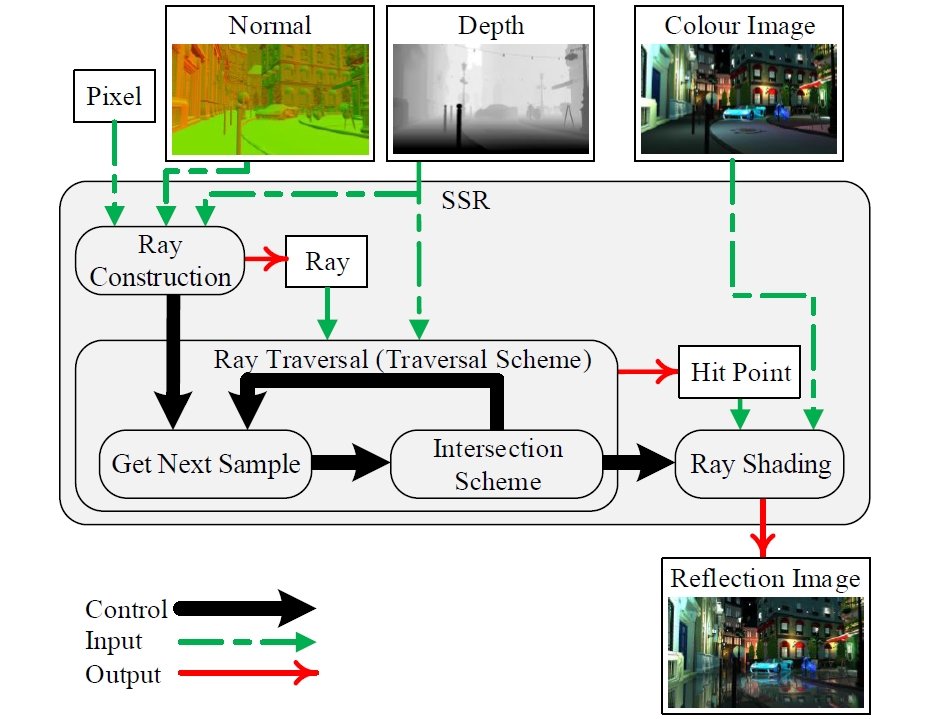
이제 UE의 구현에 대한 분석으로 넘어갑니다. 먼저 SSR 렌더링의 시작과 논리를 살펴보십시오.
void FDeferredShadingSceneRenderer::Render(FRHICommandListImmediate& RHICmdList)
{
    (......)// 렌더링(Render)라이트(Light).
    RenderLights(GraphBuilder, ...);
    (......)// 렌더링(Render)반사(Reflection)(SSR) 및 스카이라이트(Skylight).
    RenderDeferredReflectionsAndSkyLighting(GraphBuilder, ...);
    (......)
}void FDeferredShadingSceneRenderer::RenderDeferredReflectionsAndSkyLighting(
    FRDGBuilder& GraphBuilder,
    TRDGUniformBufferRef<FSceneTextureUniformParameters> SceneTexturesUniformBuffer,
    FRDGTextureMSAA SceneColorTexture,
    FRDGTextureRef DynamicBentNormalAOTexture,
    FRDGTextureRef VelocityTexture,
    FHairStrandsRenderingData* HairDatas)
{
    (......)for (FViewInfo& View : Views)
{
        (......)// 처리(Process)SSR.
        else if (bScreenSpaceReflections)
{
            bDenoise = DenoiserMode != 0 && CVarDenoiseSSR.GetValueOnRenderThread();
            bTemporalFilter = !bDenoise && View.ViewState && IsSSRTemporalPassRequired(View);
            ESSRQuality SSRQuality;
            GetSSRQualityForView(View, &SSRQuality, &DenoiserConfig);
            RDG_EVENT_SCOPE(GraphBuilder, "ScreenSpaceReflections(Quality=%d)", int32(SSRQuality));// 렌더링(Render)SSR.
            RenderScreenSpaceReflections(GraphBuilder, SceneTextures, SceneColorTexture.Resolve, View, SSRQuality, bDenoise, &DenoiserInputs);
        }
    (......)
}// Engine\Source\Runtime\Renderer\Private\ScreenSpaceRayTracing.cpp
void RenderScreenSpaceReflections(
    FRDGBuilder& GraphBuilder,
    const FSceneTextureParameters& SceneTextures,
    const FRDGTextureRef CurrentSceneColor,
    const FViewInfo& View,
    ESSRQuality SSRQuality,
    bool bDenoiser,
    IScreenSpaceDenoiser::FReflectionsInputs* DenoiserInputs,
    FTiledScreenSpaceReflection* TiledScreenSpaceReflection)
{
    // 처리(Process)입력텍스처(Texture).
    FRDGTextureRef InputColor = CurrentSceneColor;if (SSRQuality != ESSRQuality::VisualizeSSR)
{
    if (View.PrevViewInfo.CustomSSRInput.IsValid())
{
            InputColor = GraphBuilder.RegisterExternalTexture(View.PrevViewInfo.CustomSSRInput);
        } else if (GSSRHalfResSceneColor && View.PrevViewInfo.HalfResTemporalAAHistory.IsValid())
{
            InputColor = GraphBuilder.RegisterExternalTexture(View.PrevViewInfo.HalfResTemporalAAHistory);
        } else if (View.PrevViewInfo.TemporalAAHistory.IsValid())
{
            InputColor = GraphBuilder.RegisterExternalTexture(View.PrevViewInfo.TemporalAAHistory.RT[0]);
        }
    }const bool SSRStencilPrePass = CVarSSRStencil.GetValueOnRenderThread() != 0 && SSRQuality != ESSRQuality::VisualizeSSR && TiledScreenSpaceReflection == nullptr;// 로 디노이징(Denoising)할당(Allocate)입력.
    {
        FRDGTextureDesc Desc = FRDGTextureDesc::Create2D(
            FSceneRenderTargets::Get_FrameConstantsOnly().GetBufferSizeXY(),
            PF_FloatRGBA, FClearValueBinding(FLinearColor(0, 0, 0, 0)),
            TexCreate_RenderTargetable | TexCreate_ShaderResource | TexCreate_UAV);
        Desc.Flags |= GFastVRamConfig.SSR;
        DenoiserInputs->Color = GraphBuilder.CreateTexture(Desc, TEXT("ScreenSpaceReflections"));if (bDenoiser)
{
            Desc.Format = PF_R16F;
            DenoiserInputs->RayHitDistance = GraphBuilder.CreateTexture(Desc, TEXT("ScreenSpaceReflectionsHitDistance"));
        }
    }
    IScreenSpaceDenoiser::FReflectionsRayTracingConfig RayTracingConfigs;
    GetSSRShaderOptionsForQuality(SSRQuality, &RayTracingConfigs);// SSR을(를) 활용하여 shader파라미터 .
    FSSRCommonParameters CommonParameters;
    CommonParameters.SSRParams = ComputeSSRParams(View, SSRQuality, false);
    CommonParameters.ViewUniformBuffer = View.ViewUniformBuffer;
    CommonParameters.SceneTextures = SceneTextures;if (InputColor == CurrentSceneColor || !CommonParameters.SceneTextures.GBufferVelocityTexture)
{
        CommonParameters.SceneTextures.GBufferVelocityTexture = GraphBuilder.RegisterExternalTexture(GSystemTextures.MidGreyDummy);
    }
    FRenderTargetBindingSlots RenderTargets;
    RenderTargets[0] = FRenderTargetBinding(DenoiserInputs->Color, ERenderTargetLoadAction::ENoAction);if (bDenoiser)
{
        RenderTargets[1] = FRenderTargetBinding(DenoiserInputs->RayHitDistance, ERenderTargetLoadAction::ENoAction);
    }// SSR의 스텐실 버퍼(Stencil Buffer)Pass.
    if (SSRStencilPrePass)
{// 바인딩(Bind)뎁스 버퍼(Depth Buffer).
        RenderTargets.DepthStencil = FDepthStencilBinding(
            SceneTextures.SceneDepthTexture,
            ERenderTargetLoadAction::ENoAction,
            ERenderTargetLoadAction::ELoad,
            FExclusiveDepthStencil::DepthNop_StencilWrite);
        FScreenSpaceReflectionsStencilPS::FPermutationDomain PermutationVector;
        PermutationVector.Set<FSSROutputForDenoiser>(bDenoiser);
        FScreenSpaceReflectionsStencilPS::FParameters* PassParameters = GraphBuilder.AllocParameters<FScreenSpaceReflectionsStencilPS::FParameters>();
        PassParameters->CommonParameters = CommonParameters;
        PassParameters->RenderTargets = RenderTargets;TShaderMapRef<FScreenSpaceReflectionsStencilPS> PixelShader(View.ShaderMap, PermutationVector);
        ClearUnusedGraphResources(PixelShader, PassParameters);// SSR스텐실 Pass.
        GraphBuilder.AddPass(
            RDG_EVENT_NAME("SSR StencilSetup %dx%d", View.ViewRect.Width(), View.ViewRect.Height()),
            PassParameters,
            ERDGPassFlags::Raster,
            [PassParameters, &View, PixelShader](FRHICommandList& RHICmdList)
{
            SCOPED_GPU_STAT(RHICmdList, ScreenSpaceReflections);
            RHICmdList.SetViewport(View.ViewRect.Min.X, View.ViewRect.Min.Y, 0.0f, View.ViewRect.Max.X, View.ViewRect.Max.Y, 1.0f);
            FGraphicsPipelineStateInitializer GraphicsPSOInit;
            FPixelShaderUtils::InitFullscreenPipelineState(RHICmdList, View.ShaderMap, PixelShader, /* out */ GraphicsPSOInit);
            // Clobers the stencil to pixel that should not compute SSR
            GraphicsPSOInit.DepthStencilState = TStaticDepthStencilState<false, CF_Always, true, CF_Always, SO_Replace, SO_Replace, SO_Replace>::GetRHI();
            SetGraphicsPipelineState(RHICmdList, GraphicsPSOInit);
            SetShaderParameters(RHICmdList, PixelShader, PixelShader.GetPixelShader(), *PassParameters);
            RHICmdList.SetStencilRef(0x80);
            FPixelShaderUtils::DrawFullscreenTriangle(RHICmdList);
        });
    }// 추가(Add)SSR pass.
    auto SetSSRParameters = [&](auto* PassParameters)
{
        {const FVector2D HZBUvFactor(
                float(View.ViewRect.Width()) / float(2 * View.HZBMipmap0Size.X),
                float(View.ViewRect.Height()) / float(2 * View.HZBMipmap0Size.Y));
            PassParameters->HZBUvFactorAndInvFactor = FVector4(
                HZBUvFactor.X,
                HZBUvFactor.Y,1.0f / HZBUvFactor.X,
                1.0f / HZBUvFactor.Y);
        }
        {
            FIntPoint ViewportOffset = View.ViewRect.Min;
            FIntPoint ViewportExtent = View.ViewRect.Size();
            FIntPoint BufferSize = SceneTextures.SceneDepthTexture->Desc.Extent;if (View.PrevViewInfo.TemporalAAHistory.IsValid())
{
                ViewportOffset = View.PrevViewInfo.TemporalAAHistory.ViewportRect.Min;
                ViewportExtent = View.PrevViewInfo.TemporalAAHistory.ViewportRect.Size();
                BufferSize = View.PrevViewInfo.TemporalAAHistory.ReferenceBufferSize;
                ensure(ViewportExtent.X > 0 && ViewportExtent.Y > 0);
                ensure(BufferSize.X > 0 && BufferSize.Y > 0);
            }FVector2D InvBufferSize(1.0f / float(BufferSize.X), 1.0f / float(BufferSize.Y));
            PassParameters->PrevScreenPositionScaleBias = FVector4(
                ViewportExtent.X * 0.5f * InvBufferSize.X,
                -ViewportExtent.Y * 0.5f * InvBufferSize.Y,
                (ViewportExtent.X * 0.5f + ViewportOffset.X) * InvBufferSize.X,
                (ViewportExtent.Y * 0.5f + ViewportOffset.Y) * InvBufferSize.Y);
            PassParameters->ScreenSpaceRayTracingDebugOutput = CreateScreenSpaceRayTracingDebugUAV(GraphBuilder, DenoiserInputs->Color->Desc, TEXT("DebugSSR"), true);
        }
        PassParameters->PrevSceneColorPreExposureCorrection = InputColor != CurrentSceneColor ? View.PreExposure / View.PrevViewInfo.SceneColorPreExposure : 1.0f;
        PassParameters->SceneColor = InputColor;
        PassParameters->SceneColorSampler = GSSRHalfResSceneColor ? TStaticSamplerState<SF_Bilinear>::GetRHI() : TStaticSamplerState<SF_Point>::GetRHI();
        PassParameters->HZB = GraphBuilder.RegisterExternalTexture(View.HZB);
        PassParameters->HZBSampler = TStaticSamplerState<SF_Point>::GetRHI();
    };// SSR의 PS파라미터 .
    FScreenSpaceReflectionsPS::FPermutationDomain PermutationVector;
    PermutationVector.Set<FSSRQualityDim>(SSRQuality);
    PermutationVector.Set<FSSROutputForDenoiser>(bDenoiser);
    FScreenSpaceReflectionsPS::FParameters* PassParameters = GraphBuilder.AllocParameters<FScreenSpaceReflectionsPS::FParameters>();
    PassParameters->CommonParameters = CommonParameters;
    SetSSRParameters(&PassParameters->SSRPassCommonParameter);
    PassParameters->RenderTargets = RenderTargets;TShaderMapRef<FScreenSpaceReflectionsPS> PixelShader(View.ShaderMap, PermutationVector);if (TiledScreenSpaceReflection == nullptr) // 논타일드(Non-tiled)SSR(PC기본 방식).
    {
        ClearUnusedGraphResources(PixelShader, PassParameters);// 추가(Add)SSR RayMarch채널/패스(Pass).
        GraphBuilder.AddPass(
            RDG_EVENT_NAME("SSR RayMarch(Quality=%d RayPerPixel=%d%s) %dx%d",
                SSRQuality, RayTracingConfigs.RayCountPerPixel, bDenoiser ? TEXT(" DenoiserOutput") : TEXT(""),
                View.ViewRect.Width(), View.ViewRect.Height()),
            PassParameters,
            ERDGPassFlags::Raster,
            [PassParameters, &View, PixelShader, SSRStencilPrePass](FRHICommandList& RHICmdList)
{
            SCOPED_GPU_STAT(RHICmdList, ScreenSpaceReflections);
            RHICmdList.SetViewport(View.ViewRect.Min.X, View.ViewRect.Min.Y, 0.0f, View.ViewRect.Max.X, View.ViewRect.Max.Y, 1.0f);
            FGraphicsPipelineStateInitializer GraphicsPSOInit;
            FPixelShaderUtils::InitFullscreenPipelineState(RHICmdList, View.ShaderMap, PixelShader, /* out */ GraphicsPSOInit);
            if (SSRStencilPrePass)
{// Clobers the stencil to pixel that should not compute SSR
                GraphicsPSOInit.DepthStencilState = TStaticDepthStencilState<false, CF_Always, true, CF_Equal, SO_Keep, SO_Keep, SO_Keep>::GetRHI();
            }
            SetGraphicsPipelineState(RHICmdList, GraphicsPSOInit);
            SetShaderParameters(RHICmdList, PixelShader, PixelShader.GetPixelShader(), *PassParameters);
            RHICmdList.SetStencilRef(0x80);// 드로우/렌더(Draw)풀스크린(Full Screen).
            FPixelShaderUtils::DrawFullscreenTriangle(RHICmdList);
        });
    } else // 타일드(Tiled)SSR.
    {
    check(TiledScreenSpaceReflection->TileSize == 8); // WORK_TILE_SIZE
        FScreenSpaceReflectionsTileVS::FPermutationDomain VsPermutationVector;TShaderMapRef<FScreenSpaceReflectionsTileVS> VertexShader(View.ShaderMap, VsPermutationVector);
        PassParameters->TileListData = TiledScreenSpaceReflection->TileListStructureBufferSRV;
        PassParameters->IndirectDrawParameter = TiledScreenSpaceReflection->DispatchIndirectParametersBuffer;
        ValidateShaderParameters(VertexShader, *PassParameters);
        ValidateShaderParameters(PixelShader, *PassParameters);// 추가(Add)SSR RayMarch채널/패스(Pass).
        GraphBuilder.AddPass(
            RDG_EVENT_NAME("SSR RayMarch(Quality=%d RayPerPixel=%d%s) %dx%d",
                SSRQuality, RayTracingConfigs.RayCountPerPixel, bDenoiser ? TEXT(" DenoiserOutput") : TEXT(""),
                View.ViewRect.Width(), View.ViewRect.Height()),
            PassParameters,
            ERDGPassFlags::Raster,
            [PassParameters, &View, VertexShader, PixelShader, SSRStencilPrePass](FRHICommandList& RHICmdList)
{
            SCOPED_GPU_STAT(RHICmdList, ScreenSpaceReflections);
            RHICmdList.SetViewport(View.ViewRect.Min.X, View.ViewRect.Min.Y, 0.0f, View.ViewRect.Max.X, View.ViewRect.Max.Y, 1.0f);
            FGraphicsPipelineStateInitializer GraphicsPSOInit;
            FPixelShaderUtils::InitFullscreenPipelineState(RHICmdList, View.ShaderMap, PixelShader, /* out */ GraphicsPSOInit);
            if (SSRStencilPrePass)
{// Clobers the stencil to pixel that should not compute SSR
                GraphicsPSOInit.DepthStencilState = TStaticDepthStencilState<false, CF_Always, true, CF_Equal, SO_Keep, SO_Keep, SO_Keep>::GetRHI();
            }
            GraphicsPSOInit.PrimitiveType = GRHISupportsRectTopology ? PT_RectList : PT_TriangleList;
            GraphicsPSOInit.BoundShaderState.VertexDeclarationRHI = GEmptyVertexDeclaration.VertexDeclarationRHI;
            GraphicsPSOInit.BoundShaderState.VertexShaderRHI = VertexShader.GetVertexShader();
            GraphicsPSOInit.BoundShaderState.PixelShaderRHI = PixelShader.GetPixelShader();
            SetGraphicsPipelineState(RHICmdList, GraphicsPSOInit);
            SetShaderParameters(RHICmdList, VertexShader, VertexShader.GetVertexShader(), *PassParameters);
            SetShaderParameters(RHICmdList, PixelShader, PixelShader.GetPixelShader(), *PassParameters);
            RHICmdList.SetStencilRef(0x80);
            PassParameters->IndirectDrawParameter->MarkResourceAsUsed();
            RHICmdList.DrawPrimitiveIndirect(PassParameters->IndirectDrawParameter->GetIndirectRHICallBuffer(), 0);
        });
    }
} // RenderScreenSpaceReflections()
위의 코드는 SSR이 RenderLights나중에 렌더링 되었음을 보여줍니다 . 작성자의 PC 장치에서 SSR은 픽셀당 광선 수인 품질 2 및 비차단 1 매개변수를 사용합니다.
SSR RayMarch에서 사용하는 셰이더 코드를 계속 분석해 보겠습니다.
// Engine\Shaders\Private\SSRT\SSRTReflections.usf
void ScreenSpaceReflections(
    float4 SvPosition
    , out float4 OutColor
#if SSR_OUTPUT_FOR_DENOISER
    , out float4 OutClosestHitDistance
#endif
)
{
    // 페치/가져오기(Fetch)좌표 .
    float2 UV = SvPosition.xy * View.BufferSizeAndInvSize.zw;
    float2 ScreenPos = ViewportUVToScreenPos((SvPosition.xy - View.ViewRectMin.xy) * View.ViewSizeAndInvSize.zw);
    uint2 PixelPos = (uint2)SvPosition.xy;bool bDebugPrint = all(PixelPos == uint2(View.ViewSizeAndInvSize.xy) / 2);
    OutColor = 0;
#if SSR_OUTPUT_FOR_DENOISER
        OutClosestHitDistance = -2.0;
#endif// 페치/가져오기(Fetch)GBuffer.
    FGBufferData GBuffer = GetGBufferDataFromSceneTextures(UV);
    float3 N = GBuffer.WorldNormal;const float SceneDepth = GBuffer.Depth;
    const float3 PositionTranslatedWorld = mul( float4( ScreenPos * SceneDepth, SceneDepth, 1 ), View.ScreenToTranslatedWorld ).xyz;
    const float3 V = normalize(View.TranslatedWorldCameraOrigin - PositionTranslatedWorld);// 수정 GGX노멀(Normal)러프니스(Roughness).
    ModifyGGXAnisotropicNormalRoughness(GBuffer.WorldTangent, GBuffer.Anisotropy, GBuffer.Roughness, N, V);float Roughness = GetRoughness(GBuffer);
    float RoughnessFade = GetRoughnessFade(Roughness);// 조기 종료(Early Exit). 만약 을(를) 활용하여 스텐실 prepass, 이면 을(를) 활용하여 .
    BRANCH if( RoughnessFade <= 0.0 || GBuffer.ShadingModelID == 0 )
{
    return;
    }// 초기화(Initialize)러프니스(Roughness), Vis, 가장 교차점(Intersection)데이터 .
    float a = Roughness * Roughness;
    float a2 = a * a;float NoV = saturate( dot( N, V ) );
    float G_SmithV = 2 * NoV / (NoV + sqrt(NoV * (NoV - NoV * a2) + a2));float ClosestHitDistanceSqr = INFINITE_FLOAT;// 에 따라 품질 단계 설정(Set), 픽셀(Pixel)개수 , 는 여부 스무스/매끄러움(Smooth).
#if SSR_QUALITY == 1
    uint NumSteps = 8;
    uint NumRays = 1;
    bool bGlossy = false;
#elif
SSR_QUALITY == 2
    uint NumSteps = 16;
    uint NumRays = 1;
#if SSR_OUTPUT_FOR_DENOISER
        bool bGlossy = true;
#else
bool bGlossy = false;
#endif
#elif SSR_QUALITY == 3
    uint NumSteps = 8;
    uint NumRays = 4;
    bool bGlossy = true;
#else // SSR_QUALITY == 4
    uint NumSteps = 12;
    uint NumRays = 12;
    bool bGlossy = true;
#endif
if( NumRays > 1 ) // 픽셀(Pixel)광선(Ray)초과 1
    {// 계산/산출(Calculate)노이즈 및 랜덤/난수 .
        float2 Noise;
        Noise.x = InterleavedGradientNoise( SvPosition.xy, View.StateFrameIndexMod8 );
        Noise.y = InterleavedGradientNoise( SvPosition.xy, View.StateFrameIndexMod8 * 117 );
        uint2 Random = Rand3DPCG16( int3( PixelPos, View.StateFrameIndexMod8 ) ).xy;// 페치/가져오기(Fetch)현재(Current)노멀(Normal)탄젠트 공간(Tangent Space)의 3개 직교(Orthogonal)의 기저 벡터(Basis Vector).
        float3x3 TangentBasis = GetTangentBasis( N );// 탄젠트 공간(Tangent Space)의 V벡터 .
        float3 TangentV = mul( TangentBasis, V );float Count = 0;// 만약 러프니스(Roughness), 판정: 는 스무스/매끄러움(Smooth)의 테이블 , 수정 및 광선(Ray)개수 .
        if( Roughness < 0.1 )
{
            NumSteps = min( NumSteps * NumRays, 24u );
            NumRays = 1;
        }// NumRays개 광선(Ray).
        LOOP for( uint i = 0; i < NumRays; i++ )
{
            float StepOffset = Noise.x;
            StepOffset -= 0.5;// Hammersley저불일치 준난수 시퀀스.
            float2 E = Hammersley16( i, NumRays, Random );// 디스크 샘플링 후 러프니스 및 뷰 벡터(V) 기반 GGX 중요도 샘플링을 수행하여 하프 벡터(H) 산출.
            float3 H = mul( ImportanceSampleVisibleGGX(UniformSampleDisk(E), a2, TangentV ).xyz, TangentBasis );// 계산/산출(Calculate)라이트(Light)방향 .
            float3 L = 2 * dot( V, H ) * H - V;
            float3 HitUVz;float Level = 0;// 만약 는 매끄러운 표면(Smooth Surface), 라이트(Light)방향 반사(Reflection)벡터 .
            if( Roughness < 0.1 )
{
                L = reflect(-V, N);
            }// 실행(Execute)HZB레이 캐스팅(Ray Casting) 교차 검사.
            bool bHit = RayCast(
                HZB, HZBSampler,
                PositionTranslatedWorld, L, Roughness, SceneDepth,
                NumSteps, StepOffset,
                HZBUvFactorAndInvFactor,
                bDebugPrint,
                HitUVz,
                Level
            );// 만약 히트(Hit), 샘플링씬 컬러(SceneColor).
            BRANCH if( bHit )
{
                ClosestHitDistanceSqr = min(ClosestHitDistanceSqr, ComputeRayHitSqrDistance(PositionTranslatedWorld, HitUVz));
                float2 SampleUV;float Vignette;
                // 리프로젝션(Reprojection)교차점(Intersection).
                ReprojectHit(PrevScreenPositionScaleBias, GBufferVelocityTexture, GBufferVelocityTextureSampler, HitUVz, SampleUV, Vignette);// 샘플링씬 컬러(SceneColor).
                float4 SampleColor = SampleScreenColor( SceneColor, SceneColorSampler, SampleUV ) * Vignette;
                SampleColor.rgb *= rcp( 1 + Luminance(SampleColor.rgb) );
                OutColor += SampleColor;
            }
        }
        OutColor /= max( NumRays, 0.0001 );
        OutColor.rgb *= rcp( 1 - Luminance(OutColor.rgb) );
    } else // 픽셀(Pixel)광선(Ray)==1
    {float StepOffset = InterleavedGradientNoise(SvPosition.xy, View.StateFrameIndexMod8);
        StepOffset -= 0.5;
        float3 L;if (bGlossy)
{
            float2 E = Rand1SPPDenoiserInput(PixelPos);
#if SSR_OUTPUT_FOR_DENOISER
            {
                E.y *= 1 - GGX_IMPORTANT_SAMPLE_BIAS;
            }
#endif
float3x3 TangentBasis = GetTangentBasis( N );
            float3 TangentV = mul( TangentBasis, V );
            float3 H = mul( ImportanceSampleVisibleGGX(UniformSampleDisk(E), a2, TangentV ).xyz, TangentBasis );
            L = 2 * dot( V, H ) * H - V;
        } else
{
            L = reflect( -V, N );
        }
        float3 HitUVz;float Level = 0;// HZB레이 캐스팅(Ray Casting) 교차 검사.
        bool bHit = RayCast(
            HZB, HZBSampler,
            PositionTranslatedWorld, L, Roughness, SceneDepth,
            NumSteps, StepOffset,
            HZBUvFactorAndInvFactor,
            bDebugPrint,
            HitUVz,
            Level
        );// 처리(Process)교차점(Intersection)의 샘플 수.
        BRANCH if( bHit )
{
            ClosestHitDistanceSqr = ComputeRayHitSqrDistance(PositionTranslatedWorld, HitUVz);
            float2 SampleUV;float Vignette;
            ReprojectHit(PrevScreenPositionScaleBias, GBufferVelocityTexture, GBufferVelocityTextureSampler, HitUVz, SampleUV, Vignette);
            OutColor = SampleScreenColor(SceneColor, SceneColorSampler, SampleUV) * Vignette;
        }
    }// 컬러 트랜지션/전이.
    OutColor *= RoughnessFade;
    OutColor *= SSRParams.r;
#if USE_PREEXPOSURE
    OutColor.rgb *= PrevSceneColorPreExposureCorrection;
#endif// 로 디노이징(Denoising)출력가장 교차점(Intersection)의 거리.
    #if SSR_OUTPUT_FOR_DENOISER
    {
        OutClosestHitDistance = ComputeDenoiserConfusionFactor(
            ClosestHitDistanceSqr > 0,
            length(View.TranslatedWorldCameraOrigin - PositionTranslatedWorld),sqrt(ClosestHitDistanceSqr));
    }
#endif
}// PS.
void ScreenSpaceReflectionsPS(
    float4 SvPosition : SV_POSITION
    , out float4 OutColor : SV_Target0
#if SSR_OUTPUT_FOR_DENOISER
    , out float4 OutClosestHitDistance : SV_Target1
#endif
)
{
    ScreenSpaceReflections(SvPosition, OutColor#if SSR_OUTPUT_FOR_DENOISER
        ,OutClosestHitDistance#endif
    );
}
방사선 검사의 RayCast논리적인 메인 스택은 다음과 같이 분석됩니다 .
// 레이 캐스팅(Ray Casting) 교차 검사.
bool RayCast(
    Texture2D Texture, SamplerState Sampler,
    float3 RayOriginTranslatedWorld, float3 RayDirection,
    float Roughness, float SceneDepth,
    uint NumSteps, float StepOffset,
    float4 HZBUvFactorAndInvFactor,
    bool bDebugPrint,
    out float3 OutHitUVz,
    out float Level)
{
    FSSRTRay Ray = InitScreenSpaceRayFromWorldSpace(RayOriginTranslatedWorld, RayDirection, SceneDepth);// 검사/감지(Detect)개 스크린 스페이스(Screen Space)의 광선(Ray).
    return CastScreenSpaceRay(
        Texture, Sampler,
        Ray,
        Roughness, NumSteps, StepOffset,
        HZBUvFactorAndInvFactor, bDebugPrint,/* out */ OutHitUVz,
        /* out */ Level);
} // RayCast()// 검사/감지(Detect)개 스크린 스페이스(Screen Space)의 광선(Ray).
bool CastScreenSpaceRay(
    Texture2D Texture, SamplerState Sampler,
    FSSRTRay Ray,
    float Roughness,
    uint NumSteps, float StepOffset,
    float4 HZBUvFactorAndInvFactor,
    bool bDebugPrint,
    out float3 OutHitUVz,
    out float Level)
{
    // 초기화(Initialize)광선(Ray)의 포인트 , .
    const float3 RayStartScreen = Ray.RayStartScreen;
    float3 RayStepScreen = Ray.RayStepScreen;
    float3 RayStartUVz = float3( (RayStartScreen.xy * float2( 0.5, -0.5 ) + 0.5) * HZBUvFactorAndInvFactor.xy, RayStartScreen.z );
    float3 RayStepUVz  = float3(  RayStepScreen.xy  * float2( 0.5, -0.5 )         * HZBUvFactorAndInvFactor.xy, RayStepScreen.z );const float Step = 1.0 / NumSteps;
    float CompareTolerance = Ray.CompareTolerance * Step;float LastDiff = 0;
    Level = 1;
    RayStepUVz *= Step;
    float3 RayUVz = RayStartUVz + RayStepUVz * StepOffset;
#if IS_SSGI_SHADER && SSGI_TRACE_CONE
        RayUVz = RayStartUVz;
#endif
float4 MultipleSampleDepthDiff;
    bool4 bMultipleSampleHit; // TODO: Might consumes VGPRS if bug in compiler.
    bool bFoundAnyHit = false;
#if IS_SSGI_SHADER && SSGI_TRACE_CONE
        const float ConeAngle = PI / 4;
        const float d = 1;
        const float r = d * sin(0.5 * ConeAngle);
        const float Exp = 1.6; //(d + r) / (d - r);
        const float ExpLog2 = log2(Exp);
        const float MaxPower = exp2(log2(Exp) * (NumSteps + 1.0)) - 0.9;
        {//Level = 2;
        }
#endif
uint i;// 최대 NumSteps회 레이마칭: 교차점 발견 시 탈출 (배치당 4개 샘플 검사).
    LOOP
    for (i = 0; i < NumSteps; i += SSRT_SAMPLE_BATCH_SIZE)
{
        float2 SamplesUV[SSRT_SAMPLE_BATCH_SIZE];
        float4 SamplesZ;
        float4 SamplesMip;// 계산/산출(Calculate)샘플링좌표 , 뎁스 및 뎁스 텍스처(Depth Texture)Mip레벨 단계 .
        #if IS_SSGI_SHADER && SSGI_TRACE_CONE // SSGI 또는
        {
            UNROLL_N(SSRT_SAMPLE_BATCH_SIZE)for (uint j = 0; j < SSRT_SAMPLE_BATCH_SIZE; j++)
{float S = float(i + j) + StepOffset;float NormalizedPower = (exp2(ExpLog2 * S) - 0.9) / MaxPower;float Offset = NormalizedPower * NumSteps;
                SamplesUV[j] = RayUVz.xy + Offset * RayStepUVz.xy;
                SamplesZ[j] = RayUVz.z + Offset * RayStepUVz.z;
            }
            SamplesMip.xy = Level;
            Level += (8.0 / NumSteps) * Roughness;
            SamplesMip.zw = Level;
            Level += (8.0 / NumSteps) * Roughness;
        }
#else // SSR실행(Execute)해당 분기 .
        {
            UNROLL_N(SSRT_SAMPLE_BATCH_SIZE)for (uint j = 0; j < SSRT_SAMPLE_BATCH_SIZE; j++)
{
                SamplesUV[j] = RayUVz.xy + (float(i) + float(j + 1)) * RayStepUVz.xy;
                SamplesZ[j] = RayUVz.z + (float(i) + float(j + 1)) * RayStepUVz.z;
            }// 샘플링뎁스 의 Mip레벨 단계 .
            SamplesMip.xy = Level;// 조정(Adjust)레벨 단계 , ※ 주의: 영향 받음: 러프니스(Roughness)영향 , 러프니스(Roughness)작을수록 , Level또한 작을수록 .
            Level += (8.0 / NumSteps) * Roughness;
            SamplesMip.zw = Level;
            Level += (8.0 / NumSteps) * Roughness;
        }
#endif// 샘플링씬 뎁스(SceneDepth).
        float4 SampleDepth;
        {
            UNROLL_N(SSRT_SAMPLE_BATCH_SIZE)for (uint j = 0; j < SSRT_SAMPLE_BATCH_SIZE; j++)
{
                SampleDepth[j] = Texture.SampleLevel(Sampler, SamplesUV[j], SamplesMip[j]).r;
            }
        }// 계산/산출(Calculate)는 여부 교차(Intersection).
        // 계산/산출(Calculate)광선(Ray)샘플링 포인트뎁스 및 뎁스 텍스처(Depth Texture)의 .
        MultipleSampleDepthDiff = SamplesZ - SampleDepth;// 검사/감지(Detect)는 여부 뎁스 대비 값.
        bMultipleSampleHit = abs(MultipleSampleDepthDiff + CompareTolerance) < CompareTolerance;
        // 4개 샘플링 포인트오직 1개 교차(Intersection).
        bFoundAnyHit = any(bMultipleSampleHit);// 탐색 까지 교차점(Intersection), 탈출/종료(Exit)루프 .
        BRANCH
        if (bFoundAnyHit)
{
            break;
        }
        LastDiff = MultipleSampleDepthDiff.w;
    } // for( uint i = 0; i < NumSteps; i += 4 )// 계산/산출(Calculate)출력좌표 .
    BRANCH
    if (bFoundAnyHit)
{
        (......)#else // SSR
        {float DepthDiff0 = MultipleSampleDepthDiff[2];
            float DepthDiff1 = MultipleSampleDepthDiff[3];
            float Time0 = 3;FLATTEN
            if (bMultipleSampleHit[2])
{
                DepthDiff0 = MultipleSampleDepthDiff[1];
                DepthDiff1 = MultipleSampleDepthDiff[2];
                Time0 = 2;
            }FLATTEN
            if (bMultipleSampleHit[1])
{
                DepthDiff0 = MultipleSampleDepthDiff[0];
                DepthDiff1 = MultipleSampleDepthDiff[1];
                Time0 = 1;
            }FLATTEN
            if (bMultipleSampleHit[0])
{
                DepthDiff0 = LastDiff;
                DepthDiff1 = MultipleSampleDepthDiff[0];
                Time0 = 0;
            }
            Time0 += float(i);
            float Time1 = Time0 + 1;// 활용 을(를) 활용하여 교차점(Intersection)탐색 까지 의 교차점(Intersection).
            float TimeLerp = saturate(DepthDiff0 / (DepthDiff0 - DepthDiff1));
            float IntersectTime = Time0 + TimeLerp;
            OutHitUVz = RayUVz + RayStepUVz * IntersectTime;
        }
#endif// 출력교차점(Intersection)의 데이터 .
        OutHitUVz.xy *= HZBUvFactorAndInvFactor.zw;
        OutHitUVz.xy = OutHitUVz.xy * float2( 2, -2 ) + float2( -1, 1 );
        OutHitUVz.xy = OutHitUVz.xy * View.ScreenPositionScaleBias.xy + View.ScreenPositionScaleBias.wz;
    } else
{
        OutHitUVz = float3(0, 0, 0);
    }
return bFoundAnyHit;
} // CastScreenSpaceRay()
SSR의 RayMarch는 사이클당 4개의 샘플링 포인트를 실행하여 사이클 수를 줄입니다. 깊이의 수준은 샘플링 포인트에 따라 증가하고 거칠기의 영향을 받습니다. 이것은 또한 표면이 더 매끄럽고 반사된 색상이 더 선명한 물리적 원리와 일치합니다. 해당 Mip 레벨이 더 작습니다. 감지 속도를 높이기 위해 교차점을 테스트할 때 특정 범위의 깊이 오류가 허용됩니다.
RenderDoc의 스크린샷에 따르면 사용된 장면 색상이 현재 프레임이 아니라 이전 프레임의 TAA 데이터임을 알 수 있습니다.
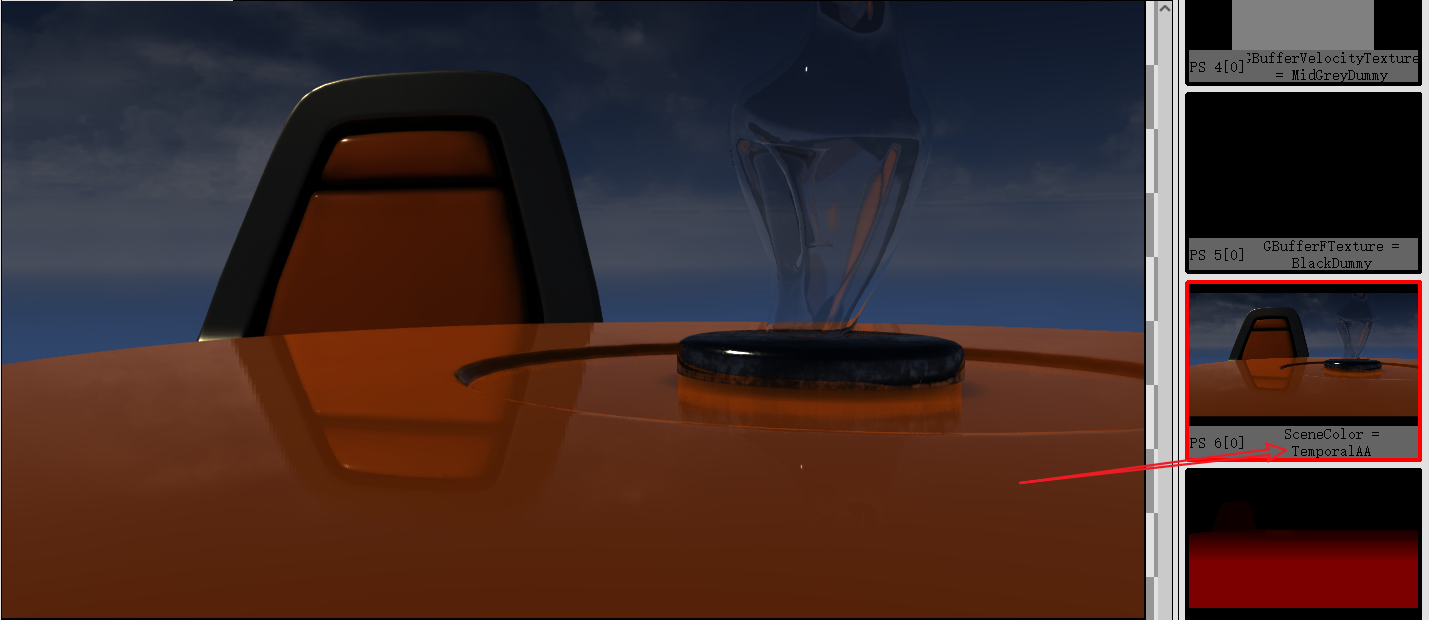
이는 주로 포스트 프로세스(Post-Process) 단계에서 TAA가 실행되기 때문입니다.SSR 단계에서 이 프레임의 장면 색상은 아직 포스트 프로세스(Post-Process)되지 않았으며 여전히 안티앨리어싱(Anti-Aliasing)이 없는 원래 상태입니다.직접 사용하면 확실히 감소합니다. SSR 효과. SSR의 RayMarch의 기본 SPP가 1이므로 이 단계의 색상에 명백한 노이즈가 있음을 의미합니다.
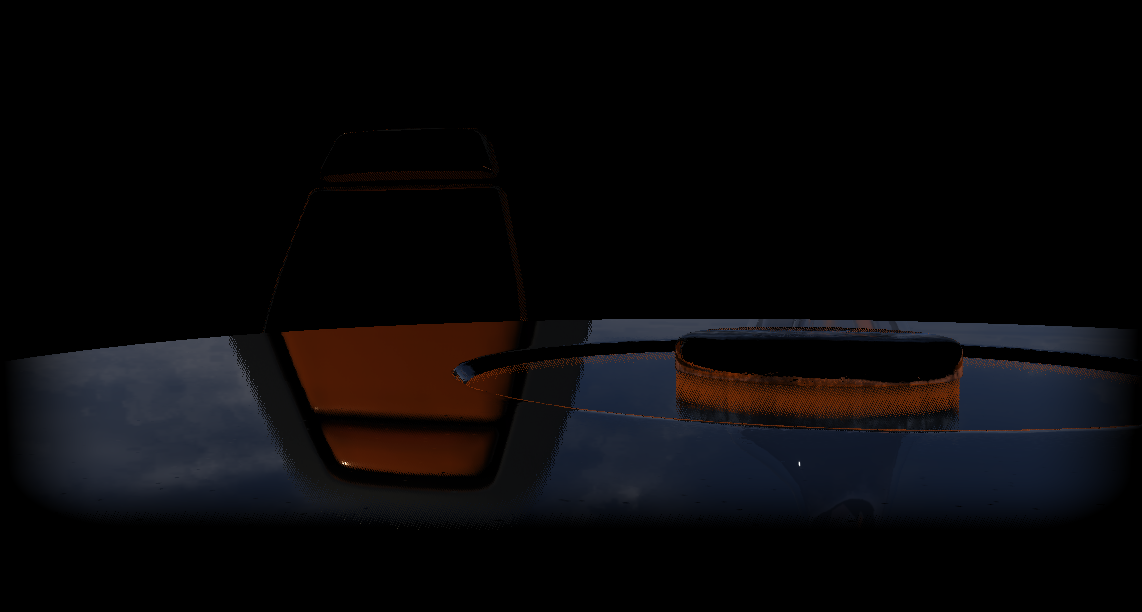
이를 위해서는 후속 단계에서 디노이징(Denoising)가 필요하며 UE는 TAA 단계에서 처리됩니다.
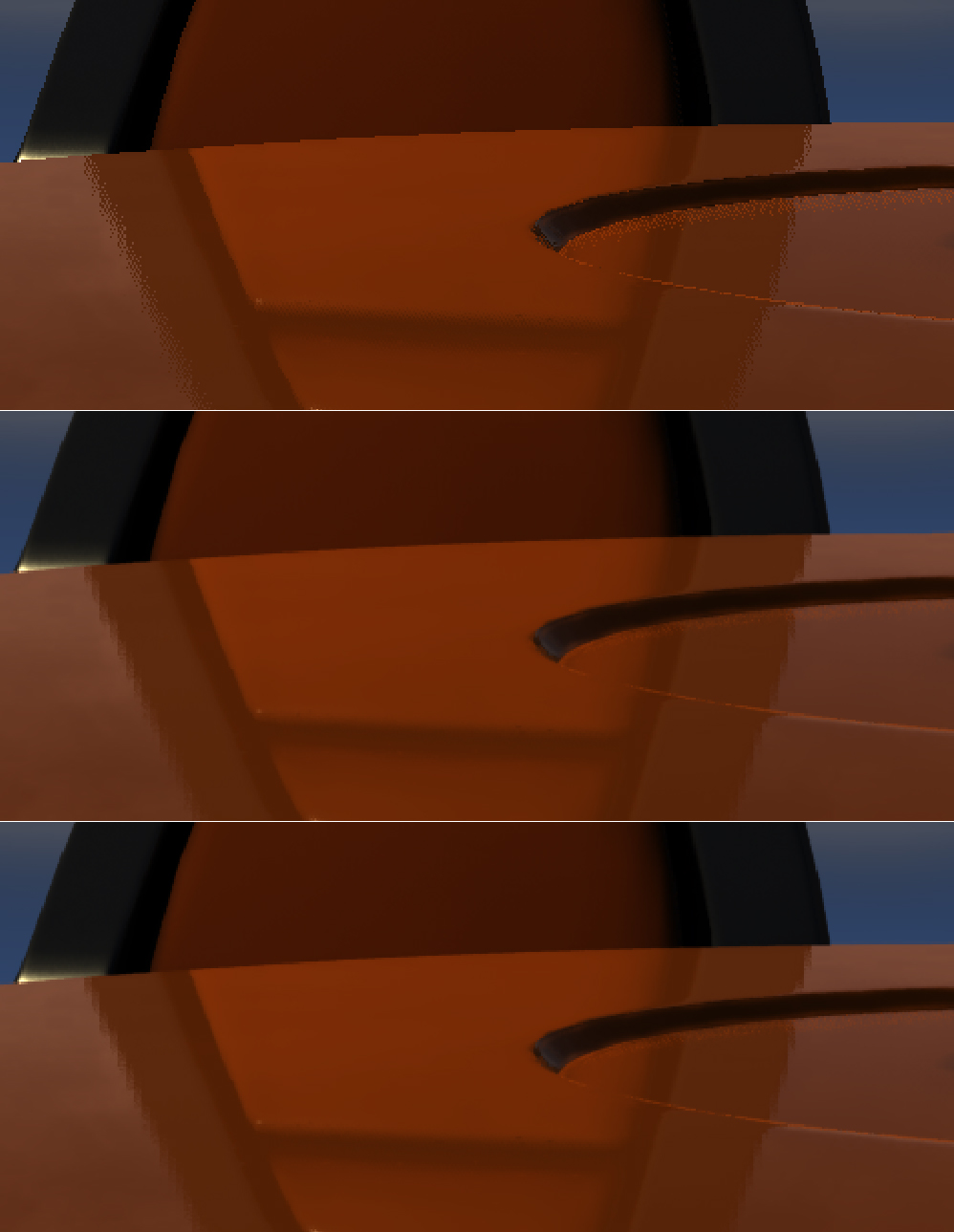
상단: 노이즈가 있는 SSR 텍스처, 중간: TAA의 역사적 프레임 텍스처, 하단: TAA 처리 후 텍스처.
7.4.7 SSAO
AO(Ambient Occlusion) 의 본질은 주변광(간접광)을 차폐하는 것으로, 많은 광선을 방출하여 폐색 계수를 계산할 수 있습니다.
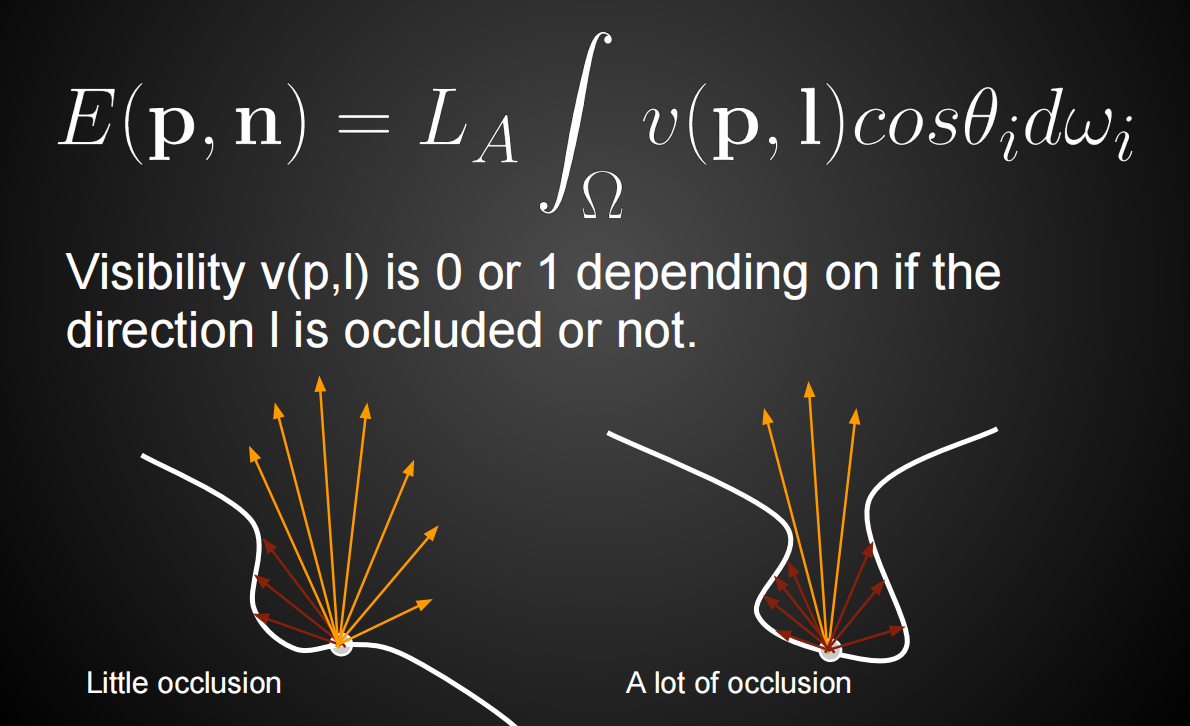
실시간 렌더링에서 오클루전 계수를 계산하는 방법에는 객체 공간과 화면 공간의 두 가지가 있습니다. 오브젝트 공간 AO는 광선 감지를 위해 실제 기하학을 사용하며 장면의 복잡성에 따라 기하급수적으로 소비합니다. 일반적으로 느리고 복잡한 오브젝트 단순화 및 공간 데이터 구조 기술이 필요합니다. 화면 공간의 AO는 포스트 프로세스(Post-Process) 단계에서 완료되며 데이터 전처리가 필요하지 않으며 장면의 복잡성에 의존하지 않으며 구현이 간단하고 소비가 적지만 물리적으로 정확하지 않습니다. 대략적인 교합 결과만 얻을 수 있습니다.
표면 노멀에 의해 형성되는 반구의 반경을 AO에 가깝게 제한하면 밀폐된 영역(예: 실내)에서 더 우수하고 효과적인 폐색 효과를 얻을 수 있습니다.
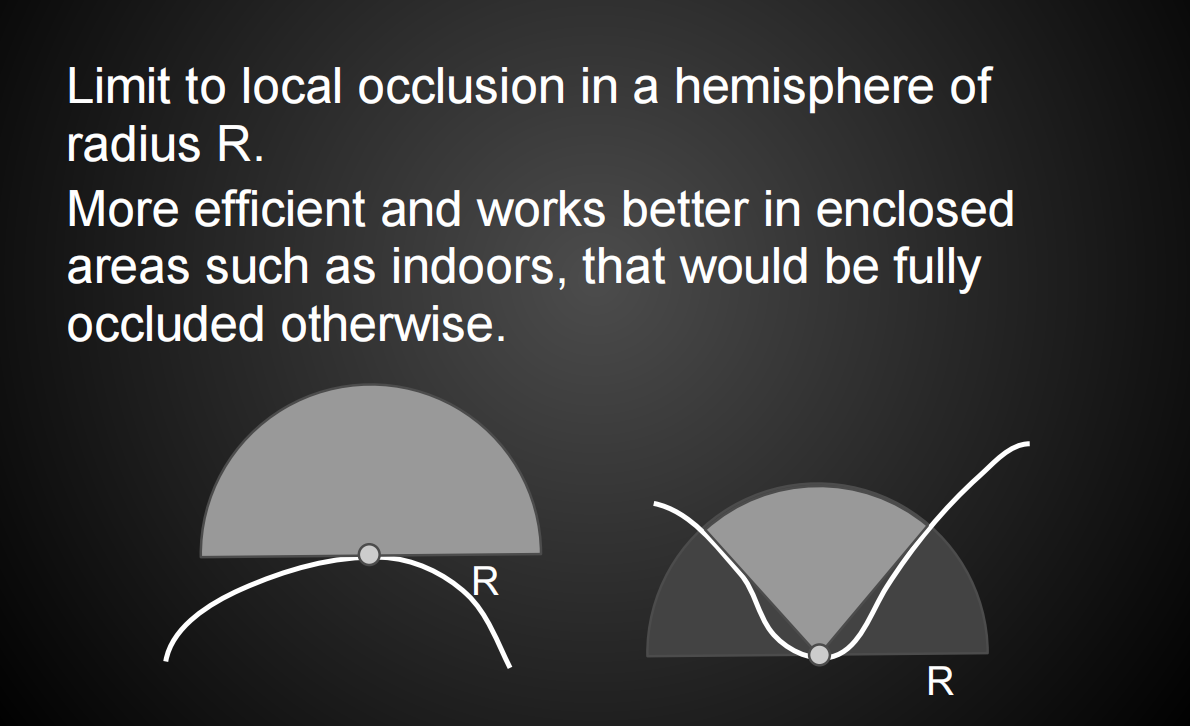
SSAO(Screen Space Ambient Occlusion) 는 뎁스 버퍼(Depth Buffer)를 사용하여 장면 개체를 근사하고 구 내에서 각 픽셀을 여러 번 샘플링하고 뎁스 버퍼(Depth Buffer)를 테스트합니다.
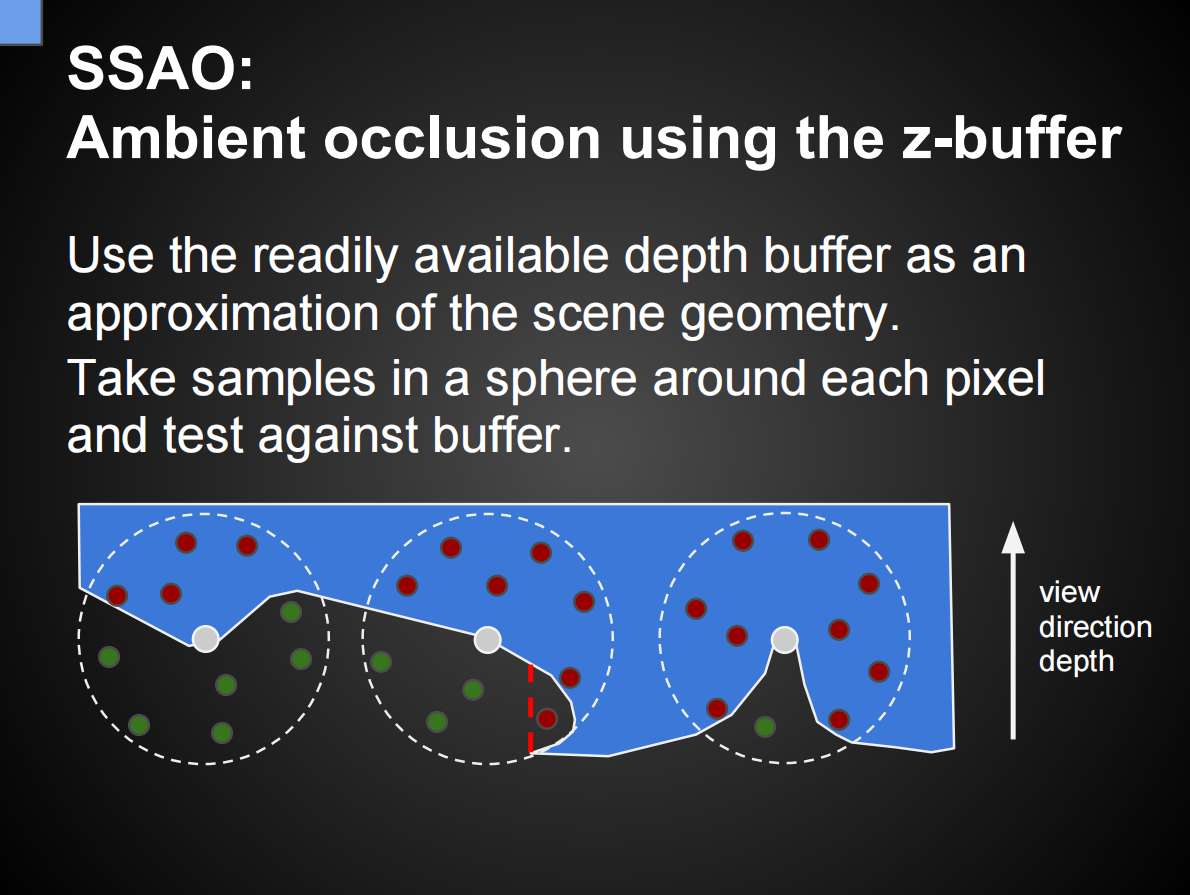
샘플 포인트의 절반 이상이 폐색되지 않은 경우(깊이 테스트 통과) AO가 적용됩니다. 법선이 불가능하면 반구를 구로 교체해야 합니다.
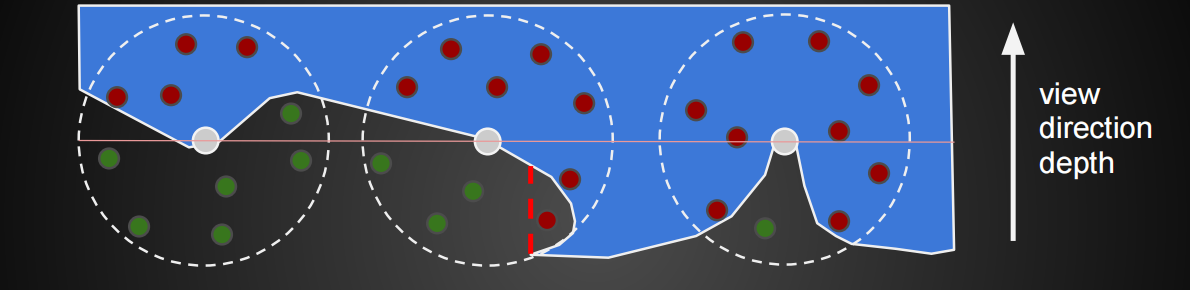
이 화면 공간 기반 깊이 테스트에는 결함이 있습니다. 예를 들어 아래 그림에서 화살표가 가리키는 지점은 깊이 테스트를 통과할 수는 없지만 실제로는 차단되지 않은 지점입니다.
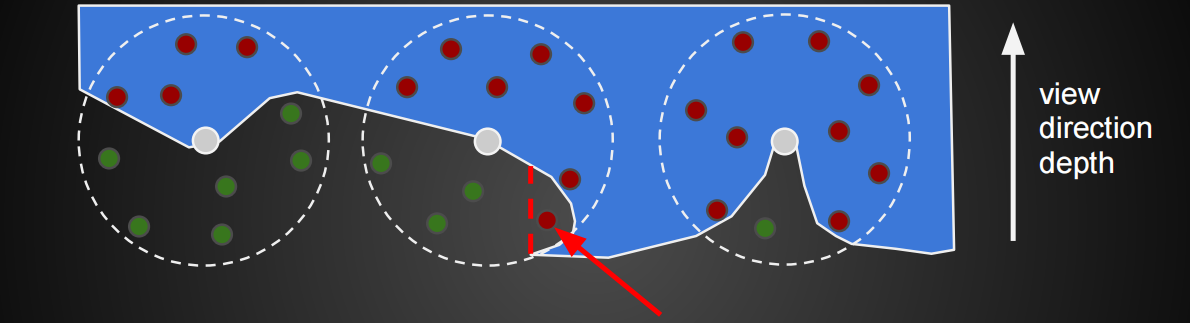
일반 정보가 있는 경우 SSAO를 HBAO(Horizon Based Ambient Occlusion)로 업그레이드할 수 있습니다. 이 HBAO 는 뎁스 버퍼(Depth Buffer)에서 일반 및 근사 레이 트레이싱(Ray Tracing)에 의해 형성된 반구에서 샘플링합니다.
HBAO는 보다 정확한 계산 공식을 채택합니다.
SSAO는 계산 속도를 높이기 위해 반해상도를 사용할 수도 있지만 잔디와 같은 작은 고주파수 물체에 깜박거리는 아티팩트를 생성하기도 합니다.
SSAO 및 HBAO 외에도 SSDO (Screen Space Directional Occlusion) 기술도 있는데, SSAO는 폐색 계수를 누적하기 위해 각 픽셀에 대해 여러 샘플링 포인트를 생성하는 반면 SSDO는 각 픽셀에 대해 여러 방향을 생성한다는 점에서 SSAO와 다릅니다. 방사율을 축적하기 위해:
SSDO의 가시성 테스트도 다르며 프로세스가 더 복잡하며 다음 그림과 함께 설명됩니다.
각 픽셀에 대해 다음을 수행합니다.
반경이 있는 픽셀 P 포인트에서
NS해요 X를
rmax
법선에 의해 형성된 반구에서 N개의 샘플링 포인트(AD)를 계산하고 각 샘플링 포인트에 대해 다음 작업을 수행합니다.
샘플링 포인트를 화면 공간에 투영합니다.
뎁스 버퍼(Depth Buffer)를 기반으로 표면 위치를 계산합니다.
샘플링 포인트가 위쪽에 있으면 차단된 것으로 간주됩니다(그림의 A, B, D 포인트).
샘플링 포인트가 아래쪽이면 포인트 P는 이 방향(C)의 빛에 의해 조명됩니다(퍼지 환경 맵을 사용하고 필터링은 대략 다음과 같습니다.
2 파이/ N
2π/N
).
간접 조명의 계산을 위해 SSDO는 이 방법을 사용합니다. 각 샘플링 포인트를 픽셀 법선을 향한 작은 영역 조명으로 취급한 다음 각 샘플링 포인트의 폼 팩터를 P 포인트로 계산하고 기여도를 누적하여 근사값을 얻습니다. 간접 빛 바운스의 결과:
SSAO와 비교하여 SDAO는 방향성과 색상이 있으므로 Color Bleeding과 유사한 GI 효과를 얻습니다.
앞서 언급한 AO 기술 외에도 HBAO+, HDAO(High Definition Ambient Occlusion), Hybrid Ambient Occlusion , MSSAO(Multi-Resolution Screen-Space Ambient Occlusion) , VXAO(Voxel Accelerated Ambient Occlusion) 및 GTAO(Ground-Truth Ambient)가 있습니다. 오클루전) AO 기술을 기다립니다.
SSAO의 이론과 관련 기술을 설명한 후 UE의 코드 구현으로 바로 진행합니다. UE의 SSAO 입구는 RenderBasePass와 RenderLights 사이에 있습니다.
void FDeferredShadingSceneRenderer::Render(FRHICommandListImmediate& RHICmdList)
{
    (......)
    RenderBasePass(...);
    (......)// 라이팅 이전의 라이팅 스테이지 ,레이턴시 、SSO。
    GCompositionLighting.Reset();if (FeatureLevel >= ERHIFeatureLevel::SM5)
{
        (......)for (int32 ViewIndex = 0; ViewIndex < Views.Num(); ViewIndex++)
{const FViewInfo& View = Views[ViewIndex];
            // SSAO해당 인터페이스 렌더링(Render).
            GCompositionLighting.ProcessAfterBasePass(GraphBuilder, Scene->UniformBuffers, View, SceneTextures);
        }
        (......)
    }
    (......)
    RenderLights(...);
}
다음 분석 GCompositionLighting::ProcessAfterBasePass:
// Engine\Source\Runtime\Renderer\Private\CompositionLighting\CompositionLighting.cpp
void FCompositionLighting::ProcessAfterBasePass(
    FRDGBuilder& GraphBuilder,
    FPersistentUniformBuffers& UniformBuffers,
    const FViewInfo& View,
    TRDGUniformBufferRef<FSceneTextureUniformParameters> SceneTexturesUniformBuffer)
{
    FSceneRenderTargets& SceneContext = FSceneRenderTargets::Get(GraphBuilder.RHICmdList);if (CanOverlayRayTracingOutput(View))
{const FSceneViewFamily& ViewFamily = *View.Family;
        RDG_EVENT_SCOPE(GraphBuilder, "LightCompositionTasks_PreLighting");
        AddPass(GraphBuilder, [&UniformBuffers, &View](FRHICommandList&)
{
            UniformBuffers.UpdateViewUniformBuffer(View);
        });
        (......)// Forward shading SSAO is applied before the base pass using only the depth buffer.
        // SSAO오직 필요 뎁스 버퍼(Depth Buffer), 필요 GBuffer, 로써
        if (!IsForwardShadingEnabled(View.GetShaderPlatform()))
{
            FScreenPassRenderTarget FinalTarget = FScreenPassRenderTarget(GraphBuilder.RegisterExternalTexture(SceneContext.ScreenSpaceAO, TEXT("AmbientOcclusionDirect")), View.ViewRect, ERenderTargetLoadAction::ENoAction);
            FScreenPassTexture AmbientOcclusion;// 에 따라 SSAO단계 및 타입/유형 의 렌더링(Render).
            const uint32 SSAOLevels = FSSAOHelper::ComputeAmbientOcclusionPassCount(View);
            if (SSAOLevels)
{const EGTAOType GTAOType = FSSAOHelper::GetGTAOPassType(View, SSAOLevels);
                TUniformBufferRef<FSceneTextureUniformParameters> SceneTexturesUniformBufferRHI = CreateSceneTextureUniformBuffer(GraphBuilder.RHICmdList, View.FeatureLevel);// 분리형(Separable)GTAO.
                if (GTAOType == EGTAOType::EAsyncHorizonSearch || GTAOType == EGTAOType::EAsyncCombinedSpatial)
{
                    (......)
                    AmbientOcclusion = AddPostProcessingGTAOPostAsync(GraphBuilder, View, Parameters, GTAOHorizons, FinalTarget);
                } else // 비분리형(Non-separable)GTAO
                {
    if (GTAOType == EGTAOType::ENonAsync)
{
                        FGTAOCommonParameters Parameters = GetGTAOCommonParameters(GraphBuilder, View, SceneTexturesUniformBuffer, SceneTexturesUniformBufferRHI, GTAOType);
                        AmbientOcclusion = AddPostProcessingGTAOAllPasses(GraphBuilder, View, Parameters, FinalTarget);
                    } else // 기본 동작 시, UE실행(Execute)해당 분기 .
                    {
                        FSSAOCommonParameters Parameters = GetSSAOCommonParameters(GraphBuilder, View, SceneTexturesUniformBuffer, SceneTexturesUniformBufferRHI, SSAOLevels, true);
                        AmbientOcclusion = AddPostProcessingAmbientOcclusion(GraphBuilder, View, Parameters, FinalTarget);
                    }
                    (......)
                }
                SceneContext.bScreenSpaceAOIsValid = true;
            }
        }
    }
}
기본적으로 UE는 AddPostProcessingAmbientOcclusion다음 인터페이스 분석을 실행 하고 입력합니다.
// @param Levels 0..3, how many different resolution levels we want to render
static FScreenPassTexture AddPostProcessingAmbientOcclusion(
    FRDGBuilder& GraphBuilder,
    const FViewInfo& View,
    const FSSAOCommonParameters& CommonParameters,
    FScreenPassRenderTarget FinalTarget)
{
    check(CommonParameters.Levels >= 0 && CommonParameters.Levels <= 3);
    FScreenPassTexture AmbientOcclusionInMip1;
    FScreenPassTexture AmbientOcclusionPassMip1;// Level >= 2인 경우: SetupPass 1~2회, StepPass 1~2회, FinalPass 1회 순차 실행
    if (CommonParameters.Levels >= 2)
{
        AmbientOcclusionInMip1 =
            AddAmbientOcclusionSetupPass(
                GraphBuilder,
                View,
                CommonParameters,
                CommonParameters.SceneDepth);
        FScreenPassTexture AmbientOcclusionPassMip2;if (CommonParameters.Levels >= 3)
{
            FScreenPassTexture AmbientOcclusionInMip2 =
                AddAmbientOcclusionSetupPass(
                    GraphBuilder,
                    View,
                    CommonParameters,
                    AmbientOcclusionInMip1);
            AmbientOcclusionPassMip2 =
                AddAmbientOcclusionStepPass(
                    GraphBuilder,
                    View,
                    CommonParameters,
                    AmbientOcclusionInMip2,
                    AmbientOcclusionInMip2,
                    FScreenPassTexture(),
                    CommonParameters.HZBInput);
        }
        AmbientOcclusionPassMip1 =
            AddAmbientOcclusionStepPass(
                GraphBuilder,
                View,
                CommonParameters,
                AmbientOcclusionInMip1,
                AmbientOcclusionInMip1,
                AmbientOcclusionPassMip2,
                CommonParameters.HZBInput);
    }
    FScreenPassTexture FinalOutput =
        AddAmbientOcclusionFinalPass(
            GraphBuilder,
            View,
            CommonParameters,
            CommonParameters.GBufferA,
            AmbientOcclusionInMip1,
            AmbientOcclusionPassMip1,
            CommonParameters.HZBInput,
            FinalTarget);return FinalOutput;
}
위의 내용은 레벨에 따라 Setup, Step 및 Final 채널의 다른 시간을 실행합니다. 저자의 프레임 컷을 예로 들어 설정을 한 번, 두 번 실행했습니다 PS:

반해상도 법선을 얻기 위해 설정 단계에서 법선에 대해 다운샘플링(Downsampling)을 수행하는 한. 다운 샘플링된 PS 코드는 다음과 같습니다.
// Engine\Shaders\Private\PostProcessAmbientOcclusion.usf
void MainSetupPS(in noperspective float4 UVAndScreenPos : TEXCOORD0, float4 SvPosition : SV_POSITION, out float4 OutColor0 : SV_Target0)
{
    float2 ViewPortSize = AOViewport_ViewportSize;
    float2 InUV = UVAndScreenPos.xy;// 4개 샘플링 포인트.
    float2 UV[4];
    UV[0] = InUV + float2(-0.5f, -0.5f) * InputExtentInverse;
    UV[1] = min(InUV + float2( 0.5f, -0.5f) * InputExtentInverse, View.BufferBilinearUVMinMax.zw);
    UV[2] = min(InUV + float2(-0.5f,  0.5f) * InputExtentInverse, View.BufferBilinearUVMinMax.zw);
    UV[3] = min(InUV + float2( 0.5f,  0.5f) * InputExtentInverse, View.BufferBilinearUVMinMax.zw);
    float4 Samples[4];// 페치/가져오기(Fetch)입력텍스처(Texture)의 4개 샘플링 포인트데이터 .
    UNROLL for(uint i = 0; i < 4; ++i)
{
#if COMPUTE_SHADER || FORWARD_SHADING
        // Async compute and forward shading don't have access to the gbuffer.
        Samples[i].rgb = normalize(ReconstructNormalFromDepthBuffer(float4(UV[i] * ViewPortSize, SvPosition.zw))) * 0.5f + 0.5f;
#else
Samples[i].rgb = GetGBufferData(UV[i], true).WorldNormal * 0.5f + 0.5f;
#endif
Samples[i].a = CalcSceneDepth(UV[i]);
    }float MaxZ = max( max(Samples[0].a, Samples[1].a), max(Samples[2].a, Samples[3].a));// 컬러 값, 여기서 샘플링뎁스 로써 스케일링 가중치(Weight).
    float4 AvgColor = 0.0f;
    if (USE_NORMALS)
{
        AvgColor = 0.0001f;
        {UNROLL for(uint i = 0; i < 4; ++i)
{
                AvgColor += float4(Samples[i].rgb, 1) * ComputeDepthSimilarity(Samples[i].a, MaxZ, ThresholdInverse);
            }
            AvgColor.rgb /= AvgColor.w;
        }
    }
    OutColor0 = float4(AvgColor.rgb, MaxZ / Constant_Float16F_Scale);
}
위는 색상 값을 평균화할 때 ComputeDepthSimilarity색상 스케일링 가중치로 깊이 유사도 를 사용합니다 .
// 0테이블 , 1테이블 .
float ComputeDepthSimilarity(float DepthA, float DepthB, float TweakScale)
{
    return saturate(1 - abs(DepthA - DepthB) * TweakScale);
}
StepPass에서는 반해상도 AO 계산이 수행되고 FinalPass에서는 업샘플링(Upsampling)된 AO 계산이 수행되며 동일한 PS 셰이더 코드를 사용합니다(그러나 매개변수와 매크로는 다름).
void MainPS(in noperspective float4 UVAndScreenPos : TEXCOORD0, float4 SvPosition : SV_POSITION, out float4 OutColor : SV_Target0)
{
    MainPSandCS(UVAndScreenPos, SvPosition, OutColor);
}// AO계산/산출(Calculate)의 로직
void MainPSandCS(in float4 UVAndScreenPos, float4 SvPosition, out float4 OutColor)
{
    OutColor = 0;// 상수(Constant)C++레벨 설정(Set).
    float AmbientOcclusionPower = ScreenSpaceAOParams[0].x;
    float Ratio = ScreenSpaceAOParams[1].w;
    float AORadiusInShader = ScreenSpaceAOParams[1].z;
    float InvAmbientOcclusionDistance = ScreenSpaceAOParams[0].z;
    float AmbientOcclusionIntensity = ScreenSpaceAOParams[0].w;
    float2 ViewportUVToRandomUV = ScreenSpaceAOParams[1].xy;
    float AmbientOcclusionBias = ScreenSpaceAOParams[0].y;
    float ScaleFactor = ScreenSpaceAOParams[2].x;
    float ScaleRadiusInWorldSpace = ScreenSpaceAOParams[2].z;
    float2 UV = UVAndScreenPos.xy;
    float2 ScreenPos = UVAndScreenPos.zw;float InvTanHalfFov = ScreenSpaceAOParams[3].w;
    float3 FovFix = float3(InvTanHalfFov, Ratio * InvTanHalfFov, 1);
    float3 InvFovFix = 1.0f / FovFix;float SceneDepth = GetDepthFromAOInput(UV);
    float3 WorldNormal = GetWorldSpaceNormalFromAOInput(UV, SvPosition);// 만약 을(를) 활용하여 노멀(Normal)(!USE_NORMALS), ViewSpaceNormal가능성 있음는 NaN.
    float3 ViewSpaceNormal = normalize(mul(WorldNormal, (float3x3)View.TranslatedWorldToView));
    float3 ViewSpacePosition = ReconstructCSPos(SceneDepth, ScreenPos);// 계산/산출(Calculate)AO의 반경 .
    float ActualAORadius = AORadiusInShader * lerp(SceneDepth, 1, ScaleRadiusInWorldSpace);// 보정/수정(Fix) 이후추가(Add).
    if (USE_NORMALS)
{
        ViewSpacePosition += AmbientOcclusionBias * SceneDepth * ScaleFactor * (ViewSpaceNormal * FovFix);
    }
    float2 WeightAccumulator = 0.0001f;// 에 따라 샘플링품질 의 랜덤/난수 벡터 .
#if AO_SAMPLE_QUALITY != 0
    // no SSAO in this pass, only upsampling
#if AO_SAMPLE_QUALITY == 1
    // no 4x4 randomization
    float2 RandomVec = float2(0, 1) * ActualAORadius;
    {#elif
AO_SAMPLE_QUALITY == 2
    // 4x4 타일링 텍스처에서 16개 기저 벡터 중 하나 추출.
    float2 RandomVec = (Texture2DSample(RandomNormalTexture, RandomNormalTextureSampler, UV * ViewportUVToRandomUV).rg * 2 - 1) * ActualAORadius;
    {#else // 4x4 타일링 텍스처에서 16개 기저 벡터 중 하나 추출.
    const float2 TemporalOffset = ScreenSpaceAOParams[3].xy;// 디버그 모드(Debug Mode).
    const bool bDebugLookups = DEBUG_LOOKUPS && ViewSpacePosition.x > 0;
    float2 RandomVec = (Texture2DSample(RandomNormalTexture, RandomNormalTextureSampler, TemporalOffset + UV * ViewportUVToRandomUV).rg * 2 - 1) * ActualAORadius;
    {#endif // AO_SAMPLE_QUALITY ==if(bDebugLookups && ViewSpacePosition.y > 0)
{// top sample are not per pixel rotated
            RandomVec = float2(0, 1) * ActualAORadius;
        }
        float2 FovFixXY = FovFix.xy * (1.0f / ViewSpacePosition.z);
        float4 RandomBase = float4(RandomVec, -RandomVec.y, RandomVec.x) * float4(FovFixXY, FovFixXY);
        float2 ScreenSpacePos = ViewSpacePosition.xy / ViewSpacePosition.z;// .x 의 뷰(View)을(를) 활용하여 x스케일링 .
        float InvHaloSize = 1.0f / (ActualAORadius * FovFixXY.x * 2);
        float3 ScaledViewSpaceNormal = ViewSpaceNormal;
#if OPTIMIZATION_O1
        ScaledViewSpaceNormal *= 0.08f * lerp(SceneDepth, 1000, ScaleRadiusInWorldSpace);
#endif
UNROLL for(int i = 0; i < SAMPLESET_ARRAY_SIZE; ++i)
{
            // -1..1
            float2 UnrotatedRandom = OcclusionSamplesOffsets[i].xy;
            float2 LocalRandom = (UnrotatedRandom.x * RandomBase.xy + UnrotatedRandom.y * RandomBase.zw);if (bDebugLookups)
{
                (......)
            } else if (USE_NORMALS) // 노멀(Normal)
{
                float3 LocalAccumulator = 0;UNROLL for(uint step = 0; step < SAMPLE_STEPS; ++step)
{
                    // 는 상수(Constant).
                    float Scale = (step + 1) / (float)SAMPLE_STEPS;
                    // 는 상수(Constant)(텍스처(Texture)의 캐싱(Cache) 및 성능 , 품질 ).
                    float MipLevel = ComputeMipLevel(i, step);// 의 샘플링 포인트.
                    float3 StepSample = WedgeWithNormal(ScreenSpacePos, Scale * LocalRandom, InvFovFix, ViewSpacePosition, ScaledViewSpaceNormal, InvHaloSize, MipLevel);// 수평(Horizontal)방향 의 .
                    LocalAccumulator = lerp(LocalAccumulator, float3(max(LocalAccumulator.xy, StepSample.xy), 1), StepSample.z);
                }// Square(): 각도 2차 곡선 기반 면적 스케일링 (자연스러운 섀도 감쇠 효과).
                WeightAccumulator += float2(Square(1 - LocalAccumulator.x) * LocalAccumulator.z, LocalAccumulator.z);
                WeightAccumulator += float2(Square(1 - LocalAccumulator.y) * LocalAccumulator.z, LocalAccumulator.z);
            } else // 없음노멀(Normal)
{
                (......)
            }
        }
    }
#endif //
#if AO_SAMPLE_QUALITY == 0
    OutColor.r = WeightAccumulator.x / WeightAccumulator.y;
    OutColor.gb = float2(0, 0);if(!bDebugLookups)
{#if COMPUTE_SHADER || FORWARD_SHADING
        // In compute, Input1 and Input2 are not necessarily valid.
        float4 Filtered = 1;
#else// 업샘플링(Upsampling).
        float4 Filtered = ComputeUpsampleContribution(SceneDepth, UV, WorldNormal);
#endif// recombined result from multiple resolutions
        OutColor.r = lerp(OutColor.r, Filtered.r, ComputeLerpFactor());
    }
#if !USE_AO_SETUP_AS_INPUT // FinalPass실행(Execute)해당 로직 .if(!bDebugLookups)
{// 풀 해상도(Full Resolution)// 거리트랜지션/전이AO
        {float Mul = ScreenSpaceAOParams[4].x;
            float Add = ScreenSpaceAOParams[4].y;
            OutColor.r = lerp(OutColor.r, 1, saturate(SceneDepth * Mul + Add));
        }// 을(를) 활용하여 수정 의 AO
        OutColor.r = 1 - (1 - pow(abs(OutColor.r), AmbientOcclusionPower)) * AmbientOcclusionIntensity;// 오직 출력채널/패스(Pass)
        OutColor = OutColor.r;
    } else
{
        OutColor.r = pow(1 - OutColor.r, 16);    // constnt is tweaked with radius and sample count
    }
#endif// SM4지원 ddx_fine()
#if !COMPUTE_SHADER && QUAD_MESSAGE_PASSING_BLUR > 0 && FEATURE_LEVEL >= FEATURE_LEVEL_SM5
    {// .x: AO output, .y:SceneDepth .zw:view space normal
        float4 CenterPixel = float4(OutColor.r, SceneDepth, normalize(ViewSpaceNormal).xy);
        float4 dX = ddx_fine(CenterPixel);
        float4 dY = ddy_fine(CenterPixel);
        int2 Mod = (uint2)(SvPosition.xy) % 2;
        float4 PixA = CenterPixel;
        float4 PixB = CenterPixel - dX * (Mod.x * 2 - 1);
        float4 PixC = CenterPixel - dY * (Mod.y * 2 - 1);float WeightA = 1.0f;
        float WeightB = 1.0f;
        float WeightC = 1.0f;// 을(를) 활용하여 노멀(Normal)계산/산출(Calculate)가중치(Weight).
#if QUAD_MESSAGE_PASSING_NORMAL
        const float NormalTweak = 4.0f;
        float3 NormalA = ReconstructNormal(PixA.zw);
        float3 NormalB = ReconstructNormal(PixB.zw);
        float3 NormalC = ReconstructNormal(PixC.zw);
        WeightB *= saturate(pow(saturate(dot(NormalA, NormalB)), NormalTweak));
        WeightC *= saturate(pow(saturate(dot(NormalA, NormalC)), NormalTweak));
#endif// 을(를) 활용하여 뎁스 계산/산출(Calculate)가중치(Weight).
#if QUAD_MESSAGE_PASSING_DEPTH
        const float DepthTweak = 1;
        float InvDepth = 1.0f / PixA.y;
        WeightB *= 1 - saturate(abs(1 - PixB.y * InvDepth) * DepthTweak);
        WeightC *= 1 - saturate(abs(1 - PixC.y * InvDepth) * DepthTweak);
#endif// + 1.0f to avoid div by 0
        float InvWeightABC = 1.0f / (WeightA + WeightB + WeightC);// 스케일링 가중치(Weight).
        WeightA *= InvWeightABC;
        WeightB *= InvWeightABC;
        WeightC *= InvWeightABC;// 을(를) 활용하여 가중치(Weight)계산/산출(Calculate)가장 의 출력컬러 .
        OutColor = WeightA * PixA.x + WeightB * PixB.x + WeightC * PixC.x;
    }
#endif
}
위의 일반 알고리즘과 깊이 알고리즘을 가중치로 제공하며 계산 공식은 다음과 같습니다(MSSAO에서 가져옴).
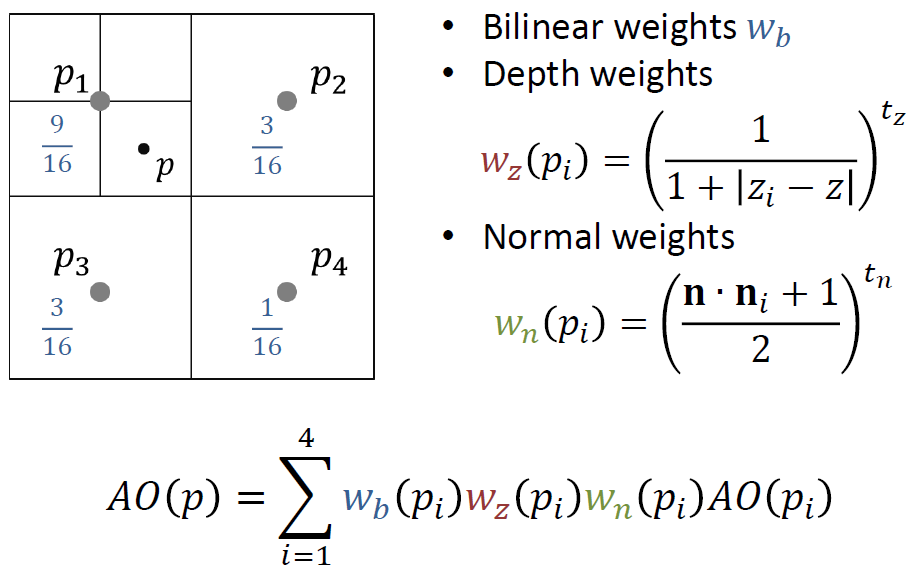
UE는 PC 측의 SSAO에서 노멀을 사용하므로 샘플링 포인트를 계산할 때 노멀을 고려하며 다음을 WedgeWithNormal담당합니다.
float3 WedgeWithNormal(float2 ScreenSpacePosCenter, float2 InLocalRandom, float3 InvFovFix, float3 ViewSpacePosition, float3 ScaledViewSpaceNormal, float InvHaloSize, float MipLevel)
{
    float2 ScreenSpacePosL = ScreenSpacePosCenter + InLocalRandom;
    float2 ScreenSpacePosR = ScreenSpacePosCenter - InLocalRandom;float AbsL = GetHZBDepth(ScreenSpacePosL, MipLevel);
    float AbsR = GetHZBDepth(ScreenSpacePosR, MipLevel);
    float3 SamplePositionL = ReconstructCSPos(AbsL, ScreenSpacePosL);
    float3 SamplePositionR = ReconstructCSPos(AbsR, ScreenSpacePosR);
    float3 DeltaL = (SamplePositionL - ViewSpacePosition) * InvFovFix;
    float3 DeltaR = (SamplePositionR - ViewSpacePosition) * InvFovFix;
#if OPTIMIZATION_O1
    float InvNormAngleL = saturate(dot(DeltaL, ScaledViewSpaceNormal) / dot(DeltaL, DeltaL));
    float InvNormAngleR = saturate(dot(DeltaR, ScaledViewSpaceNormal) / dot(DeltaR, DeltaR));
    float Weight = 1;
#else
float InvNormAngleL = saturate(dot(DeltaL, ScaledViewSpaceNormal) * rsqrt(dot(DeltaL, DeltaL)));
    float InvNormAngleR = saturate(dot(DeltaR, ScaledViewSpaceNormal) * rsqrt(dot(DeltaR, DeltaR)));float Weight =
          saturate(1.0f - length(DeltaL) * InvHaloSize)
        * saturate(1.0f - length(DeltaR) * InvHaloSize);
#endif
return float3(InvNormAngleL, InvNormAngleR, Weight);
}
쐐기는 노멀(아래)을 사용하여 구성되고 이 쐐기 내에서 샘플링 데이터와 가중치가 생성됩니다. 주요 프로세스는 노멀 주위의 화면 공간의 왼쪽 및 오른쪽 오프셋을 생성하고 HZB 깊이 값을 결합하여 왼쪽 및 오른쪽 샘플링 위치를 재구성한 다음 마지막으로 왼쪽 및 오른쪽 각도와 가중치의 역수를 출력하는 것입니다.
위의 코드 분석에서 UE의 SSAO는 렌더링 과정, 다운샘플링(Downsampling), 가중치 계산, AO 혼합 등 MSSAO 버전과 매우 유사함을 알 수 있습니다 .
위 단계를 통해 렌더링하면 아래와 같이 전체 해상도 단일 채널 ScreenSpaceAO 텍스처 데이터를 얻을 수 있습니다.
그렇다면 ScreenSpaceAO는 어디서 어떻게 조명에 적용됩니까? 아래에서 계속 추적하고 분석하십시오.
RenderDoc을 사용하여 프레임 분석을 자르면 ScreenSpaceAO 텍스처가 여러 렌더링 단계에서 사용된다는 것을 알 수 있습니다.
위의 그림은 간접광과 AO를 결합하는 렌더링 단계, 렌더링 지연 표준 광원, 반사 환경 및 스카이라이트가 모두 ScreenSpaceAO를 참조함을 보여줍니다.
SSAO를 포함하는 간접광과 AO를 결합하는 코드 로직은 다음과 같습니다.
// Engine\Shaders\Private\DiffuseIndirectComposite.usf
Texture2D AmbientOcclusionTexture;
SamplerState AmbientOcclusionSampler;void MainPS(float4 SvPosition : SV_POSITION, out float4 OutColor : SV_Target0)
{
    (......)// 샘플링SSAO데이터 .
    float DynamicAmbientOcclusion = 1.0f;
#if DIM_APPLY_AMBIENT_OCCLUSION
    DynamicAmbientOcclusion = AmbientOcclusionTexture.SampleLevel(AmbientOcclusionSampler, BufferUV, 0).r;
#endif// 계산/산출(Calculate)가장 AO: 머티리얼(Material)AO * SSAO.
    float FinalAmbientOcclusion = GBuffer.GBufferAO * DynamicAmbientOcclusion;
    (......)
{float AOMask = (GBuffer.ShadingModelID != SHADINGMODELID_UNLIT);
        // AOMask와 가중치 기반 최종 AO를 보간하여 Alpha 채널에 저장 (RGB 직접 적용 방지).
        OutColor.a = lerp(1.0f, FinalAmbientOcclusion, AOMask * AmbientOcclusionStaticFraction);
    }
}
렌더링 지연 표준 광원과 관련된 SSAO 계산 코드는 다음과 같습니다.
// Engine\Shaders\Private\DeferredShadingCommon.ush
FScreenSpaceData GetScreenSpaceData(float2 UV, bool bGetNormalizedNormal = true)
{
    FScreenSpaceData Out;
    Out.GBuffer = GetGBufferData(UV, bGetNormalizedNormal);// 샘플링SSAO
    float4 ScreenSpaceAO = Texture2DSampleLevel(SceneTexturesStruct.ScreenSpaceAOTexture, SceneTexturesStruct_ScreenSpaceAOTextureSampler, UV, 0);// 직접SSAO로써 가장 AO.
    Out.AmbientOcclusion = ScreenSpaceAO.r;return Out;
}FDeferredLightingSplit GetDynamicLightingSplit(..., float AmbientOcclusion, ...)
{
    (......)
    FShadowTerms Shadow;// 직접SSAO로써 그림자(Shadow)의 값, 이후 그림자(Shadow)의 계수.
    Shadow.SurfaceShadow = AmbientOcclusion;
    (......)
    LightAccumulator_AddSplit( LightAccumulator, Lighting.Diffuse, Lighting.Specular, Lighting.Diffuse,// ※ 주의: , 여기서 활용 을(를) 활용하여 Shadow.SurfaceShadow스케일링 라이트(Light)컬러 .
                              LightColor * LightMask * Shadow.SurfaceShadow,
                              bNeedsSeparateSubsurfaceLightAccumulation );
    (......)
}
지연된 조명 렌더링 단계는 중첩된 AO 및 그림자 요소에 의해 광원의 색상을 조정하며, 이는 디퓨즈와 하이라이트 모두에 영향을 줍니다.
반사된 환경과 스카이라이트도 유사하므로 여기서 더 이상 중복 분석이 필요하지 않습니다. 이 섹션이 끝나면 UE의 SSAO를 켜고 끄는 효과에 대한 비교 차트가 공개됩니다(상단과 하단이 없음).
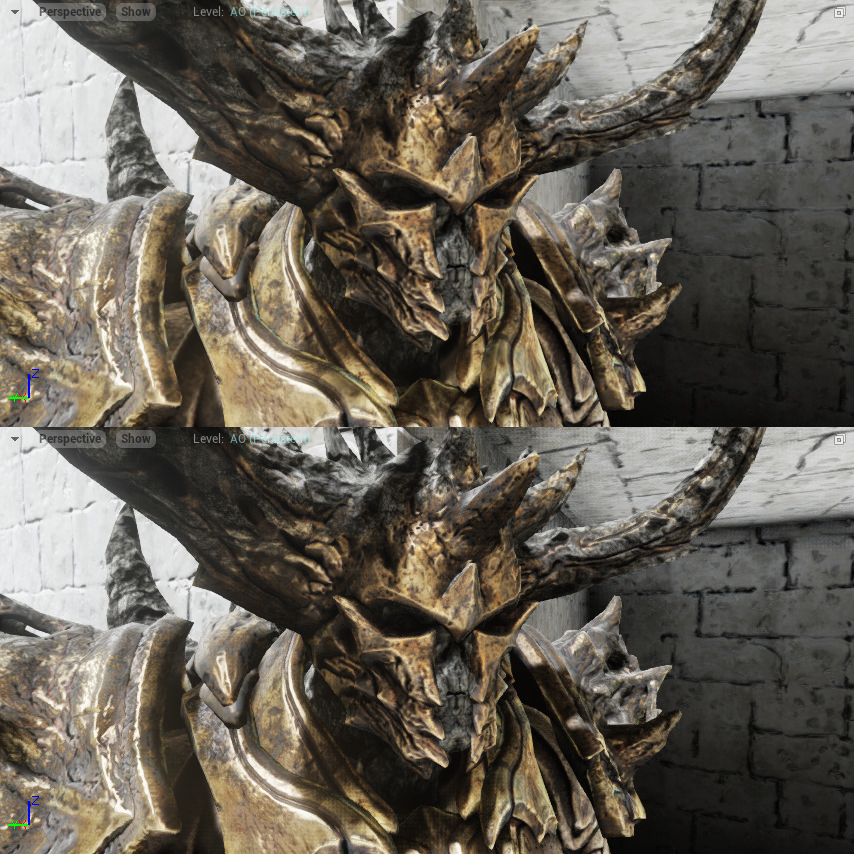
또한 UE는 GTAO 버전도 지원하므로 이 기사에서는 분석하지 않습니다.
7.4.8 SSGI
SSGI(Screen Space Global IIlumination) 는 스크린 스페이스 글로벌 일루미네이션(SSGI: Screen Space Global Illumination)으로 번역되며 화면 공간의 GBuffer 데이터를 기반으로 하는 레이 트레이싱(Ray Tracing)을 위한 GI 기술입니다.
기본적으로 UE는 프로젝트 구성에서 명시적으로 켜야 하는 SSGI를 끕니다.
SSGI를 켠 후 모서리, 홈 및 기타 표면의 간접 조명을 늘리고 빛샘을 줄이며 사진의 신뢰성을 높일 수 있습니다.
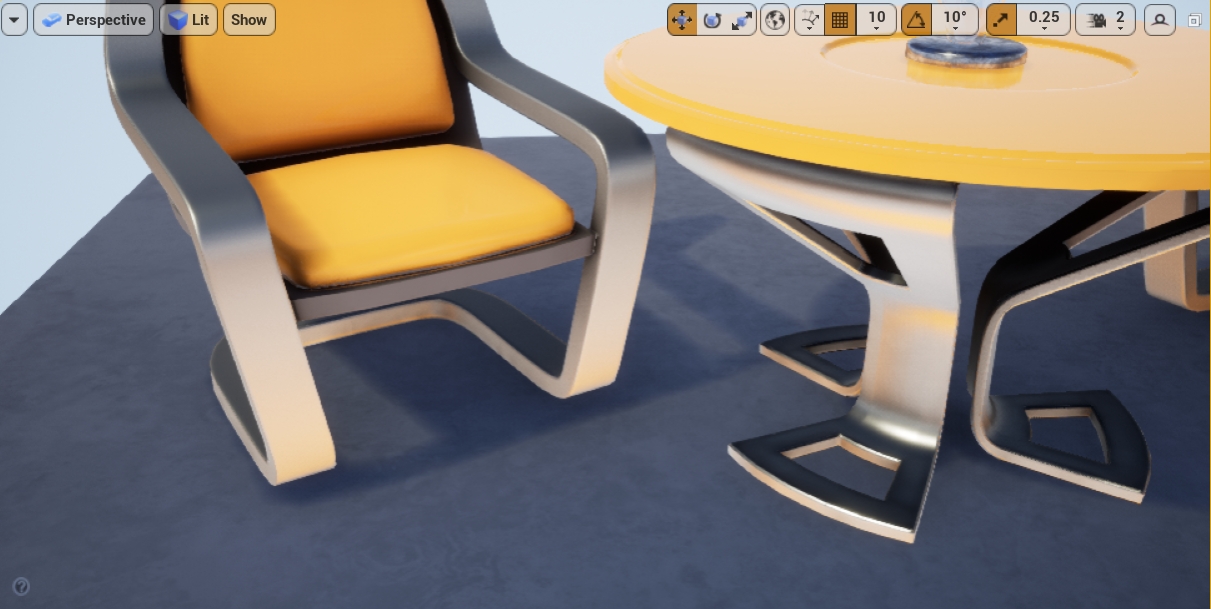
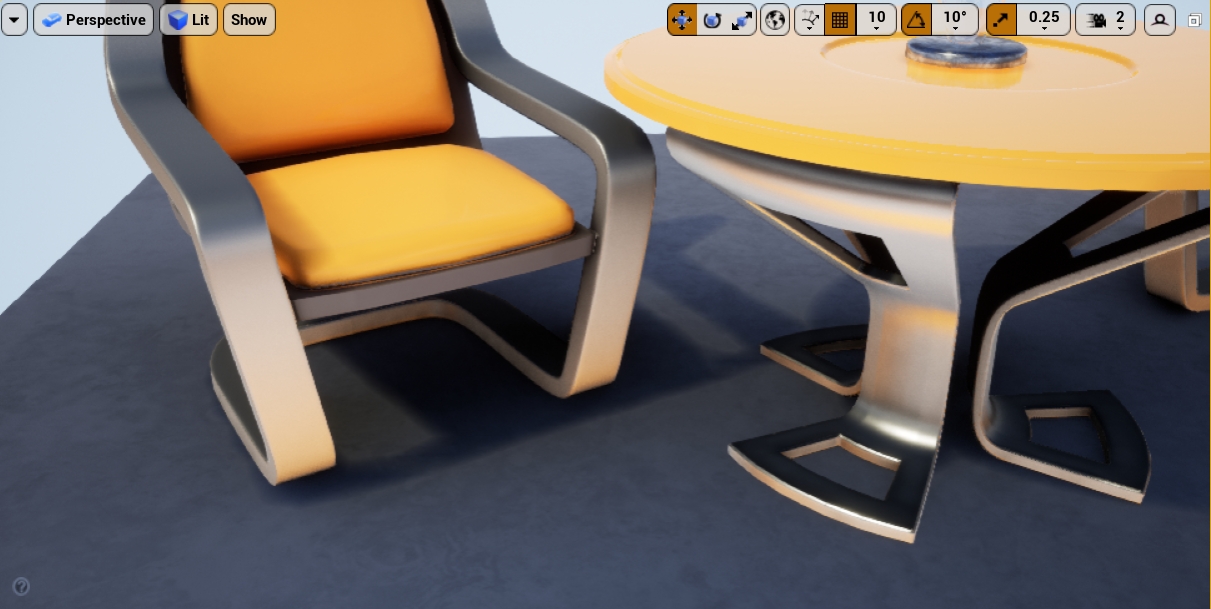
상단: SSGI 끄기, 하단: SSGI 켜기, 테이블과 의자 아래로 새는 빛이 현저히 줄어듭니다.
SSGI UE는 DiffuseIndirectAndAOBasePass와 Lighting 사이에 위치하여 완성되어야 합니다. SSGI는 주로 다음 단계로 나뉩니다.
- SSGI 렌더링 단계:
- 이전 프레임의 데이터는 처음으로 다운 샘플링됩니다(4 Mip 레벨).
- 두 번째로 이전 데이터 프레임을 다운샘플링(Downsampling)합니다(1 Mip 수준, 가장 낮은 수준).
- 화면 공간의 간접 디퓨즈를 계산합니다.
- 화면 공간 소음 감소:
- 메타데이터를 압축합니다.
- 데이터를 다시 작성하십시오.
- 시간 누적 소음 감소.
- SSGI 및 SSAO와 같은 간접 조명을 결합합니다.
7.4.8.1 SSGI 렌더링
다음은 위의 단계에 따른 SSGI의 구체적인 구현 프로세스를 설명합니다. 먼저 SSGI 렌더링 단계를 살펴보십시오.
// Engine\Source\Runtime\Renderer\Private\ScreenSpaceRayTracing.cpp
void RenderScreenSpaceDiffuseIndirect(
    FRDGBuilder& GraphBuilder,
    const FSceneTextureParameters& SceneTextures,
    const FRDGTextureRef CurrentSceneColor,
    const FViewInfo& View,
    IScreenSpaceDenoiser::FAmbientOcclusionRayTracingConfig* OutRayTracingConfig,
    IScreenSpaceDenoiser::FDiffuseIndirectInputs* OutDenoiserInputs)
{
    // 초기화(Initialize)품질 , 플래그 , 해상도/크기 데이터 .
    const int32 Quality = FMath::Clamp( CVarSSGIQuality.GetValueOnRenderThread(), 1, 4 );
    bool bHalfResolution = IsSSGIHalfRes();
    FIntPoint GroupSize;
    int32 RayCountPerPixel;
    GetSSRTGIShaderOptionsForQuality(Quality, &GroupSize, &RayCountPerPixel);
    FIntRect Viewport = View.ViewRect;if (bHalfResolution)
{
        Viewport = FIntRect::DivideAndRoundUp(Viewport, 2);
    }
    RDG_EVENT_SCOPE(GraphBuilder, "SSGI %dx%d", Viewport.Width(), Viewport.Height());const FVector2D ViewportUVToHZBBufferUV(
        float(View.ViewRect.Width()) / float(2 * View.HZBMipmap0Size.X),
        float(View.ViewRect.Height()) / float(2 * View.HZBMipmap0Size.Y)
    );
    FRDGTexture* FurthestHZBTexture = GraphBuilder.RegisterExternalTexture(View.HZB);
    FRDGTexture* ClosestHZBTexture = GraphBuilder.RegisterExternalTexture(View.ClosestHZB);// 리프로젝션(Reprojection) 및 다운샘플링(Downsampling)이전 프레임(Previous Frame)의 컬러 .
    FRDGTexture* ReducedSceneColor;
    FRDGTexture* ReducedSceneAlpha = nullptr;
    {// 무시/스킵(Ignore)가장 mip의 개수 .
        const int32 DownSamplingMip = 1;
        // mip개수 .
        const int32 kNumMips = 5;bool bUseLeakFree = View.PrevViewInfo.ScreenSpaceRayTracingInput != nullptr;// 할당(Allocate)ReducedSceneColor.
        {
            FIntPoint RequiredSize = SceneTextures.SceneDepthTexture->Desc.Extent / (1 << DownSamplingMip);
            int32 QuantizeMultiple = 1 << (kNumMips - 1);
            FIntPoint QuantizedSize = FIntPoint::DivideAndRoundUp(RequiredSize, QuantizeMultiple);
            FRDGTextureDesc Desc = FRDGTextureDesc::Create2D(
                FIntPoint(QuantizeMultiple * QuantizedSize.X, QuantizeMultiple * QuantizedSize.Y),
                PF_FloatR11G11B10,
                FClearValueBinding::None,
                TexCreate_ShaderResource | TexCreate_UAV);
            Desc.NumMips = kNumMips;
            ReducedSceneColor = GraphBuilder.CreateTexture(Desc, TEXT("SSRTReducedSceneColor"));if (bUseLeakFree)
{
                Desc.Format = PF_A8;
                ReducedSceneAlpha = GraphBuilder.CreateTexture(Desc, TEXT("SSRTReducedSceneAlpha"));
            }
        }// 1차 다운샘플링 패스 처리 (4개 Mip 레벨 생성 / FSSRTPrevFrameReductionCS 파라미터 바인딩).
        FSSRTPrevFrameReductionCS::FParameters DefaultPassParameters;
        {
            DefaultPassParameters.SceneTextures = SceneTextures;
            DefaultPassParameters.View = View.ViewUniformBuffer;
            DefaultPassParameters.ReducedSceneColorSize = FVector2D(
                ReducedSceneColor->Desc.Extent.X, ReducedSceneColor->Desc.Extent.Y);
            DefaultPassParameters.ReducedSceneColorTexelSize = FVector2D(1.0f / float(ReducedSceneColor->Desc.Extent.X), 1.0f / float(ReducedSceneColor->Desc.Extent.Y));
        }
        {
            FSSRTPrevFrameReductionCS::FParameters* PassParameters = GraphBuilder.AllocParameters<FSSRTPrevFrameReductionCS::FParameters>();
            *PassParameters = DefaultPassParameters;
            FIntPoint ViewportOffset;
            FIntPoint ViewportExtent;
            FIntPoint BufferSize;// 는 여부 의 처리(Process).
            if (bUseLeakFree)
{
                BufferSize = View.PrevViewInfo.ScreenSpaceRayTracingInput->GetDesc().Extent;
                ViewportOffset = View.ViewRect.Min; // TODO
                ViewportExtent = View.ViewRect.Size();
                PassParameters->PrevSceneColor = GraphBuilder.RegisterExternalTexture(View.PrevViewInfo.ScreenSpaceRayTracingInput);
                PassParameters->PrevSceneColorSampler = TStaticSamplerState<SF_Point>::GetRHI();
                PassParameters->PrevSceneDepth = GraphBuilder.RegisterExternalTexture(View.PrevViewInfo.DepthBuffer);
                PassParameters->PrevSceneDepthSampler = TStaticSamplerState<SF_Bilinear>::GetRHI();
            } else
{
                BufferSize = View.PrevViewInfo.TemporalAAHistory.ReferenceBufferSize;
                ViewportOffset = View.PrevViewInfo.TemporalAAHistory.ViewportRect.Min;
                ViewportExtent = View.PrevViewInfo.TemporalAAHistory.ViewportRect.Size();
                PassParameters->PrevSceneColor = GraphBuilder.RegisterExternalTexture(View.PrevViewInfo.TemporalAAHistory.RT[0]);
                PassParameters->PrevSceneColorSampler = TStaticSamplerState<SF_Bilinear>::GetRHI();
            }
            PassParameters->PrevSceneColorPreExposureCorrection = View.PreExposure / View.PrevViewInfo.SceneColorPreExposure;
            PassParameters->PrevScreenPositionScaleBias = FVector4(
                ViewportExtent.X * 0.5f / BufferSize.X,
                -ViewportExtent.Y * 0.5f / BufferSize.Y,
                (ViewportExtent.X * 0.5f + ViewportOffset.X) / BufferSize.X,
                (ViewportExtent.Y * 0.5f + ViewportOffset.Y) / BufferSize.Y);// 개 mip생성(Create)출력의 UAV.
            for (int32 MipLevel = 0; MipLevel < (PassParameters->ReducedSceneColorOutput.Num() - DownSamplingMip); MipLevel++)
{
                PassParameters->ReducedSceneColorOutput[DownSamplingMip + MipLevel] = GraphBuilder.CreateUAV(FRDGTextureUAVDesc(ReducedSceneColor, MipLevel));if (ReducedSceneAlpha)
                    PassParameters->ReducedSceneAlphaOutput[DownSamplingMip + MipLevel] = GraphBuilder.CreateUAV(FRDGTextureUAVDesc(ReducedSceneAlpha, MipLevel));
            }
            FSSRTPrevFrameReductionCS::FPermutationDomain PermutationVector;
            PermutationVector.Set<FSSRTPrevFrameReductionCS::FLowerMips>(false);
            PermutationVector.Set<FSSRTPrevFrameReductionCS::FLeakFree>(bUseLeakFree);// 추가(Add)CS Pass로써 다운샘플링(Downsampling)컬러 및 alpha.
            TShaderMapRef<FSSRTPrevFrameReductionCS> ComputeShader(View.ShaderMap, PermutationVector);
            FComputeShaderUtils::AddPass(
                GraphBuilder,
                RDG_EVENT_NAME("PrevFrameReduction(LeakFree=%i) %dx%d",
                    bUseLeakFree ? 1 : 0,
                    View.ViewRect.Width(), View.ViewRect.Height()),
                ComputeShader,
                PassParameters,
                FComputeShaderUtils::GetGroupCount(View.ViewRect.Size(), 8));
        }// 2차 다운샘플링 패스 처리 (단일 Mip 텍스처):
        {
            int32 SrcMip = i * 3 + 2 - DownSamplingMip;
            int32 StartDestMip = SrcMip + 1;
            int32 Divisor = 1 << (StartDestMip + DownSamplingMip);
            FSSRTPrevFrameReductionCS::FParameters* PassParameters = GraphBuilder.AllocParameters<FSSRTPrevFrameReductionCS::FParameters>();
            *PassParameters = DefaultPassParameters;
            PassParameters->HigherMipTexture = GraphBuilder.CreateSRV(FRDGTextureSRVDesc::CreateForMipLevel(ReducedSceneColor, SrcMip));if (bUseLeakFree)
{
    check(ReducedSceneAlpha);
                PassParameters->HigherMipTextureSampler = TStaticSamplerState<SF_Point>::GetRHI();
                PassParameters->HigherAlphaMipTexture = GraphBuilder.CreateSRV(FRDGTextureSRVDesc::CreateForMipLevel(ReducedSceneAlpha, SrcMip));
                PassParameters->HigherAlphaMipTextureSampler = TStaticSamplerState<SF_Point>::GetRHI();
            } else
{
                PassParameters->HigherMipTextureSampler = TStaticSamplerState<SF_Bilinear>::GetRHI();
            }
            PassParameters->HigherMipDownScaleFactor = 1 << (DownSamplingMip + SrcMip);
            PassParameters->HigherMipBufferBilinearMax = FVector2D(
                (0.5f * View.ViewRect.Width() - 0.5f) / float(ReducedSceneColor->Desc.Extent.X),
                (0.5f * View.ViewRect.Height() - 0.5f) / float(ReducedSceneColor->Desc.Extent.Y));
            PassParameters->ViewportUVToHZBBufferUV = ViewportUVToHZBBufferUV;
            PassParameters->FurthestHZBTexture = FurthestHZBTexture;
            PassParameters->FurthestHZBTextureSampler = TStaticSamplerState<SF_Point>::GetRHI();for (int32 MipLevel = 0; MipLevel < PassParameters->ReducedSceneColorOutput.Num(); MipLevel++)
{
                PassParameters->ReducedSceneColorOutput[MipLevel] = GraphBuilder.CreateUAV(FRDGTextureUAVDesc(ReducedSceneColor, StartDestMip + MipLevel));if (ReducedSceneAlpha)
                    PassParameters->ReducedSceneAlphaOutput[MipLevel] = GraphBuilder.CreateUAV(FRDGTextureUAVDesc(ReducedSceneAlpha, StartDestMip + MipLevel));
            }
            FSSRTPrevFrameReductionCS::FPermutationDomain PermutationVector;
            PermutationVector.Set<FSSRTPrevFrameReductionCS::FLowerMips>(true);
            PermutationVector.Set<FSSRTPrevFrameReductionCS::FLeakFree>(bUseLeakFree);// 회 다운샘플링(Downsampling)Pass
            TShaderMapRef<FSSRTPrevFrameReductionCS> ComputeShader(View.ShaderMap, PermutationVector);
            FComputeShaderUtils::AddPass(
                GraphBuilder,
                RDG_EVENT_NAME("PrevFrameReduction(LeakFree=%i) %dx%d",
                    bUseLeakFree ? 1 : 0,
                    View.ViewRect.Width() / Divisor, View.ViewRect.Height() / Divisor),
                ComputeShader,
                PassParameters,
                FComputeShaderUtils::GetGroupCount(View.ViewRect.Size(), 8 * Divisor));
        }
    }
    {// 할당(Allocate)출력.
        {
            FRDGTextureDesc Desc = FRDGTextureDesc::Create2D(
                SceneTextures.SceneDepthTexture->Desc.Extent / (bHalfResolution ? 2 : 1),
                PF_FloatRGBA,
                FClearValueBinding::Transparent,
                TexCreate_ShaderResource | TexCreate_UAV);
            OutDenoiserInputs->Color = GraphBuilder.CreateTexture(Desc, TEXT("SSRTDiffuseIndirect"));
            Desc.Format = PF_R16F;
            Desc.Flags |= TexCreate_RenderTargetable;
            OutDenoiserInputs->AmbientOcclusionMask = GraphBuilder.CreateTexture(Desc, TEXT("SSRTAmbientOcclusion"));
        }// 처리(Process)FScreenSpaceDiffuseIndirectCS파라미터 .
        FScreenSpaceDiffuseIndirectCS::FParameters* PassParameters = GraphBuilder.AllocParameters<FScreenSpaceDiffuseIndirectCS::FParameters>();if (bHalfResolution)
{
            PassParameters->PixelPositionToFullResPixel = 2.0f;
            PassParameters->FullResPixelOffset = FVector2D(0.5f, 0.5f); // TODO.
        } else
{
            PassParameters->PixelPositionToFullResPixel = 1.0f;
            PassParameters->FullResPixelOffset = FVector2D(0.5f, 0.5f);
        }
        {
            PassParameters->ColorBufferScaleBias = FVector4(0.5f * SceneTextures.SceneDepthTexture->Desc.Extent.X / float(ReducedSceneColor->Desc.Extent.X),
                0.5f * SceneTextures.SceneDepthTexture->Desc.Extent.Y / float(ReducedSceneColor->Desc.Extent.Y),
                -0.5f * View.ViewRect.Min.X / float(ReducedSceneColor->Desc.Extent.X),
                -0.5f * View.ViewRect.Min.Y / float(ReducedSceneColor->Desc.Extent.Y));
            PassParameters->ReducedColorUVMax = FVector2D(
                (0.5f * View.ViewRect.Width() - 0.5f) / float(ReducedSceneColor->Desc.Extent.X),
                (0.5f * View.ViewRect.Height() - 0.5f) / float(ReducedSceneColor->Desc.Extent.Y));
        }
        PassParameters->FurthestHZBTexture = FurthestHZBTexture;
        PassParameters->FurthestHZBTextureSampler = TStaticSamplerState<SF_Point>::GetRHI();
        PassParameters->ColorTexture = ReducedSceneColor;
        PassParameters->ColorTextureSampler = TStaticSamplerState<SF_Bilinear>::GetRHI();
        PassParameters->HZBUvFactorAndInvFactor = FVector4(
            ViewportUVToHZBBufferUV.X,
            ViewportUVToHZBBufferUV.Y,1.0f / ViewportUVToHZBBufferUV.X,
            1.0f / ViewportUVToHZBBufferUV.Y );
        PassParameters->SceneTextures = SceneTextures;
        PassParameters->View = View.ViewUniformBuffer;
        PassParameters->IndirectDiffuseOutput = GraphBuilder.CreateUAV(OutDenoiserInputs->Color);
        PassParameters->AmbientOcclusionOutput = GraphBuilder.CreateUAV(OutDenoiserInputs->AmbientOcclusionMask);
        PassParameters->DebugOutput = CreateScreenSpaceRayTracingDebugUAV(GraphBuilder, OutDenoiserInputs->Color->Desc, TEXT("DebugSSGI"));
        PassParameters->ScreenSpaceRayTracingDebugOutput = CreateScreenSpaceRayTracingDebugUAV(GraphBuilder, OutDenoiserInputs->Color->Desc, TEXT("DebugSSGIMarshing"), true);
        FScreenSpaceDiffuseIndirectCS::FPermutationDomain PermutationVector;
        PermutationVector.Set<FScreenSpaceDiffuseIndirectCS::FQualityDim>(Quality);// 추가(Add)SSGI계산/산출(Calculate)Pass.
        TShaderMapRef<FScreenSpaceDiffuseIndirectCS> ComputeShader(View.ShaderMap, PermutationVector);
        FComputeShaderUtils::AddPass(
            GraphBuilder,
            RDG_EVENT_NAME("ScreenSpaceDiffuseIndirect(Quality=%d RayPerPixel=%d) %dx%d",
                Quality, RayCountPerPixel, Viewport.Width(), Viewport.Height()),
            ComputeShader,
            PassParameters,
            FComputeShaderUtils::GetGroupCount(Viewport.Size(), GroupSize));
    }
    OutRayTracingConfig->ResolutionFraction = bHalfResolution ? 0.5f : 1.0f;
    OutRayTracingConfig->RayCountPerPixel = RayCountPerPixel;
} // RenderScreenSpaceDiffuseIndirect()
다음은 다운 샘플링 패스에서 사용하는 CS 셰이더를 분석합니다.
// Engine\Shaders\Private\SSRT\SSRTPrevFrameReduction.usf
[numthreads(GROUP_TILE_SIZE, GROUP_TILE_SIZE, 1)]
void MainCS(
    uint2 DispatchThreadId : SV_DispatchThreadID,
    uint2 GroupId : SV_GroupID,
    uint2 GroupThreadId : SV_GroupThreadID,
    uint GroupThreadIndex : SV_GroupIndex)
{
    #if DIM_LOWER_MIPS
        float2 SceneBufferUV = HigherMipDownScaleFactor * (2.0 * float2(DispatchThreadId) + 1.0) * View.BufferSizeAndInvSize.zw;
#else
float2 SceneBufferUV = (float2(DispatchThreadId) + 0.5) * View.BufferSizeAndInvSize.zw;
#endif
SceneBufferUV = clamp(SceneBufferUV, View.BufferBilinearUVMinMax.xy, View.BufferBilinearUVMinMax.zw);
    float2 ViewportUV = BufferUVToViewportUV(SceneBufferUV);
    float2 ScreenPosition = ViewportUVToScreenPos(ViewportUV);
    float4 PrevColor;float WorldDepth;
#if DIM_LOWER_MIPS // 회 다운샘플링(Downsampling)Pass진입 해당 분기 .
#if DIM_LEAK_FREE
        {
            {float HZBDeviceZ = FurthestHZBTexture.SampleLevel(FurthestHZBTextureSampler, ViewportUV * ViewportUVToHZBBufferUV, 2.0).r;
                WorldDepth = ConvertFromDeviceZ(HZBDeviceZ);
            }float WorldDepthToPixelWorldRadius = GetTanHalfFieldOfView().x * View.ViewSizeAndInvSize.z * 100;float WorldBluringRadius = WorldDepthToPixelWorldRadius * WorldDepth;
            float InvSquareWorldBluringRadius = rcp(WorldBluringRadius * WorldBluringRadius);
            PrevColor = 0.0;// 뎁스 버퍼로부터 현재 및 인접 4개 픽셀의 월드 좌표를 복원하고 거리 제곱 감쇠 가중치 적용.
            UNROLL_N(4)
            for (uint i = 0; i < 4; i++)
{const float2 TexelOffset = float2(i % 2, i / 2) - 0.5;// 샘플링UV
                float2 HZBBufferUV = (ViewportUV + TexelOffset * HigherMipDownScaleFactor * View.ViewSizeAndInvSize.zw) * ViewportUVToHZBBufferUV;// 샘플링의 뎁스
                float SampleDeviceZ = FurthestHZBTexture.SampleLevel(FurthestHZBTextureSampler, HZBBufferUV, 1.0).r;
                // 현재(Current)픽셀(Pixel) 및 샘플링뎁스 의 거리.
                float SampleDist = WorldDepth - ConvertFromDeviceZ(SampleDeviceZ);// 샘플링가중치(Weight).
                float SampleWeight = 0.25 * saturate(1 - SampleDist * SampleDist * InvSquareWorldBluringRadius);
                float2 SampleUV = HigherMipDownScaleFactor * (2.0 * float2(DispatchThreadId) + 1.0 + TexelOffset) * 0.5 * ReducedSceneColorTexelSize;
                SampleUV = min(SampleUV, HigherMipBufferBilinearMax);
                float4 SampleColor = float4(
                    HigherMipTexture.SampleLevel(HigherMipTextureSampler, SampleUV, 0).rgb,
                    Texture2DSample_A8(HigherAlphaMipTexture,HigherAlphaMipTextureSampler, SampleUV));// 누적 합산(Accumulate)적용 가중치(Weight)의 컬러 .
                PrevColor += SampleColor * SampleWeight;
            }
        }
#else
{
            float2 HigherMipUV = HigherMipDownScaleFactor * (float2(DispatchThreadId) * 1.0 + 0.5) * ReducedSceneColorTexelSize;
            PrevColor = float4(HigherMipTexture.SampleLevel(HigherMipTextureSampler, HigherMipUV, 0).rgb, 1);
        }
#endif
#else // 회 다운샘플링(Downsampling)Pass진입 해당 분기 .
    {float DeviceZ = SampleDeviceZFromSceneTextures(SceneBufferUV);
        WorldDepth = ConvertFromDeviceZ(DeviceZ);// 현재(Current)픽셀(Pixel)의 스크린 스페이스(Screen Space)의 모션/이동벡터 .
        float4 ThisClip = float4(ScreenPosition, DeviceZ, 1);
        float4 PrevClip = mul(ThisClip, View.ClipToPrevClip);
        float2 PrevScreen = PrevClip.xy / PrevClip.w;bool bIsSky = WorldDepth > 100 * 1000;// 페치/가져오기(Fetch)속도.
        float4 EncodedVelocity = GBufferVelocityTexture.SampleLevel(GBufferVelocityTextureSampler, SceneBufferUV, 0);
        if (EncodedVelocity.x > 0.0)
{
            PrevScreen = ThisClip.xy - DecodeVelocityFromTexture(EncodedVelocity).xy;
        }
        float2 PrevFrameUV = PrevScreen.xy * PrevScreenPositionScaleBias.xy + PrevScreenPositionScaleBias.zw;// 페치/가져오기(Fetch)컬러 ( 및 클래스)
        #if DIM_LEAK_FREE
        {
            float3 RefWorldPosition = ComputeTranslatedWorldPosition(ScreenPosition, WorldDepth, /* bIsPrevFrame = */ false);float NoV = dot(View.TranslatedWorldCameraOrigin - normalize(RefWorldPosition), GetGBufferDataFromSceneTextures(SceneBufferUV).WorldNormal);float WorldDepthToPixelWorldRadius = GetTanHalfFieldOfView().x * View.ViewSizeAndInvSize.z * 100;float WorldBluringRadius = WorldDepthToPixelWorldRadius * WorldDepth;
            float InvSquareWorldBluringRadius = rcp(WorldBluringRadius * WorldBluringRadius);
            {
                float2 SampleUV = PrevFrameUV;
                SampleUV = clamp(SampleUV, View.BufferBilinearUVMinMax.xy, View.BufferBilinearUVMinMax.zw);float PrevDeviceZ = PrevSceneDepth.SampleLevel(PrevSceneDepthSampler, SampleUV, 0).r;
                float3 SampleWorldPosition = ComputeTranslatedWorldPosition(PrevScreen.xy, ConvertFromDeviceZ(PrevDeviceZ), /* bIsPrevFrame = */ true);float SampleDistSquare = length2(RefWorldPosition - SampleWorldPosition);float SampleWeight = saturate(1 - SampleDistSquare * InvSquareWorldBluringRadius);
                PrevColor = float4(PrevSceneColor.SampleLevel(PrevSceneColorSampler, SampleUV, 0).rgb * SampleWeight, SampleWeight);
            }
        }
#else
{
            PrevColor = float4(PrevSceneColor.SampleLevel(PrevSceneColorSampler, PrevFrameUV, 0).rgb, 1.0);
        }
#endif
PrevColor = -min(-PrevColor, 0.0);
#if CONFIG_COLOR_TILE_CLASSIFICATION
        {
    if (bIsSky)
                PrevColor = 0;
        }
#endif// 보정(Correct)프리 익스포저(Pre-exposure).
        #if USE_PREEXPOSURE
            PrevColor.rgb *= PrevSceneColorPreExposureCorrection;
#endif// 적용 비네트(Vignette).
        {float Vignette = min(ComputeHitVignetteFromScreenPos(ScreenPosition), ComputeHitVignetteFromScreenPos(PrevScreen));
            PrevColor *= Vignette;
        }
        (......)
    }
#endif// 출력mip 0
    #if DIM_LOWER_MIPS
    {
        ReducedSceneColorOutput_0[DispatchThreadId] = float4(PrevColor.rgb, 0);
#if DIM_LEAK_FREE
            ReducedSceneAlphaOutput_0[DispatchThreadId] = PrevColor.a;
#endif
}
#endif// 다운샘플링(Downsampling)mip단계 .
    {// 저장(Store)컬러 까지 LDS.
        {
            SharedMemory[GROUP_PIXEL_COUNT * 0 | GroupThreadIndex] = (f32tof16(PrevColor.r) << 0) | (f32tof16(PrevColor.g) << 16);
            SharedMemory[GROUP_PIXEL_COUNT * 1 | GroupThreadIndex] = (f32tof16(PrevColor.b) << 0) | (f32tof16(PrevColor.a) << 16);
#if DIM_LEAK_FREE
                SharedFurthestDepth[GroupThreadIndex] = WorldDepth;
#endif
}
        GroupMemoryBarrierWithGroupSync();// 다운샘플링(Downsampling)mip단계 .
        UNROLL
        for (uint MipLevel = 1; MipLevel < 3; MipLevel++)
{
            const uint ReductionAmount = 1 << MipLevel;
            const uint NumberPixelInMip = GROUP_PIXEL_COUNT / (ReductionAmount * ReductionAmount);if (GroupThreadIndex < NumberPixelInMip)
{
                uint2 OutputCoord = uint2(
                    GroupThreadIndex % (GROUP_TILE_SIZE / ReductionAmount),
                    GroupThreadIndex / (GROUP_TILE_SIZE / ReductionAmount));// Furthest Hi-Z 기반 레이마칭으로 자가 교차 방지.
                #if DIM_LEAK_FREE
                // 다운샘플링(Downsampling)뎁스 , 계산/산출(Calculate)자신 및 주변 4개 픽셀(Pixel)의 가장 뎁스 (가장 근접 카메라의 뎁스 ).
                float FurthestDepth;
                {
                    UNROLL_N(2)
                    for (uint x = 0; x < 2; x++)
{
                        UNROLL_N(2)
                        for (uint y = 0; y < 2; y++)
{
                            uint2 Coord = OutputCoord * 2 + uint2(x, y);
                            uint LDSIndex = Coord.x + Coord.y * ((2 * GROUP_TILE_SIZE) / ReductionAmount);float NeighborDepth = SharedFurthestDepth[LDSIndex];if (x == 0 && y == 0)
                                FurthestDepth = NeighborDepth;else
                                FurthestDepth = max(FurthestDepth, NeighborDepth);
                        }
                    }
                }float WorldDepthToPixelWorldRadius = GetTanHalfFieldOfView().x * View.ViewSizeAndInvSize.z * 100;float WorldBluringRadius = WorldDepthToPixelWorldRadius * FurthestDepth;
                float InvSquareWorldBluringRadius = rcp(WorldBluringRadius * WorldBluringRadius);
#endif// 다운샘플링(Downsampling)컬러 , 또한 고려 샘플링뎁스 까지 현재(Current)픽셀(Pixel)뎁스 의 거리로써 가중치(Weight)로써 스케일링 컬러 값.
                float4 ReducedColor = 0;UNROLL
                for (uint x = 0; x < 2; x++)
{
                    UNROLL
                    for (uint y = 0; y < 2; y++)
{
                        uint2 Coord = OutputCoord * 2 + uint2(x, y);
                        uint LDSIndex = Coord.x + Coord.y * ((2 * GROUP_TILE_SIZE) / ReductionAmount);
                        uint Raw0 = SharedMemory[GROUP_PIXEL_COUNT * 0 | LDSIndex];
                        uint Raw1 = SharedMemory[GROUP_PIXEL_COUNT * 1 | LDSIndex];
                        float4 Color;
                        Color.r = f16tof32(Raw0 >> 0);
                        Color.g = f16tof32(Raw0 >> 16);
                        Color.b = f16tof32(Raw1 >> 0);
                        Color.a = f16tof32(Raw1 >> 16);float SampleWeight = 1.0;
#if DIM_LEAK_FREE
                        {float NeighborDepth = SharedFurthestDepth[LDSIndex];
                            float SampleDist = (FurthestDepth - NeighborDepth);
                            SampleWeight = saturate(1 - (SampleDist * SampleDist) * InvSquareWorldBluringRadius);
                        }
#endif
ReducedColor += Color * SampleWeight;
                    }
                }// 처리(Process) 및 출력결과 .
                ReducedColor *= rcp(4.0);
                uint2 OutputPosition = GroupId * (GROUP_TILE_SIZE / ReductionAmount) + OutputCoord;if (MipLevel == 1)
{
                    ReducedSceneColorOutput_1[OutputPosition] = float4(ReducedColor.rgb, 0);
#if DIM_LEAK_FREE
                        ReducedSceneAlphaOutput_1[OutputPosition] = ReducedColor.a;
#endif
} else if (MipLevel == 2)
{
                    ReducedSceneColorOutput_2[OutputPosition] = float4(ReducedColor.rgb, 0);
#if DIM_LEAK_FREE
                        ReducedSceneAlphaOutput_2[OutputPosition] = ReducedColor.a;
#endif
}
                SharedMemory[GROUP_PIXEL_COUNT * 0 | GroupThreadIndex] = (f32tof16(ReducedColor.r) << 0) | (f32tof16(ReducedColor.g) << 16);
                SharedMemory[GROUP_PIXEL_COUNT * 1 | GroupThreadIndex] = (f32tof16(ReducedColor.b) << 0) | (f32tof16(ReducedColor.a) << 16);
#if DIM_LEAK_FREE
                {
                    SharedFurthestDepth[GroupThreadIndex] = FurthestDepth;
                }
#endif
} // if (GroupThreadIndex < NumberPixelInMip)
        } // for (uint MipLevel = 1; MipLevel < 3; MipLevel++)
    }
} // MainCS()
위의 처리 후 5 Mip 레벨의 다운 샘플링된 색상 및 깊이 텍스처가 출력됩니다.
다음으로 SSGI의 렌더링 부분을 계속 분석합니다.이 패스의 입력에는 장면 깊이, HZB, GBuffer 및 이전 단계에서 생성된 다운 샘플링된 텍스처가 포함됩니다.이 패스에서 사용되는 CS Shader는 아래에서 직접 분석됩니다.
// Engine\Shaders\Private\SSRT\SSRTDiffuseIndirect.usf
[numthreads(TILE_PIXEL_SIZE_X, TILE_PIXEL_SIZE_Y, CONFIG_RAY_COUNT)]void MainCS(
    uint2 GroupId : SV_GroupID,
    uint GroupThreadIndex : SV_GroupIndex)
{
    // 스레드 그룹(Thread Group)의 웨이브(Wave)(wave)ID.
    uint GroupWaveIndex = GroupThreadIndex / 64;
    FSSRTTileInfos TileInfos;
    {const uint BinsAddress = TILE_PIXEL_COUNT * 2;
        uint GroupPixelId = GroupThreadIndex % TILE_PIXEL_COUNT;
        uint RaySequenceId = GroupThreadIndex / TILE_PIXEL_COUNT;// 계산/산출(Calculate)TileCoord, 을(를) 활용하여 스칼라 로드 .
        uint2 TileCoord = GroupId / uint2(TILE_RES_DIVISOR / TILE_PIXEL_SIZE_X, TILE_RES_DIVISOR / TILE_PIXEL_SIZE_Y);
        TileInfos = LoadTileInfos(TileCoord);// 저장(Store)GBuffer까지 LDS
        {BRANCH
            if (RaySequenceId == 0)
{
                uint2 GroupPixelOffset = DecodeGroupPixelOffset(GroupPixelId);
                uint2 PixelPosition = ComputePixelPosition(GroupId, GroupPixelOffset);
                float2 BufferUV;
                float2 ScreenPos;
                UpdateLane2DCoordinateInformations(PixelPosition, /* out */ BufferUV, /* out */ ScreenPos);
                FGBufferData GBuffer = GetGBufferDataFromSceneTextures(BufferUV);
                float3 N = mul(float4(GBuffer.WorldNormal, 0), View.TranslatedWorldToView).xyz;
                float DeviceZ = SampleDeviceZFromSceneTextures(BufferUV);bool bTraceRay = GBuffer.ShadingModelID != SHADINGMODELID_UNLIT;
                SharedMemory[TILE_PIXEL_COUNT * 0 | GroupPixelId] = CompressN(N);
                SharedMemory[TILE_PIXEL_COUNT * 1 | GroupPixelId] = asuint(bTraceRay ? DeviceZ : -1.0);
            } else if (GroupWaveIndex == 1) // TODO.
            {// Clears the bins
                SharedMemory[BinsAddress | GroupPixelId] = 0;
            }
        }
        (......)
    }
    GroupMemoryBarrierWithGroupSync();// 광선(Ray)
{
        uint GroupPixelId;
        uint RaySequenceId;
        uint CompressedN;float DeviceZ;
        bool bTraceRay;
#if CONFIG_SORT_RAYS
        {
            uint Raw0 = SharedMemory[LANE_PER_GROUPS * 0 | GroupThreadIndex];
            uint Raw1 = SharedMemory[LANE_PER_GROUPS * 1 | GroupThreadIndex];// 압축해제/언패킹(Unpacking)광선(Ray)데이터 .
            RaySequenceId = Raw0 >> (24 + TILE_PIXEL_SIZE_X_LOG + TILE_PIXEL_SIZE_Y_LOG);
            GroupPixelId = (Raw0 >> 24) % TILE_PIXEL_COUNT;
            CompressedN = Raw0;
            DeviceZ = asfloat(Raw1);
            bTraceRay = asfloat(Raw1) > 0;
        }
#else // !CONFIG_SORT_RAYS
        {
            GroupPixelId = GroupThreadIndex % TILE_PIXEL_COUNT;
            RaySequenceId = GroupThreadIndex / TILE_PIXEL_COUNT;
            uint Raw0 = SharedMemory[TILE_PIXEL_COUNT * 0 | GroupPixelId];
            uint Raw1 = SharedMemory[TILE_PIXEL_COUNT * 1 | GroupPixelId];
            CompressedN = Raw0;
            DeviceZ = asfloat(Raw1);
            bTraceRay = asfloat(Raw1) > 0;
        }
#endif // !CONFIG_SORT_RAYS
        GroupMemoryBarrierWithGroupSync();
#if DEBUG_RAY_COUNT
            float DebugRayCount = 0.0;
#endif
uint2 CompressedColor;BRANCH
        if (bTraceRay) // 필요 광선(Ray)
{
            // 계산/산출(Calculate)좌표 , uv, 스크린 좌표(Screen Position).
            uint2 GroupPixelOffset = DecodeGroupPixelOffset(GroupPixelId);
            uint2 PixelPosition = ComputePixelPosition(GroupId, GroupPixelOffset);
            float2 BufferUV;
            float2 ScreenPos;
            UpdateLane2DCoordinateInformations(PixelPosition, /* out */ BufferUV, /* out */ ScreenPos);// 랜덤/난수 샘플링라이트(Light)방향 .
            uint2 RandomSeed = ComputeRandomSeed(PixelPosition);
            float2 E = Hammersley16(RaySequenceId, CONFIG_RAY_COUNT, RandomSeed);
            float3 L = ComputeL(DecompressN(CompressedN), E);//
            float StepOffset = InterleavedGradientNoise(PixelPosition + 0.5, View.StateFrameIndexMod8);
#if !SSGI_TRACE_CONE
                StepOffset -= 0.9;
#endif
bool bDebugPrint = all(PixelPosition == uint2(View.ViewSizeAndInvSize.xy) / 2);// 초기화(Initialize)광선(Ray).
            FSSRTRay Ray = InitScreenSpaceRay(ScreenPos, DeviceZ, L);float Level;
            float3 HitUVz;bool bHit;
#if !CONFIG_SORT_RAYS
            // 만약 타일드(Tiled)클래스로써 검사/감지(Detect)출력 광선(Ray)교차점(Intersection), 이면 로써 조기 종료(Early Exit).
            bool bEarlyOut = TestRayEarlyReturn(TileInfos, Ray);BRANCH
            if (bEarlyOut)
{
                bHit = false;
                Level = 0;
                HitUVz = 0;
            } else
            #endif
            {// HZB스크린 스페이스(Screen Space)의 레이 트레이싱(Ray Tracing)(SSAO)
                bHit = CastScreenSpaceRay(
                    FurthestHZBTexture, FurthestHZBTextureSampler,
                    Ray, 1, CONFIG_RAY_STEPS, StepOffset,
                    HZBUvFactorAndInvFactor, bDebugPrint,/* out */ HitUVz,
                    /* out */ Level);
            }// 만약 탐색 까지 교차점(Intersection), 이면 계산/산출(Calculate)가중치(Weight), 샘플링컬러 , 적용 가중치(Weight)까지 컬러 및 누적 합산(Accumulate).
            BRANCH
            if (bHit)
{
                float2 ReducedColorUV =  HitUVz.xy * ColorBufferScaleBias.xy + ColorBufferScaleBias.zw;
                ReducedColorUV = min(ReducedColorUV, ReducedColorUVMax);
                float4 SampleColor = ColorTexture.SampleLevel(ColorTextureSampler, ReducedColorUV, Level);float SampleColorWeight = 1.0;// 교차점(Intersection)테이블 의 백페이스 조정(Adjust)
                #if CONFIG_BACKFACE_MODULATION
                {
                    float3 SampleNormal = GetGBufferDataFromSceneTextures(HitUVz.xy).WorldNormal;
                    uint2 GroupPixelOffset = DecodeGroupPixelOffset(GroupPixelId);
                    uint2 PixelPosition = ComputePixelPosition(GroupId, GroupPixelOffset);
                    uint2 RandomSeed = ComputeRandomSeed(PixelPosition);
                    float2 E = Hammersley16(RaySequenceId, CONFIG_RAY_COUNT, RandomSeed);
                    float3 L = ComputeL(DecompressN(CompressedN), E);
                    SampleColorWeight *= saturate( 1 - dot( SampleNormal, L ) );
                }
#endif
#if CONFIG_RAY_COUNT > 1
                    SampleColorWeight *= rcp( 1 + Luminance(SampleColor.rgb) );
#endif// 적용 가중치(Weight)까지 컬러 .
                float3 DiffuseColor = SampleColor.rgb * SampleColorWeight;float AmbientOcclusion = 1.0;
#if CONFIG_COLOR_TILE_CLASSIFICATION
                {float Lumi = Luminance(DiffuseColor.rgb);
                    AmbientOcclusion *= saturate(Lumi / 0.25);
                }
#endif// 압축/패킹(Packing)컬러 RGB 및 AO까지 XY채널/패스(Pass) 내에서 .
                CompressedColor.x = asuint(f32tof16(DiffuseColor.r) << 16 | f32tof16(DiffuseColor.g));
                CompressedColor.y = asuint(f32tof16(DiffuseColor.b) << 16 | f32tof16(AmbientOcclusion));
            } else
{
                CompressedColor = uint2(0, 0);
            }
        } else if (!bTraceRay)
{
            CompressedColor = uint2(0, 0);
        }
        uint DestPos = GroupPixelId + RaySequenceId * TILE_PIXEL_COUNT;// 저장(Save)압축/패킹(Packing)의 컬러 및 AO데이터 까지 LDS 내에서 .
        SharedMemory[LANE_PER_GROUPS * 0 | DestPos] = CompressedColor.x;
        SharedMemory[LANE_PER_GROUPS * 1 | DestPos] = CompressedColor.y;
    }
    GroupMemoryBarrierWithGroupSync();// LDS데이터 압축해제/언패킹(Unpacking) 및 저장(Save)까지 UAV 내에서 .
    BRANCH
    if (GroupThreadIndex < TILE_PIXEL_COUNT)
{
        const uint GroupPixelId = GroupThreadIndex;
        float3 DiffuseColor = 0;
        float AmbientOcclusion = 0;// LDS저장(Save)현재(Current)픽셀(Pixel)의 다중 개 광선(Ray)의 데이터 , 여기서 압축해제/언패킹(Unpacking) 및 누적 합산(Accumulate)합산 .
        UNROLL
        for (uint RaySequenceId = 0; RaySequenceId < CONFIG_RAY_COUNT; RaySequenceId++)
{
            uint SrcPos = GroupPixelId + RaySequenceId * TILE_PIXEL_COUNT;
            uint Row0 = SharedMemory[LANE_PER_GROUPS * 0 | SrcPos];
            uint Row1 = SharedMemory[LANE_PER_GROUPS * 1 | SrcPos];
            DiffuseColor.r += f16tof32(Row0 >> 16);
            DiffuseColor.g += f16tof32(Row0 >>  0);
            DiffuseColor.b += f16tof32(Row1 >> 16);
            AmbientOcclusion += f16tof32(Row1 >> 0);
        }// 정규화(Normalize)컬러 및 AO데이터 .
        #if CONFIG_RAY_COUNT > 1
        {
            DiffuseColor *= rcp(float(CONFIG_RAY_COUNT));
            AmbientOcclusion *= rcp(float(CONFIG_RAY_COUNT));
            DiffuseColor *= rcp( 1 - Luminance(DiffuseColor) );
        }
#endif
DiffuseColor *= View.IndirectLightingColorScale;
        AmbientOcclusion = 1 - AmbientOcclusion;// 저장(Save)결과 까지 UAV 내에서 .
        {
            uint2 GroupPixelOffset = DecodeGroupPixelOffset(GroupPixelId);
            uint2 OutputPixelCoordinate = ComputePixelPosition(GroupId, GroupPixelOffset);
            IndirectDiffuseOutput[OutputPixelCoordinate] = float4(DiffuseColor, 1.0);
            AmbientOcclusionOutput[OutputPixelCoordinate] = AmbientOcclusion;
        }
    } // if (GroupThreadIndex < TILE_PIXEL_COUNT)
} // MainCS()
SSGI 샘플 생성, 레이 트레이싱, 가중치 계산 및 결과 누적 과정이 SSAO와 유사함을 알 수 있습니다. 위의 계산을 거쳐 최종적으로 노이즈가 있는 색상과 AO 텍스처가 출력됩니다.
7.4.8.2 SSGI 디노이징(Denoising)
노이즈의 발생은 픽셀당 샘플 수가 충분하지 않기 때문에 발생하며 추정 결과와 실제 값의 편차가 상대적으로 큽니다. 이를 위해서는 후속 디노이징(Denoising) 단계가 필요합니다. 디노이징(Denoising) 단계는 압축된 메타데이터, 재구성된 데이터 및 시간 누적 디노이징(Denoising)의 세 단계로 나뉩니다. 압축 메타데이터 Pass의 입력에는 깊이, 일반 및 기타 GBuffer 데이터가 포함되며, 이에 사용되는 CS는 다음과 같이 분석됩니다.
// Engine\Shaders\Private\ScreenSpaceDenoise\SSDCompressMetadata.usf
[numthreads(TILE_PIXEL_SIZE, TILE_PIXEL_SIZE, 1)]
void MainCS(uint2 DispatchThreadId : SV_DispatchThreadID)
{
    // 계산/산출(Calculate)UV 및 스크린 좌표(Screen Position).
    float2 SceneBufferUV = DispatchThreadId * ThreadIdToBufferUV.xy + ThreadIdToBufferUV.zw;
    float2 ViewportUV = BufferUVToViewportUV(SceneBufferUV);
    float2 ScreenPosition = ViewportUVToScreenPos(ViewportUV);// 페치/가져오기(Fetch)씬 메타데이터.
    FSSDSampleSceneInfos SceneMetadata = FetchCurrentSceneInfosFromGBuffer(ScreenPosition, SceneBufferUV);// 압축/패킹(Packing)데이터 .
    FSSDCompressedSceneInfos CompressedMetadata = CompressSampleSceneInfo(DIM_METADATA_LAYOUT, SceneMetadata);// No need to keep DispatchThreadId, while SceneBufferUV is arround at highest VGPR peak.
    uint2 OutputPixelPostion = uint2(SceneBufferUV * BufferUVToOutputPixelPosition);// 저장(Save)압축/패킹(Packing)의 데이터 .
    BRANCH
    if (all(OutputPixelPostion < ViewportMax))
{
        CompressedMetadataOutput_0[OutputPixelPostion] = CompressedMetadata.VGPR[0];
    }
} // MainCS
장면의 메타데이터는 무엇입니까? 답은 다음과 FetchCurrentSceneInfosFromGBuffer같습니다.
FSSDSampleSceneInfos FetchCurrentSceneInfosFromGBuffer(float2 ScreenPosition, float2 BufferUV)
{
    float DeviceZ = SampleDeviceZFromSceneTextures(BufferUV);
    FGBufferData GBufferData = GetGBufferDataFromSceneTextures(BufferUV);// 처리(Process)씬샘플링정보 .
    FSSDSampleSceneInfos Infos = CreateSampleSceneInfos();
    Infos.ScreenPosition = ScreenPosition;
    Infos.DeviceZ = DeviceZ;
    Infos.WorldDepth = GBufferData.Depth;
    Infos.WorldNormal = GBufferData.WorldNormal;
    Infos.Roughness = GBufferData.Roughness;// 계산/산출(Calculate)이동 변환 의 월드위치 .
    {
        float2 ClipPosition = ScreenPosition * (View.ViewToClip[3][3] < 1.0f ? Infos.WorldDepth : 1.0f);
        Infos.TranslatedWorldPosition = mul(float4(ClipPosition, Infos.WorldDepth, 1), View.ScreenToTranslatedWorld).xyz;
    }// 계산/산출(Calculate)뷰(View)공간의 노멀(Normal).
    Infos.ViewNormal = mul(float4(Infos.WorldNormal, 0), View.TranslatedWorldToView).xyz;return Infos;
}
소위 장면 메타데이터는 현재 픽셀의 화면 좌표, 장치 깊이, 세계 깊이, 세계 노멀, 러프니스, 오프셋 세계 좌표 및 뷰 공간 법선과 같은 정보입니다. 압축 과정에 관해서는 다음과 같이 CompressSampleSceneInfo분석 을 입력해야 합니다 .
// Engine\Shaders\Private\ScreenSpaceDenoise\SSDMetadata.ush
FSSDCompressedSceneInfos CompressSampleSceneInfo(
    const uint CompressedLayout,
    FSSDSampleSceneInfos Infos)
{
    FSSDCompressedSceneInfos CompressedInfos = CreateCompressedSceneInfos();
    (......)// 압축/패킹(Packing)뎁스 및 뷰(View)공간의 노멀(Normal).(기본값(Default)실행(Execute)해당 분기 )
    else if (CompressedLayout == METADATA_BUFFER_LAYOUT_DEPTH_VIEWNORMAL)
{
        CompressedInfos.VGPR[0] = CompressDevizeZAndN(Infos.DeviceZ, Infos.ViewNormal);
    }
    (......)return CompressedInfos;
}
SSGI와 관련된 압축된 메타데이터 Pass에서 깊이와 뷰 공간의 법선이 압축되어 CompressDevizeZAndN다음과 같이 완료 됩니다 .
uint CompressDevizeZAndN(float DevizeZ, float3 N)
{
    uint FaceN;// 압축/패킹(Packing)노멀(Normal).(이후 에 의해 )
    EncodeNormal(/* inout */ N, /* out */ FaceN);// 노멀(Normal)의 xy로부터 floatuint.
    uint2 FaceCood = uint2(clamp(round(127.0 * N.xy), 0, 127.0));
    // 압축/패킹(Packing)노멀(Normal) 및 뎁스 까지 32uint.
    uint Compressed = f32tof16(DevizeZ) | (FaceN << 15) | (FaceCood.x << 18) | (FaceCood.y << 25);
    return Compressed;
}// Engine\Shaders\Private\DeferredShadingCommon.ush
void EncodeNormal( inout float3 N, out uint Face )
{
    // 기본값(Default)의 노멀(Normal)z.
    uint Axis = 2;
    // 만약 노멀(Normal)의 x값가장 , 이면 조정(Adjust)x.
    if( abs(N.x) >= abs(N.y) && abs(N.x) >= abs(N.z) )
{
        Axis = 0;
    }// 만약 노멀(Normal)의 y값가장 , 이면 조정(Adjust)y.
    else if( abs(N.y) > abs(N.z) )
{
        Axis = 1;
    }
    Face = Axis * 2;// 에 따라 조정(Adjust)노멀(Normal)의 개 .
    N = Axis == 0 ? N.yzx : N;
    N = Axis == 1 ? N.xzy : N;// 노멀(Normal)의 값조정(Adjust)까지 [0, 1]
    float MaxAbs = 1.0 / sqrt(2.0);
    Face += N.z > 0 ? 0 : 1;
    N.xy *= N.z > 0 ? 1 : -1;
    N.xy = N.xy * (0.5 / MaxAbs) + 0.5;
}
위에서 메타데이터 압축은 장면의 깊이와 뷰 공간의 법선을 32비트 부호 없는 정수로 압축하는 것임을 알 수 있습니다. 여기서 깊이는 처음 15비트를 차지하고 노멀 방향 X, Y 후속 3bit, 7bit, 7bit를 고려하십시오. 메타데이터 압축 후 출력 텍스처는 다음과 같습니다(값 조정됨).
재구성된 데이터 패스의 입력에는 압축된 메타데이터, 노이즈 색상 및 AO 텍스처가 포함됩니다. 다음은 사용된 CS 셰이더에 대한 직접적인 분석입니다(단순화를 위해 프레임을 자르기 위해 RenderDoc과 결합).
// Engine\Shaders\Private\ScreenSpaceDenoise\SSDSpatialAccumulation.usf
[numthreads(TILE_PIXEL_SIZE, TILE_PIXEL_SIZE, 1)]
void MainCS(
    uint2 DispatchThreadId : SV_DispatchThreadID,
    uint2 GroupId : SV_GroupID,
    uint2 GroupThreadId : SV_GroupThreadID,
    uint GroupThreadIndex : SV_GroupIndex)
{
#if CONFIG_SIGNAL_INPUT_TEXTURE_TYPE == SIGNAL_TEXTURE_TYPE_FLOAT4
    Texture2D Signal_Textures_0 = SignalInput_Textures_0;
    Texture2D Signal_Textures_1 = SignalInput_Textures_1;
    Texture2D Signal_Textures_2 = SignalInput_Textures_2;
    Texture2D Signal_Textures_3 = SignalInput_Textures_3;
#else
    (......)#endif// 계산/산출(Calculate)UV.
    float2 SceneBufferUV = DispatchThreadId * ThreadIdToBufferUV.xy + ThreadIdToBufferUV.zw;if (true)
{
        SceneBufferUV = clamp(SceneBufferUV, BufferBilinearUVMinMax.xy, BufferBilinearUVMinMax.zw);
    }// 로드/읽기(Read)의 데이터 .
    FSSDCompressedSceneInfos CompressedRefSceneMetadata;
    FSSDSampleSceneInfos RefSceneMetadata;
    {
        CompressedRefSceneMetadata = SampleCompressedSceneMetadata(/* bPrevFrame = */ false,
            SceneBufferUV, BufferUVToBufferPixelCoord(SceneBufferUV));
        float2 ScreenPosition = DenoiserBufferUVToScreenPosition(SceneBufferUV);
        RefSceneMetadata = UncompressSampleSceneInfo(
            CONFIG_METADATA_BUFFER_LAYOUT, /* bPrevFrame = */ false,
            ScreenPosition, CompressedRefSceneMetadata);
    }// 샘플링의 샘플 수.
    #if !CONFIG_UPSCALE || 1
        FSSDSignalArray RefSamples;
        FSSDSignalFrequencyArray RefFrequencies;
        SampleMultiplexedSignals(
            Signal_Textures_0,
            Signal_Textures_1,
            Signal_Textures_2,
            Signal_Textures_3,
            GlobalPointClampedSampler,
            CONFIG_SIGNAL_INPUT_LAYOUT,/* MultiplexedSampleId = */ 0,
            /* bNormalizeSample = */ CONFIG_NORMALIZE_INPUT != 0,
            SceneBufferUV,/* out */ RefSamples,
            /* out */ RefFrequencies);
#if CONFIG_NORMALIZE_INPUT
            FSSDSignalArray NormalizedRefSamples = RefSamples;
#else// TODO(Denoiser): Decode twice instead.
            FSSDSignalArray NormalizedRefSamples = NormalizeToOneSampleArray(RefSamples);
#endif
#endif// 스케일링 컨볼루션 커널(Convolution Kernel)계수.
    #if CONFIG_UPSCALE
        float KernelSpreadFactor = UpscaleFactor;
#elif !CONFIG_CUSTOM_SPREAD_FACTOR
        const float KernelSpreadFactor = 1;
#endif// 계산/산출(Calculate)의 샘플 수.
    float RequestedSampleCount = 1024;
#if CONFIG_SAMPLE_SET == SAMPLE_SET_NONE
        RequestedSampleCount = 1;
#elif
CONFIG_SAMPLE_COUNT_POLICY == SAMPLE_COUNT_POLICY_DISABLED
        // NOP
    #elif
CONFIG_SAMPLE_COUNT_POLICY == SAMPLE_COUNT_POLICY_SAMPLE_ACCUMULATION_BASED
    {#if CONFIG_SIGNAL_BATCH_SIZE != 1
            #error Unable to support more than one signal.
        #endif
RequestedSampleCount = clamp(TARGETED_SAMPLE_COUNT / RefSamples.Array[0].SampleCount, 1, MaxSampleCount);
    }
#else
#error Unknown policy to control the number of samples.
    #endif// 컨볼루션 커널(Convolution Kernel)의 .
    #if (CONFIG_SAMPLE_SET == SAMPLE_SET_STACKOWIAK_4_SETS) && CONFIG_VGPR_OPTIMIZATION
        float2 KernelBufferUV;
        uint SampleTrackId;
#endif// 공간입력.
    FSSDSignalAccumulatorArray SignalAccumulators;
    {
        FSSDKernelConfig KernelConfig = CreateKernelConfig();
#if DEBUG_OUTPUT
        {
            KernelConfig.DebugPixelPosition = DispatchThreadId;
            KernelConfig.DebugEventCounter = 0;
        }
#endif// 패딩/채우기 컨볼루션 커널(Convolution Kernel)구성(Configuration).
        KernelConfig.SampleSet = CONFIG_SAMPLE_SET;
        KernelConfig.SampleSubSetId = CONFIG_SAMPLE_SUBSET;
        KernelConfig.BufferLayout = CONFIG_SIGNAL_INPUT_LAYOUT;
        KernelConfig.MultiplexedSignalsPerSignalDomain = CONFIG_MULTIPLEXED_SIGNALS_PER_SIGNAL_DOMAIN;
        KernelConfig.NeighborToRefComputation = NEIGHBOR_TO_REF_LOWEST_VGPR_PRESSURE;
        KernelConfig.bUnroll = CONFIG_SAMPLE_SET != SAMPLE_SET_STACKOWIAK_4_SETS;
        KernelConfig.bDescOrder = CONFIG_OUTPUT_MODE == OUTPUT_MODE_DRB;
        KernelConfig.BilateralDistanceComputation = CONFIG_BILATERAL_DISTANCE_COMPUTATION;
        KernelConfig.WorldBluringDistanceMultiplier = CONFIG_BILATERAL_DISTANCE_MULTIPLIER;
        KernelConfig.bNormalizeSample = CONFIG_NORMALIZE_INPUT != 0;
        KernelConfig.bSampleKernelCenter = CONFIG_UPSCALE;
        KernelConfig.bForceKernelCenterAccumulation = true;
        KernelConfig.bClampUVPerMultiplexedSignal = CONFIG_CLAMP_UV_PER_SIGNAL != 0;// 로부터 1spp리팩토링/복원 함수 .
        KernelConfig.bComputeSampleColorSH = DIM_STAGE == STAGE_RECONSTRUCTION && DIM_MULTI_SPP == 0;// 패딩/채우기 컬러 공간.
        {
            UNROLL_N(SIGNAL_ARRAY_SIZE)for (uint MultiplexId = 0; MultiplexId < SIGNAL_ARRAY_SIZE; MultiplexId++)
{
                KernelConfig.BufferColorSpace[MultiplexId] = CONFIG_INPUT_COLOR_SPACE;
                KernelConfig.AccumulatorColorSpace[MultiplexId] = CONFIG_ACCUMULATION_COLOR_SPACE;
            }
        }// 설정(Set)양방향 필터(Bilateral Filter).
        SetBilateralPreset(CONFIG_BILATERAL_PRESET, /* inout */ KernelConfig);// SGPRs
        KernelConfig.BufferSizeAndInvSize = BufferSizeAndInvSize;
        KernelConfig.BufferBilinearUVMinMax = BufferBilinearUVMinMax;
        KernelConfig.KernelSpreadFactor = KernelSpreadFactor;
        KernelConfig.HarmonicPeriode = HarmonicPeriode;
        (......)// VGPRs
        KernelConfig.BufferUV = SceneBufferUV;
        {#if CONFIG_REF_METADATA_COMPRESSION == CONFIG_METADATA_BUFFER_LAYOUT
                // Straight up plumb down the compress layout to save any VALU.
                KernelConfig.CompressedRefSceneMetadata = CompressedRefSceneMetadata;
#else// Recompress the reference scene metadata
                KernelConfig.CompressedRefSceneMetadata = CompressSampleSceneInfo(CONFIG_REF_METADATA_COMPRESSION, RefSceneMetadata);
#endif
KernelConfig.RefBufferUV = SceneBufferUV;
            KernelConfig.RefSceneMetadataLayout = CONFIG_REF_METADATA_COMPRESSION;
        }
        KernelConfig.HammersleySeed = Rand3DPCG16(int3(SceneBufferUV * BufferUVToOutputPixelPosition, View.StateFrameIndexMod8)).xy;
        (......)// 생성(Create)압축/패킹(Packing)의 누적(Accumulate).
        FSSDSignalAccumulatorArray UncompressedAccumulators = CreateSignalAccumulatorArray();// 수행 스케일링 ,누적(Accumulate) 내부에서 의 .
        if (!KernelConfig.bSampleKernelCenter && !KernelConfig.bDescOrder)
{// SIGNAL_ARRAY_SIZE기본값: 1, 즉, 1spp.
            UNROLL_N(SIGNAL_ARRAY_SIZE)for (uint SignalMultiplexId = 0; SignalMultiplexId < SIGNAL_ARRAY_SIZE; SignalMultiplexId++)
{const uint BatchedSignalId = ComputeSignalBatchIdFromSignalMultiplexId(KernelConfig, SignalMultiplexId);
                FSSDSignalDomainKnowledge DomainKnowledge = GetSignalDomainKnowledge(BatchedSignalId);
                uint2 RefPixelCoord = floor(KernelConfig.BufferUV * KernelConfig.BufferSizeAndInvSize.xy);
                // 샘플 수.
                FSSDSignalSample CenterSample = TransformSignalSampleForAccumulation(
                    KernelConfig,
                    SignalMultiplexId,
                    RefSceneMetadata,
                    RefSamples.Array[SignalMultiplexId],
                    RefPixelCoord);// 샘플링누적(Accumulate)정보 .
                FSSDSampleAccumulationInfos SampleInfos;
                SampleInfos.Sample = CenterSample;
                SampleInfos.Frequency = RefFrequencies.Array[SignalMultiplexId];
                SampleInfos.FinalWeight = 1.0;
                SampleInfos.InvFrequency = GetSignalWorldBluringRadius(SampleInfos.Frequency, RefSceneMetadata, DomainKnowledge);if (KernelConfig.BilateralDistanceComputation == SIGNAL_WORLD_FREQUENCY_PRECOMPUTED_BLURING_RADIUS)
{
                    SampleInfos.InvFrequency = SampleInfos.Frequency.WorldBluringRadius;
                }// 누적(Accumulate).
                AccumulateSample(/* inout */ UncompressedAccumulators.Array[SignalMultiplexId],
                    SampleInfos);
            }
        }
#if CONFIG_SAMPLE_SET == SAMPLE_SET_STACKOWIAK_4_SETS
        {
            KernelConfig.SampleCount = clamp(uint(RequestedSampleCount) / kStackowiakSampleSetCount, 1, MaxSampleCount);
            (......)
{// 내부에서 내에서 사각형의 내에서 , 내에서 수행 픽셀(Pixel).
                KernelConfig.BufferUV = float2(DispatchThreadId | 1) * ThreadIdToBufferUV.xy + ThreadIdToBufferUV.zw;// Id of the pixel in the quad. This is to match hard coded first samples of the sample set.
                KernelConfig.SampleTrackId = ((DispatchThreadId.x & 1) | ((DispatchThreadId.y & 1) << 1));
            }
            (......)
        }
#elif
CONFIG_SAMPLE_SET == SAMPLE_SET_DIRECTIONAL_RECT || CONFIG_SAMPLE_SET == SAMPLE_SET_DIRECTIONAL_ELLIPSE
        (......)#endif // CONFIG_SAMPLE_SET == SAMPLE_SET_DIRECTIONAL_*
        FSSDCompressedSignalAccumulatorArray CompressedAccumulators = CompressAccumulatorArray(UncompressedAccumulators, CONFIG_ACCUMULATOR_VGPR_COMPRESSION);if (1)
{// 누적(Accumulate)컨볼루션 커널(Convolution Kernel).
            AccumulateKernel(
                KernelConfig,
                Signal_Textures_0,
                Signal_Textures_1,
                Signal_Textures_2,
                Signal_Textures_3,/* inout */ UncompressedAccumulators,
                /* inout */ CompressedAccumulators);
        }
        (......)// 에 따라 수행 누적(Accumulate),누적(Accumulate) 이후샘플링 내부에서 의 내에서 .
        if (!KernelConfig.bSampleKernelCenter && KernelConfig.bDescOrder)
{
            KernelConfig.BufferUV = SceneBufferUV;
            SampleAndAccumulateCenterSampleAsItsOwnCluster(
                KernelConfig,
                Signal_Textures_0,
                Signal_Textures_1,
                Signal_Textures_2,
                Signal_Textures_3,/* inout */ UncompressedAccumulators,
                /* inout */ CompressedAccumulators);
        }
#if CONFIG_ACCUMULATOR_VGPR_COMPRESSION == ACCUMULATOR_COMPRESSION_DISABLED
            SignalAccumulators = UncompressedAccumulators;
#else
SignalAccumulators = UncompressAccumulatorArray(CompressedAccumulators, CONFIG_ACCUMULATOR_VGPR_COMPRESSION);
#endif
}
    (......)// 공간신호(Signal)에 따라 의 변환(Transform/Convert)멀티플렉스(Multiplex)신호(Signal).
    uint MultiplexCount = 1;
    FSSDSignalArray OutputSamples = CreateSignalArrayFromScalarValue(0.0);
    FSSDSignalFrequencyArray OutputFrequencies = CreateInvalidSignalFrequencyArray();
    {
        {
            MultiplexCount = CONFIG_SIGNAL_BATCH_SIZE;
            UNROLL_N(CONFIG_SIGNAL_BATCH_SIZE)for (uint MultiplexId = 0; MultiplexId < CONFIG_SIGNAL_BATCH_SIZE; MultiplexId++)
{
                UncompressSignalAccumulator(/* inout */ SignalAccumulators.Array[MultiplexId]);
                OutputSamples.Array[MultiplexId] = SignalAccumulators.Array[MultiplexId].Moment1;// 출력가장 의 역방향(Inverse)주파수(Frequency)로써 월드블러(Blur)반경 의 subsequent pass.
                OutputFrequencies.Array[MultiplexId] = SignalAccumulators.Array[MultiplexId].MinFrequency;
            }
        }
        (......)
    }
    (......)// 계산/산출(Calculate)출력픽셀(Pixel)위치 .
    uint2 OutputPixelPostion;
#if CONFIG_VGPR_OPTIMIZATION && !CONFIG_UPSCALE // TODO(Denoiser)
{
        OutputPixelPostion = (uint2(KernelBufferUV * BufferUVToOutputPixelPosition) & ~0x1) | (uint2(SampleTrackId, SampleTrackId >> 1) & 0x1);
        (......)
    }
#else
OutputPixelPostion = ViewportMin + DispatchThreadId;
#endif
BRANCH
    if (all(OutputPixelPostion < ViewportMax))
{
        // 출력멀티플렉스(Multiplex)신호(Signal).
        (......)
{
            OutputMultiplexedSignal(
                SignalOutput_UAVs_0,
                SignalOutput_UAVs_1,
                SignalOutput_UAVs_2,
                SignalOutput_UAVs_3,
                CONFIG_SIGNAL_OUTPUT_LAYOUT,
                MultiplexCount,
                OutputPixelPostion,
                OutputSamples,
                OutputFrequencies);
        }
    }
} // MainCS
데이터 재구성 후 출력 색상과 AO 노이즈가 감소합니다.
데이터 재구성 후 색상과 AO 비교. 왼쪽이 복원 전 데이터이고 오른쪽이 복원 후 데이터입니다.
데이터 재구성 후 이미지에는 여전히 명백한 노이즈가 있으므로 디노이징(Denoising)의 마지막 단계인 시간 누적 디노이징(Denoising)가 필요합니다. 입력에는 현재 프레임과 이전 프레임의 압축 메타데이터, 장면 색상, 시간 누적 데이터 등이 포함됩니다. 사용된 CS 셰이더는 다음과 같습니다.
// Engine\Shaders\Private\ScreenSpaceDenoise\SSDTemporalAccumulation.usf
void TemporallyAccumulate(
    uint2 DispatchThreadId : SV_DispatchThreadID,
    uint2 GroupId : SV_GroupID,
    uint2 GroupThreadId : SV_GroupThreadID,
    uint GroupThreadIndex : SV_GroupIndex)
{
    // 계산/산출(Calculate)buffer UV.
    float2 SceneBufferUV = DispatchThreadId * ThreadIdToBufferUV.xy + ThreadIdToBufferUV.zw;if (true)
{
        SceneBufferUV = clamp(SceneBufferUV, BufferBilinearUVMinMax.xy, BufferBilinearUVMinMax.zw);
    }// 샘플링현재(Current)프레임데이터 .
    FSSDCompressedSceneInfos CompressedRefSceneMetadata = SampleCompressedSceneMetadata(/* bPrevFrame = */ false,
        SceneBufferUV, BufferUVToBufferPixelCoord(SceneBufferUV));float DeviceZ;
    {
        FSSDSampleSceneInfos RefInfo = UncompressSampleSceneInfo(
            CONFIG_METADATA_BUFFER_LAYOUT, /* bIsPrevFrame = */ false,
            DenoiserBufferUVToScreenPosition(SceneBufferUV),
            CompressedRefSceneMetadata);
        DeviceZ = RefInfo.DeviceZ;
    }// 리프로젝션(Reprojection)까지 이전 프레임(Previous Frame).
    float3 HistoryScreenPosition = float3(DenoiserBufferUVToScreenPosition(SceneBufferUV), DeviceZ);bool bIsDynamicPixel = false;
    if (1)
{
        float4 ThisClip = float4(HistoryScreenPosition, 1);
        float4 PrevClip = mul(ThisClip, View.ClipToPrevClip);
        float3 PrevScreen = PrevClip.xyz * rcp(PrevClip.w);
        float3 Velocity = HistoryScreenPosition - PrevScreen;if (1)
{
            float4 EncodedVelocity = GBufferVelocityTexture.SampleLevel(GlobalPointClampedSampler, SceneBufferUV, 0);
            if (EncodedVelocity.x > 0.0)
{
                Velocity = DecodeVelocityFromTexture(EncodedVelocity);
            }
        }
        HistoryScreenPosition -= Velocity;
    }// 샘플링멀티플렉스(Multiplex)신호(Signal).
    FSSDSignalArray CurrentFrameSamples;
    FSSDSignalFrequencyArray CurrentFrameFrequencies;
    SampleMultiplexedSignals(
        SignalInput_Textures_0,
        SignalInput_Textures_1,
        SignalInput_Textures_2,
        SignalInput_Textures_3,
        GlobalPointClampedSampler,
        CONFIG_SIGNAL_INPUT_LAYOUT,/* MultiplexedSampleId = */ 0,
        /* bNormalizeSample = */ CONFIG_NORMALIZED_INPUT != 0,
        SceneBufferUV,/* out */ CurrentFrameSamples,
        /* out */ CurrentFrameFrequencies);// 샘플링이전 히스토리 프레임(History Frame)데이터 .
    FSSDSignalArray HistorySamples = CreateSignalArrayFromScalarValue(0.0);
    {
        float2 HistoryBufferUV = HistoryScreenPosition.xy* ScreenPosToHistoryBufferUV.xy + ScreenPosToHistoryBufferUV.zw;
        float2 ClampedHistoryBufferUV = clamp(HistoryBufferUV, HistoryBufferUVMinMax.xy, HistoryBufferUVMinMax.zw);bool bIsPreviousFrameOffscreen = any(HistoryBufferUV != ClampedHistoryBufferUV);BRANCH
        if (!bIsPreviousFrameOffscreen)
{
            FSSDKernelConfig KernelConfig = CreateKernelConfig();
#if DEBUG_OUTPUT
            {
                KernelConfig.DebugPixelPosition = DispatchThreadId;
                KernelConfig.DebugEventCounter = 0;
            }
#endif// 패딩/채우기 컨볼루션 커널(Convolution Kernel)구성(Configuration).
            KernelConfig.SampleSet = CONFIG_HISTORY_KERNEL;
            KernelConfig.bSampleKernelCenter = true;
            KernelConfig.BufferLayout = CONFIG_SIGNAL_HISTORY_LAYOUT;
            KernelConfig.MultiplexedSignalsPerSignalDomain = CONFIG_MULTIPLEXED_SIGNALS_PER_SIGNAL_DOMAIN;
            KernelConfig.bUnroll = true;
            KernelConfig.bPreviousFrameMetadata = true;
            KernelConfig.BilateralDistanceComputation = SIGNAL_WORLD_FREQUENCY_MIN_METADATA;
            KernelConfig.bClampUVPerMultiplexedSignal = CONFIG_CLAMP_UV_PER_SIGNAL != 0;// TAA 지터링 보정을 위해 양방향 히스토리 기각 오차 허용 범위 적용.
            KernelConfig.WorldBluringDistanceMultiplier = max(CONFIG_BILATERAL_DISTANCE_MULTIPLIER, 3.0);// 설정(Set)양방향(Bilateral).
            SetBilateralPreset(CONFIG_HISTORY_BILATERAL_PRESET, /* inout */ KernelConfig);
            // 컨볼루션 커널(Convolution Kernel)의 SGPR구성(Configuration).
            KernelConfig.BufferSizeAndInvSize = HistoryBufferSizeAndInvSize;
            KernelConfig.BufferBilinearUVMinMax = HistoryBufferUVMinMax;
#if CONFIG_CLAMP_UV_PER_SIGNAL
            {
                UNROLL_N(CONFIG_SIGNAL_BATCH_SIZE)for (uint BatchedSignalId = 0; BatchedSignalId < CONFIG_SIGNAL_BATCH_SIZE; BatchedSignalId++)
{
                    uint MultiplexId = BatchedSignalId / CONFIG_MULTIPLEXED_SIGNALS_PER_SIGNAL_DOMAIN;
                    KernelConfig.PerSignalUVMinMax[MultiplexId] = HistoryBufferScissorUVMinMax[MultiplexId];
                }
            }
#endif// 컨볼루션 커널(Convolution Kernel)의 VGPR구성(Configuration).
            KernelConfig.BufferUV = HistoryBufferUV + BufferUVBilinearCorrection;
            KernelConfig.bIsDynamicPixel = bIsDynamicPixel;
#if CONFIG_PATCH_PREV_SCENE_DEPTH
            {
                KernelConfig.RefBufferUV = HistoryBufferUV;
                KernelConfig.RefSceneMetadataLayout = CONFIG_METADATA_BUFFER_LAYOUT;
                KernelConfig.bPreviousFrameRefMetadata = true;
                FSSDSampleSceneInfos PrevRefInfo = UncompressSampleSceneInfo(
                    CONFIG_METADATA_BUFFER_LAYOUT, /* bIsPrevFrame = */ false,
                    BufferUVToBufferPixelCoord(SceneBufferUV),
                    CompressedRefSceneMetadata);
                PrevRefInfo.ScreenPosition = HistoryScreenPosition.xy;
                PrevRefInfo.DeviceZ = HistoryScreenPosition.z;
                PrevRefInfo.WorldDepth = ConvertFromDeviceZ(HistoryScreenPosition.z);
                float4 ClipPosition = float4(HistoryScreenPosition.xy * (View.ViewToClip[3][3] < 1.0f ? PrevRefInfo.WorldDepth : 1.0f), PrevRefInfo.WorldDepth, 1);
                PrevRefInfo.TranslatedWorldPosition = mul(ClipPosition, View.PrevScreenToTranslatedWorld).xyz + (View.PreViewTranslation.xyz - View.PrevPreViewTranslation.xyz);
                KernelConfig.CompressedRefSceneMetadata = CompressSampleSceneInfo(
                    KernelConfig.RefSceneMetadataLayout,
                    PrevRefInfo);
            }
#else
{
                KernelConfig.CompressedRefSceneMetadata = CompressedRefSceneMetadata;
                KernelConfig.RefBufferUV = SceneBufferUV;
                KernelConfig.RefSceneMetadataLayout = CONFIG_METADATA_BUFFER_LAYOUT;
            }
#endif// 계산/산출(Calculate)랜덤/난수 신호(Signal).
            ISOLATE
            {
                KernelConfig.Randoms[0] = InterleavedGradientNoise(SceneBufferUV * BufferUVToOutputPixelPosition, View.StateFrameIndexMod8);
            }
            FSSDSignalAccumulatorArray SignalAccumulators = CreateSignalAccumulatorArray();
            FSSDCompressedSignalAccumulatorArray UnusedCompressedAccumulators = CreateUninitialisedCompressedAccumulatorArray();// 누적 합산(Accumulate)컨볼루션 커널(Convolution Kernel).
            AccumulateKernel(
                KernelConfig,
                PrevHistory_Textures_0,
                PrevHistory_Textures_1,
                PrevHistory_Textures_2,
                PrevHistory_Textures_3,/* inout */ SignalAccumulators,
                /* inout */ UnusedCompressedAccumulators);// 로부터 누적 합산(Accumulate)추출/내보내기(Export)이전 히스토리 프레임(History Frame)샘플링.
            UNROLL_N(CONFIG_SIGNAL_BATCH_SIZE)for (uint BatchedSignalId = 0; BatchedSignalId < CONFIG_SIGNAL_BATCH_SIZE; BatchedSignalId++)
{
                HistorySamples.Array[BatchedSignalId] = SignalAccumulators.Array[BatchedSignalId].Moment1;BRANCH
                if (bCameraCut[BatchedSignalId])
{
                    HistorySamples.Array[BatchedSignalId] = CreateSignalSampleFromScalarValue(0.0);
                }
            }
            UNROLL_N(CONFIG_SIGNAL_BATCH_SIZE)for (uint BatchedSignalId = 0; BatchedSignalId < CONFIG_SIGNAL_BATCH_SIZE; BatchedSignalId++)
{
                FSSDSignalSample CurrentFrameSample = CurrentFrameSamples.Array[BatchedSignalId];
                FSSDSignalSample HistorySample = HistorySamples.Array[BatchedSignalId];// 적용 이전 히스토리 프레임(History Frame)의 프리 익스포저(Pre-exposure).
                #if COMPILE_SIGNAL_COLOR
                    HistorySamples.Array[BatchedSignalId].SceneColor.rgb *= HistoryPreExposureCorrection;
#endif
} // for (uint BatchedSignalId = 0; BatchedSignalId < CONFIG_SIGNAL_BATCH_SIZE; BatchedSignalId++)
        } // if (!bIsPreviousFrameOffscreen)
    }
#if CONFIG_SIGNAL_PROCESSING == SIGNAL_PROCESSING_DIFFUSE_INDIRECT_AND_AO && 0
        DebugOutput[DispatchThreadId] = float4(
            HistorySamples.Array[0].SampleCount / 4096,
            0,
            0,
            0);
#endif
const bool bPostRejectionBlending = true;// 이전 히스토리 프레임(History Frame)데이터 의 기각/디스카드(Rejection).
    #if (CONFIG_HISTORY_REJECTION == HISTORY_REJECTION_MINMAX_BOUNDARIES || CONFIG_HISTORY_REJECTION == HISTORY_REJECTION_VAR_BOUNDARIES)
{
        FSSDKernelConfig KernelConfig = CreateKernelConfig();
#if DEBUG_OUTPUT
        {
            KernelConfig.DebugPixelPosition = DispatchThreadId;
            KernelConfig.DebugEventCounter = 0;
        }
#endif
        {
            KernelConfig.bSampleKernelCenter = CONFIG_USE_REJECTION_BUFFER != 0;// 히스토리 기각: 리프로젝션 블러 계수 보정 및 뎁스/픽셀 크기 기반 안정화.
            KernelConfig.BilateralDistanceComputation = SIGNAL_WORLD_FREQUENCY_REF_METADATA_ONLY;
            KernelConfig.NeighborToRefComputation = NEIGHBOR_TO_REF_LOWEST_VGPR_PRESSURE;if (CONFIG_SIGNAL_PROCESSING == SIGNAL_PROCESSING_SHADOW_VISIBILITY_MASK)
                KernelConfig.BilateralDistanceComputation = SIGNAL_WORLD_FREQUENCY_PRECOMPUTED_BLURING_RADIUS;
            KernelConfig.WorldBluringDistanceMultiplier = CONFIG_BILATERAL_DISTANCE_MULTIPLIER;
#if CONFIG_REJECTION_SAMPLE_SET == SAMPLE_SET_NXN
            {
                KernelConfig.SampleSet = SAMPLE_SET_NXN;
                KernelConfig.BoxKernelRadius = 3;
                KernelConfig.bUnroll = false;
            }
#else
{
                KernelConfig.SampleSet = CONFIG_REJECTION_SAMPLE_SET;
                KernelConfig.bUnroll = true;
            }
#endif
if (CONFIG_USE_REJECTION_BUFFER)
{// 기각/디스카드(Rejection)디노이징(Denoising)신호(Signal)의 개 모멘트(Moment)(moment).
                KernelConfig.MultiplexedSignalsPerSignalDomain = 2;
                KernelConfig.BufferLayout = CONFIG_SIGNAL_HISTORY_REJECTION_LAYOUT;
                KernelConfig.bNormalizeSample = false;for (uint MultiplexId = 0; MultiplexId < SIGNAL_ARRAY_SIZE; MultiplexId++)
{
                    KernelConfig.BufferColorSpace[MultiplexId] = CONFIG_REJECTION_BUFFER_COLOR_SPACE;
                    KernelConfig.AccumulatorColorSpace[MultiplexId] = CONFIG_HISTORY_REJECTION_COLOR_SPACE;
                }// 샘플링 내부에서 내에서 ,이므로 개 을(를) 활용하여 매칭 씬 메타데이터의 모멘트(Moment).
                KernelConfig.bForceKernelCenterAccumulation = true;
            } else
{
                KernelConfig.MultiplexedSignalsPerSignalDomain = CONFIG_MULTIPLEXED_SIGNALS_PER_SIGNAL_DOMAIN;
                KernelConfig.BufferLayout = CONFIG_SIGNAL_INPUT_LAYOUT;
                KernelConfig.bNormalizeSample = true;for (uint MultiplexId = 0; MultiplexId < SIGNAL_ARRAY_SIZE; MultiplexId++)
{
                    KernelConfig.AccumulatorColorSpace[MultiplexId] = CONFIG_HISTORY_REJECTION_COLOR_SPACE;
                }
if (MAX_SIGNAL_BATCH_SIZE == 1)
{
                    KernelConfig.bForceAllAccumulation = CurrentFrameSamples.Array[0].SampleCount == 0;
                }
            }
            SetBilateralPreset(CONFIG_BILATERAL_PRESET, /* inout */ KernelConfig);
        }// SGPR구성(Configuration).
        {
            KernelConfig.BufferSizeAndInvSize = BufferSizeAndInvSize;
            KernelConfig.BufferBilinearUVMinMax = BufferBilinearUVMinMax;
        }// VGPR구성(Configuration).
        {
            KernelConfig.BufferUV = SceneBufferUV;
            {
                KernelConfig.CompressedRefSceneMetadata = CompressedRefSceneMetadata;
                KernelConfig.RefBufferUV = SceneBufferUV;
                KernelConfig.RefSceneMetadataLayout = CONFIG_METADATA_BUFFER_LAYOUT;
            }
        }// 누적(Accumulate)현재(Current)프레임로써 절감 불필요 의 양방향(Bilateral)성능 평가 .
        FSSDSignalAccumulatorArray SignalAccumulators = CreateSignalAccumulatorArray();
        {
            FSSDSampleSceneInfos RefSceneMetadata = UncompressRefSceneMetadata(KernelConfig);
            FSSDCompressedSignalAccumulatorArray UnusedCompressedAccumulators = CreateUninitialisedCompressedAccumulatorArray();
            FSSDSignalArray CenterSample = CurrentFrameSamples;if (KernelConfig.bNormalizeSample)
{
                CenterSample = NormalizeToOneSampleArray(CurrentFrameSamples);
            }
            AccumulateRefSampleAsKernelCenter(
                KernelConfig,/* inout */ SignalAccumulators,
                /* inout */ UnusedCompressedAccumulators,
                KernelConfig.RefBufferUV,
                RefSceneMetadata,
                CenterSample,
                CurrentFrameFrequencies);
        }
        {
            FSSDCompressedSignalAccumulatorArray UnusedCompressedAccumulators = CreateUninitialisedCompressedAccumulatorArray();
#if CONFIG_USE_REJECTION_BUFFER
                AccumulateKernel(
                    KernelConfig,
                    HistoryRejectionSignal_Textures_0,
                    HistoryRejectionSignal_Textures_1,
                    HistoryRejectionSignal_Textures_2,
                    HistoryRejectionSignal_Textures_3,/* inout */ SignalAccumulators,
                    /* inout */ UnusedCompressedAccumulators);
#else
AccumulateKernel(
                    KernelConfig,
                    SignalInput_Textures_0,
                    SignalInput_Textures_1,
                    SignalInput_Textures_2,
                    SignalInput_Textures_3,/* inout */ SignalAccumulators,
                    /* inout */ UnusedCompressedAccumulators);
#endif
}// 클리핑/클램핑(Clipping)히스토리 데이터(History Data).
        UNROLL_N(CONFIG_SIGNAL_BATCH_SIZE)for (uint BatchedSignalId = 0; BatchedSignalId < CONFIG_SIGNAL_BATCH_SIZE; BatchedSignalId++)
{
            FSSDSignalSample NeighborMoment1 = CreateSignalSampleFromScalarValue(0.0);
            FSSDSignalSample NeighborMoment2 = CreateSignalSampleFromScalarValue(0.0);
#if CONFIG_REJECTION_INPUT_MODE == REJECTION_INPUT_MODE_1UNNORMALIZED
            {float NormalizeFactor = SafeRcp(SignalAccumulators.Array[BatchedSignalId].Moment1.SampleCount);
                NeighborMoment1 = MulSignal(SignalAccumulators.Array[BatchedSignalId].Moment1, NormalizeFactor);
#if COMPILE_MOMENT2_ACCUMULATOR
                    NeighborMoment2 = MulSignal(SignalAccumulators.Array[BatchedSignalId].Moment2, NormalizeFactor);
#endif
}
#elif
CONFIG_REJECTION_INPUT_MODE == REJECTION_INPUT_MODE_2PRETRANSFORMED_MOMMENTS
            {#if SIGNAL_ARRAY_SIZE != 2 * MAX_SIGNAL_BATCH_SIZE
                    #error Invalid signal array size.
                #endif
float NormalizeFactor = SafeRcp(SignalAccumulators.Array[BatchedSignalId * 2 + 0].Moment1.SampleCount);
                NeighborMoment1 = MulSignal(SignalAccumulators.Array[BatchedSignalId * 2 + 0].Moment1, NormalizeFactor);
                NeighborMoment2 = MulSignal(SignalAccumulators.Array[BatchedSignalId * 2 + 1].Moment1, NormalizeFactor);
            }
#else
#error NOrmalized samples.
            #endif
#if CONFIG_SIGNAL_PROCESSING == SIGNAL_PROCESSING_REFLECTIONS && 0
                FSSDSignalSample Temp = TransformSignalForPostRejection(NeighborMoment1);
                DebugOutput[DispatchThreadId] = float4(
                    Temp.SceneColor.rgb,0);
#endif
FSSDSignalSample CurrentFrameSample = CurrentFrameSamples.Array[BatchedSignalId];
            FSSDSignalSample HistorySample = HistorySamples.Array[BatchedSignalId];// 클리핑/클램핑(Clipping)히스토리 데이터(History Data).
            #if CONFIG_HISTORY_REJECTION == HISTORY_REJECTION_VAR_BOUNDARIES
            {#if CONFIG_SIGNAL_PROCESSING == SIGNAL_PROCESSING_AO
                    const float StdDevMultiplier = 6.00;
#else
const float StdDevMultiplier = 1.25;
#endif
FSSDSignalSample StdDev = SqrtSignal(AbsSignal(SubtractSignal(NeighborMoment2, PowerSignal(NeighborMoment1, 2))));
                FSSDSignalSample NeighborMin = AddSignal(NeighborMoment1, MulSignal(StdDev, -StdDevMultiplier));
                FSSDSignalSample NeighborMax = AddSignal(NeighborMoment1, MulSignal(StdDev,  StdDevMultiplier));if (0)
{
                    FSSDSignalSample QuantizationErrorMin = MulSignal(NeighborMoment1, 1 - SafeRcp(HistorySample.SampleCount));
                    FSSDSignalSample QuantizationErrorMax = MulSignal(NeighborMoment1, 1 + SafeRcp(HistorySample.SampleCount));
                    NeighborMin = MinSignal(NeighborMin, QuantizationErrorMin);
                    NeighborMax = MaxSignal(NeighborMax, QuantizationErrorMax);
                }// 변환(Transform)히스토리 데이터(History Data),의 공간 내에서 , 및 정규화 로 클리핑 박스(Bounding Box).
                FSSDSignalSample NormalizedHistorySample = NormalizeToOneSample(HistorySample);
                FSSDSignalSample TransformedHistorySample = TransformInputBufferForPreRejection(NormalizedHistorySample);// 클리핑/클램핑(Clipping).
                FSSDSignalSample ClampedTransformedHistorySample = ClampSignal(TransformedHistorySample, NeighborMin, NeighborMax);// 변환(Transform)까지 선형(Linear)공간.
                FSSDSignalSample ClampedHistorySample = TransformSignalForPostRejection(ClampedTransformedHistorySample);// 안티 고스팅(Anti-Ghosting)의 히스토리 데이터(History Data).
                {
                    FSSDSignalSample RejectedDiff = AbsSignal(SubtractSignal(ClampedTransformedHistorySample, TransformedHistorySample));// 계산/산출(Calculate)히스토리 데이터(History Data)의 .
                    float RejectionFactor = 0.0;
#if CONFIG_SIGNAL_PROCESSING == SIGNAL_PROCESSING_REFLECTIONS && (CONFIG_HISTORY_REJECTION_COLOR_SPACE & COLOR_SPACE_LCOCG)
{#if !COMPILE_SIGNAL_COLOR
                            #error Need to compile signal color.
                        #endif
RejectionFactor = abs(
                            Luma_To_LumaLog(ClampedTransformedHistorySample.SceneColor.x) -
                            Luma_To_LumaLog(TransformedHistorySample.SceneColor.x));
                        RejectionFactor = max(RejectionFactor, 1 * max(RejectedDiff.SceneColor.y, RejectedDiff.SceneColor.z));
                        RejectionFactor = max(RejectionFactor, 1 * RejectedDiff.SceneColor.a);
                    }
#elif
CONFIG_SIGNAL_PROCESSING == SIGNAL_PROCESSING_SHADOW_VISIBILITY_MASK || CONFIG_SIGNAL_PROCESSING == SIGNAL_PROCESSING_POLYCHROMATIC_PENUMBRA_HARMONIC || CONFIG_SIGNAL_PROCESSING == SIGNAL_PROCESSING_AO || CONFIG_SIGNAL_PROCESSING == SIGNAL_PROCESSING_DIFFUSE_INDIRECT_AND_AO
                    {
                        RejectionFactor = abs(ClampedTransformedHistorySample.MissCount - TransformedHistorySample.MissCount);
                    }
#elif
CONFIG_SIGNAL_PROCESSING == SIGNAL_PROCESSING_SSGI
                    {
                        RejectionFactor = abs(ClampedTransformedHistorySample.MissCount - TransformedHistorySample.MissCount);
                    }
#else
#error Unsupported signal rejection.
                    #endif// 계산/산출(Calculate)개 가중치(Weight),.
                    float FinalHistoryWeight = HistorySample.SampleCount * saturate(1 - RejectionFactor);// 수행 기각/디스카드(Rejection)의 ,필요 입력가중치(Weight).
                    if (!bPostRejectionBlending)
{
                        FinalHistoryWeight = max(FinalHistoryWeight, CurrentFrameSample.SampleCount);
                    }// 실행(Execute)업샘플링(Upsampling), 가능성 있음무효/유효하지 않음(Invalid)의 입력.
                    FinalHistoryWeight = max(FinalHistoryWeight, NeighborMoment1.SampleCount * 0.1);// 적용 가중치(Weight).
                    HistorySample = MulSignal(ClampedHistorySample, FinalHistoryWeight);
                    HistorySample.SampleCount = FinalHistoryWeight;
                }
            }
#elif
CONFIG_HISTORY_REJECTION == HISTORY_REJECTION_MINMAX_BOUNDARIES
            {
                FSSDSignalSample NeighborMin = SignalAccumulators.Array[BatchedSignalId].Min;
                FSSDSignalSample NeighborMax = SignalAccumulators.Array[BatchedSignalId].Max;// 만약 없음이웃/인접(Neighbor), 가장 로 0.
                bool bIsValid = NeighborMax.SampleCount > 0.0;float RejectedSampleCount = 0;
                HistorySample = MulSignal(TransformSignalForPostRejection(ClampSignal(TransformInputBufferForPreRejection(NormalizeToOneSample(HistorySample)), NeighborMin, NeighborMax)), HistorySample.SampleCount - RejectedSampleCount);// 의 클리핑 박스(Bounding Box)모두 는 무효(Invalid)의 ,따라서 히스토리 샘플(History Sample)또한 무효(Invalid).
                FLATTEN
                if (!bIsValid)
{
                    HistorySample = CreateSignalSampleFromScalarValue(0.0);
                }
            }
#endif// 가장 의 역방향(Inverse)주파수(Frequency).
            if (1)
{
                CurrentFrameFrequencies.Array[BatchedSignalId] = MinSignalFrequency(
                    CurrentFrameFrequencies.Array[BatchedSignalId],
                    SignalAccumulators.Array[BatchedSignalId].MinFrequency);
            }
            HistorySamples.Array[BatchedSignalId] = HistorySample;
            CurrentFrameSamples.Array[BatchedSignalId] = CurrentFrameSample;
        } // for (uint BatchedSignalId = 0; BatchedSignalId < CONFIG_SIGNAL_BATCH_SIZE; BatchedSignalId++)
    }
#endif // CONFIG_HISTORY_REJECTION > 0 // 현재 픽셀의 모든 히스토리 샘플 처리 및 저장.
    {UNROLL
        for (uint BatchedSignalId = 0; BatchedSignalId < MAX_SIGNAL_BATCH_SIZE; BatchedSignalId++)
{
            FSSDSignalSample CurrentFrameSample = CurrentFrameSamples.Array[BatchedSignalId];
            FSSDSignalSample HistorySample = HistorySamples.Array[BatchedSignalId];
            FSSDSignalFrequency CurrentFrequency = CurrentFrameFrequencies.Array[BatchedSignalId];float TargetedSampleCount;
            {
                float2 ScreenPosition = DenoiserBufferUVToScreenPosition(SceneBufferUV);
                FSSDSampleSceneInfos RefSceneMetadata = UncompressSampleSceneInfo(
                    CONFIG_METADATA_BUFFER_LAYOUT, /* bPrevFrame = */ false,
                    ScreenPosition, CompressedRefSceneMetadata);// Use the diameter, because that is the distance between two pixel.
                float PixelWorldBluringRadius = ComputeWorldBluringRadiusCausedByPixelSize(RefSceneMetadata);
                float WorldBluringRadius = WorldBluringRadiusToBilateralWorldDistance(PixelWorldBluringRadius);
#if CONFIG_SIGNAL_PROCESSING == SIGNAL_PROCESSING_SHADOW_VISIBILITY_MASK
                {float ResolutionFraction = 0.5;
                    float ToleratedNoiseRatio = 0.25 * rcp(9 * sqrt(2));float OutputPixelRadius = CurrentFrequency.WorldBluringRadius * rcp(PixelWorldBluringRadius) * ResolutionFraction;
                    TargetedSampleCount = clamp(OutputPixelRadius * OutputPixelRadius * (PI * ToleratedNoiseRatio), 1, TARGETED_SAMPLE_COUNT);
                }
#elif
CONFIG_SIGNAL_PROCESSING == SIGNAL_PROCESSING_REFLECTIONS
                {
                    float2 NormalizedScreenMajorAxis;float InifinityMajorViewportRadius;
                    float InifinityMinorViewportRadius;
                    ProjectSpecularLobeToScreenSpace(
                        RefSceneMetadata,/* out */ NormalizedScreenMajorAxis,
                        /* out */ InifinityMajorViewportRadius,
                        /* out */ InifinityMinorViewportRadius);
                    InifinityMajorViewportRadius *= View.ViewSizeAndInvSize.x;
                    InifinityMinorViewportRadius *= View.ViewSizeAndInvSize.x;
                    TargetedSampleCount = PI * InifinityMajorViewportRadius * InifinityMinorViewportRadius;
                    TargetedSampleCount = clamp(TargetedSampleCount, 1, TARGETED_SAMPLE_COUNT);
                }
#else
{
                    TargetedSampleCount = TARGETED_SAMPLE_COUNT;
                }
#endif
}float PreviousFrameWeight = min(HistorySample.SampleCount, TargetedSampleCount - CurrentFrameSample.SampleCount);
            float PreviousFrameMultiplier = HistorySample.SampleCount > 0 ? PreviousFrameWeight / HistorySample.SampleCount : 0;// 신호(Signal)의 변환(Transform).
            HistorySample = TransformSignal(
                HistorySample,/* SrcBasis = */ STANDARD_BUFFER_COLOR_SPACE,
                /* DestBasis = */ CONFIG_HISTORY_BLENDING_COLOR_SPACE);
            CurrentFrameSample = TransformSignal(
                CurrentFrameSample,/* SrcBasis = */ STANDARD_BUFFER_COLOR_SPACE,
                /* DestBasis = */ CONFIG_HISTORY_BLENDING_COLOR_SPACE);// 블렌딩(Blending)현재(Current)프레임 및 이전 히스토리 프레임(History Frame)의 .
            HistorySample = AddSignal(MulSignal(HistorySample, PreviousFrameMultiplier), CurrentFrameSample);// 신호(Signal)의 변환(Transform).
            HistorySample = TransformSignal(
                HistorySample,/* SrcBasis = */ CONFIG_HISTORY_BLENDING_COLOR_SPACE,
                /* DestBasis = */ STANDARD_BUFFER_COLOR_SPACE);
            HistorySamples.Array[BatchedSignalId] = HistorySample;
        }
    }// 해당 출력,로써 출력 가장 필요 의 .
    uint MultiplexCount = 1;
    FSSDSignalArray OutputSamples = CreateSignalArrayFromScalarValue(0.0);
    FSSDSignalFrequencyArray OutputFrequencies = CreateInvalidSignalFrequencyArray();
    {
        MultiplexCount = CONFIG_SIGNAL_BATCH_SIZE;UNROLL
        for (uint BatchedSignalId = 0; BatchedSignalId < MultiplexCount; BatchedSignalId++)
{
            OutputSamples.Array[BatchedSignalId] = HistorySamples.Array[BatchedSignalId];
            OutputFrequencies.Array[BatchedSignalId] = CurrentFrameFrequencies.Array[BatchedSignalId];
        }
    }
    uint2 OutputPixelPostion = BufferUVToBufferPixelCoord(SceneBufferUV);BRANCH
    if (all(OutputPixelPostion < ViewportMax))
{
        OutputMultiplexedSignal(
            SignalHistoryOutput_UAVs_0,
            SignalHistoryOutput_UAVs_1,
            SignalHistoryOutput_UAVs_2,
            SignalHistoryOutput_UAVs_3,
            CONFIG_SIGNAL_HISTORY_LAYOUT,
            MultiplexCount,
            OutputPixelPostion,
            OutputSamples,
            OutputFrequencies);
    }
} // TemporallyAccumulate// 템포럴 어큐뮬레이션(시간축 누적) 메인 진입점.
[numthreads(TILE_PIXEL_SIZE, TILE_PIXEL_SIZE, 1)]
void MainCS(
    uint2 DispatchThreadId : SV_DispatchThreadID,
    uint2 GroupId : SV_GroupID,
    uint2 GroupThreadId : SV_GroupThreadID,
    uint GroupThreadIndex : SV_GroupIndex)
{
    // 템포럴 어큐뮬레이션(시간축 누적) 메인 호출.
    TemporallyAccumulate(DispatchThreadId, GroupId, GroupThreadId, GroupThreadIndex);
}
실시간 레이 트레이싱 분야에는 유도 퍼지 커널을 사용한 필터링, 필터 또는 중요한 샘플링을 구동하는 머신 러닝, 더 나은 준 랜덤 시퀀스(예: 블루 노이즈 및 시공간 누적) 및 근사화 기법을 사용하여 결과를 정량화하기 위해 특정 공간 구조를 사용하려고 합니다(예: 프로브, 조도 버퍼).
필터링 기술에는 Gaussian, Bilateral, À-Trous , Guided 및 Median 이 포함되며 이러한 방법은 Monte Carlo가 추적한 흐린 사진을 필터링하는 데 자주 사용됩니다. 특히, 특성 버퍼(예: 디퍼드 렌더링(Deferred Shading) GBuffer) 및 특수 버퍼(예: 첫 번째 바운스 데이터, 재투영 경로 길이, 보기 위치)에 의해 구동되는 가이드 필터가 널리 사용되었습니다.
샘플링 기술에는 TAA, 시공간 필터, SVGF(시공간 편차 유도 필터), 적응 SVGF(A-SVGF), BMFR(블록 단위 다중 순서 기능 회귀), ReSTIR(다광을 위한 시공간 중요성 재샘플링) 레이 트레이싱이 포함됩니다. ) 및 기타 기술.
근사 기술은 경로 추적기의 다양한 측면의 동작을 미세 조정하기 위해 자주 사용됩니다.
DLSS와 같은 딥러닝 기반 기술도 있습니다.디노이징(Denoising)에 대한 자세한 내용은 Ray Tracing Denoising을 참조하십시오 .
위에서 분석한 코드로 판단하면, UE의 화면 공간 디노이징(Denoising)는 필터링 및 샘플링의 여러 기술(양자 필터링, 공간 컨볼루션, 시간 컨볼루션, 랜덤 샘플링, 신호 및 주파수 등)을 포괄적으로 사용합니다.
결과적으로 시간이 누적된 후 사진의 노이즈가 점점 덜 명확해지는 것을 볼 수 있습니다.
7.4.8.3 SSGI 조합
SSGI 조합의 마지막 단계에서는 디노이징(Denoising) 단계의 출력 색상, AO 및 GBuffer를 결합하여 현재 프레임의 간접광 및 AO가 있는 장면 색상으로 결합합니다.
조합 패스는 PS를 사용하며 코드는 다음과 같습니다.
// Engine\Shaders\Private\DiffuseIndirectComposite.usf
void MainPS(float4 SvPosition : SV_POSITION, out float4 OutColor : SV_Target0)
{
    float2 BufferUV = SvPositionToBufferUV(SvPosition);
    float2 ScreenPosition = SvPositionToScreenPosition(SvPosition).xy;// 샘플링GBuffer.
    FGBufferData GBuffer = GetGBufferDataFromSceneTextures(BufferUV);// 샘플링프레임동적 의 AO.
    float DynamicAmbientOcclusion = 1.0f;
#if DIM_APPLY_AMBIENT_OCCLUSION
    DynamicAmbientOcclusion = AmbientOcclusionTexture.SampleLevel(AmbientOcclusionSampler, BufferUV, 0).r;
#endif// 계산/산출(Calculate)가장 적용 의 AO.
    float FinalAmbientOcclusion = GBuffer.GBufferAO * DynamicAmbientOcclusion;
    OutColor.rgb = 0.0f;
    OutColor.a = 1.0f;// 적용 디퓨즈(Diffuse)직접.
#if DIM_APPLY_DIFFUSE_INDIRECT
    {
        float3 DiffuseColor = GBuffer.DiffuseColor;if (UseSubsurfaceProfile(GBuffer.ShadingModelID))
{
            DiffuseColor = GBuffer.StoredBaseColor;
        }
        OutColor.rgb += DiffuseColor * DiffuseIndirectTexture.SampleLevel(DiffuseIndirectSampler, BufferUV, 0).rgb;
    }
#endif// 적용 AO까지 씬 컬러(SceneColor). 이므로 레이턴시 직접광(Direct Lighting) 이전,가정: SceneColor 내에서 의 라이팅 모두 는 간접라이팅 .
    {float AOMask = (GBuffer.ShadingModelID != SHADINGMODELID_UNLIT);
        OutColor.a = lerp(1.0f, FinalAmbientOcclusion, AOMask * AmbientOcclusionStaticFraction);
    }
}
SSGI의 조합 논리는 SSAO와 매우 유사합니다.
7.4.9 기타 포스트 프로세스(Post-Process)
위 장의 포스트 프로세스(Post-Process) 기술 외에도 실제로 이 장에서 설명하지 않은 다음과 같은 많은 기술이 있습니다.
- 꽃
- 뎁스 오브 필드(DoF / 뎁스 오브 필드(DoF))(DOF)
- 자동 노출(아이 어댑테이션(Eye Adaptation / 자동 노출)이라고도 함)
- 삽화
- 곡물
- 컬러 그레이딩
- 색상 검색(LUT)
- ......
이들은 UE 소스 코드를 파헤치고 연구하기 위해 독자에게 맡겨집니다.
이 기사에서는 안티 앨리어싱, 톤매핑(Tonemapping), 감마 보정(Gamma Correction), 스크린 퍼센티지(Screen Percentage) 등과 같은 기존의 포스트 프로세스(Post-Process) 기술과 일반적인 포스트 프로세스(Post-Process) 기술을 포함한 UE의 포스트 프로세스(Post-Process)에 대해 주로 설명합니다. SSR, SSAO, SSGI 등과 같은
물론 이 기사에는 더 많은 포스트 프로세스(Post-Process)가 포함되어 있으며 여기에 소개가 있습니다. 독자가 UE에 대한 기본 이해를 얻은 후에는 더 넓은 포스트 프로세스(Post-Process) 기술의 세계로 이동할 수 있습니다.
7.5.1 본 장의 핵심 과제 및 자가 점검
평소와 같이 이 기사는 또한 이 기사의 지식에 대한 숙달과 이해를 이해하고 심화하는 데 도움이 되는 몇 가지 작은 생각을 정리합니다.
- 포스트 프로세스(Post-Process) 파이프라인의 주요 프로세스와 단계를 설명합니다.
- PassSequence의 역할과 주의사항을 설명합니다.
- SMAA를 실현하십시오.
- UE의 기본 톤매핑(Tonemapping)을 대체하기 위해 사용자 지정 톤매핑(Tonemapping)을 구현하는 포스트 프로세스(Post-Process) 재료입니다.
📚 참고 자료 및 공식 링크 (References)
- Unreal Engine Source
- Rendering and Graphics
- Materials
- Graphics Programming
- Post Process Effects
- Post Process Materials
- Color Grading and Film Tonemapper
- Tone Mapping (Cambridge)
- 📖 UE Part 1에서 PBR 머티리얼 제작 가이드 - 색상 지식
- Screen Percentage with Temporal Upsample
- Panini Projection
- Bicubic Interpolation
- Lanczos Resampling
- FXAA White Paper (NVIDIA)
- Filtering Approaches for Real-Time Anti-Aliasing
- Implementing FXAA
- High Quality Temporal Supersampling (Epic Games)
- Temporal Anti-Aliasing
- An Excursion in Temporal Supersampling (Marco Salvi, GDC)
- YCoCg Color Space
- Halton Sequence
- Screen-Space Reflections (Chalmers)
- Screen Space Reflection (Lettier)
- Screen-Space Reflections Techniques (Anthony Beug)
- Real-time Reflections in Mafia III and Beyond (GDC 2018)
- Screen Space Ambient Occlusion (Chalmers)
- Approximating Dynamic Global Illumination in Image Space (Ritschel)
- Practical Realtime Strategies for Accurate Indirect Occlusion (GTAO)
- Screen Space Global Illumination (Epic Docs)
- Ray Tracing Denoising (Alain)